Session Recordings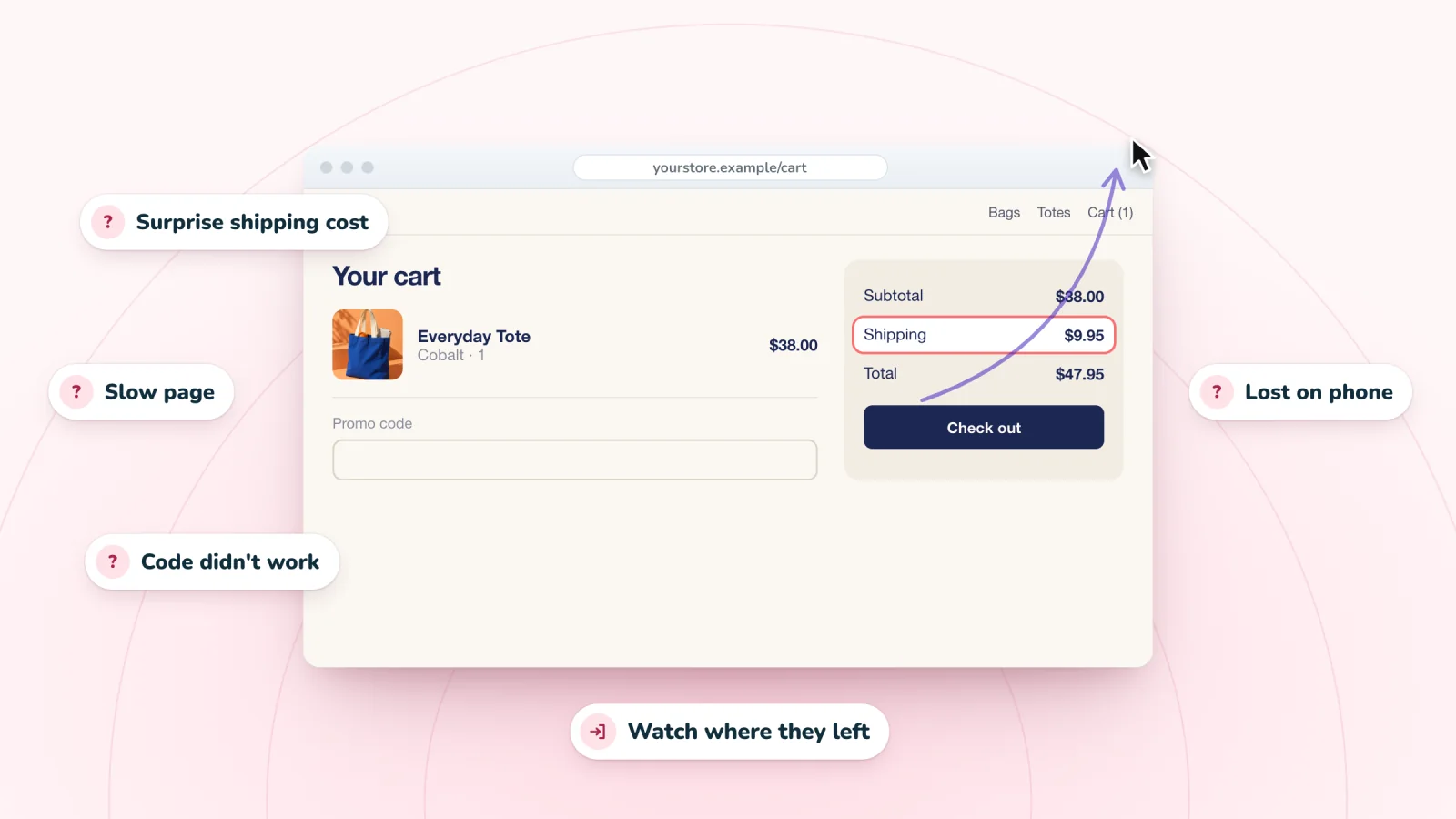
On this page
Every website has visitors who leave without buying or signing up. Some were never going to stay. Others wanted what you offer and hit a snag. Your analytics show where people leave. Finding out why takes a closer look at the visits themselves. Here are the common reasons visitors leave, and a simple way to find out which ones apply to your site.
Key takeaways
- Use your analytics to find the page or step where visitors leave before you open a single replay.
- Watch about ten visits that ended there, and write down what each visitor wanted, tried and stopped at.
- Ask a one-question survey when replays show what happened but leave the reason a guess.
- Fix broken things first, then problems closest to the sale, one change at a time.
Not every exit is a problem
Some visitors get what they came for and go. They check your opening hours, read one article or note a price for later. Others arrive by mistake, from an ad that promised something you do not sell.
So a high bounce rate is a reason to look closer, not a verdict. A bounce is a visit that ends after one page, and each analytics tool counts it in its own way. A one-page visit to a blog post can be a success. A one-page visit to a product page from an ad usually is not. The visitors worth your time are the ones who wanted to stay and could not.
Common reasons visitors leave a website
Problems that send visitors away fall into a few groups, and each one leaves its own trail in a replay.
- Slow pages. A slow page loses people before they see anything. In a replay, the visitor arrives, waits without scrolling and leaves.
- An unclear offer. The first screen should say what you sell and what to do next. Say someone clicks an ad for linen napkins and lands on a home page full of candles. They scroll up and down, find no napkins and leave.
- Surprise costs. Shipping, taxes or fees that appear late can make a fair price feel like a trick. The visit ends soon after the totals appear, sometimes after a detour to the shipping policy.
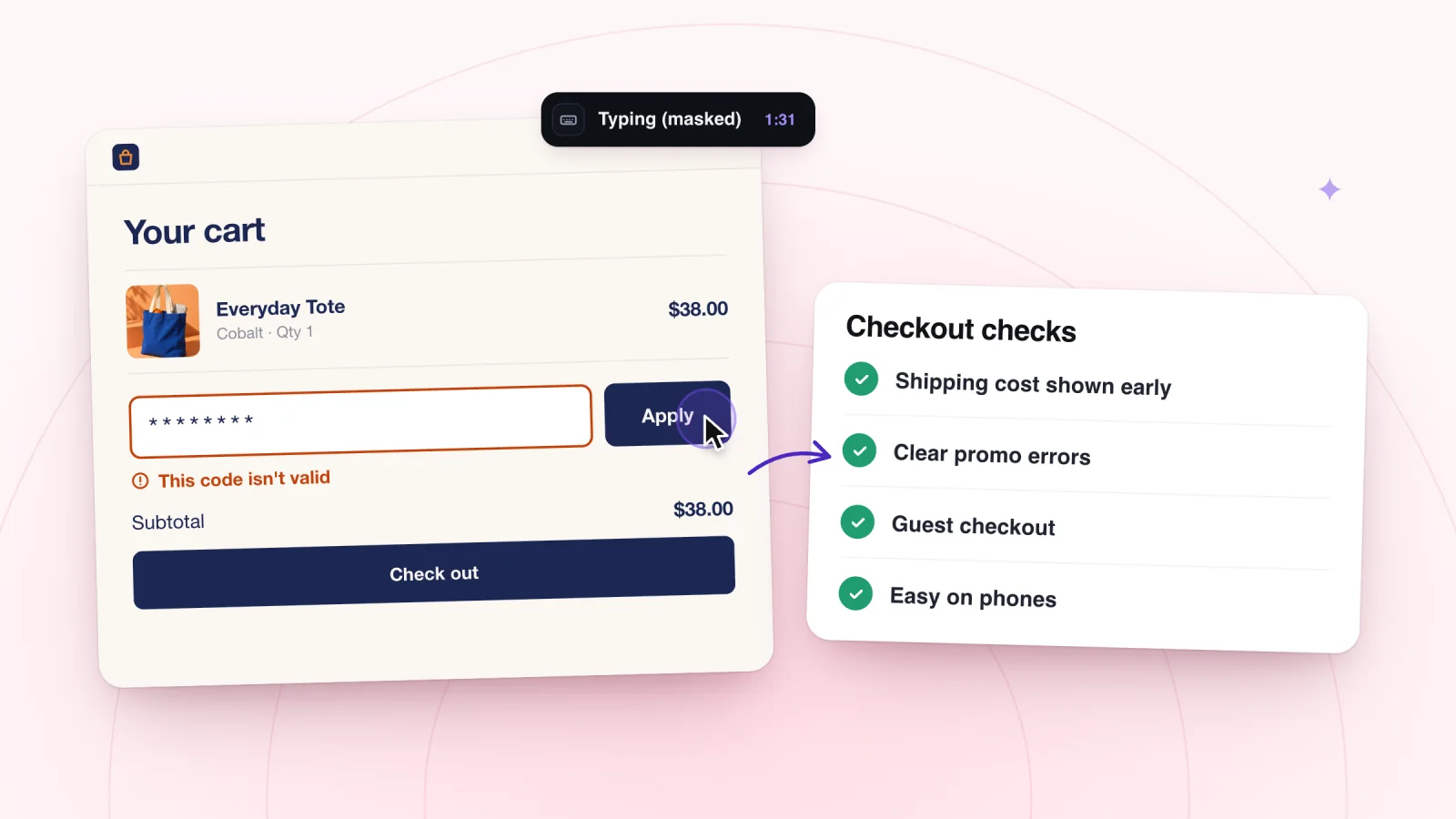
- Forms that are hard to finish. Watch for long pauses on one field, a field typed, cleared and typed again, or a submit click that brings back the same page. Typing shows as asterisks, so you see the attempts but not the words. The guide to why visitors don't finish your contact form covers the usual causes and fixes.
- Pop-ups that get in the way. A pop-up that opens the moment someone arrives, with a close button that is hard to find, can end a visit on the spot.
- Searches that find nothing. Searches are marked on the replay timeline with the words used. A second search right after the first, or an exit from an empty results page, means the search missed.
- Pages that break on phones. Small buttons, pages that slide sideways and sticky bars push phone visitors away. Repeated taps on one spot often mean something did not respond, as the guide to rage clicks explains.
- Trust gaps. New visitors look for signs that buying is safe. Missing contact details, a hidden returns policy or no reviews can make them hold back. Watch for a trip to your contact or returns page right before the visit ends.
Step 1. Find where visitors leave
Start with numbers, not replays. Your analytics show where visits end, which tells you which replays to open.
- Exit pages. Every visit ends somewhere, so judge each page by its job. Exits from a thank-you page are fine. Exits from the cart are not.
- Bounce rate by page. Look for pages that bounce far more than similar pages on your site.
- Drop-off between steps. For a store, compare how many visits view a product, add to cart, start checkout and place an order. Start with the biggest gap.
- Phones and computers. If your analytics split exits by device, compare them. A page that loses far more phone visitors has a phone problem.
Pick one page or step. If two look equally bad, choose the one closer to the sale. How to see what visitors do on your site points to the reports that show top pages, exits and bounce rate.
Step 2. Watch the visits that ended there
Replays show what happened just before visitors left. Match your filter to the place you found in step 1.
| Where visitors leave | Start with this filter | What to watch |
|---|---|---|
| The first page they see | All visits | The first seconds, and anything covering the page |
| A product page | Viewed a product | Scrolling, photos and trips to shipping or returns |
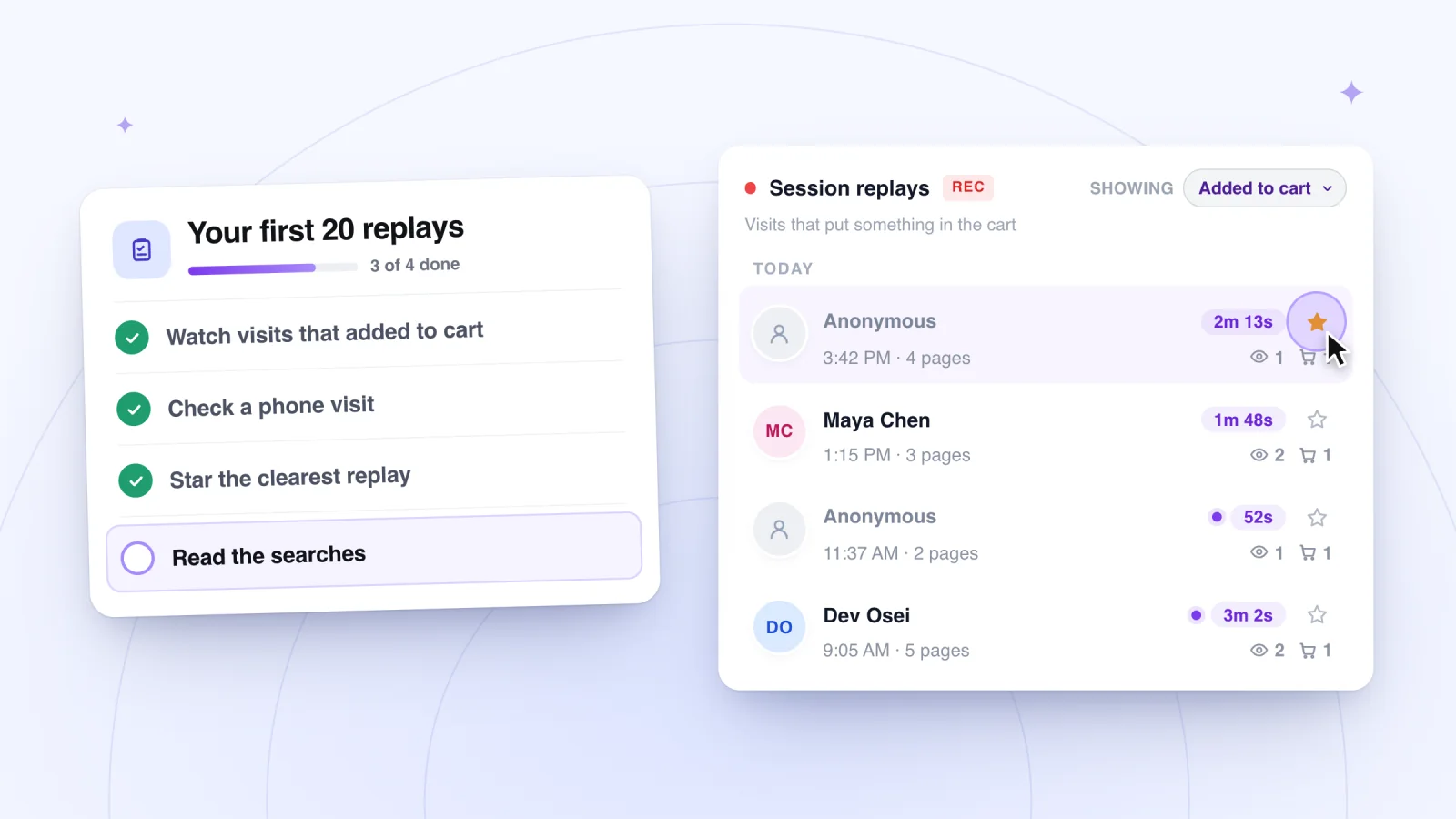
| The cart | Added to cart | Visits with an add to cart moment and no checkout moment |
| A sign-up form | All visits, then Signed up to compare | Pauses, retyping and repeated submit clicks |
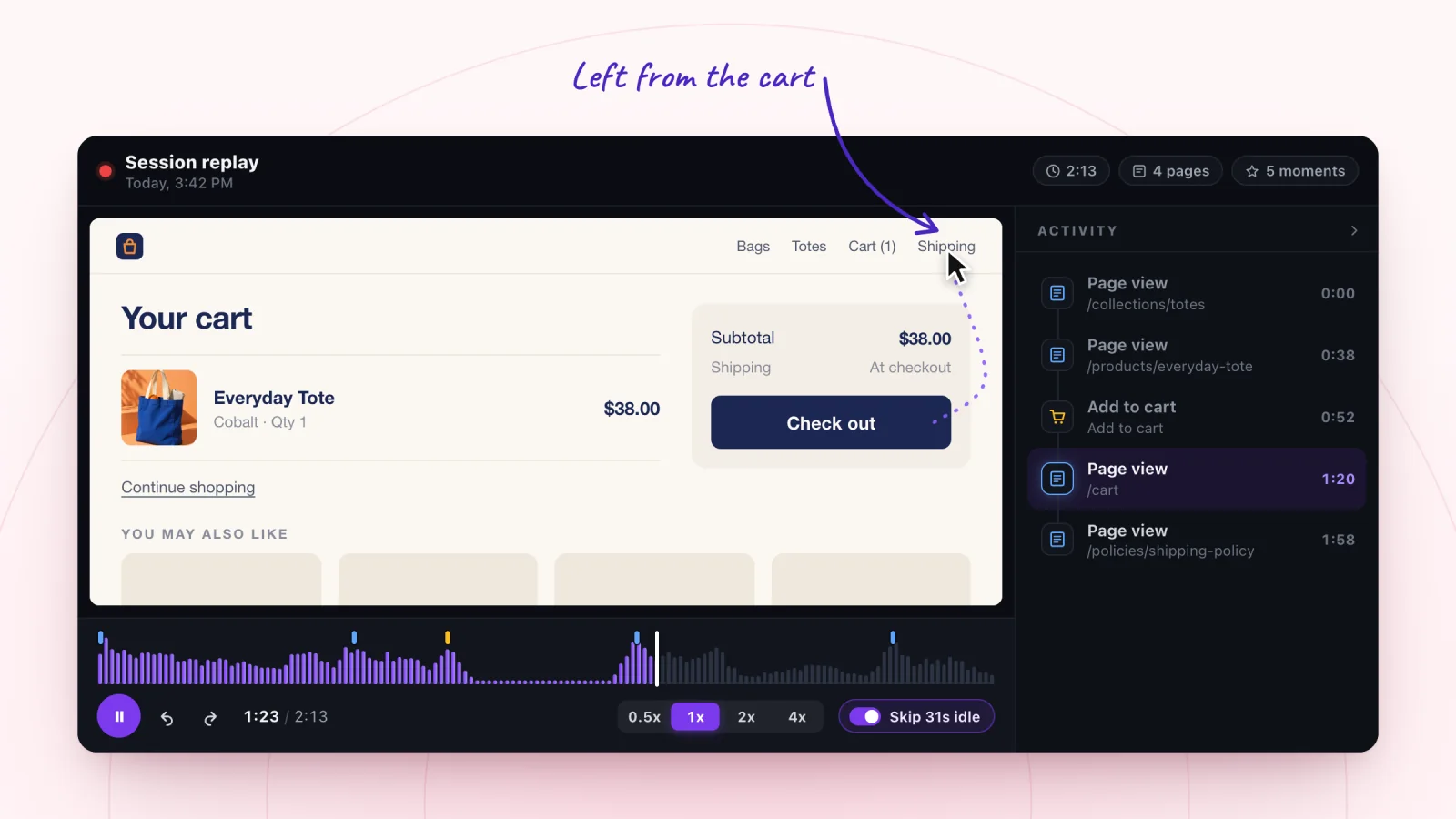
Open a visit and scan the Activity list first. It shows every moment in order, so the last rows tell you where the visit ended. Click the moment just before the end to jump there, then watch at 1x. Each visit in the list shows how many pages it covered, so one-page visits are easy to find. If your numbers pointed to phones, look for phone visits, which play back in the phone's own shape.
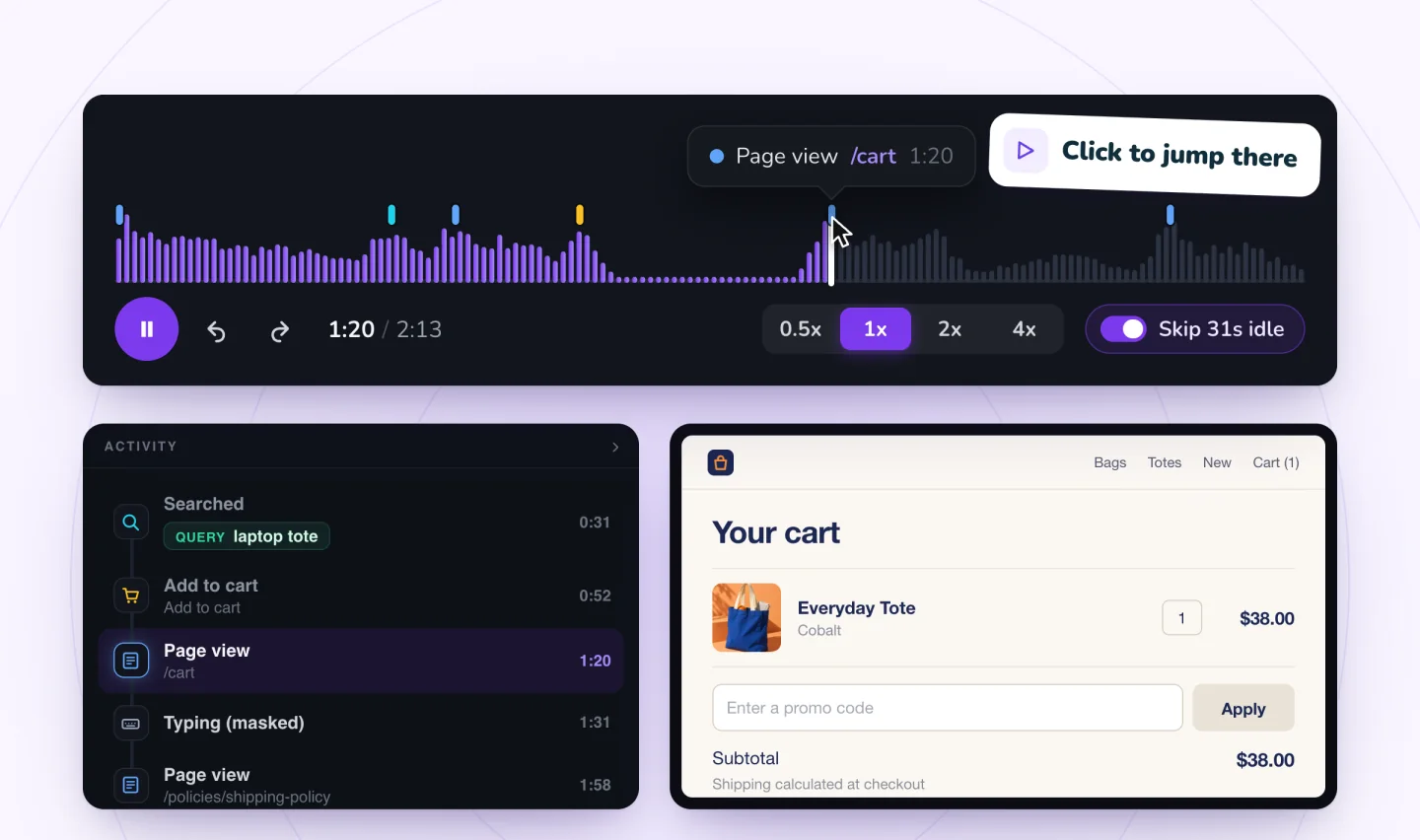
Write one line per visit: what the visitor wanted, what they tried and where they stopped. After about ten visits, count how often each problem shows up. A problem in six of ten visits is a pattern. One odd visit is a story. This routine for watching replays keeps each sitting short.
Watch shoppers move from product to checkout
Store moments are marked on every replay, and filters find the carts that never became orders.
Add to Wix, it's free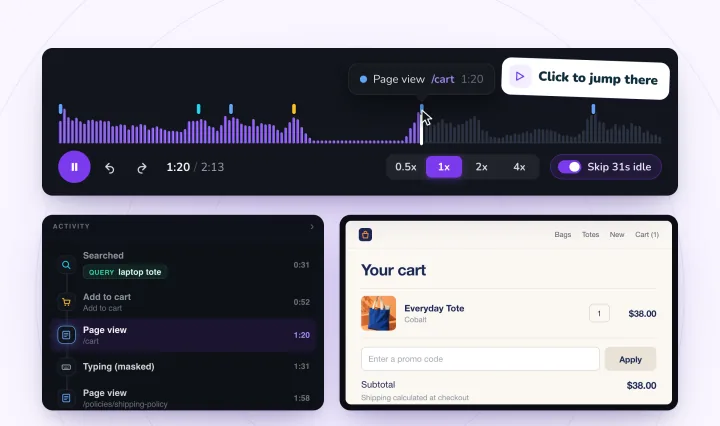
Step 3. Ask when you need the reason
A replay shows what a visitor did, not what they were thinking. When the reason stays a guess, ask.
- A one-question survey. Put it on the page where people leave, in a small box that is easy to close. Ask something like "What stopped you from buying today?" with a few answers plus Other.
- A question for buyers. Add "What almost stopped you from ordering?" to your order confirmation email. The answers can point to snags that others gave up on.
When a survey answer and a replay point to the same snag, you have found a reason worth fixing.
What to fix first
Fix what blocks everyone first, then what sits closest to the sale, then slower work like rewriting pages. Let your replays reorder the list. A problem seen in six visits beats one seen once.
- Anything broken. A button that does nothing loses everyone who needs it. Turn the replay into a bug report and fix it first.
- Surprise costs. Show shipping, taxes and fees near the price and in the cart. Why customers abandon carts covers more cart snags.
- Slow pages. Test on a phone away from Wi-Fi, compress large images, and swap autoplay video at the top of a page for a still image.
- Pop-ups in the way. Delay them, make the close button large and keep them off the cart and checkout.
- Long forms. Ask only for what you need and show each error next to its field. The checkout friction checklist goes step by step.
- Search misses. Add the words visitors use to your product names and descriptions.
- Unclear offers and trust gaps. Say what you sell in the first screen, and put contact details, returns and reviews where shoppers look for them.
Make one change at a time. A week or two later, watch fresh visits to the same page and check whether your numbers moved. Some shoppers will still leave with something in the cart. A friendly reminder by email or text can bring back the ones who meant to return.
Frequently asked questions
What is a good bounce rate?
There is no single good number. It depends on what the page is for and how your analytics count a bounce. A blog post that answers one question can bounce a lot and still do its job. Compare each page with its own past and with similar pages on your site, then watch replays of the ones that stand out.
What is the difference between a bounce and an exit?
A bounce is a visit that ends on the first page, with no other page viewed. An exit is the last page of any visit, however many pages came before it. Every bounce is also an exit. Since every visit has an exit, exits matter most on pages where you hoped visitors would go on, such as the cart or a sign-up form.
What should an exit survey ask?
Ask one question, with a few ready answers and an Other box. For a store, try "What stopped you from buying today?" with answers like the price or shipping, could not find what I wanted, had a question, and just looking. Show it where people leave, keep it small and easy to close, and read the Other answers closely.
Try it on your site
Session Recordings lets you filter to visits that viewed a product, added to cart or signed up, then jump to the last moments before each visit ended. See how it works for shops on the session recording page for online stores.

We build marketing apps for online stores: myuser.ai writes and sends emails and texts from a store's own products, and we make Session Recordings and Spin Wheel for Wix sites. Product details in our guides are checked against the apps themselves.