
Heatmaps for Shopify and Wix, made from real visits
Session Recordings turns the visits it records into click and scroll heatmaps of your store's or site's pages, with computers, tablets and phones kept apart and rage clicks and clicks that did nothing marked. There's no extra script, and it's free.
Session Recordings comes to the Shopify App Store in late November 2026. Email us and we'll tell you when it's live.
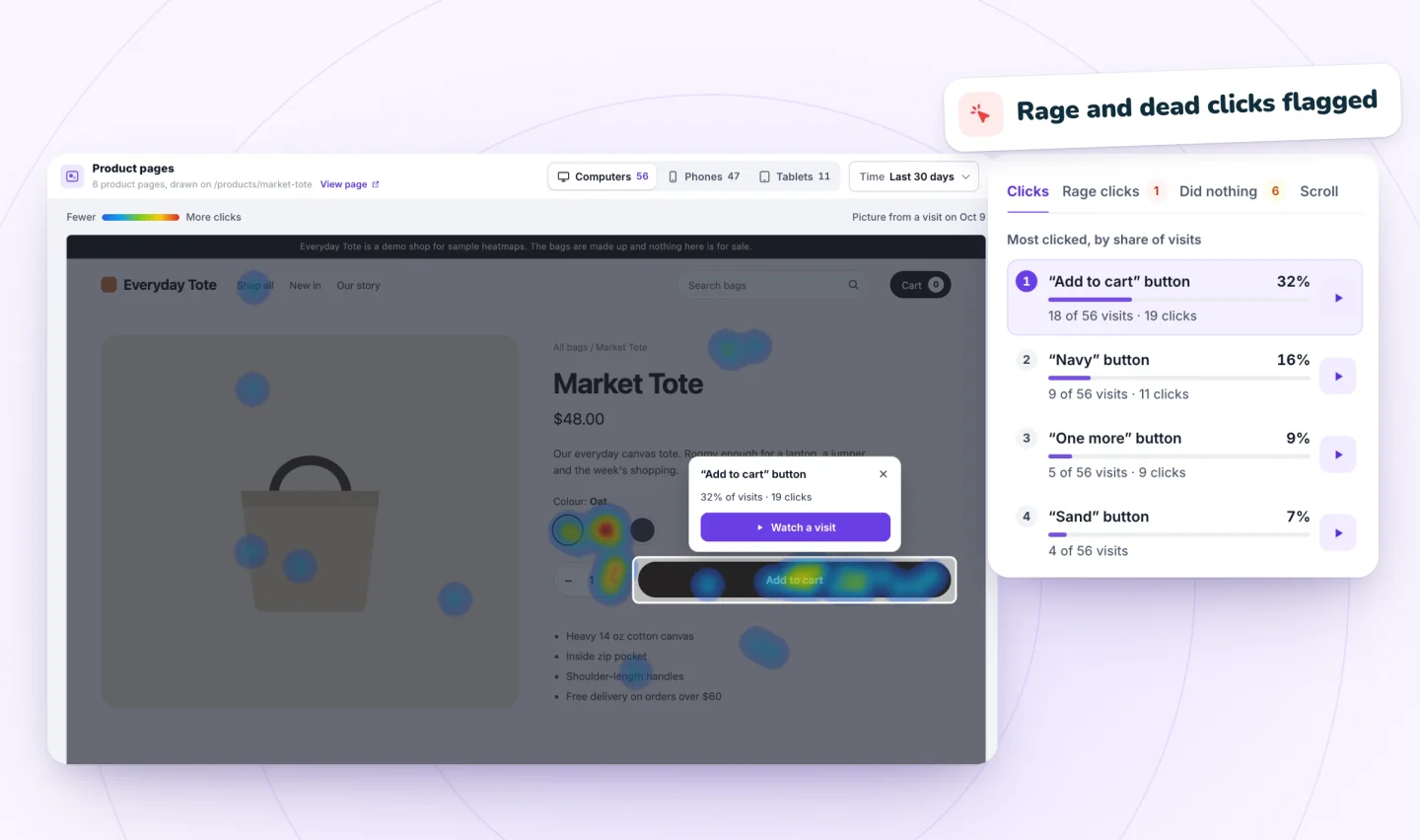
What the heatmaps show
A page's map has four views:
- Clicks: where visitors clicked or tapped.
- Rage clicks: three or more fast clicks in one spot.
- Did nothing: clicks the page didn't answer within 2.5 seconds.
- Scroll: how far down the page visits went.
Counts are visits, not clicks: five clicks from one visitor count as one visit.
How do I turn on heatmaps in Session Recordings?
There's nothing to switch on for the maps themselves: they come with the app and fill in from the visits it records.
On Wix
- Add Session Recordings from the Wix App Market: click Add to Site, then Agree & Add.
- Publish your site. Recording switches on when the app is installed, for the published site, with no code to paste.
- Let visits come in. A visit is saved once the visitor clicks, taps or types, and the maps add those visits up.
- Open Heatmaps in Session Recordings and pick a page. Don't see Heatmaps? Update the app from Manage Apps in your site's dashboard.
- Choose Computers, Tablets or Phones and the last 7, 30 or 90 days, then switch between the four views.
On Shopify
- Session Recordings comes to the Shopify App Store in late November 2026: once it's there, install it from the Shopify App Store.
- In the app, press Turn on in theme editor, then click Save in the theme editor. Recording starts with the next visit.
- Let visits come in. A visit is saved once the visitor clicks, taps or types, and the maps add those visits up.
- Open Heatmaps in Session Recordings and pick a page.
- Choose Computers, Tablets or Phones and the last 7, 30 or 90 days, then switch between the four views.
Computers, tablets and phones kept apart
Each kind of device gets its own map, so a layout that works on a computer and fails on a phone shows up as two pictures, not one blend.
The last 7, 30 or 90 days
Pick the period that fits your question. After a redesign, wait a week and read the last 7 days, so the map shows only the new layout.
Made from the visits you already record
The maps are built from the visits Session Recordings records for replays, with no extra script, so they follow the same rules: a visit is saved once the visitor clicks, taps or types, visitors who decline analytics, where you ask for consent, aren't recorded, and recording pauses at 2,000 recordings a month until the 1st. Because a visit that never clicked or typed isn't recorded, real scroll numbers run lower than the map shows. Private pages stay out: checkout, thank-you, account and member pages never get a map. On Shopify, checkout and customer account pages aren't recorded at all. See how Session Recordings keeps recordings private.
Heatmaps and replays together
A heatmap shows where attention goes on a page; a replay shows what happened in one visit. Start from the map to find the element drawing rage clicks or clicks that did nothing, then watch replays to see what visitors were trying to do there. Session replay covers the player.
How it compares
On Wix, Microsoft Clarity and TWIPLA also make heatmaps: free heatmap options for Wix and their limits compares them, and session recording and heatmap tools for Wix puts every tool side by side. On Shopify, free session recording and heatmap apps for Shopify compares the free plans on the Shopify App Store.
Guides to go further
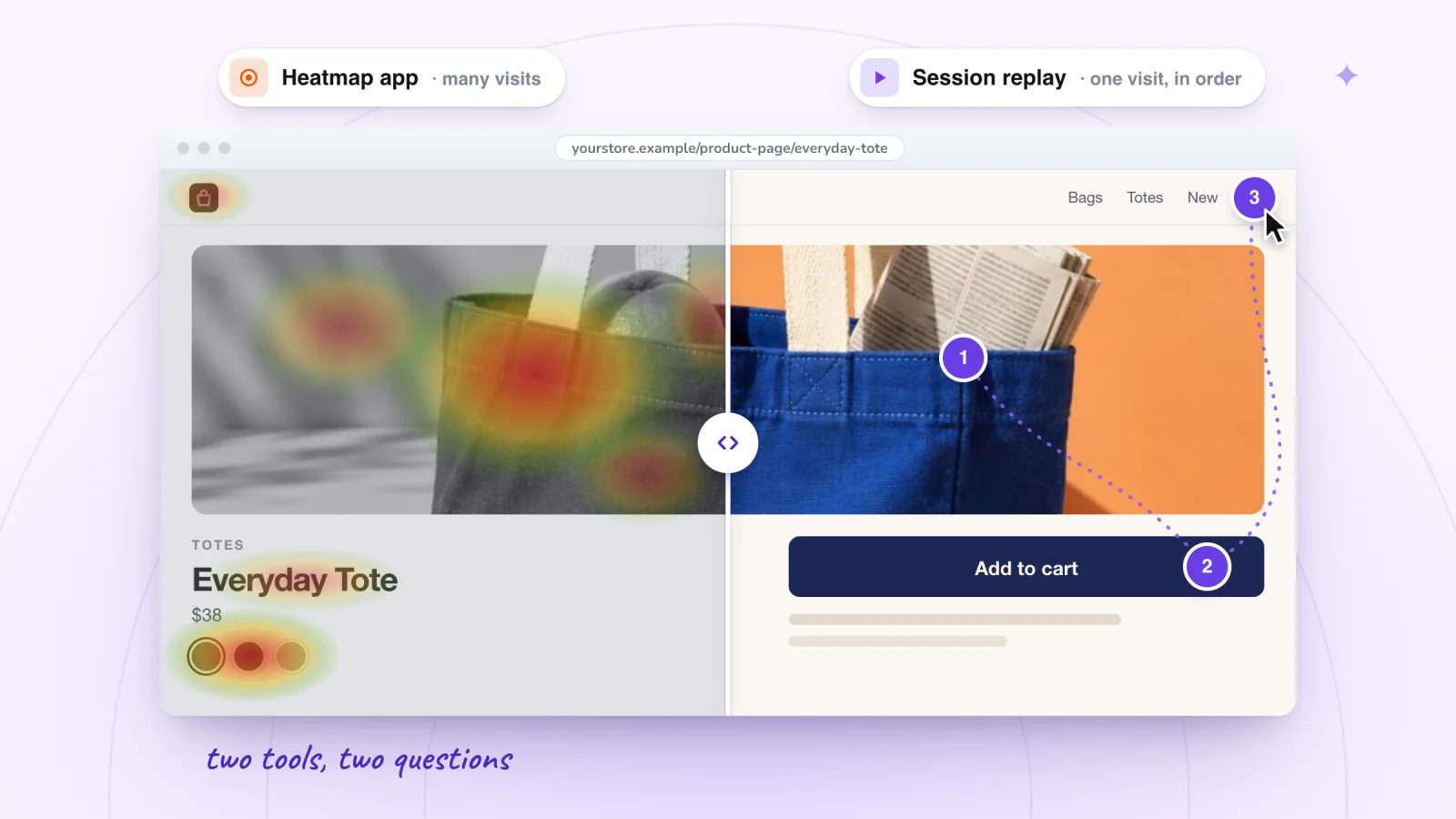
Heatmaps on a Wix Site: Free Options and Their Limits
Wix Analytics has no page heatmaps. Compare the free ways to add them, from Microsoft Clarity to TWIPLA and custom code, and what each can't do.
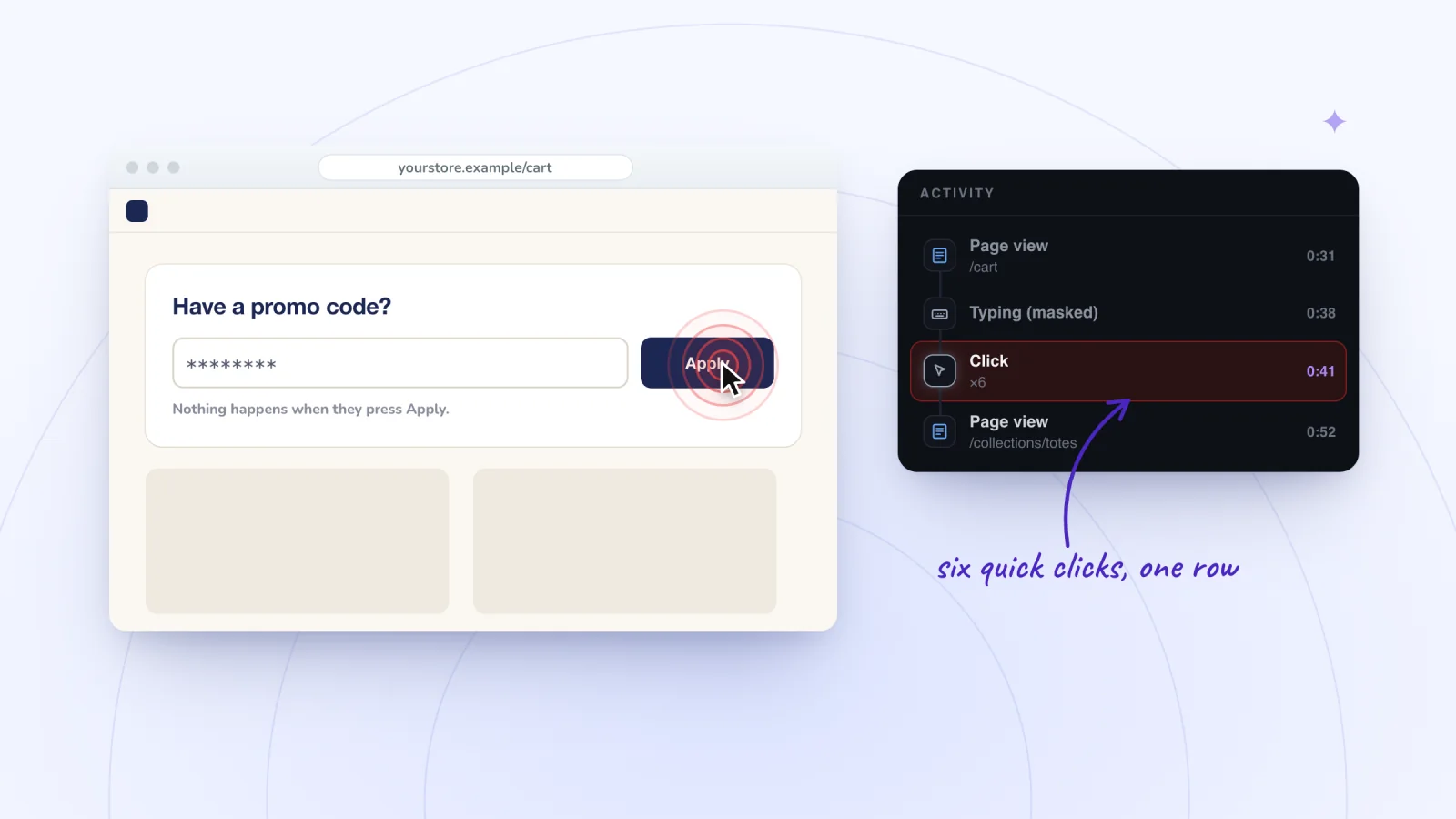
Wix Button or Link Not Working? Why Clicks Do Nothing
A Wix button or link that won't respond is usually covered by another element or a frozen footer, or a setting stops it. Spot it in replays, then fix it.
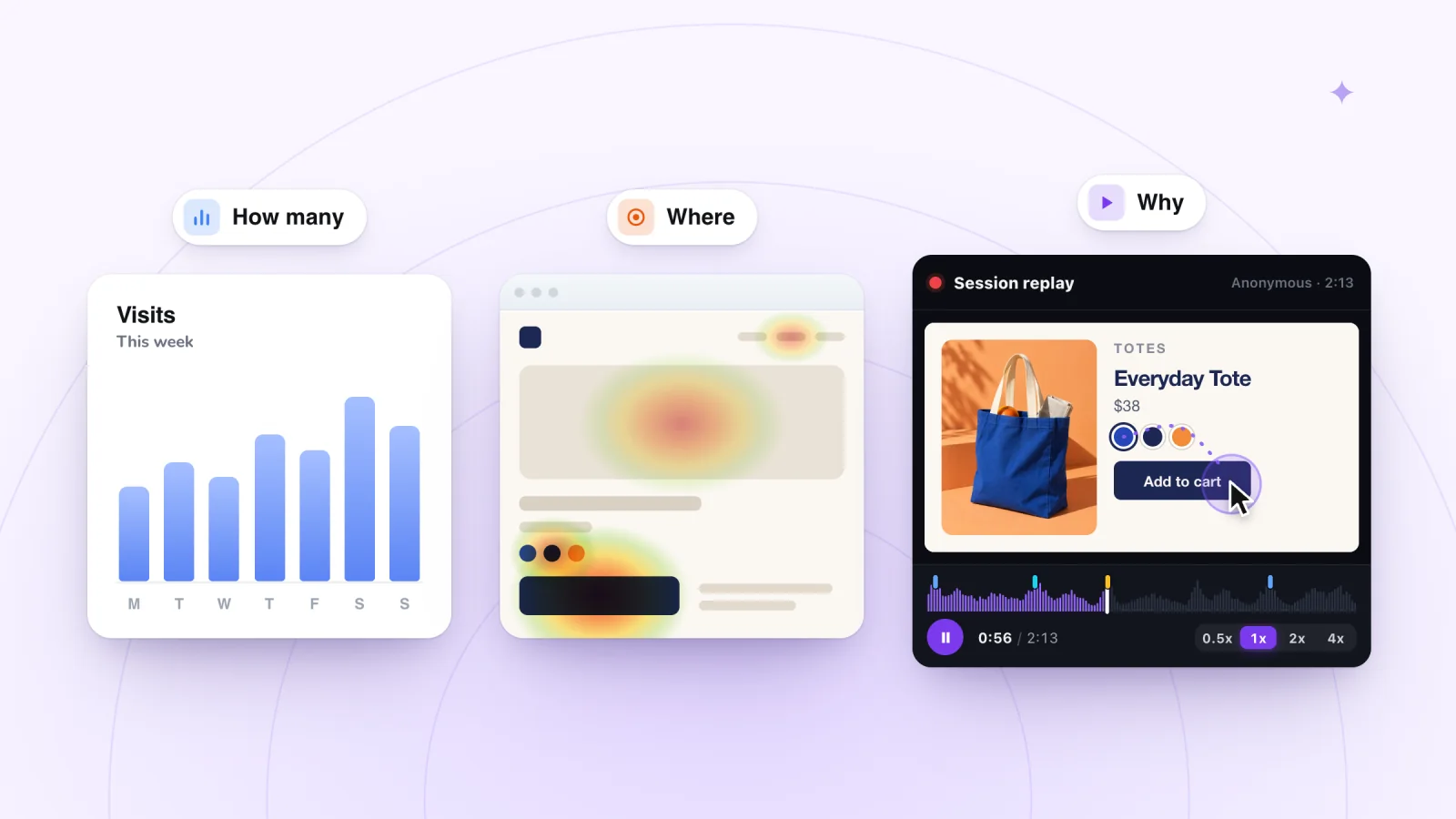
Session Replay vs Heatmaps vs Analytics: Which to Use
Analytics count visits, heatmaps sum up one page and session replay shows single visits. Match your question to the right tool.
Where to go next
Session replay
The player, the Activity list and what a replay shows.
OpenPhone visits
Replays at the phone's own size, every tap shown.
OpenPrivate by default
Form typing masked, cookie consent followed, guests anonymous.
OpenHow it compares:Free session recording apps for ShopifySession recording tools for Wix, comparedMicrosoft Clarity vs Session Recordings
Frequently asked
Are the heatmaps free?
Yes. Like every feature of Session Recordings, they're free, and they're built from the same visits as your replays, up to 2,000 recordings a month.
Do I need to add a script for heatmaps?
No. The maps are made from the visits Session Recordings already records, with nothing to paste.
Are phones and computers shown separately?
Yes. Computers, tablets and phones each get their own map.
Does it mark rage clicks and dead clicks?
Yes. Each map marks rage clicks and clicks that did nothing, beside its click and scroll views.
How far back do the heatmaps go?
You pick the last 7, 30 or 90 days.
Do the heatmaps work on a free Wix site?
Yes. Session Recordings records free Wix sites on a wixsite.com address too, with no Premium plan or connected domain, and the heatmaps come from those visits.
Do I need to change my Shopify theme for heatmaps?
No code. Switch on Session recorder in your theme editor from the app and click Save; the maps fill in from the visits it records. App embeds like it work in Online Store 2.0 and vintage themes.
Which pages don't get a heatmap?
Checkout, thank-you, account and member pages never get a map, so private pages stay out.
See your next visit through your visitor's eyes
Install it on Shopify and switch it on in your theme, or add it to your Wix site. Recording starts with your next visitor.