Session Recordings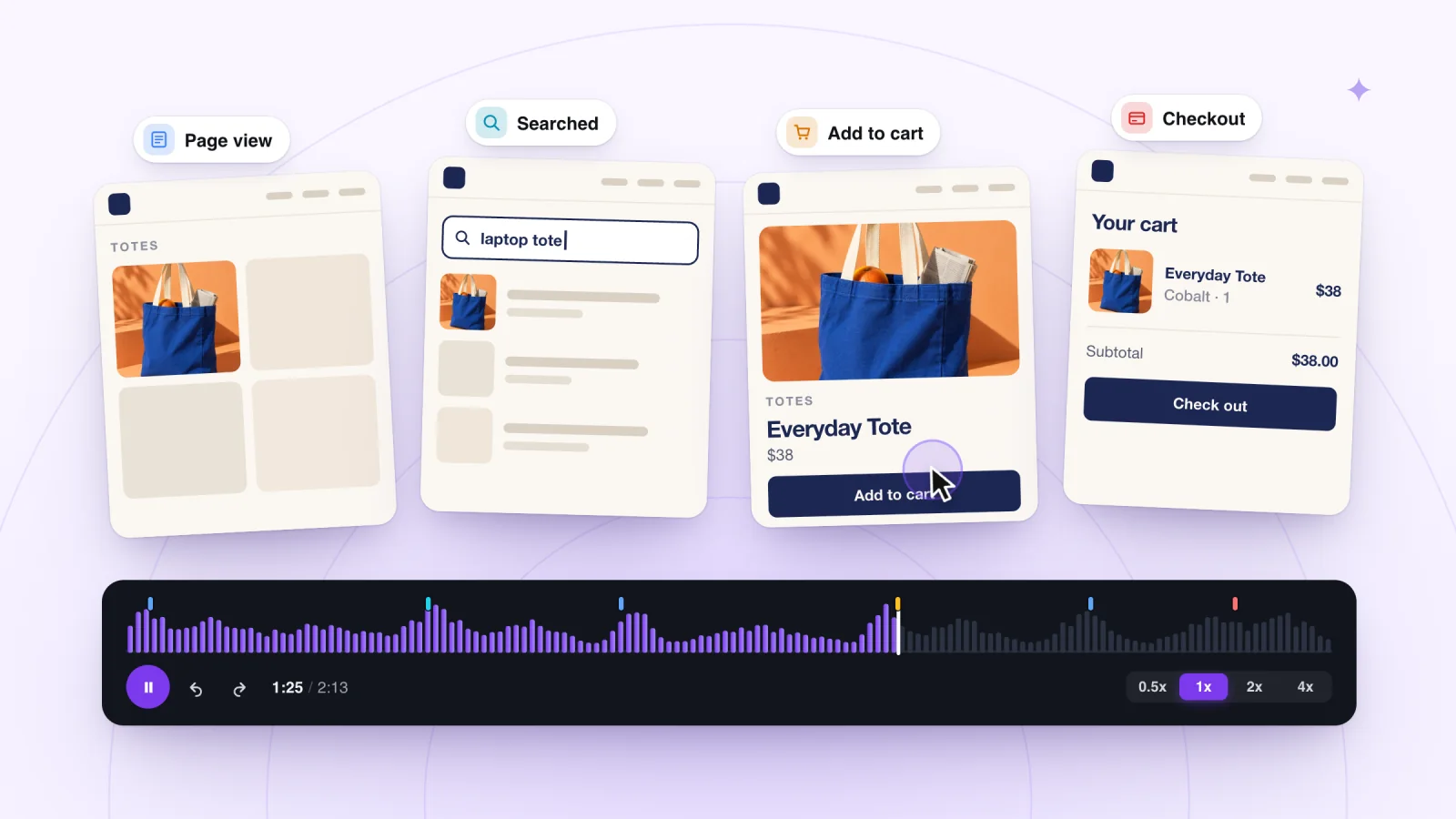
On this page
Session recording lets you replay a real visit to your website. You see the pages a visitor opened, where they clicked or tapped, and how far they scrolled, in the order it happened. This guide explains how a recording is made, what it can teach you, and where its limits are.
Key takeaways
- Watch replays to spot hesitation, unexpected paths, broken steps and features nobody uses.
- Treat your reading of a single replay as a guess until other visits show the same behavior.
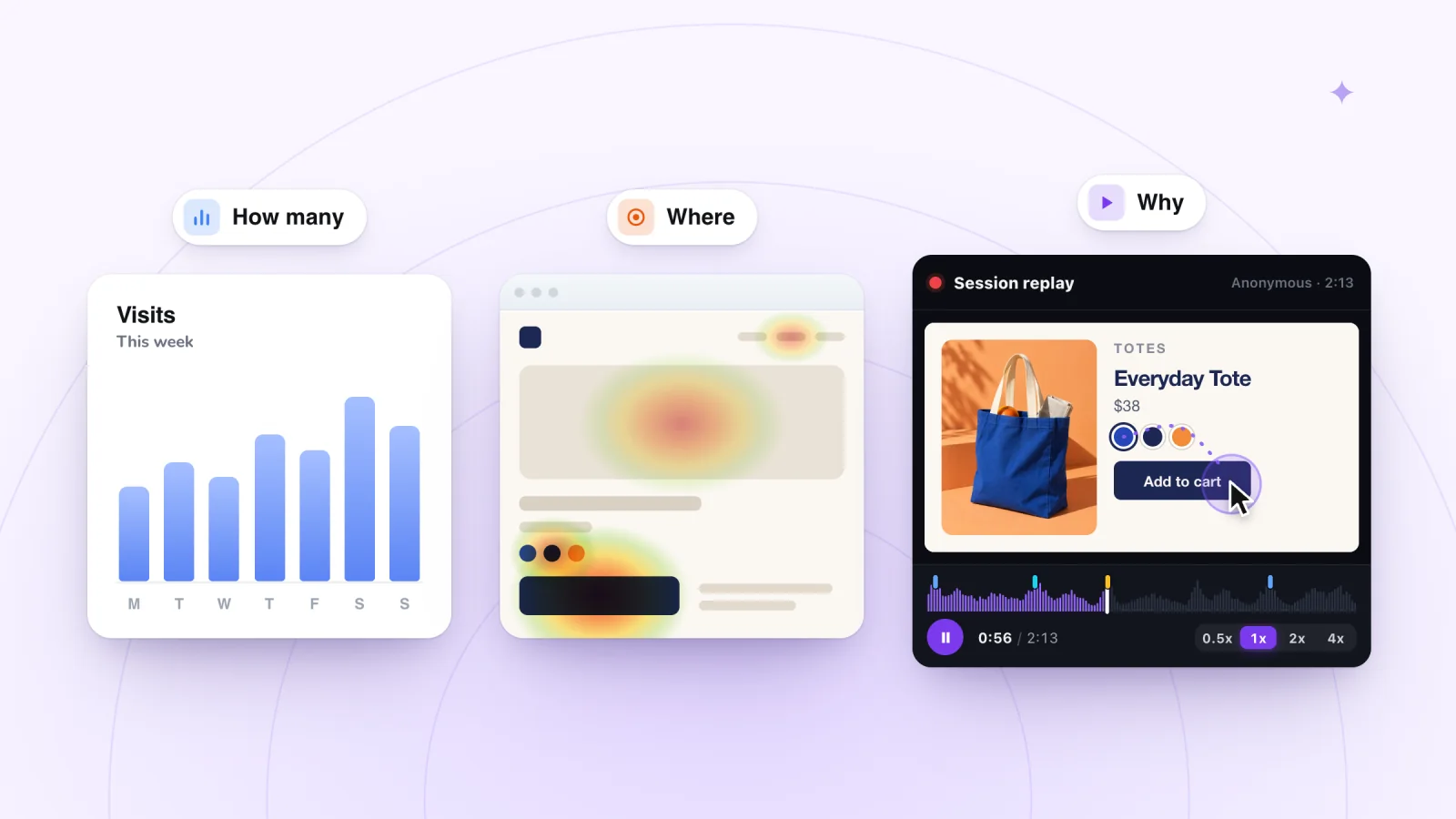
- Use analytics to count how often something happens, and recordings to see how it happens.
- Start watching right after a site change, when a number looks strange, or when a customer reports a problem.
What session recording means
A session is one visit, from the moment someone arrives on your site to the moment they leave. A session recording captures what happened during that visit so you can play it back later. You will also hear it called session replay. The two names describe the same thing.
Each recording follows one person through one visit. That sets it apart from a traffic report, which adds all your visits together into totals and charts.
How a recording is made
A recording is a reconstruction. While someone browses, the recording notes the structure of each page and every event that happens on it. Page views, clicks, scrolling and taps each become an entry in a list. Later, a player uses that list to rebuild the page and act out each event in order.
Sheet music is a useful comparison. The recording stores the notes, meaning what was on the page and what the visitor did. The player performs them back for you.
Nothing films the screen. There is no audio and no camera. Because the replay is rebuilt from your own page, it looks like your site. A phone visit can even play back in the shape of the phone, so you see the same narrow view the visitor had.
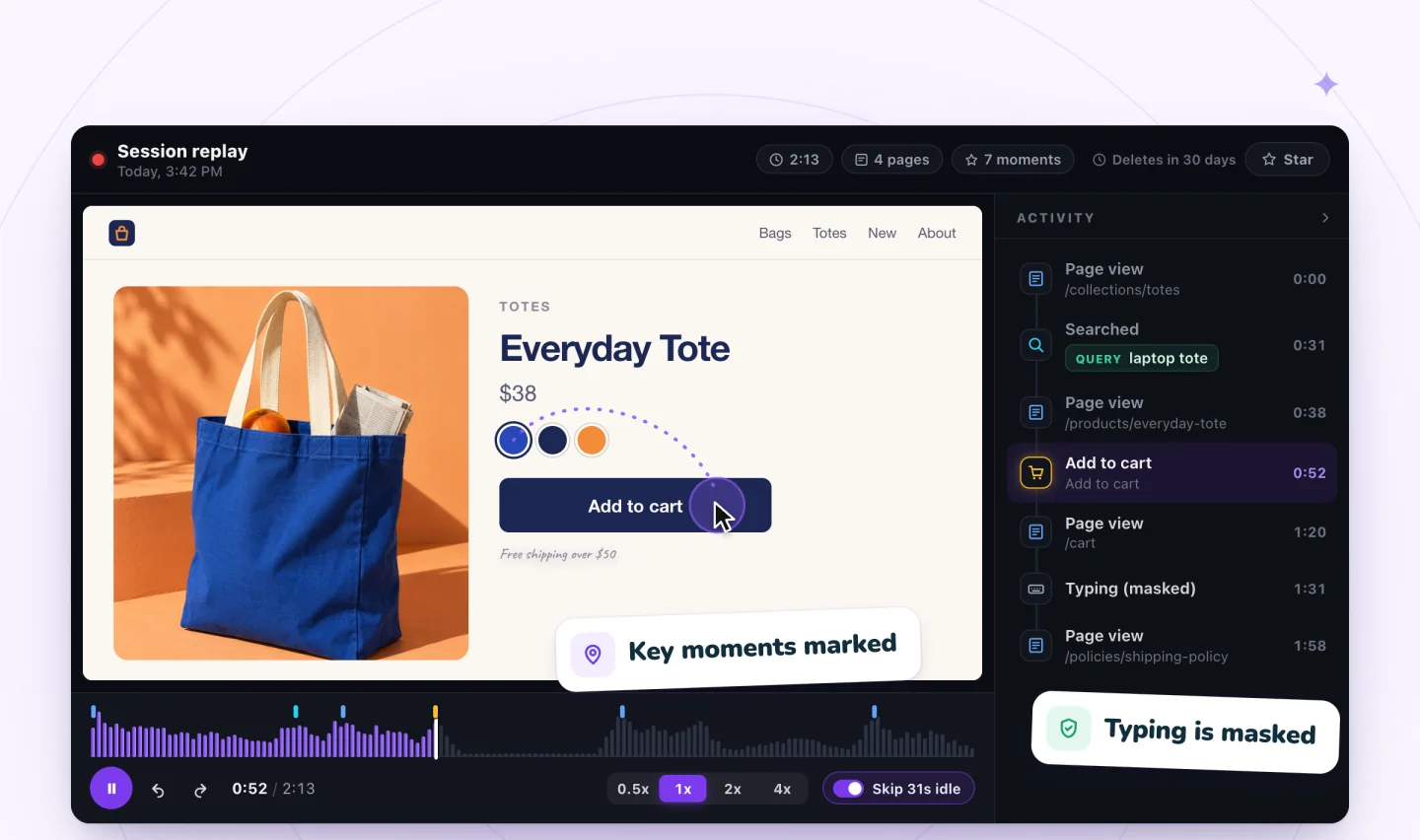
What a recording captures
- The pages a visitor views, in order
- Clicks on a computer and taps on a phone
- Scrolling, including how far down each page they went
- Key moments such as a search, an add to cart or reaching checkout
What stays out
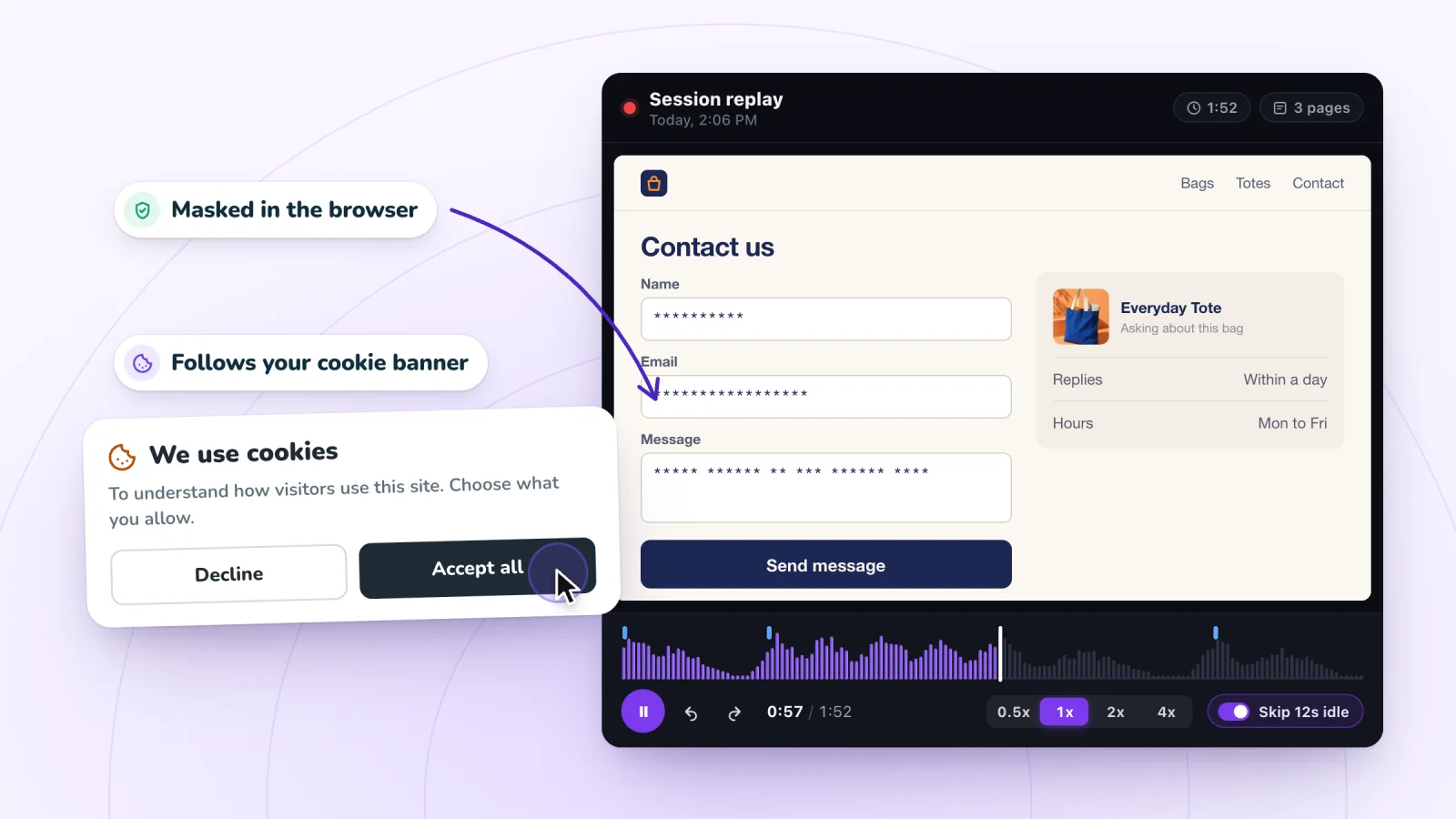
- Typed text. A privacy-minded tool masks what visitors type before it leaves their browser. In Session Recordings, typed text shows up as asterisks, so you can see that someone filled in a field without seeing what they wrote. The words a visitor submits in a store's search box can be shown, so you can learn what people looked for. The private recording page explains the details.
- People who said no. A tool that respects privacy leaves out visitors who decline analytics cookies. Session Recordings follows your site's cookie consent, so those visitors are not recorded.
- Everything outside the tab. Other tabs, other apps and the room the visitor is sitting in never appear.
What you can learn from replays
Replays are best at showing how people use your site. Here are a few things they reveal well.
- Hesitation. A visitor scrolls down, back up, and down again over the same section. Something there is unclear or missing.
- The real path. You may picture visitors going from the home page to a product to the cart. A replay might show someone reading your About page and your returns policy first. That tells you what they need before they trust you.
- Broken steps. A button does nothing, an error appears, or part of a page fails to show up.
- Unused features. You added a size filter last month. Replays show whether anyone touches it.
- What people came for. A visitor who skips your banner and heads straight for the menu or the search box arrived with something specific in mind. Where they go next tells you what it was.
A hypothetical example helps. Say you sell handmade soap, and visitors reach your gift sets page and leave without buying. You watch a handful of those visits. Each person scrolls past the photos to the bottom of the page, scrolls back up, and leaves. Maybe they want ingredients or delivery times that the page never mentions. Now you have something specific to test.
Session recordings, private by default
Typing is masked in the visitor's browser and recording follows your cookie banner. Free plan included.
Add to Wix, it's free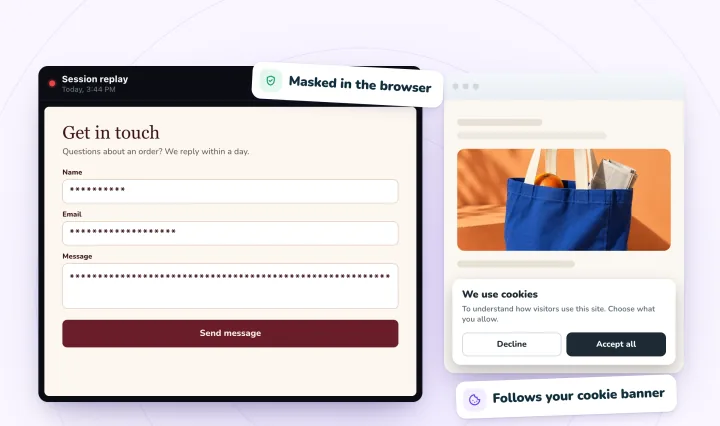
What a recording cannot tell you
Replays have real limits. Knowing them keeps you from reading too much into a single visit.
Why someone did something
A replay shows actions. The reasons stay in the visitor's head. A long pause might mean careful reading, confusion, or a knock at the door. Treat your explanation as a guess until other visits back it up.
What happened somewhere else
If a visitor opens another tab to compare prices, the replay shows them leaving your page and maybe coming back later. Phone calls, distractions and second devices stay invisible.
How many people did it
One replay is one person. Recordings show how something happens, and analytics show how often. For totals, conversion rates and traffic sources, you need an analytics tool. This comparison of recordings, heatmaps and analytics covers which tool answers which question.
Anyone who declined
When your tool respects consent, your replays come only from visitors who agreed to analytics. That is fine for finding problems. A broken button is broken for everyone, whether they agreed or not.
What visitors wrote
Masked fields are a feature. You can see that a visitor filled in your contact form and where they paused. You cannot read their message, and you should not be able to.
A few terms you will see
- Session. One visit, from arrival to exit.
- Event. A single action, like a page view, a click, a tap or a scroll.
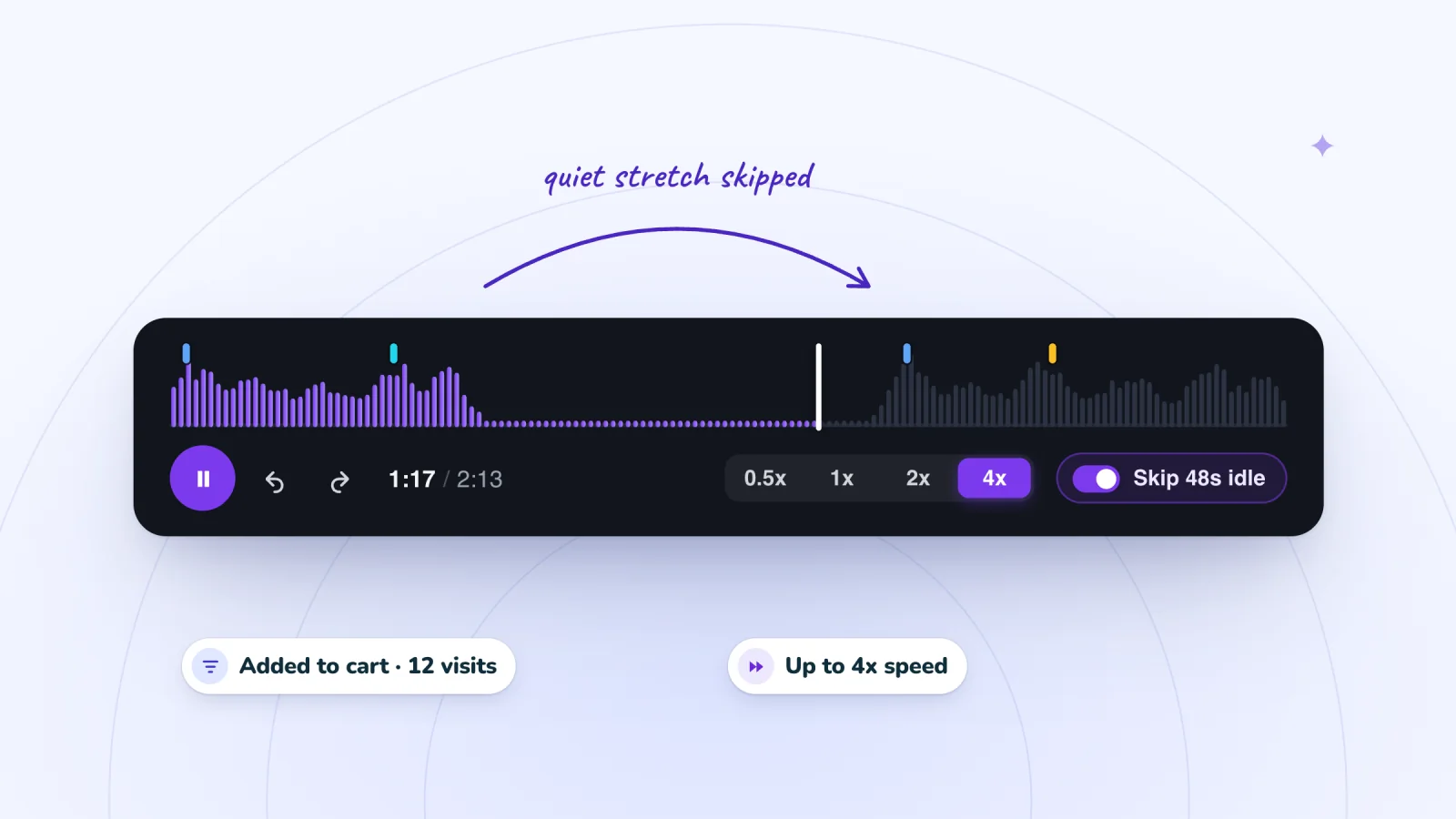
- Timeline. The visit laid out from start to finish, with key moments marked so you can jump to them.
- Masking. Hiding typed text, ideally before it leaves the visitor's browser.
- Retention. How long recordings are kept before they are removed.
When session recording helps most
Recordings earn their keep in a few situations.
- Right after a change. You launched a new menu or product layout and want to see real people use it.
- When a number looks strange. A report shows a drop at one step, and you need to see what happens there.
- When a customer reports a problem. A replay can show what they ran into, even if they could not describe it.
- When a site is new to you. Watching a dozen visits is a quick way to learn how strangers move through it.
When you start watching your own, a routine for watching recordings quickly will save you time. If you would like to see a replay first, try a free interactive session replay demo. For tips aimed at shops, read a practical guide to session recordings for online stores.
Frequently asked questions
Is it legal to record visitors on your website?
It can be, when you are open about it and respect visitors' choices. Common practice is to mention session recording in your privacy policy, ask for consent through your cookie banner, mask what visitors type and delete recordings after a set period. Rules differ by country and state, so check the ones that apply to you. This is general information, not legal advice.
Can visitors tell when their visit is being recorded?
Not from the page itself. A recording runs quietly in the background, so nothing on the screen changes while someone browses. Visitors learn about it from your cookie banner and your privacy policy, which is why both should mention recordings in plain words. With a tool that follows cookie consent, visitors who decline analytics are not recorded at all.
How many session recordings should you watch?
Enough to see a pattern, which is often fewer than you expect. Start with one clear question and about ten visits that can answer it. If the same behavior shows up several times, you have a lead worth acting on. If every visit looks different, narrow the question or watch more. Then check your analytics to see how often it happens.
Do you need to add code to start session recording?
Not always. Some tools ask you to paste a script into your site, but Session Recordings needs no code. You add the app, turn recording on with one click, and recording starts with your next visitor. A setup screen first explains what is recorded and what is masked, and you can turn recording off at any time.
Try it on your site
Session Recordings records real visits to Wix sites and stores and replays them as rebuilt pages, with typed text masked. You can see what a replay includes on the session replay page.

We build marketing apps for online stores: myuser.ai writes and sends emails and texts from a store's own products, and we make Session Recordings and Spin Wheel for Wix sites. Product details in our guides are checked against the apps themselves.