On this page
- Can you add custom code to Wix?
- Where should a tracking code go on Wix?
- Add a tracking code with Custom Code
- How do you add Google Analytics or the Meta Pixel to Wix?
- How do you add Microsoft Clarity or Hotjar to Wix?
- How does Wix's cookie banner affect tracking codes?
- How do you check that a tracking code is working?
- Why is my Wix custom code not working?
- Recording visits without a tracking code
- Frequently asked questions
- Try it on your site
- Sources
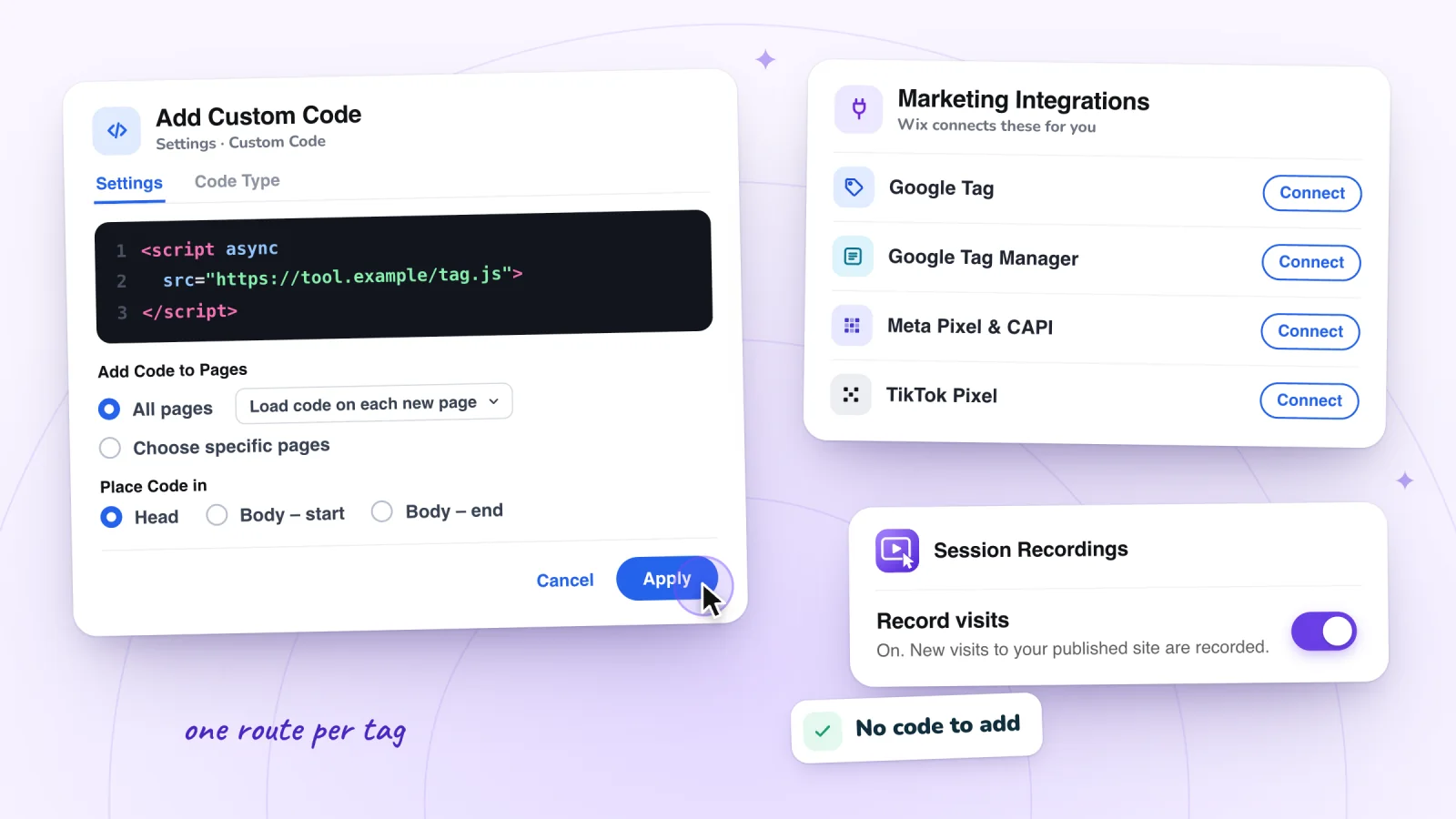
To add a tracking code to Wix, paste it into your site's dashboard under Settings > Custom Code, choose the pages and whether it goes in the head or the body, and click Apply. Google Analytics, Google Tag Manager and the Meta and TikTok pixels are the exception: Wix says they don't work as custom code, so you connect them under Marketing Integrations instead.
Both routes need a Premium plan and a connected domain. Afterwards, make a test visit and check that the tool saw it. If it didn't, look for a tag added twice, the wrong placement or a cookie banner holding it back.
Key takeaways
- On Wix, paste a tracking code under Settings > Custom Code, choosing all pages or specific ones and the head or body as the tool's instructions say; the site needs a Premium plan and a connected domain.
- Google Analytics, Google Tag Manager and the Meta and TikTok pixels don't work as custom code, Wix says: connect them under Marketing Integrations, and add each tool in one place only.
- Custom code counts as essential and loads before cookie consent until you set its Code Type to Analytics, Marketing or Functional; integrations such as Google Analytics and the Meta Pixel wait for consent on their own.
- Test on your published site in a private window with ad blockers off, using each tool's own live report or browser extension.
Can you add custom code to Wix?
Yes, once your site is upgraded. Wix lets you add snippets to the head or body of every page, or of pages you pick, under Settings > Custom Code. The site must be published and have a connected domain, and connecting a domain takes a Premium plan, or a Studio plan for a Wix Studio site.
Wix lists what custom code is for: verifying site ownership, monitoring traffic, tracking what visitors do and measuring campaigns. Visitors never see the snippets, and none of Wix's embed tools lets you edit the site's own HTML. A free site keeps its wixsite.com address, so it can't use Custom Code or Marketing Integrations. Snippets also belong to the connected domain: if you assign a different domain to the site, Wix deletes them. And Wix doesn't support problems inside third-party code, so questions about a snippet go to its provider.
Wix Analytics needs none of this: Wix says it's set up automatically for every user, with no code. Wix Analytics vs Google Analytics covers what it shows.
Where should a tracking code go on Wix?
It depends on the tool. Wix connects the best-known ones for you under Marketing Integrations, some vendors make an app for the Wix App Market, and anything that gives you a snippet goes in Custom Code. Wix says its integrations have less impact on site performance. Use one route per tool:
- Google Analytics 4. Marketing Integrations > Google Tag, with your Measurement ID. Add Google Ads conversions as a destination on that same tag, in your Google account, not as a second tag.
- Google Tag Manager. Marketing Integrations > Google Tag Manager.
- Meta Pixel. Marketing Integrations > Meta Pixel & CAPI.
- TikTok Pixel. Marketing Integrations > TikTok Pixel.
- Microsoft Clarity. Its app on the Wix App Market, as Microsoft's Wix guide describes.
- Hotjar (now Contentsquare), HubSpot, LinkedIn's Insight Tag and other snippets. Custom Code, in the head or body as the vendor says.
- Tools that run inside Google Tag Manager. A tag in your container. Wix names Crazy Egg, Hotjar and Pinterest as examples.
- Session replays from our app. No code: Session Recordings is a Wix app (see below).
Add a tracking code with Custom Code
For a tool that gives you a snippet, follow these steps. Some vendors' guides still call the section Advanced rather than Development & integrations.
- Copy the code straight from the tool. Hotjar warns that a text editor can change it on the way, and LinkedIn asks for straight quotation marks, not curly ones.
- In your site's dashboard, go to Settings and click Custom Code in the Development & integrations section.
- Click + Add Custom Code, paste the snippet and give it a name you'll recognize, such as the tool's name.
- Under Add Code to Pages, choose All pages, which also covers pages you add later, then whether the code loads once per visit or on each page the visitor opens. For a code meant for one page, such as a thank-you page, choose Choose specific pages instead.
- Under Place Code in, choose Head, Body – start or Body – end, as the tool says. Wix's rule of thumb: tracking and verification codes in the head, other scripts in the body.
- Open the Code Type tab and choose the category that fits the tool: Analytics, Marketing or Functional. Left alone, the code counts as Essential and loads before visitors make a cookie choice.
- Click Apply, then check that it works on your live site.
How do you add Google Analytics or the Meta Pixel to Wix?
Not with code. Wix says Google Analytics, Google Tag Manager and the Facebook and TikTok pixels don't work through custom code, so you connect each one under Marketing Integrations in your dashboard, usually by pasting an ID. Once a tool is connected, Wix says its ready-made events, such as page views, cart adds and purchases, start reporting automatically.
Google Analytics 4
In Marketing Integrations, click Connect under Google Tag, then Add Google Tag ID. Paste your Measurement ID, which starts with G-, with no spaces before it, and click Save. Wix's instructions also change two data stream settings in Google Analytics first; the GA4 steps for Wix list them.
Google Tag Manager
Copy your ID from Google Tag Manager. In Marketing Integrations, click Connect under Google Tag Manager, then Add Google Tag Manager, enter the ID and click Save, then set up your tags in Tag Manager. Use either Google Tag or Google Tag Manager for Google Analytics, not both: Wix says the two may conflict.
Meta Pixel
Verify your domain on Facebook first, as Wix asks. Then click Connect under Meta Pixel & CAPI, then Connect to Facebook, sign in and click through the permission screens to Done. Wix then sends events from visitors' browsers and, through Meta's Conversions API, from its own servers. Don't also paste the pixel code into Custom Code or an HTML element: Wix says that causes duplicate events or stops the pixel working correctly.
TikTok Pixel
Create a pixel in TikTok Ads Manager under Assets > Events > Web Events, choosing to install the code manually, and copy it. Then click Connect under TikTok Pixel, then Add TikTok ID, paste the code and click Save. Wix notes that you also need a TikTok account.
Session recordings, private by default
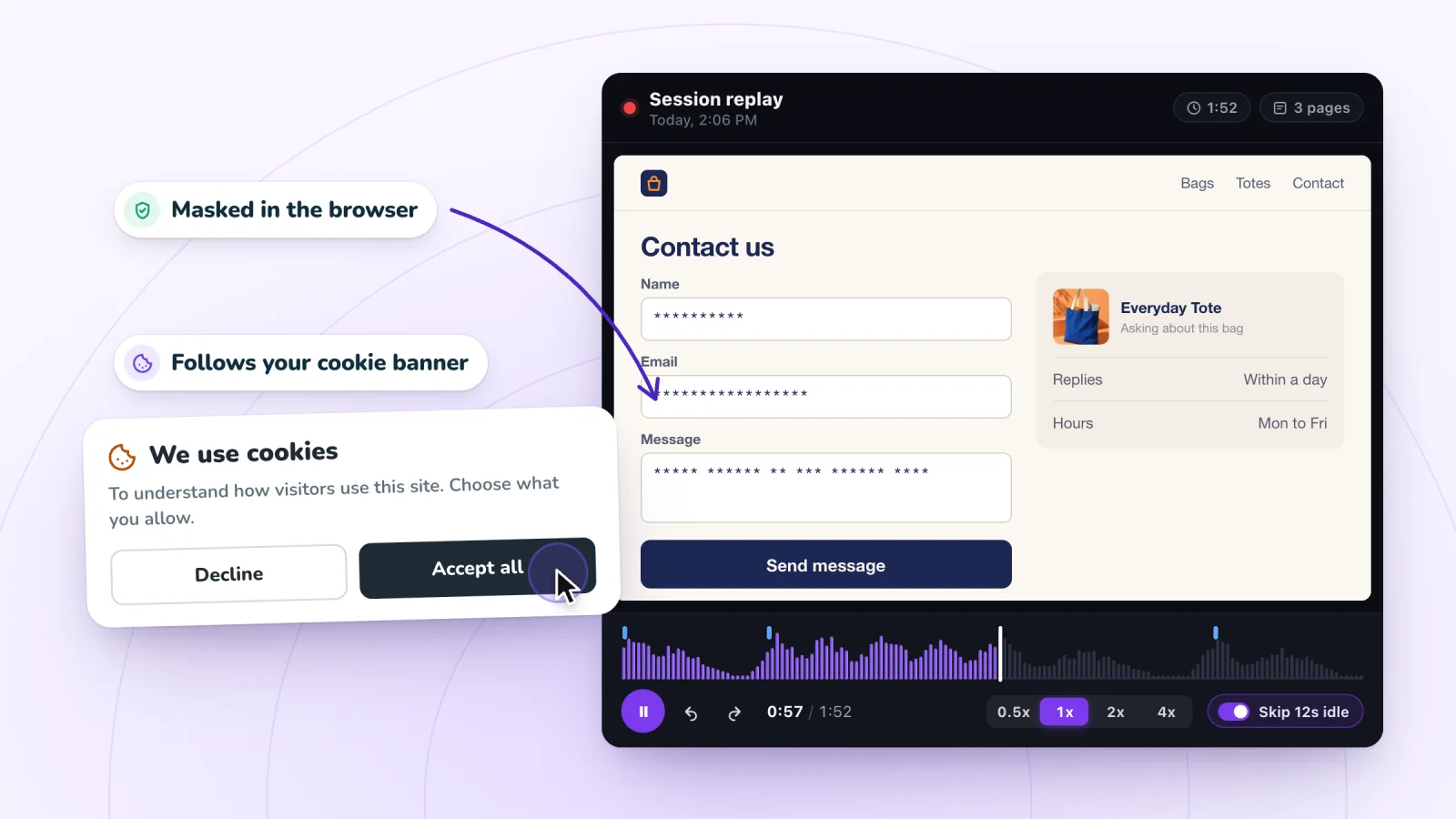
Typing is masked in the visitor's browser and recording follows your cookie banner. Free forever.
Add to site, it's free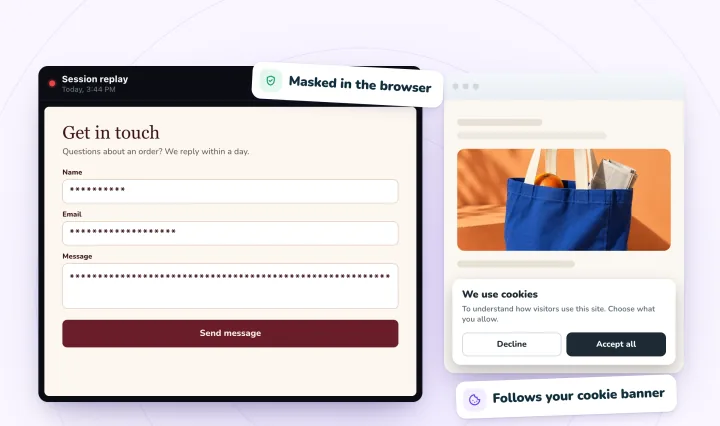
How do you add Microsoft Clarity or Hotjar to Wix?
Clarity installs as an app: Microsoft's Wix guide adds it from the Wix App Market, with no code to paste. Hotjar, now part of Contentsquare, is a tracking code: its Wix guide puts it in Custom Code on all pages, in the head, on a site with a connected domain.
Microsoft Clarity
In your dashboard, open Apps > App Market, search for Microsoft Clarity and click Add to site. In the app, click Sign in, then connect a Clarity project or add a new one. Microsoft says Clarity "can only be used with registered account domains on Wix". Heatmaps on a Wix site covers what its maps show.
Hotjar, now Contentsquare
Contentsquare says new Hotjar accounts can no longer be created and points new users to its own free plan. Hotjar's and Contentsquare's Wix guides give the same steps: connect a domain (which takes a paid Premium plan, Contentsquare notes), paste the tag into Custom Code, choose All pages, place it in the Head and click Apply. Hotjar adds that the code should load on each page.
Both guides say they can't collect data from Wix Stores, Wix Forum, Wix Pro Gallery or Wix Events, so if you sell with Wix Stores, weigh that first. A Hotjar alternative for Wix sites compares the options.
HubSpot
HubSpot's Wix steps: paste the tracking code into Custom Code, choose All pages with Load code on each new page, and place it at Body – end. Add it once: HubSpot says that when a page has several of its tracking codes, only the first one loads.
LinkedIn Insight Tag
LinkedIn's instructions aren't written for Wix. It wants the tag on every page, preferably right before the end of the body, which on Wix means All pages and Body – end. It also says to keep the tag off pages that collect or contain sensitive data, such as pages where people manage financial accounts or medical appointments.
How does Wix's cookie banner affect tracking codes?
With a cookie banner, Wix loads only essential cookies and scripts until a visitor consents. Integrations such as Google Analytics and the Meta Pixel wait on their own, but custom code counts as essential unless you change its Code Type, so it loads before anyone chooses. With no banner, Wix loads every cookie and script as soon as a visitor arrives.
- No banner. Everything loads on the first page, yet Wix says Google Analytics gets no data from visitors in countries that require consent, such as those covered by GDPR.
- Marketing Integrations. Google Analytics, Google Tag Manager and the Meta Pixel collect only after a visitor accepts the relevant cookies, so Wix calls a drop in your Google Analytics numbers normal.
- Custom Code. Essential by default, so it loads before consent and visitors can't turn it off. Categorizing it is your job, Wix says: Analytics for studying how visitors use the site, Marketing for ad tracking, Functional for remembering their choices.
- Wix App Market apps. Wix says its banner can't control third-party apps and it can't guarantee they honor visitors' choices. Microsoft says Clarity detects each visitor's choice from Wix's banner automatically, a signal Clarity has needed for visits from the EEA, the UK and Switzerland since October 31, 2025.
- Session Recordings. It follows the banner: with one, it records only visitors who accept analytics cookies; without one, it doesn't wait for consent.
- Velo code. Wix points developers to its Consent API.
Wix says the banner doesn't show in the Editor or in Preview, so test on the live site in a private window. Wix also suggests linking the banner to a privacy policy; if you add a recording tool, our privacy notice template has presets for Session Recordings, Clarity, Hotjar and Wix Analytics' recordings.
How do you check that a tracking code is working?
Open your published site in a private window with ad blockers off, accept cookies if a banner asks, and click through a few pages. Then look for your visit in the tool's live report or browser extension. Wix, Google and Meta each name ad blockers as something that can stop or hide a tag.
- Google Analytics. The Realtime report shows users from the last 30 minutes, and Google lists verifying your measurement code among its uses. To see each event as it arrives, use DebugView, which Wix suggests when data stops arriving; Google's Tag Assistant turns on the debug mode it needs.
- Google Tag Manager. Click Preview in your workspace, enter your site's address and click Connect. Tag Assistant shows which tags fired, in order.
- Meta Pixel. Meta's Chrome extension, Meta Ads Data Advisor (formerly Meta Pixel Helper), badges its icon with a dot or a number when a page has a pixel, and its side panel says whether each pixel loaded.
- TikTok Pixel. TikTok's Pixel Helper extension for Chrome should say it found your pixel on your home page, Wix says.
- Microsoft Clarity. Microsoft says your visit shows among live users on the Clarity dashboard, and as POST requests to clarity.ms/collect in your browser's Network tab.
- Hotjar. Click Verify installation from Hotjar's Sites page, or filter the Network tab for hotjar: requests should carry one Site ID, not two.
- HubSpot. Enter your page's address under Validate your tracking code in HubSpot's tracking code settings, and HubSpot emails you the result.
- LinkedIn Insight Tag. LinkedIn checks the tag once a page with it is visited, which can take from a few minutes to 24 hours.
- Session Recordings. Your visit appears in Replays a few moments after your first click, marked LIVE.
To follow one test visit through Wix Analytics, Google Analytics and replays side by side, see check that every tool is counting.
Why is my Wix custom code not working?
Check how the code was added before blaming the code. A tag added twice, a tool Wix wants in Marketing Integrations, code inside an HTML element, the wrong pages or placement, a cookie category holding it back, or your own ad blocker can each stop a tag from counting visits. Rule these out:
- It's added twice. Wix says not to add Google Analytics through both Google Tag Manager and Marketing Integrations, and that a Meta Pixel in Custom Code and Marketing Integrations causes duplicate events. Hotjar says two Site IDs cause tracking problems; HubSpot loads only the first of two codes.
- Wix connects that tool for you. Google Analytics, Google Tag Manager and the Facebook and TikTok pixels don't work through Custom Code. Delete the snippet and use Marketing Integrations.
- It's in an HTML element. Wix's HTML element is an iFrame, and Wix's troubleshooting says not to add Google Analytics or the Meta Pixel that way.
- The pages or placement are wrong. Compare with the vendor's instructions: all pages or specific ones, head or body, once per visit or on each page.
- It's waiting for consent. With a banner on, a non-essential code runs only after a visitor accepts its category. Decline in your test, and it won't run.
- A change isn't published. Tags in Google Tag Manager go live only when you publish the container, and Hotjar's troubleshooting asks you to check that you did.
- The code changed on the way. A text editor can alter a snippet, Hotjar warns. Copy it again from the tool.
- The domain changed. Assigning a different domain deletes your snippets, and an expired Premium plan disconnects the custom domain.
- Wix's security update blocks it. Wix says that since December 2025, new security measures may block snippets that used to work, until their provider updates them.
To find the culprit, switch snippets off one at a time and test after each change, as Wix suggests. For a fault inside the snippet itself, ask the tool's provider: Wix doesn't support third-party code.
Recording visits without a tracking code
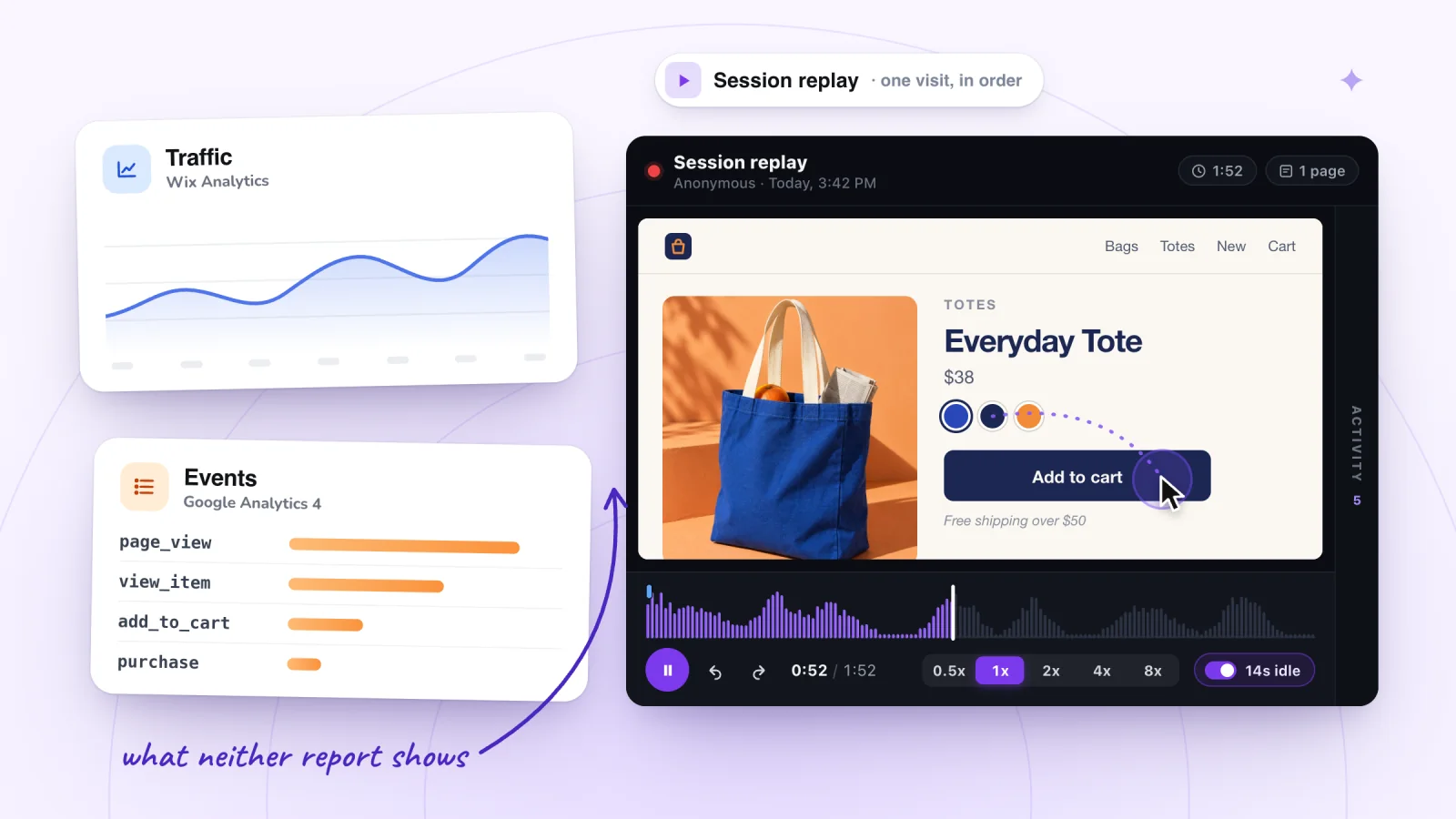
Session Recordings, our app, has no code to paste. You add it from the Wix App Market and approve the permissions it asks for. Recording is on from that moment for your published site, with no Custom Code entry and no turn-on step. It follows your Wix cookie banner, masks typing in the visitor's browser, and saves a visit once the visitor clicks, taps or types. Whether it records free sites on a wixsite.com address isn't confirmed yet.
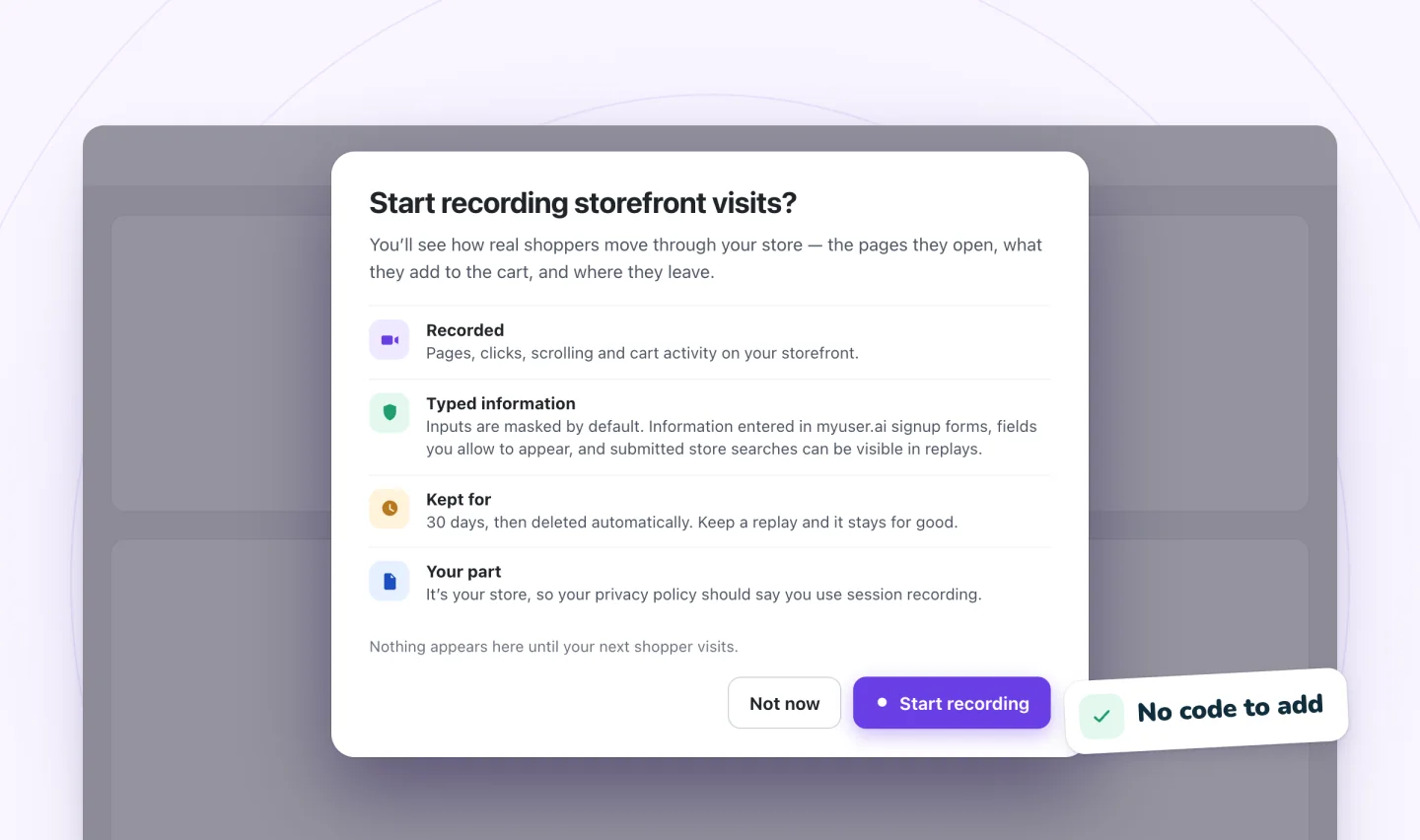
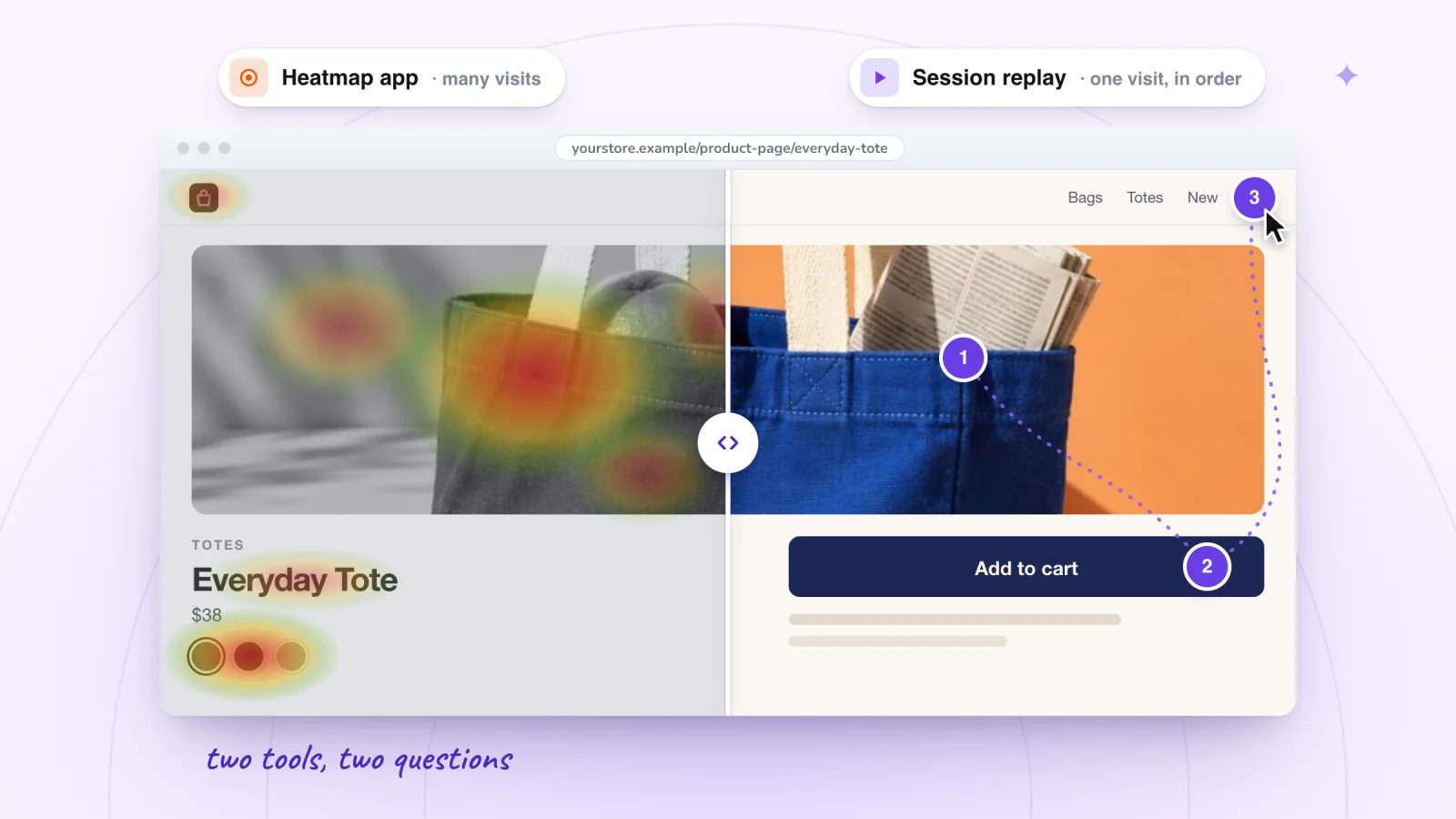
It doesn't replace Google Analytics or an ad pixel: it shows what individual visitors did, not traffic totals or ad conversions, and it makes no heatmaps. If a replay you expect doesn't appear, why session recordings might not be showing has the checks.
Frequently asked questions
Do I need a Premium plan to add a tracking code to Wix?
Yes, for Custom Code and Marketing Integrations. Both need a connected domain, and connecting one takes a Premium plan, or a Studio plan for a Wix Studio site. Microsoft says Clarity can only be used with registered account domains on Wix. Wix Analytics is the exception: it's set up automatically, with no code.
Should a tracking code go in the head or the body?
Wherever the tool's instructions say. Wix's rule of thumb is tracking and verification codes in the head and other scripts in the body. Hotjar and Contentsquare ask for the head, while HubSpot asks for the end of the body and LinkedIn prefers just before the body ends.
Can I add a tracking code to only one page on Wix?
Yes. Under Add Code to Pages, choose specific pages instead of All pages, which suits a conversion code meant for one thank-you page. Only All pages covers pages you create later.
Why did a tracking code that used to work on Wix stop?
Check three things Wix documents: new security measures since December 2025 can block older snippets until their provider updates them; assigning a different domain to the site deletes its snippets; and an expired Premium plan disconnects the custom domain.
Try it on your site
If what you want from a tracking code is to see what visitors do, Session Recordings needs no code at all: it replays visits to your published Wix site, with clicks and typing listed beside the replay, and what visitors type masked. It's free for 2,000 recordings a month. See session replay for Wix sites.

Sources
All checked October 5, 2026.
- Wix Editor: Embedding Custom Code on Your Site
- Wix: Categorizing Your Custom Code
- Wix Editor: About Embeds and Codes on Your Site
- Wix Editor: Embedding a Site or a Widget
- Upgrading Your Wix Site
- Wix: Assigning a Domain to a Site in Your Wix Account
- Wix: Website Analytics
- Wix: About Marketing Integrations
- Wix: Adding Apps that are Not Available in Marketing Integrations
- Wix: Event Tracking by Service
- Tracking Events on Your Wix Site with a Google Analytics Measurement ID
- Wix: Google Tag Unification
- Wix: Troubleshooting Google Analytics
- Connecting Your Google Tag Manager Account to Your Wix Site
- Connecting a Meta Pixel and the Conversions API to Your Wix Site
- Wix: Troubleshooting Meta Pixel Issues
- Connecting a TikTok Pixel to Your Wix Site
- Displaying a Usercentrics for Wix Cookie Banner
- Wix: Editor Elements, Third Party Apps, Custom Code and the Cookie Banner
- Microsoft Clarity: How to install Clarity on Wix
- Microsoft Clarity: Cookie consent for third-party platforms
- Microsoft Clarity: Set up Clarity and verify your installation
- Hotjar Documentation: Wix
- Hotjar Documentation: How to Check That Hotjar Is Working
- Contentsquare Help: Wix, how to install the Contentsquare tag
- Contentsquare: Hotjar is now Contentsquare
- HubSpot Knowledge Base: Install the HubSpot tracking code
- HubSpot Knowledge Base: Troubleshoot the HubSpot tracking code
- LinkedIn Marketing Solutions Help: Add the LinkedIn Insight Tag to your website
- Google Analytics Help: Realtime report
- Google Analytics Help: Monitor events in DebugView
- Tag Assistant Help: Troubleshoot with Tag Assistant
- Tag Manager Help: Preview and debug containers
- Meta for Developers: Meta Ads Data Advisor

We build marketing apps for online stores: myuser.ai writes and sends emails and texts from a store's own products, and we make Session Recordings and Spin Wheel for Wix sites. Product details in our guides are checked against the apps themselves.