 Session Recordings
Session replay: watch what visitors actually do
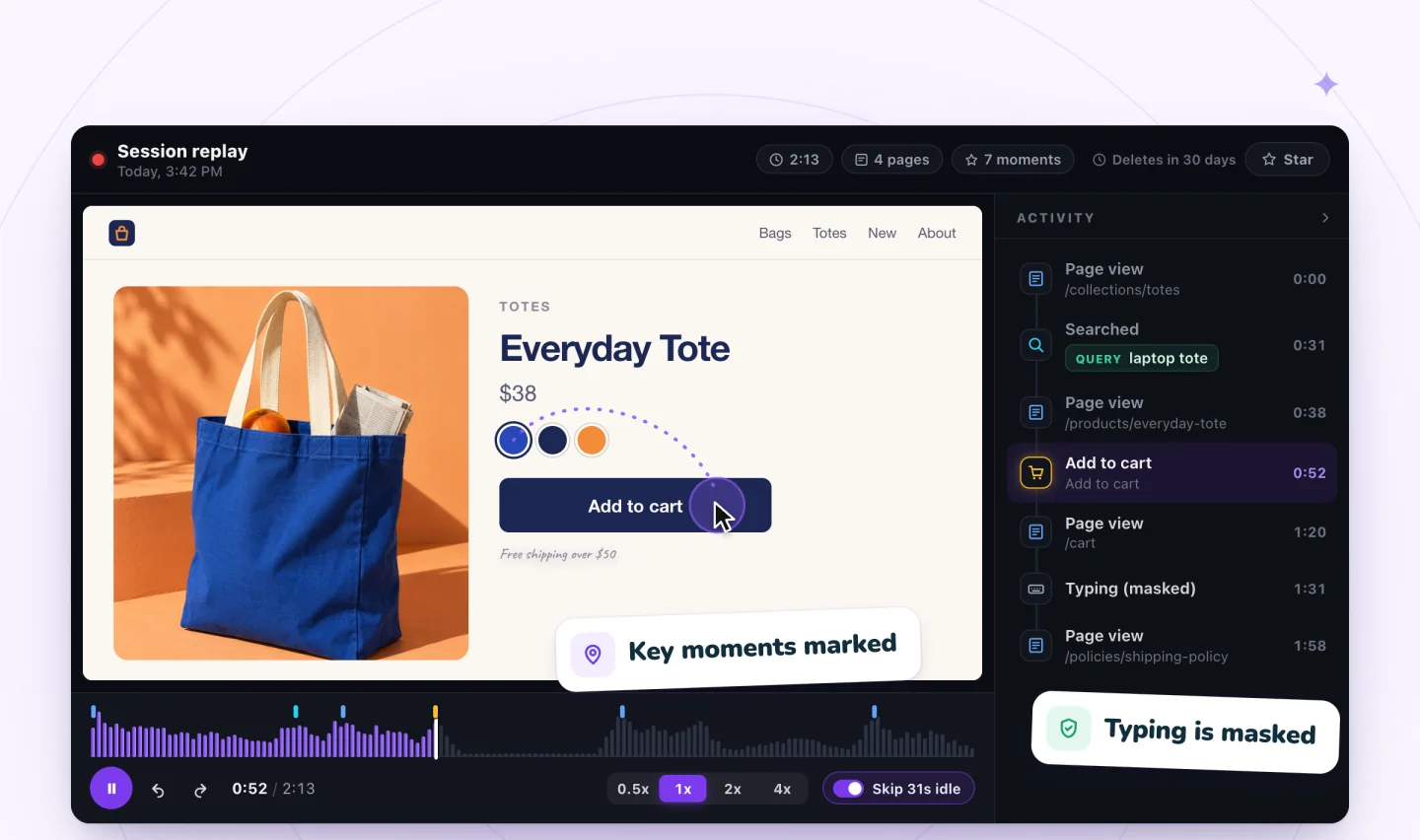
A replay shows a real visit to your site as it happened: the pages, clicks, taps and scrolling, rebuilt from the page itself.
What a replay is
Session Recordings records a visit as a stream of events: the page's own structure, then every change, click, tap and scroll. The player rebuilds the page from those events, so you watch the visit the way the visitor saw it. It isn't a screen video, and there's no audio or camera. For a fuller explanation, read what is session recording.
The player
- Timeline: an activity waveform shows where things happen, with page views, searches, cart adds and checkouts marked.
- Activity list: every moment in order beside the replay. Click one to jump to it.
- Speed: watch at 0.5x, 1x, 2x or 4x, and quiet stretches are skipped automatically.
- Live: visits still in progress can be followed live, a few seconds behind.
- Share: copy a replay's link for teammates who have access to your dashboard.
Watch less, learn more
Start with a question, filter to the visits that answer it, then jump to the marked moments. Our guide to watching session recordings without losing hours walks through it. Want to try the player first? Open this free interactive replay demo.
Private by default
Typing is masked before it leaves the visitor's browser, and visitors who haven't allowed analytics aren't recorded. See how recordings stay private.
Guides to go further
What Is Session Recording? A Plain Guide
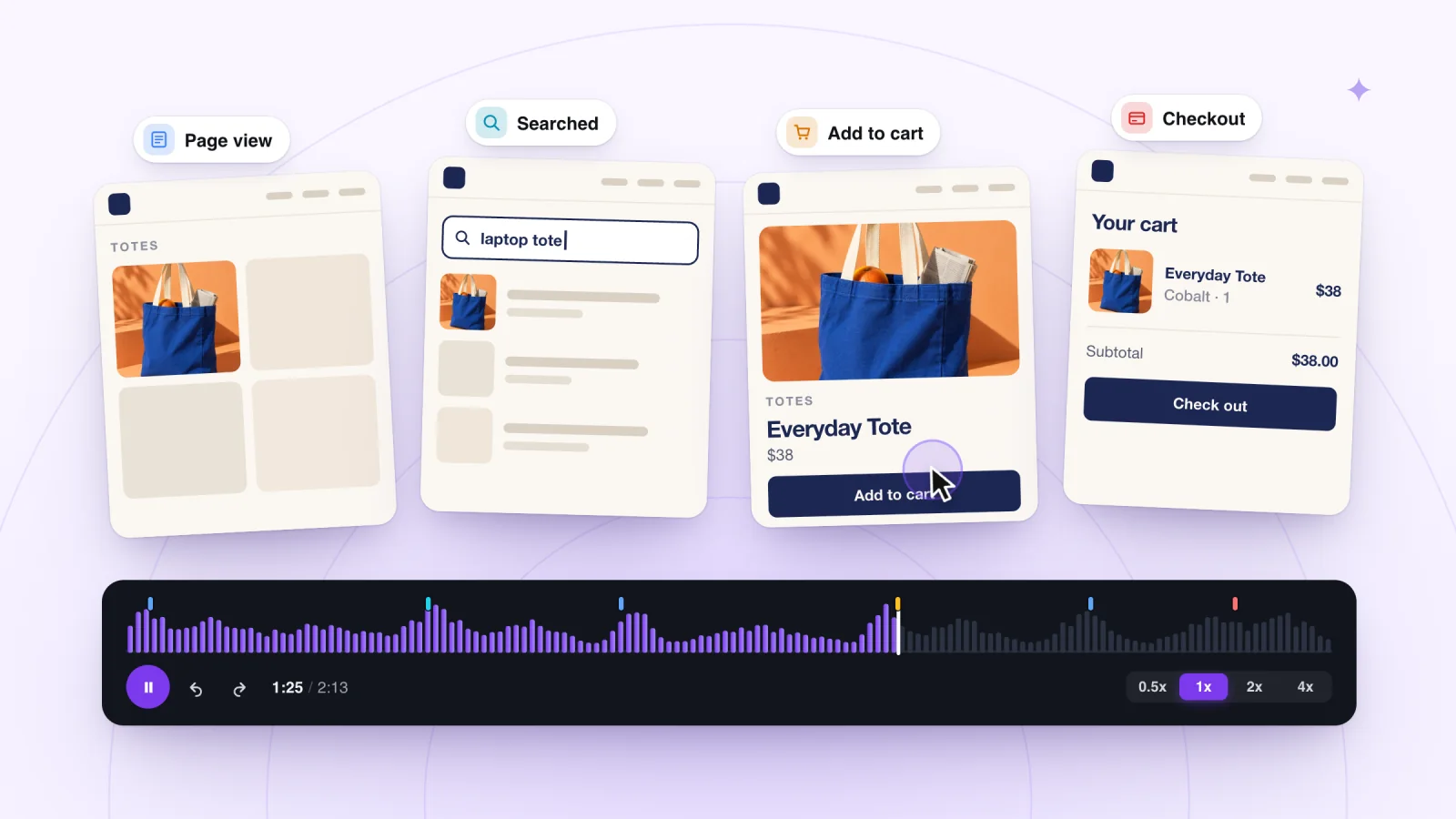
Session recording lets you replay real visits to your website. Learn how it works, what it can show you, and which questions it will never answer for you.
How to Watch Session Recordings Without Losing Hours
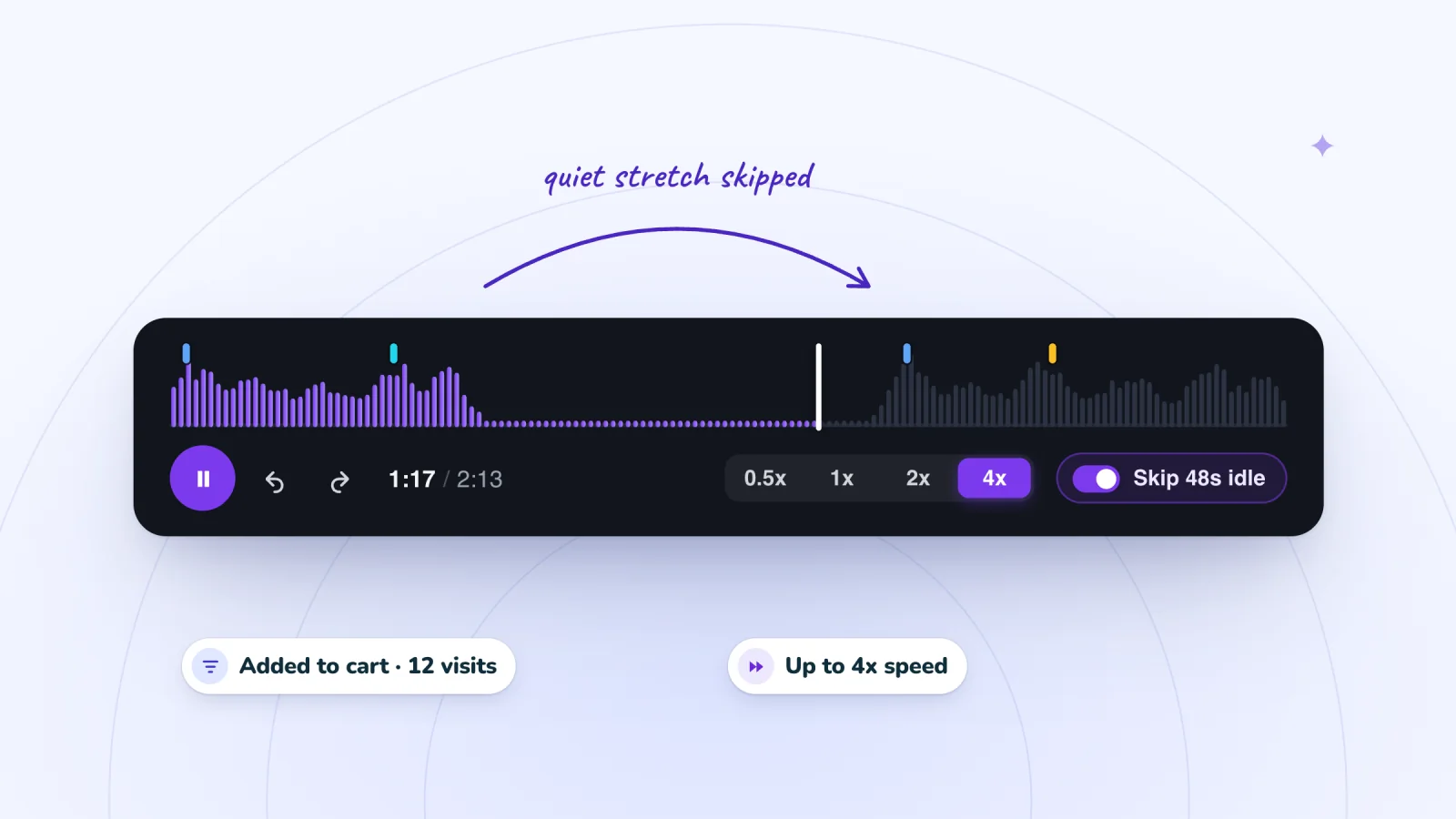
Replays can swallow an afternoon if you watch each one start to finish. This routine takes you straight to the visits and moments that answer your question.
Rage Clicks: What They Mean and How to Spot Them
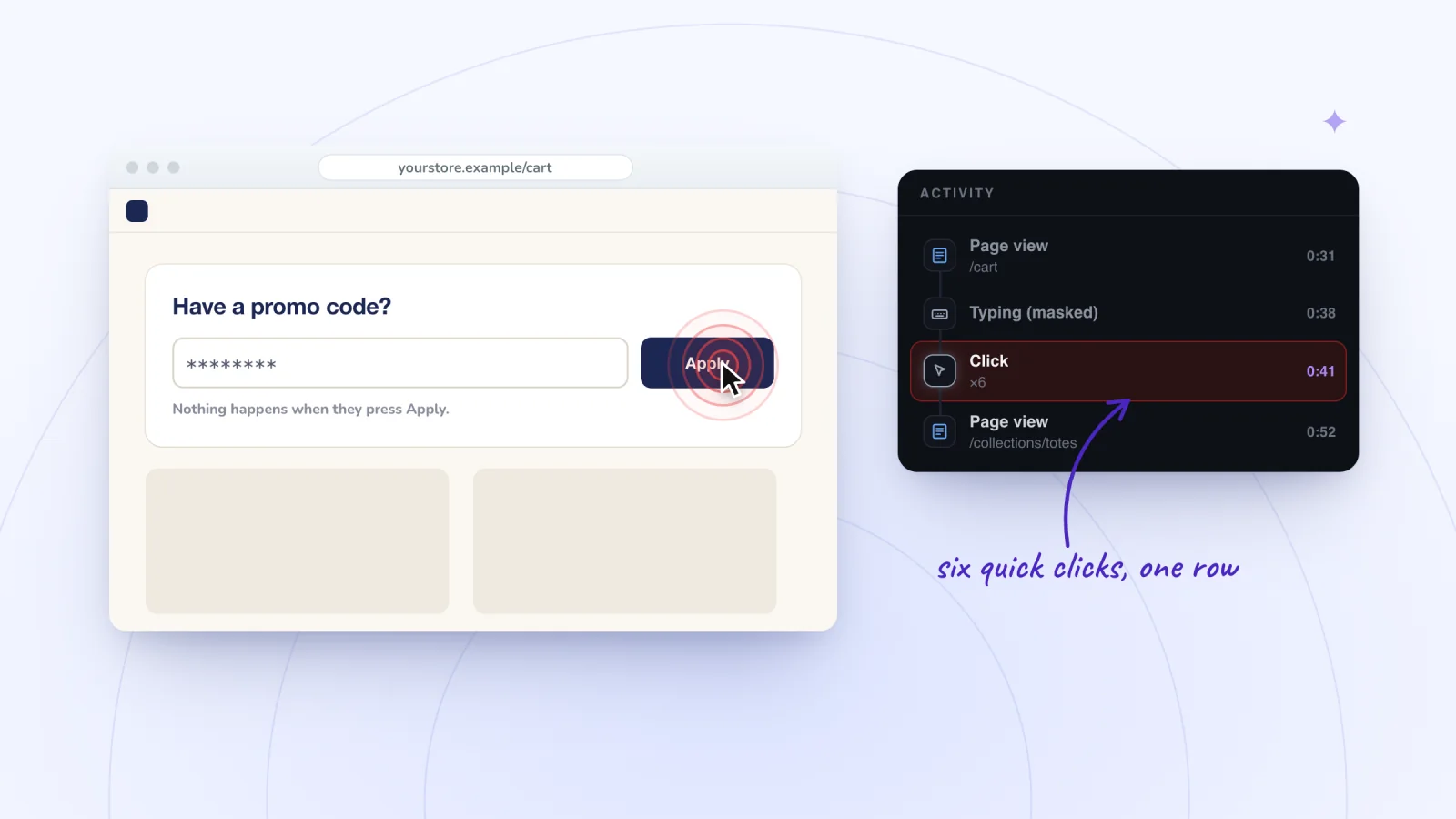
Rage clicks are bursts of clicks on one spot, and dead clicks get no response. Learn what causes them, how to spot them in replays and how to fix them.
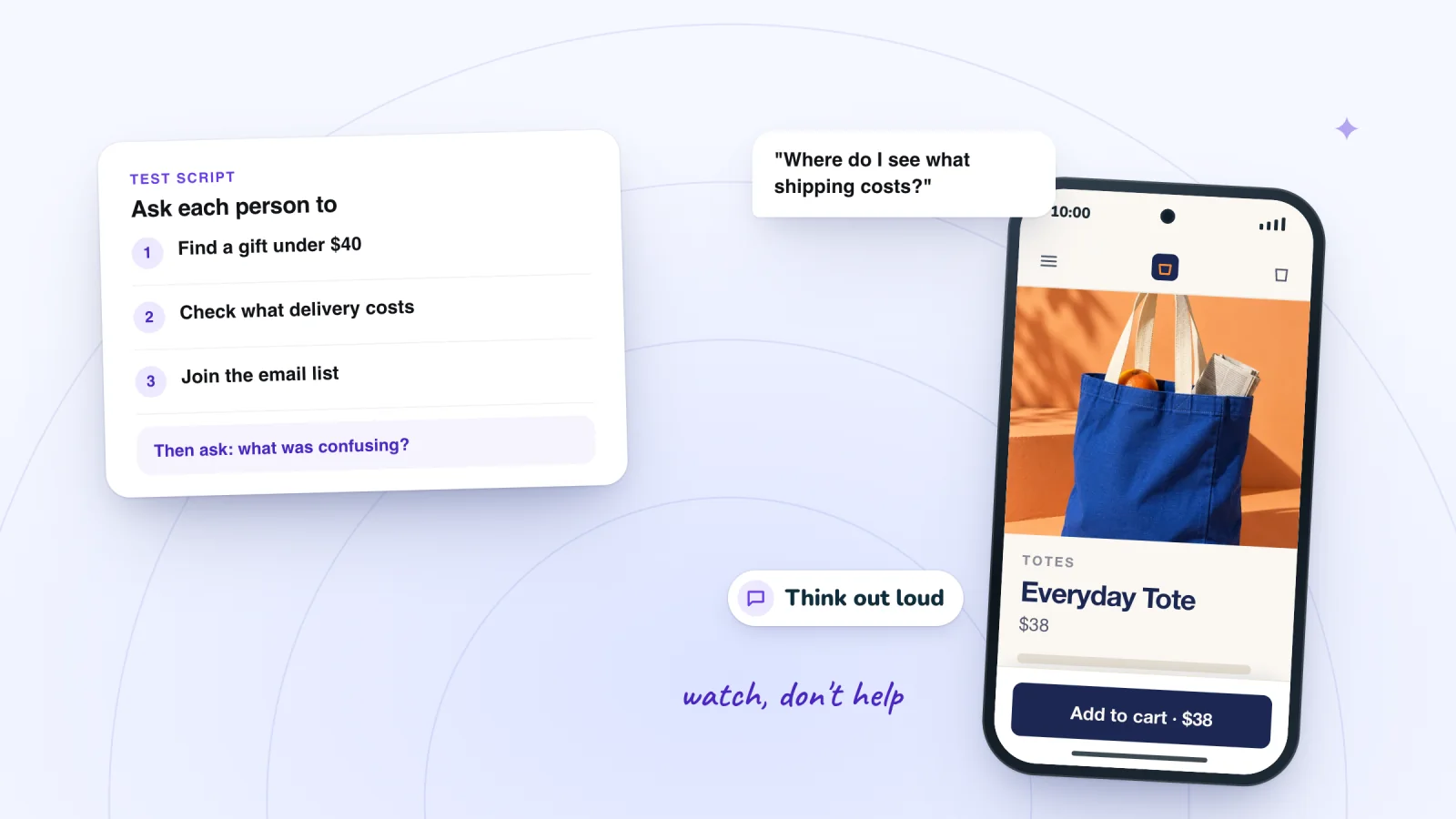
How to Find Usability Problems on a Small Website
No research budget or UX team? Learn how to run a quick usability test with five people, what to watch for and how to turn what you see into a fix list.
Frequently asked
Is a replay a video?
No. It's rebuilt from the page's structure and the visitor's events, so it's sharper than a video and contains no audio or camera.
Can I share a replay?
Yes. Copy its link for teammates who have access to your dashboard.
See your next visit through your visitor's eyes
Add Session Recordings and turn it on. Recording starts with your next visitor.