
Conversion rate calculator
Enter your sessions and orders to get your conversion rate. Add your sales to see your average order and what each session is worth, and a rate to compare with to see what a change would bring. Every number is yours: there are no benchmarks to measure against.
How do you calculate a conversion rate?
Divide the orders by the sessions from the same days, and multiply by 100. The calculator does that, then works out the rest from the same numbers:
- Conversion rate. Orders ÷ sessions. 30 orders from 2,000 sessions is 1.5%.
- Sessions per order. Sessions ÷ orders: about 1 order for every 67 sessions. It's the same rate, turned the other way up.
- Average order. Sales ÷ orders, once you add your sales.
- Sales per session. Sales ÷ sessions: what a session is worth at today's rate.
- A rate to compare with. Sessions × that rate gives the orders the same traffic would bring, and the difference × your average order is what that's worth.
Which conversion rate are you looking at?
Reports count conversions in different ways, so check what yours divides by before you compare one month with another:
- Shopify. In Analytics › Reports, the Conversion rate breakdown follows all sessions through sessions with cart additions, sessions that reached checkout and sessions that completed checkout, each as a share of all sessions. Our guide to seeing what shoppers do on Shopify reads it step by step.
- Wix. Wix's reports use several rates: converted sessions out of all sessions, orders divided by sessions, paying visitors out of unique visitors, and more. The same month can show 1.5% on one report and 2% on another without either being wrong. Why visitors leave without buying lists each one.
- Google Analytics and other tools. They count sessions and visitors their own way, and cookie banners change who's counted, so their rate won't match your store's. Why analytics numbers don't match explains the usual reasons.
Whichever you use, compare it only with itself: last month, the same month last year, or phones against computers.
What to do with your conversion rate
A conversion rate tells you how many visits end in an order, not why the rest don't. To find out:
- Find the step where most visitors stop. Put your report's steps into the conversion funnel calculator: it points to the biggest drop.
- Watch the visits that stopped there. About ten is a good start, and how many recordings to watch works out how many a rarer problem needs.
- Fix the most common problem, one change at a time. Then compare the same step over equal weeks before and after, or, with enough traffic, test the change and check it with the A/B test calculator.
See why visits don't end in an order
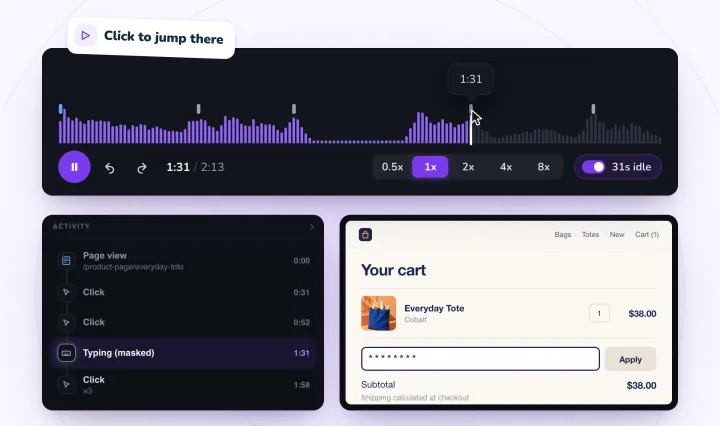
Session Recordings records real visits to your Shopify store or Wix site, so you can watch what shoppers did before they left. What visitors type into form fields is masked in their browser before it's sent. Free forever: 2,000 recordings a month.
Conversion rates, answered
How do you calculate a conversion rate?
Divide the orders by the sessions from the same days, then multiply by 100. 30 orders from 2,000 sessions is 30 ÷ 2,000 = 0.015, or 1.5%: about 1 order for every 67 sessions. Some reports count the sessions that ended in a purchase instead of orders, so a visit with two orders counts once.
What is a good conversion rate for an online store?
Your own, from an earlier month or on another device. Rates change with what you sell, its price, where visitors come from and whether they're on a phone, and Shopify, Wix and Google Analytics each count conversions their own way, so another store's figure tells you little. Compare your rate with itself, and work on the step where your visitors stop.
Where do I find my sessions and orders?
On Shopify, open Analytics › Reports, then Conversion rate breakdown: it starts with all sessions and ends with the sessions that completed checkout. On Wix, open Store Analytics, under Sales in the Analytics section: its funnel starts with site sessions and ends with converted sessions. Our guides to what shoppers do on Shopify and why Wix visitors leave without buying read both reports step by step.
Why does my conversion rate differ between reports?
Each report counts something different: sessions or visitors, orders or the sessions that bought, with or without visitors who declined cookies. The same month can show 1.5% on one report and 2% on another without either being wrong. Why analytics numbers don't match explains the usual reasons.
How can I raise my conversion rate?
Find the step where most visitors stop with the conversion funnel calculator, watch about ten visits that stopped there, and fix the problem that comes up most. Change one thing at a time, then compare the same step over equal weeks before and after.
See your next visit through your visitor's eyes
Install it on Shopify and switch it on in your theme, or add it to your Wix site. Recording starts with your next visitor.