
Session recording that's private by default
Session Recordings masks what visitors type into your store's or site's form fields before it leaves their browser, follows your cookie consent, keeps guests anonymous and deletes each replay 30 days after the visit unless you star it.
Free on both. On Shopify, install it, then switch on Session recorder in your theme editor. On Wix, click Add to Site, then Agree & Add.
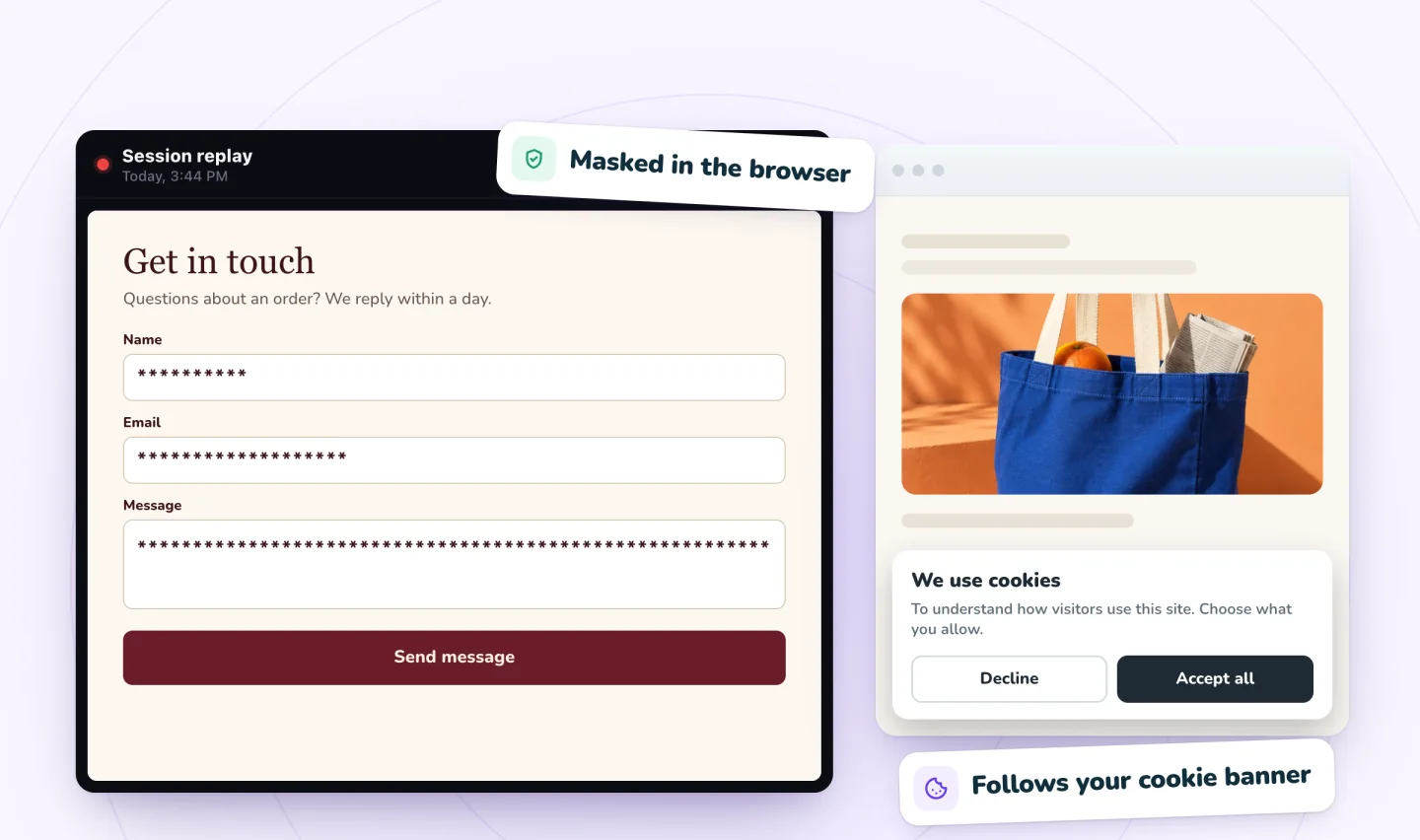
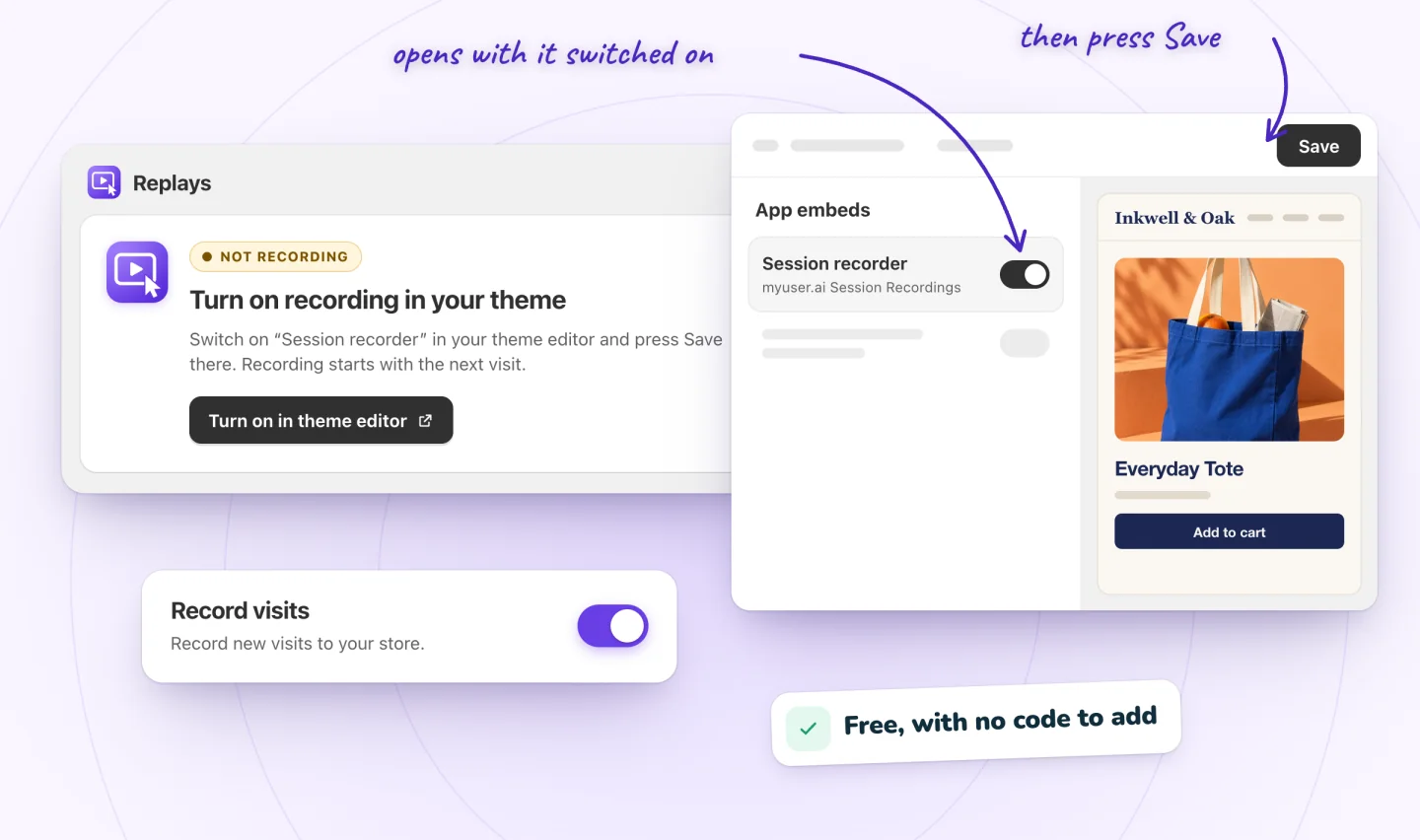
See what's masked, switch it off anytime
On Shopify, recording starts once you switch on its Session recorder in your theme editor and click Save; on Wix, it switches on as the app installs. The app's Settings page says in plain words what's masked, and turns recording off whenever you choose; the replays you have stay.
- No code to add
- What's masked, in plain words
- Turn recording off anytime
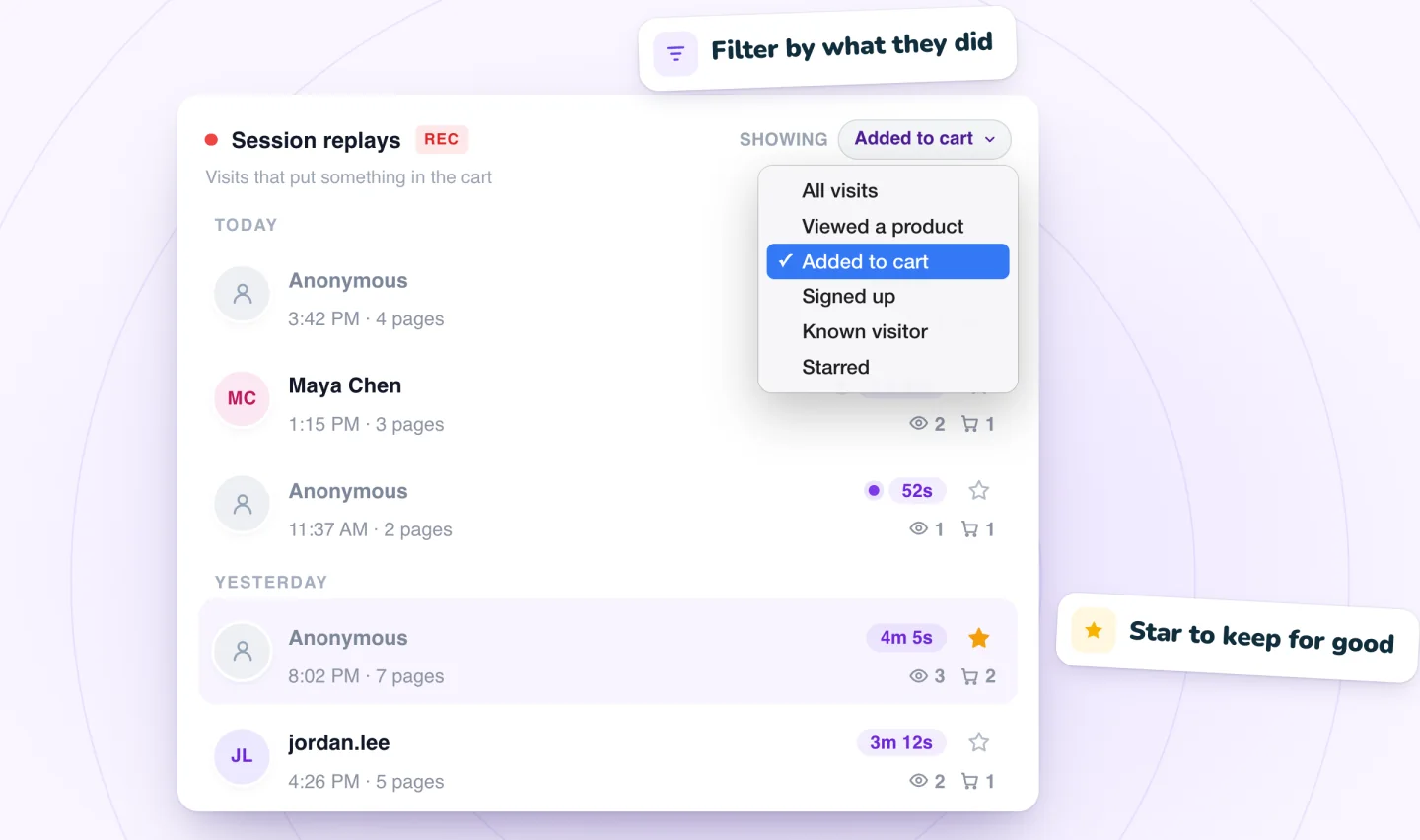
Kept only as long as needed
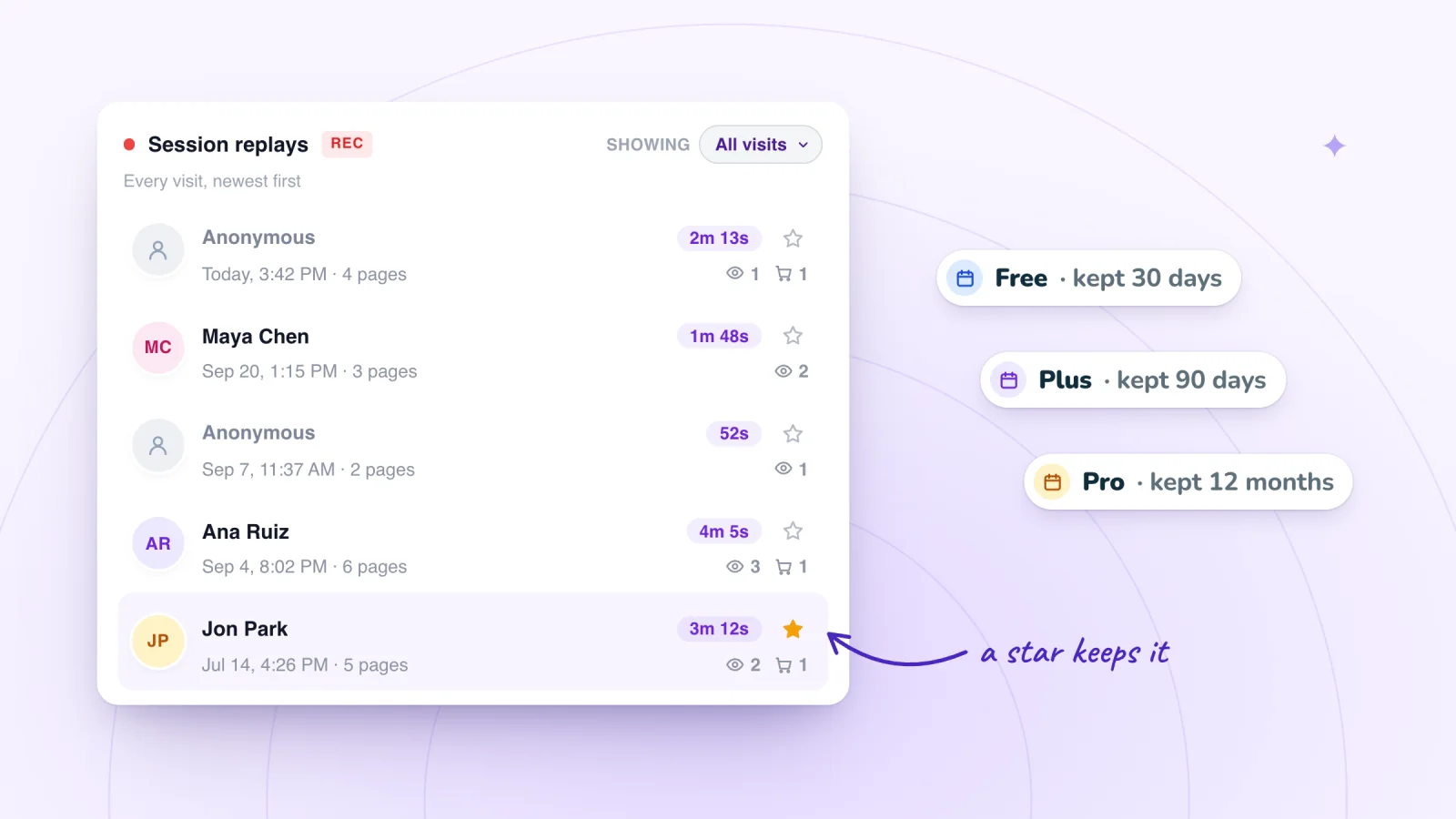
Each replay is deleted 30 days after the visit. Star a replay to keep it past that, until you un-star it or the app's data is erased.
How long to keep recordingsForm typing is masked at the source
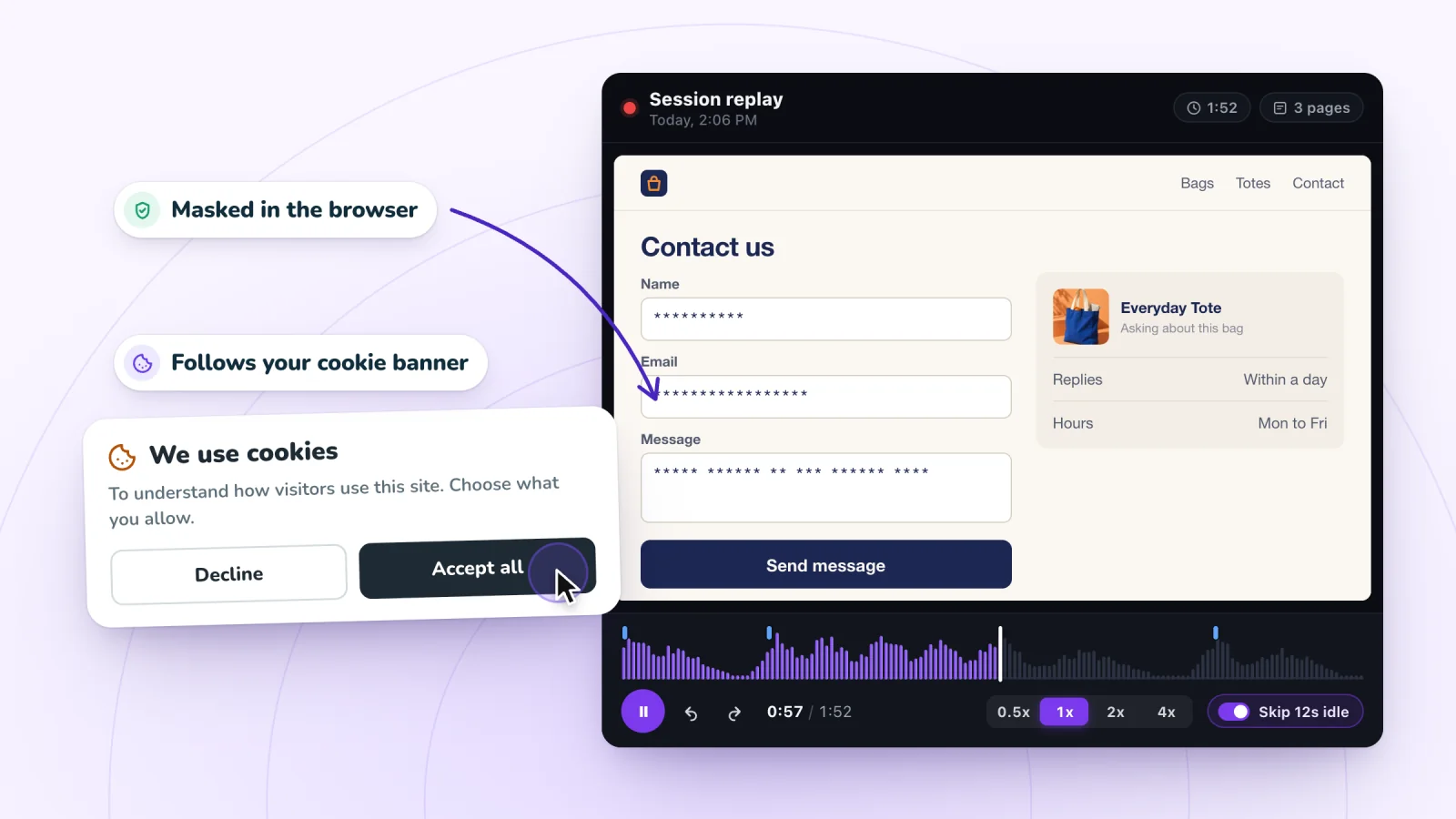
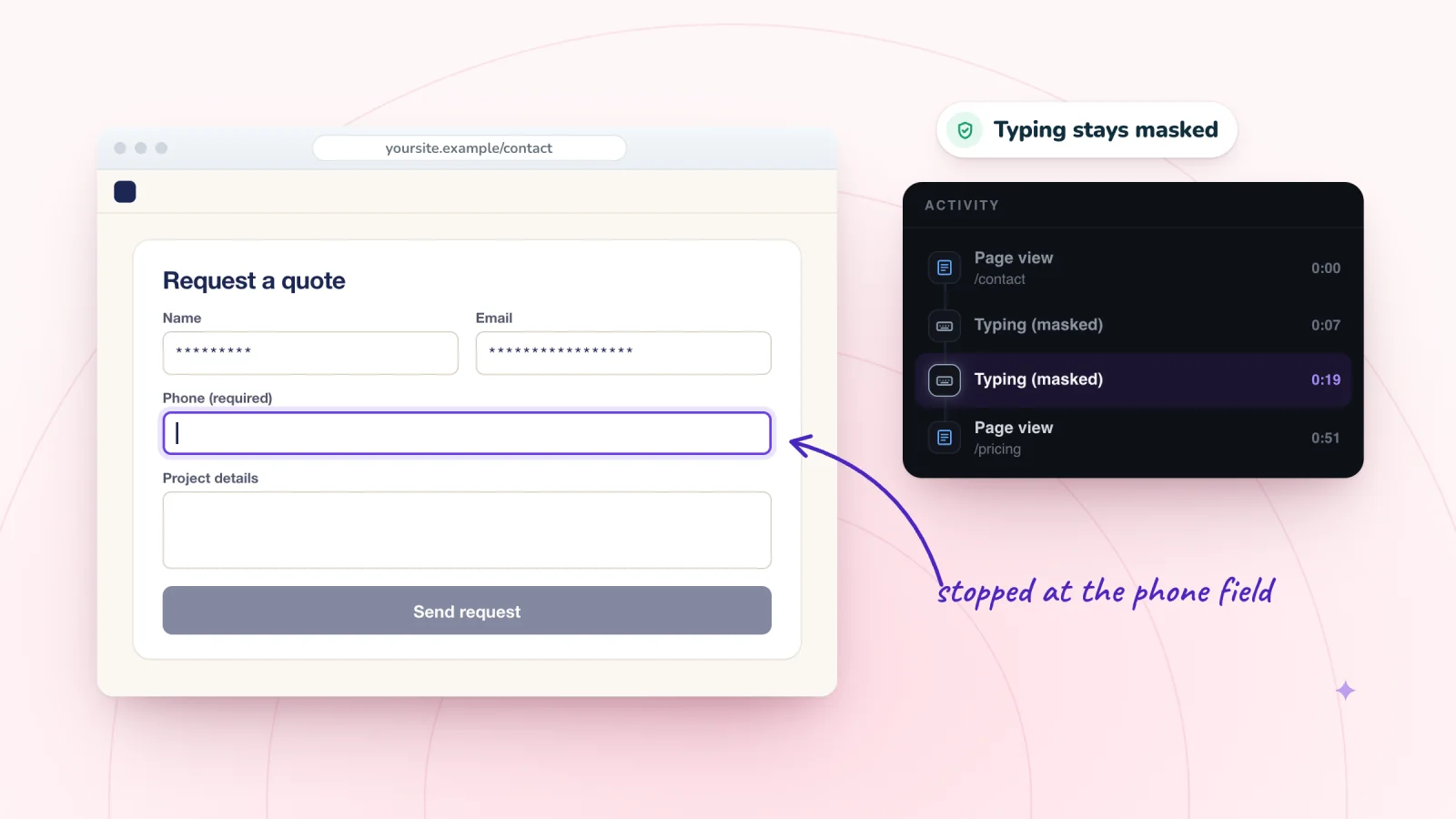
Anything a visitor types into a form field on your store or site is replaced with asterisks in their browser, before the recording is sent, so a replay shows that someone typed, never what they typed. Passwords, card numbers, messages and email addresses typed into those fields never reach the recording. On Shopify, the words a shopper submits in your store's search show in the replay, named in the Activity list. To watch masking happen, type into the email box in our record-your-own-visit demo: its replay shows asterisks.
Masking covers what visitors type into form fields. The text your pages display is part of the page, so it's recorded as it appeared: if a search results page repeats the words searched for, or a page shows a signed-in customer's or member's name, the replay shows that too.
It follows your cookie consent
On Shopify, Session Recordings reads each visitor's choice through Shopify's Customer Privacy, which Shopify's cookie banner and consent apps connected to it report to. Where your store asks, a visitor is recorded only after allowing analytics, and a visitor who withdraws consent stops being recorded. You turn the banner on in your Shopify admin under Settings › Customer privacy. Until a visitor allows analytics, its script on the page sends nothing, sets no cookie and doesn't load the recording library.
On Wix, Session Recordings loads as an analytics script. If your site shows a cookie banner, a visitor is recorded only after accepting analytics cookies. Before that, the recorder isn't loaded and nothing about the visit is recorded: the only code that runs is the app's consent check, which loads Wix's own consent code from the jsDelivr CDN to read the visitor's choice. A visitor who withdraws consent stops the recording.
If your store or site doesn't ask for cookie consent, recording doesn't wait for it: every visitor is recorded from their first page, until the month's recordings are used.
Who's named
Guests aren't identified: your list names each one Visitor plus a short code. On Shopify, nobody is named: the app doesn't read your customers, and customer account pages are never recorded. On Wix, the one exception is a visitor signed in as a member of your site: Wix confirms who they are, and their visits show with their name. Session Recordings never guesses who a visitor is from what they type and never connects replays to orders; on Wix it asks only to read your members.
Kept only as long as needed
Each replay is deleted automatically 30 days after the visit it recorded. Starred replays have no deletion date: they stay until you un-star them or the app's data is erased. On Wix, erasing the app's data on its Privacy page removes every replay, starred ones included, and uninstalling stops recording but deletes nothing, so erase first if you want everything gone. On Shopify, uninstalling stops recording, and about a month later your store's data is erased, every replay included, starred ones too, unless you reinstall before then; email support@myuser.ai to have it erased sooner. We'll delete any recording sooner on request. More in how long to keep session recordings.
Who can watch
Replays live in Session Recordings, in your Shopify admin or your Wix dashboard, and never get a public link. Share on a replay writes an email with a link to it, or copies the link, and only people with access to your store in Shopify, or your site in Wix, can open it. We don't sell recordings, use them for advertising or show them to other customers.
Tell your visitors
Add a line about session recording to your privacy policy. The free session recording privacy notice template gives you wording to adapt, our guide to session replay privacy and GDPR covers what to include, and our own privacy policy explains what we process. Turn on your platform's cookie banner too: on Shopify under Settings › Customer privacy, on Wix under Privacy & Cookies.
Guides to go further
Session Replay Privacy and GDPR: Masking, Consent, Notices
Session replay and GDPR in 2026: masking, cookie consent on Shopify and Wix, the CNIL's draft, the ICO's new guidance, US wiretap cases and your notice.
Form Abandonment: Why People Don't Finish Contact Forms
People start your contact form, then stop. Learn why form abandonment happens, how to spot each cause in replays of real visits, and what to fix first.
Session Recording Retention: How Long Tools Keep Replays
How long Clarity, Wix Analytics, Contentsquare and other tools keep session replays, how long to keep yours, and how to handle a deletion request.
Where to go next
Privacy notice template
Free wording for a site that records visits.
OpenSession replay
The player, the Activity list and what a replay shows.
OpenLive visitors
Follow a visit as it happens, a few seconds behind.
OpenHow it compares:A free Hotjar alternativeMicrosoft Clarity vs Session Recordings
Frequently asked
Can I see passwords or card numbers?
No. What visitors type into form fields is masked in their browser before it's sent, so the replay shows asterisks. On Shopify, your checkout, where shoppers type their card details, is never recorded.
Are visitors who decline cookies recorded?
No, where you ask for consent: on Shopify through Shopify's cookie banner or a consent app connected to it, on Wix through your Wix cookie banner. If you don't ask, recording doesn't wait for consent.
Is anything recorded before a visitor accepts cookies?
No. On Shopify, the script loads with the page but sends nothing, sets no cookie and doesn't load the recording library until the visitor allows analytics. On Wix, until a visitor allows analytics cookies, the recorder isn't loaded and nothing about the visit is recorded; the only code that runs first is the app's consent check, which loads Wix's own consent code from the jsDelivr CDN to read the visitor's choice.
Can I see who a visitor is?
Guests aren't identified: the list names each one Visitor plus a short code. On Wix, members signed in to your site show by name; on Shopify, nobody is named, because the app doesn't read your customers. Replays aren't linked to orders. See what Shopify shows about who visited your store and what Wix shows about who visited your site.
How do I delete recordings?
Replays are deleted 30 days after the visit. To delete one sooner, open it and use Delete replay in the player; it can't be undone, and it isn't offered while the visit is still being recorded. To remove everything at once: on Wix, erase the app's data on its Privacy page, which removes starred replays too (uninstalling alone doesn't); on Shopify, email support@myuser.ai, or uninstall, and your store's data is erased about a month later unless you reinstall. If you can't find a visit, email support@myuser.ai.
See your next visit through your visitor's eyes
Install it on Shopify and switch it on in your theme, or add it to your Wix site. Recording starts with your next visitor.