Session Recordings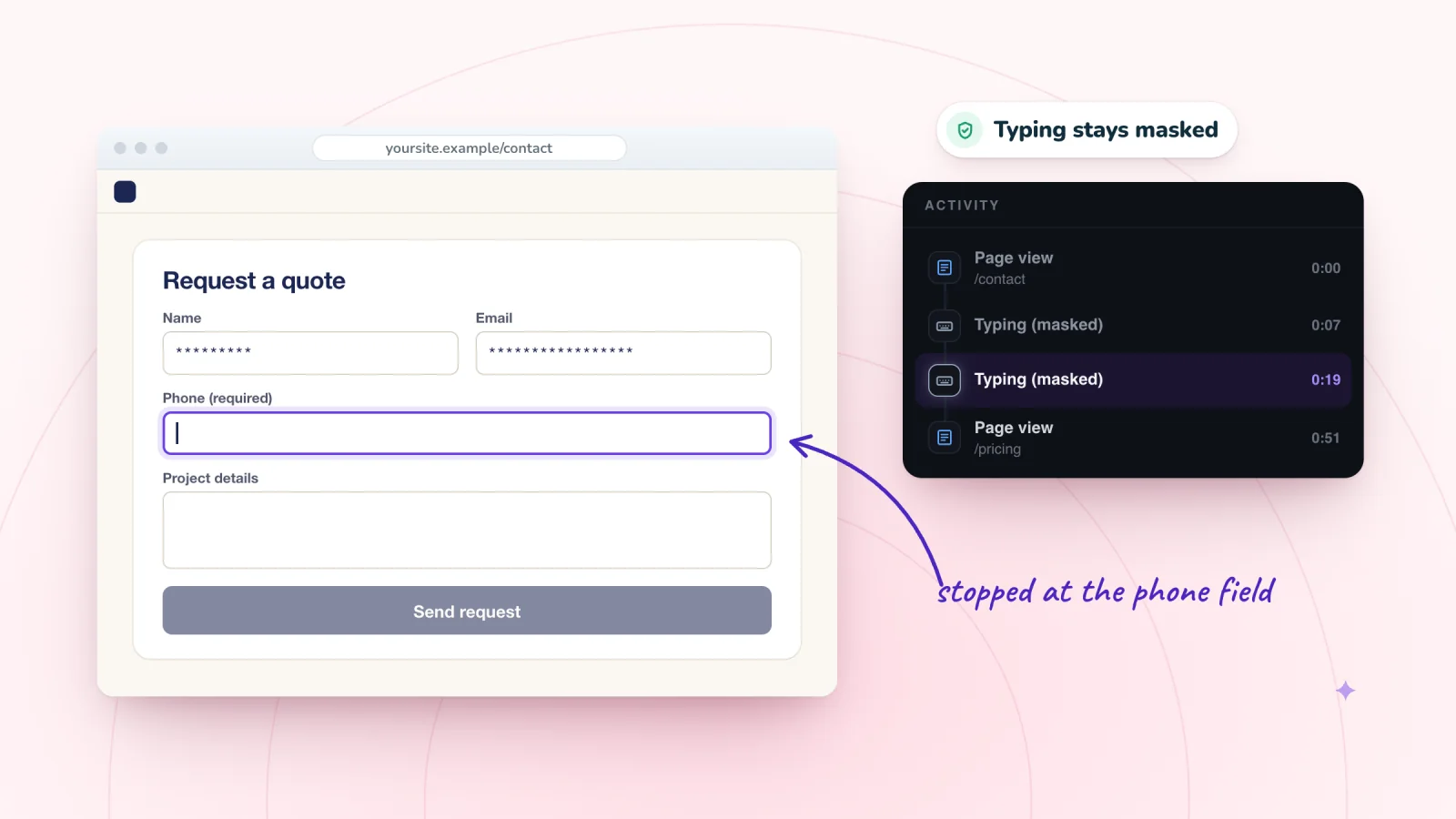
On this page
Someone opens your contact form, types a name and an email address, and leaves without sending it. That is form abandonment, and it happens on contact, quote, booking-request and sign-up forms. Sometimes the form asked too much. Sometimes something broke. And sometimes the message went out but never reached you, which looks the same from your side. Here is how to tell which, what to fix and how to check that a Wix form delivers.
Key takeaways
- Before you change the design, send a test from your live site and look for it in your submissions table, its Spam tab and your email.
- Ask only for what you need to reply, and explain or make optional any personal question, such as a phone number.
- Mark required fields, put format rules in the label and say what happens after someone clicks Send.
- Session Recordings replays typing as asterisks with a Typing (masked) moment, so you can see where visitors stopped without seeing what they wrote.
Three ways a form loses people
- They never start. The form sits at the bottom of a long page, or the page gives no reason to get in touch. Replays show whether visitors scroll far enough to see it.
- They start and stop. Something inside the form slows them down or puts them off. This guide is mostly about them.
- They send it, and you never see it. The message is caught as spam, or the notification goes to an old address. That looks just like abandonment, so check delivery first, using the steps further down.
Why people stop partway
In a study cited by Nielsen Norman Group, forms that followed basic usability guidelines were sent without errors on the first try 78% of the time, against 42% for forms that broke them. Here are six common reasons people stop.
Too many questions
Every field is one more small job. Nielsen Norman Group advises dropping any field whose answer you could get another way, collect later or do without, and it once cut one of its own forms from six fields to two.
Fix: ask only for what you need to reply. A Wix Forms rule can show a follow-up question only when an earlier answer calls for it.
Personal questions with no reason given
In a Baymard Institute survey of 1,026 online shoppers, 14% said they would never give an online store their phone number. In Baymard's testing, some people worried about sales calls, and a short note on why the number was needed eased most of their concerns.
Fix: make the field optional, or explain it, as in "In case we need to call about your booking." The Wix form builder lets you add a text element to explain a field. Treat budgets and addresses the same way.
Labels that disappear
Some forms put each label inside its box as gray placeholder text, which vanishes once someone types. Nielsen Norman Group warns that this strains short-term memory and makes answers hard to check.
Fix: put a visible label above each field, and keep hints outside the box.
Rules people discover only after clicking Send
A visitor clicks Send and only then learns that a field was required or a format was wrong. Nielsen Norman Group recommends marking every required field, since people ignore or forget instructions at the top of a form. It also recommends showing each error next to its field, in words that say how to fix it.
Fix: in the form builder's settings, set the required field style to Asterisk or Label, not None. Wix's form error messages can't be edited, so put format rules in the label or a hint, such as "Include your area code."
A field or button that doesn't respond
If visitors can't type into a form on your live site, Wix's help center suggests checking for elements that overlap its fields in the editor. If the form works on computers but not on phones, check the mobile layout too. On small screens, a chat button or cookie banner can also cover Send.
Fix: move whatever sits on top, then test on a real phone. For more small-screen snags, see the phone problems that replays reveal.
Not knowing what happens next
People hesitate when they don't know how soon you will reply. Once they send, they need a clear sign it worked, or they may send it again. The W3C's forms tutorial notes that success messages are important to confirm a task is done.
Fix: say near the button when you will reply. In the Wix form builder, show a submission message or redirect visitors to another page, and choose how long the message stays.
Watch shoppers move from product to checkout
Store moments are marked on every replay, and filters find the carts that never became orders.
Add to Wix, it's free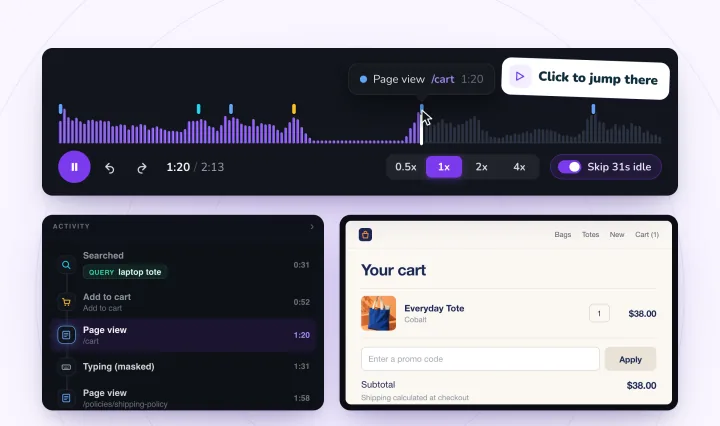
How to spot where visitors stop
In Wix Analytics, search All Reports for "Form" to find the form reports. The Form Submission over Time report shows submissions by date, and a sudden drop can mean something broke after an edit. Submission by Form splits them by device type, so you can compare phones with computers.
Numbers count finished forms, not started ones. For those, watch the visits. In Session Recordings, typing is masked in the visitor's browser before it is sent, so a replay shows asterisks and the Activity list shows a Typing (masked) moment. You can see which field someone was in, how long they spent and where they stopped, but never what they typed.
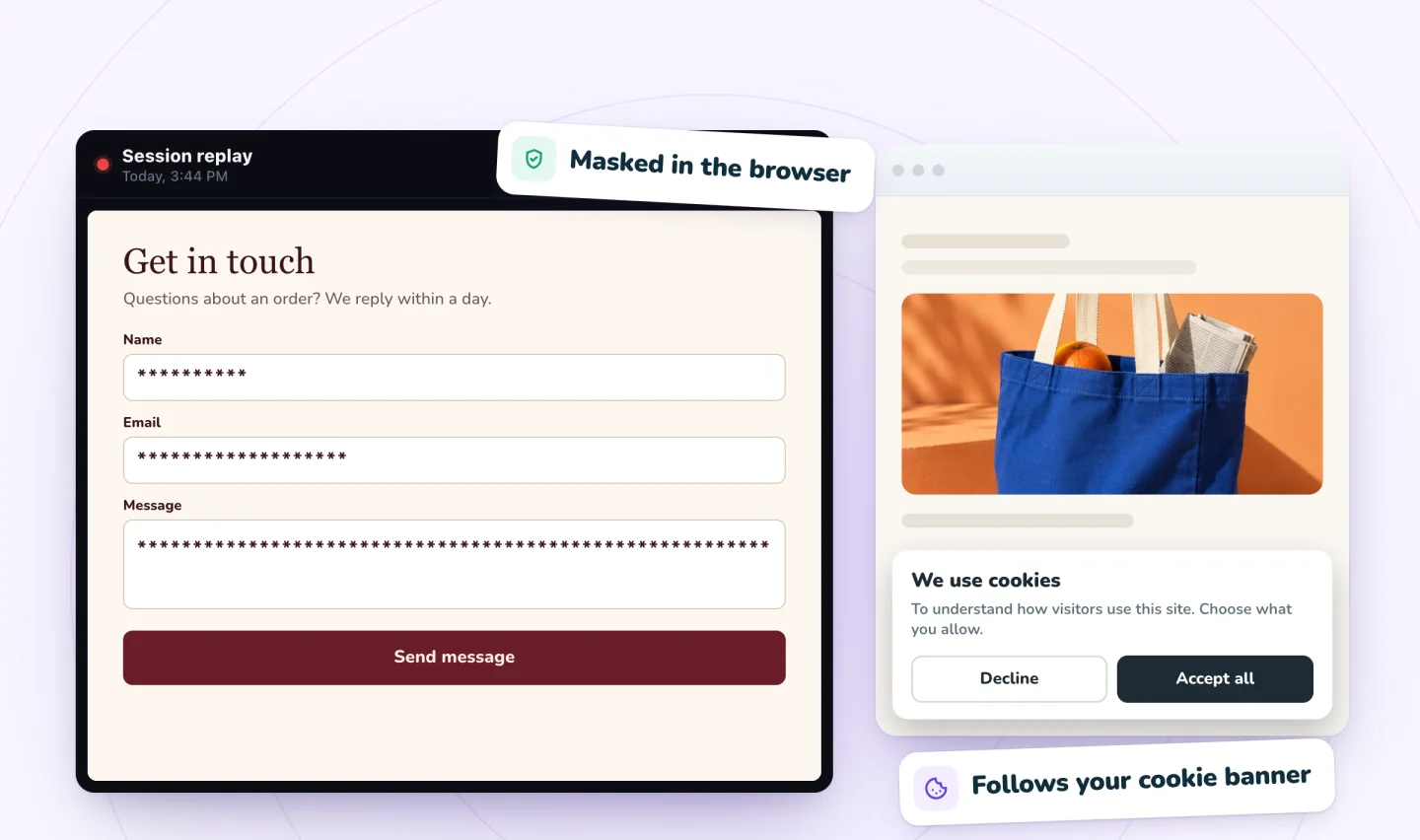
Open visits from All visits, find Typing (masked) in each Activity list and watch from a few seconds before it. Note the last field touched and what happened next. After about ten visits, count the repeats, and star the clearest replay of each problem so it is kept past your plan's retention.
| What you see in a replay | Likely reason | First fix to try |
|---|---|---|
| Typing in the first fields, then an exit with later fields empty | Too many questions | Cut fields, or show them only when needed |
| A long pause at the phone field, then an exit | A personal question with no reason given | Make it optional, or say why you ask |
| Clicks back into fields already filled in | Labels that disappear | Put labels above the fields |
| A Send click, then typing in a skipped field | Rules found only after Send | Mark required fields and explain formats |
| A row like Click ×4 on a field or on Send | A field or button that doesn't respond | Check for overlapping elements, on phones too |
| Send clicked again, or a return to the form later | Not knowing what happens next | Show a clear message after Send |
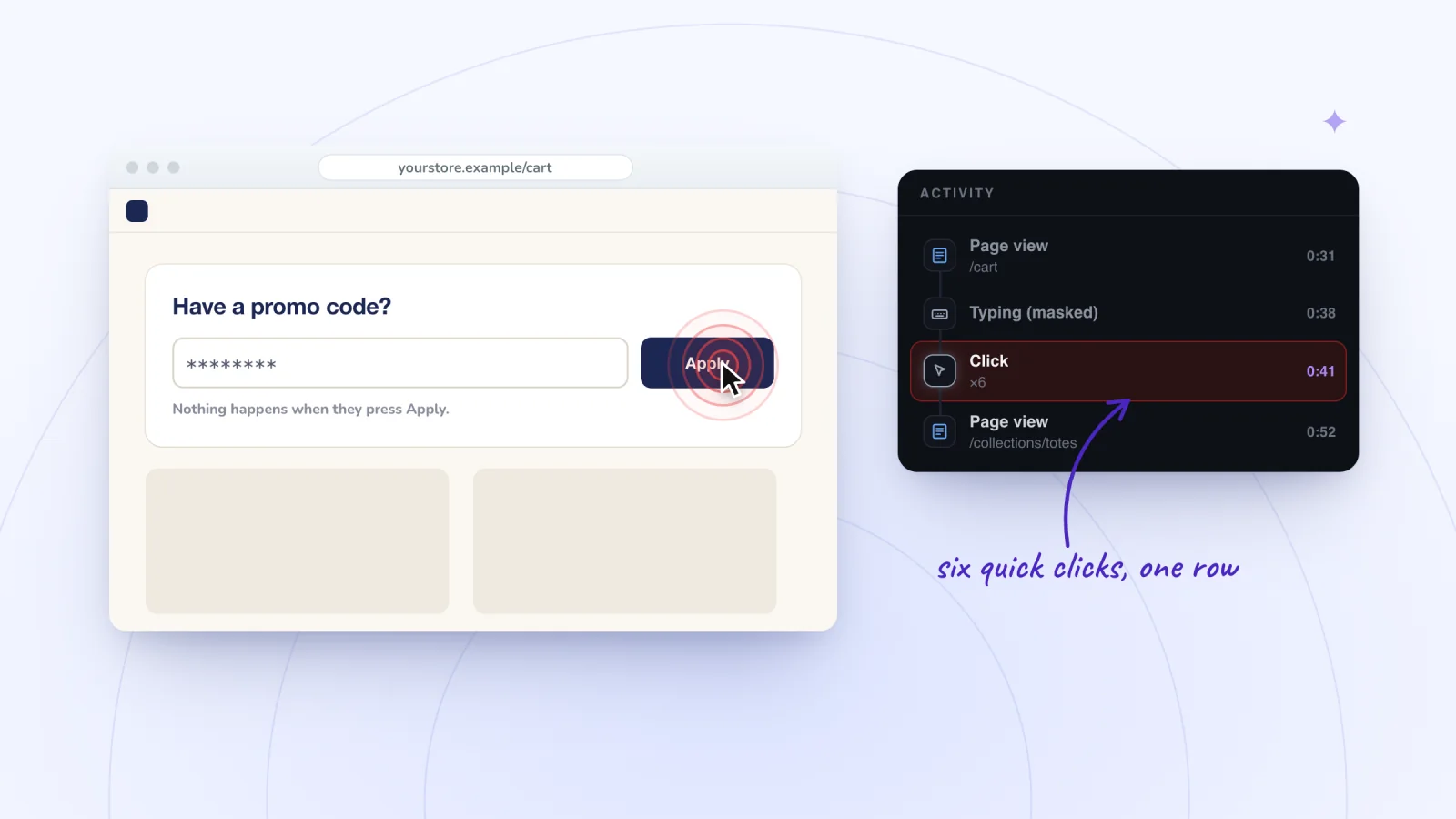
Click ×4 means four quick clicks on the same spot, shown as one row with a count. The guide to rage clicks explains how to read these rows, the session replay examples include masked typing followed by three quick clicks, and you can practice on a free interactive replay demo.
Visitors who have not allowed analytics in your cookie banner are not recorded, so use replays to find problems, not to count visitors.
Check that your Wix form really delivers
Run this check before you change the design, and again after any edit to the form or its page.
- Send a real test. Fill in the form on your published site, on a phone and on a computer. The form builder's Preview tab is good for clicking through, but only a live message tests the whole path.
- Find it in your submissions. Go to Forms & Submissions in your dashboard, click the More Actions icon next to the form and select View submissions.
- Check the Spam tab. Wix Forms filters spam automatically, at the level you pick under Spam filter settings in the form builder: Only reCAPTCHA, Basic and reCAPTCHA, or Advanced and reCAPTCHA. Visitors see a reCAPTCHA challenge only if their activity looks suspicious. Flagged submissions stay in the Spam tab for 30 days before they are permanently deleted. If a real message is there, select it and click Report as not spam.
- Check your email. By default, Wix emails the site owner about each new submission. If nothing arrives, Wix suggests checking your spam or junk folder for mail from no-reply@wixsiteautomations.com or reply-to@wixforms.com, then the Recipients in the automation that sends it. Changing your Wix account email does not update those recipients.
- Read the message visitors see. Make sure it appears and says what happens next.
If a replay shows a visitor reaching your thank-you message and nothing arrived around that time, start with steps 3 and 4.
What to fix first
Start with what blocks everyone, then work down.
- Anything broken. Lost messages, fields that won't take typing and a Send button that doesn't respond.
- Quick settings. Required field markers, a clear message after Send and your reply time.
- Personal questions. Explain them or make them optional.
- Length. Cut fields you don't need, and use rules for follow-up questions.
Make one change at a time. A week or two later, compare submission counts and watch fresh visits. Why visitors leave your website covers the other reasons people give up.
Frequently asked questions
What is form abandonment?
Form abandonment is when a visitor starts filling in a form, such as a contact, quote or sign-up form, and leaves without sending it. It usually points to friction inside the form, like too many questions or an error that is hard to find. Your submissions table counts only finished forms, so watching visits is how you see where people stopped.
Why don't people fill out contact forms?
Some never find the form or see no reason to get in touch. Others stop because it asks too much, asks for personal details without saying why, hides its rules until they click Send or doesn't work on their phone. People also want to know when they will hear back.
Why is my Wix contact form not getting submissions?
Rule out delivery first. Send a test from your live site and look for it under Forms & Submissions in your dashboard, including the Spam tab, where flagged messages stay for 30 days. If it is there but no email came, check your spam folder and the recipients of the form's automation. If you can't type into the form, Wix suggests checking for overlapping elements, on phones too.
Can session recordings show what visitors type into a form?
Not with Session Recordings. Typing is masked in the visitor's browser before anything is sent, so a replay shows asterisks and the Activity list shows a Typing (masked) moment. You can see which field someone was in, how long they spent and where they stopped, never the words. The guide to session recording privacy covers masking and consent.
Try it on your site
Session Recordings replays real visits to your Wix site, rebuilt from the page rather than filmed, so you can see where visitors stop in your forms without seeing what they typed. The Free plan includes 2,000 recordings a month. See how masking works on the private recording page.
Sources
- Wix Forms: Adding and Setting Up a Form on Your Site
- Studio Editor: Adding and Customizing a Form
- Wix Forms: Viewing and Managing a Submissions Table
- Wix Forms: Protecting Your Site Forms from Spam
- Wix Forms: Choosing Who Gets Notified About Form Submissions
- Wix Forms: Troubleshooting
- Wix Forms: About Your Form Submission Reports in Wix Analytics
- Nielsen Norman Group: Website Forms Usability: Top 10 Recommendations
- Nielsen Norman Group: Placeholders in Form Fields Are Harmful
- Nielsen Norman Group: Marking Required Fields in Forms
- Nielsen Norman Group: 10 Design Guidelines for Reporting Errors in Forms
- Baymard Institute: Always Explain Why the Phone Field Is Required
- W3C Web Accessibility Initiative: User Notification

We build marketing apps for online stores: myuser.ai writes and sends emails and texts from a store's own products, and we make Session Recordings and Spin Wheel for Wix sites. Product details in our guides are checked against the apps themselves.