Session Recordings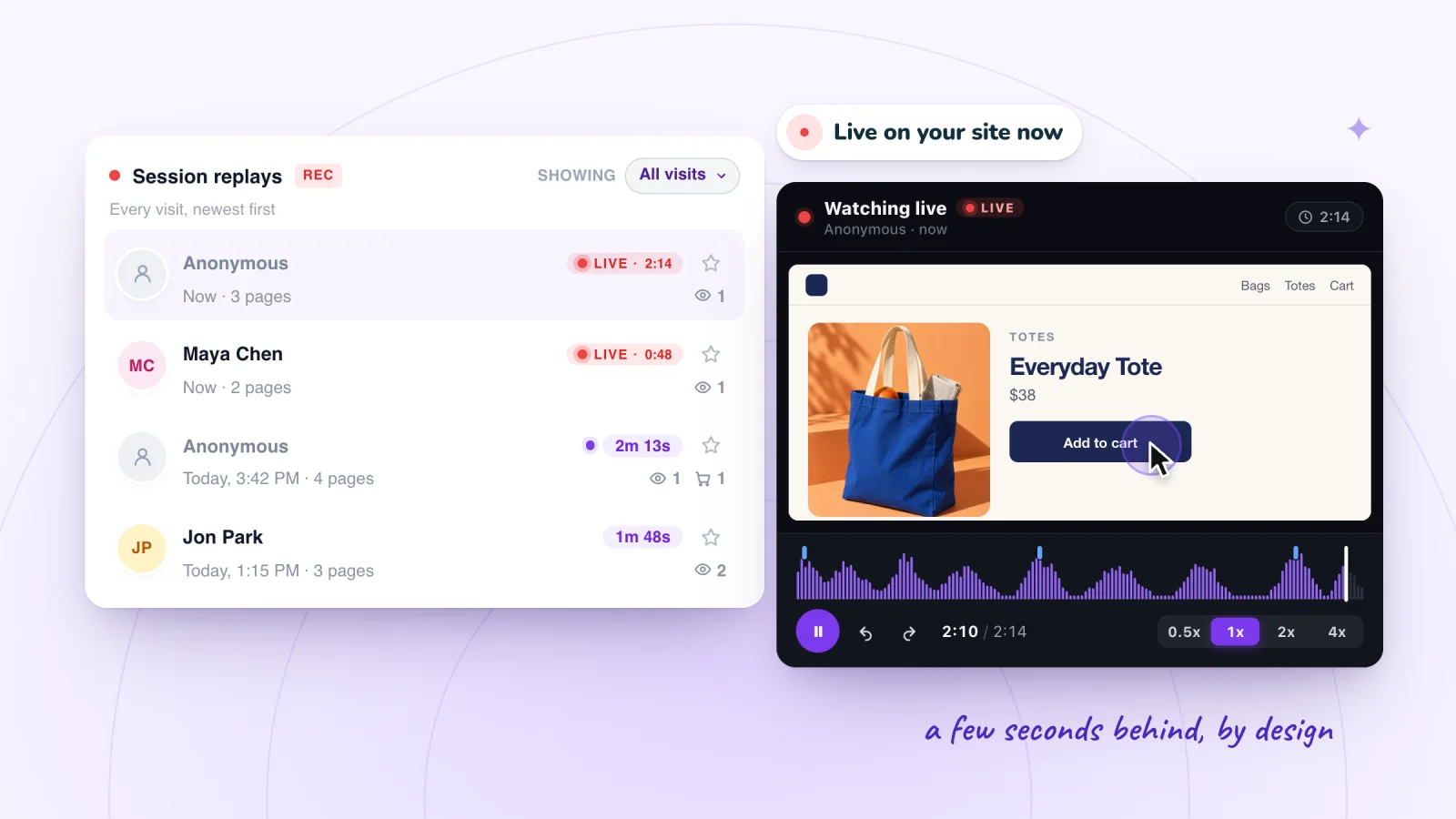
On this page
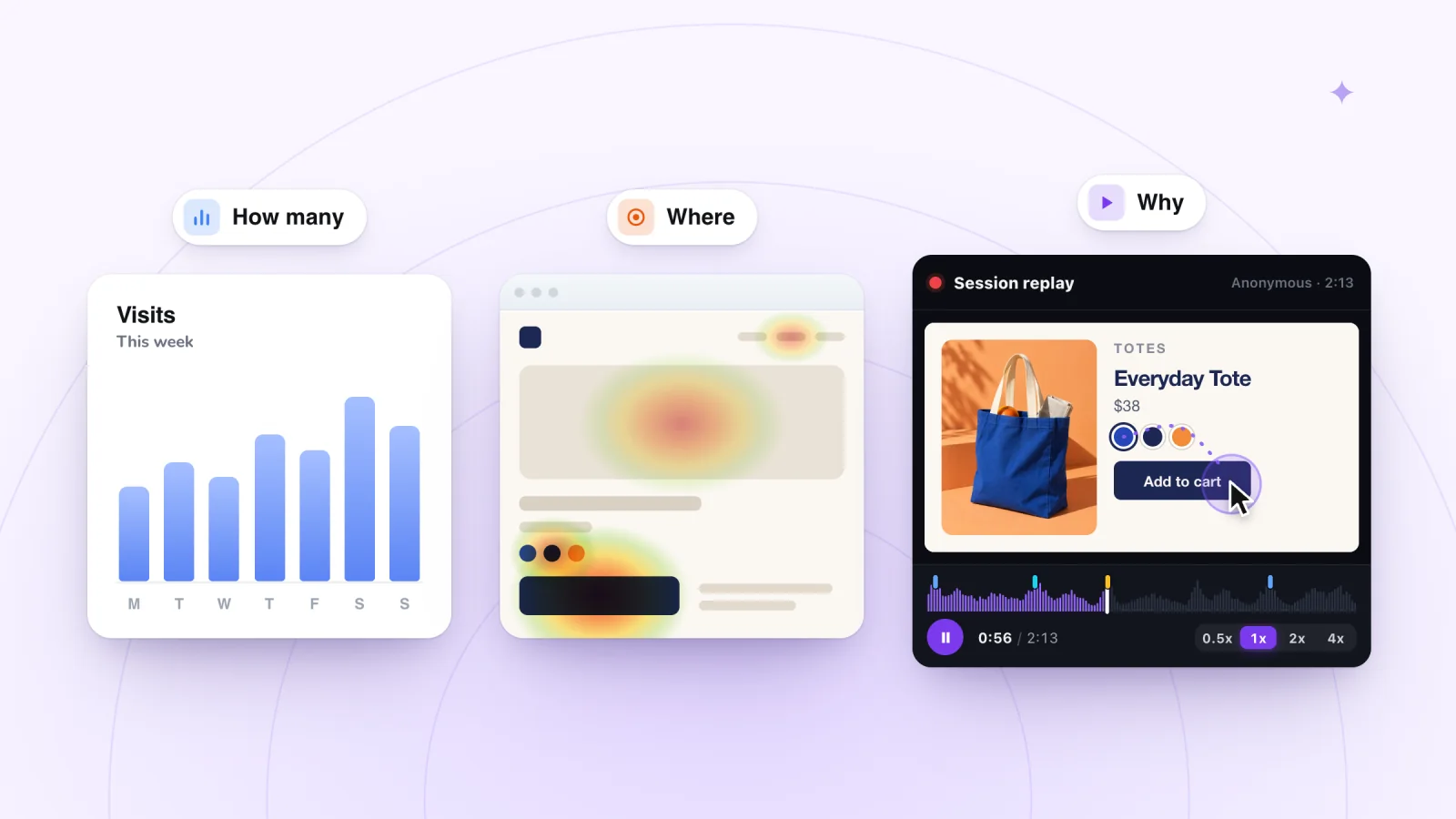
There are three common ways to see what visitors do on a Wix site. Wix's built-in analytics count visits and show where they come from. Session recordings let you watch single visits play back. Heatmaps turn many visits to one page into a picture of clicks or scrolling. Here is what each one shows, how to choose and how to start.
Key takeaways
- Use Wix Analytics to see how many people visit, where they come from and which pages they leave from.
- Watch session recordings when you need to see how a single visit unfolded, click by click, on the page itself.
- Heatmaps combine many visits to one page, so a page needs steady traffic before the colors mean much.
- With a cookie banner, Wix's traffic reports and Session Recordings both leave out visitors who decline cookies.
What Wix Analytics shows
Wix Analytics lives under Analytics in your site's dashboard. Three areas are worth knowing first.
Traffic
The Traffic Overview, in the Overviews section, shows sessions and unique visitors, sessions over time, where visitors came from, new versus returning visitors, and sessions by device and by country. It covers the last 30 days unless you pick other dates. Wix counts a session as one visit, which ends after 30 minutes of inactivity.
Behavior
The Behavior Overview shows how long visitors stay, how many pages they view and your bounce rate. It also lists your most clicked elements, your top pages with how often visitors leave from each, and the first four steps visitors take through your site. Separate reports go deeper. Button Clicks counts clicks on buttons, links and images once you turn on click tracking, and sites using Wix Site Search get reports on top searches and searches with no results.
Visitors right now
The Real-time page shows who is on your site now. Wix counts a visitor as live if they took an action, such as opening a page or buying something, in the past 5 minutes. You see where live visitors are, how they found you, their devices and the most visited pages. A Recent visitors list covers up to 24 hours, with each visitor's device, location, start time and a breakdown of their actions. A live activity feed shows product views, cart adds and visitors entering checkout as they happen.
If your site has a cookie banner, the traffic and behavior reports leave out visitors who have not accepted cookies or who use certain ad blockers.
All of this tells you what happened and how often. A list of actions cannot show how the page looked to a visitor, where they hesitated or what they tried first.
Session recordings show single visits
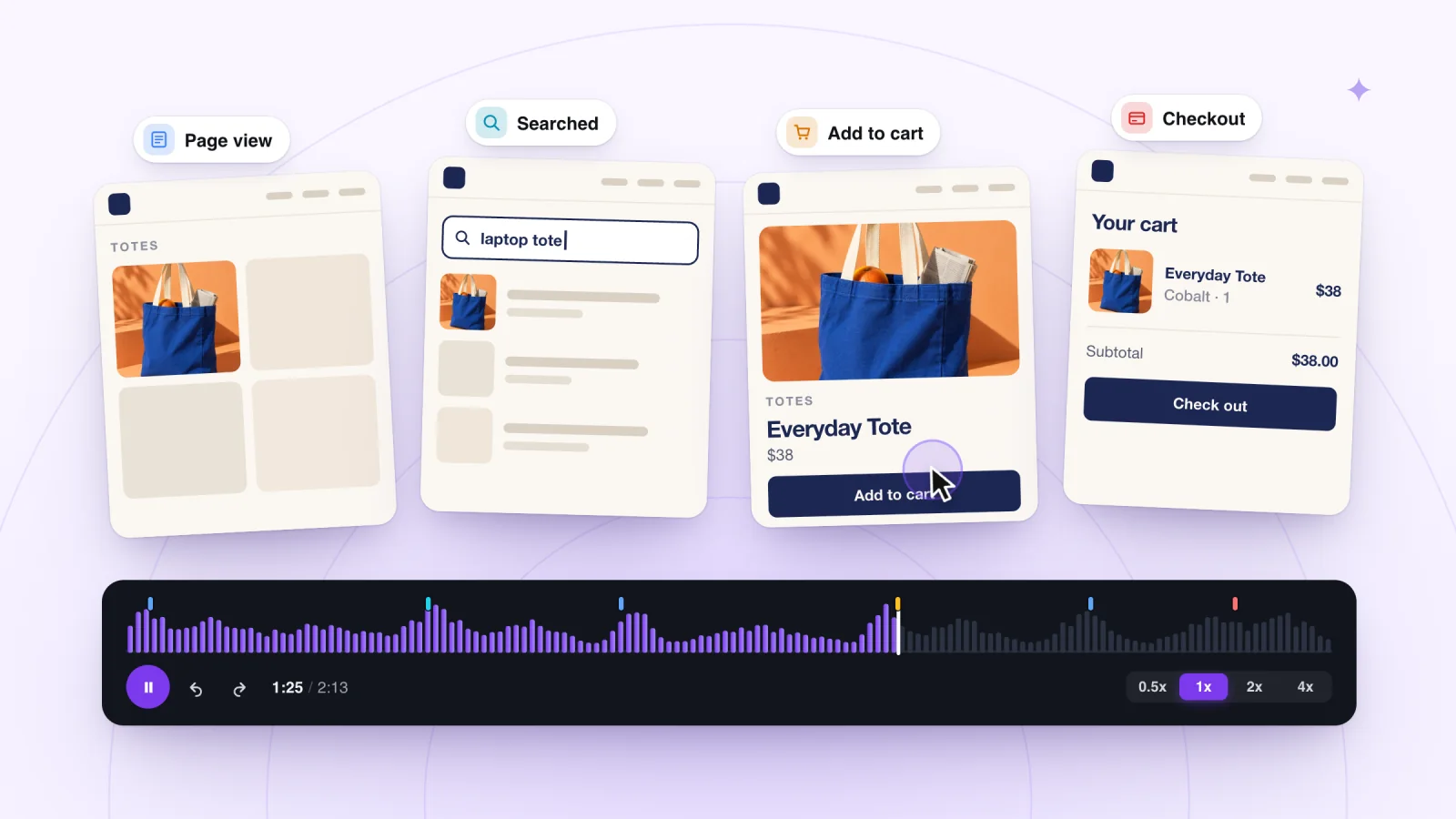
A session recording rebuilds one visit so you can play it back: the pages, clicks, taps and scrolling, in order. It answers the question totals cannot: what happened in this visit? The guide to what session recording is explains how it works.
Wix Analytics offers a session recordings feature of its own, which needs an upgraded site. Apps from the Wix App Market can add recording too, and Session Recordings by myuser.ai is one of them.
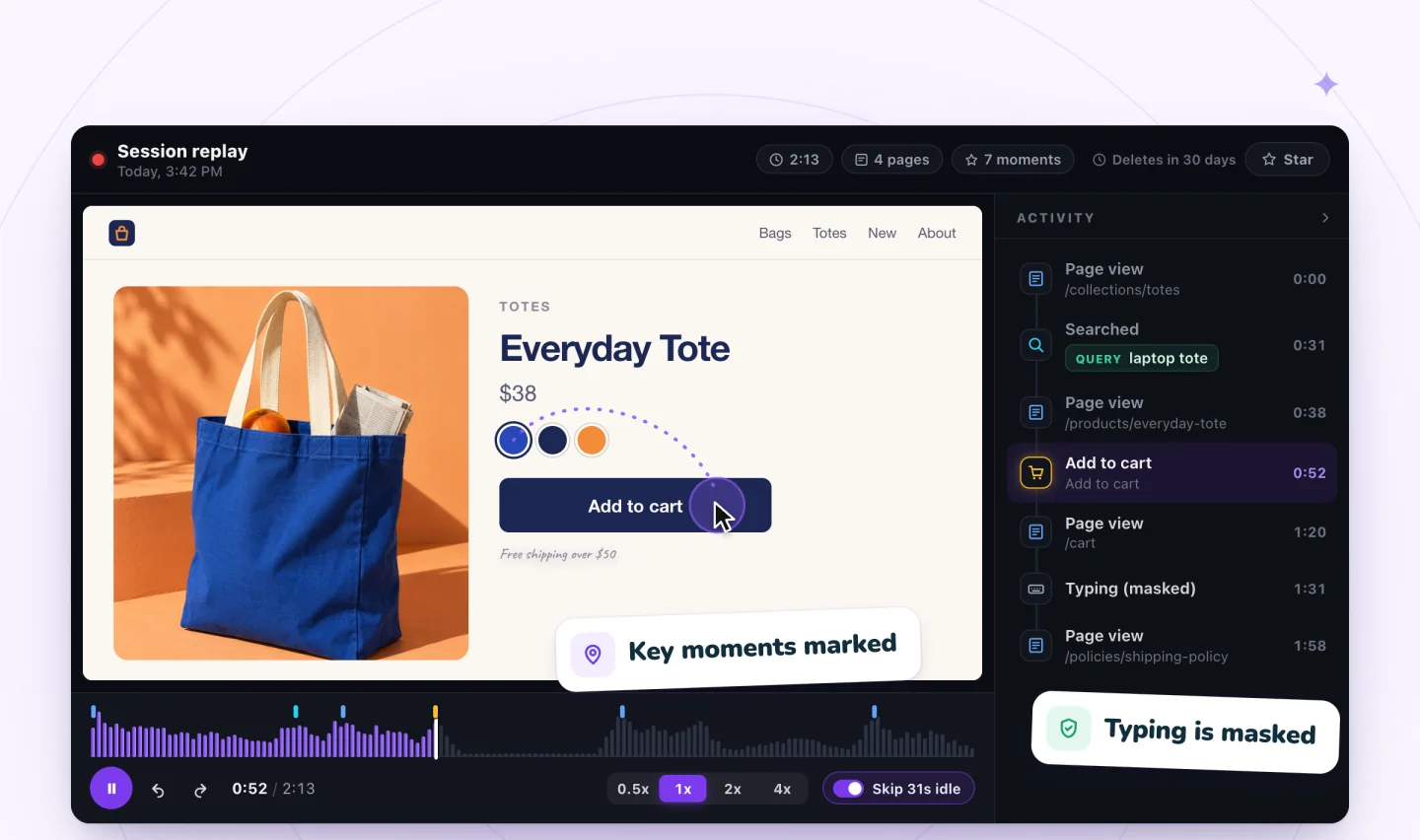
Session Recordings records page views, clicks, scrolling, typing and cart activity. Typing is masked in the visitor's browser before anything is sent, so it shows as asterisks, and recording follows your site's cookie banner. Each replay comes with these tools.
- Timeline. Page views, searches (with the words used), add to cart and checkout are marked.
- Activity list. Every moment is listed in order. Click one to jump there. Runs of quick clicks merge into one row with a ×N count.
- Speed. Quiet stretches are skipped automatically, and you can watch at 0.5x, 1x, 2x or 4x.
- Live view. Visits in progress show as LIVE, and you can follow one a few seconds behind.
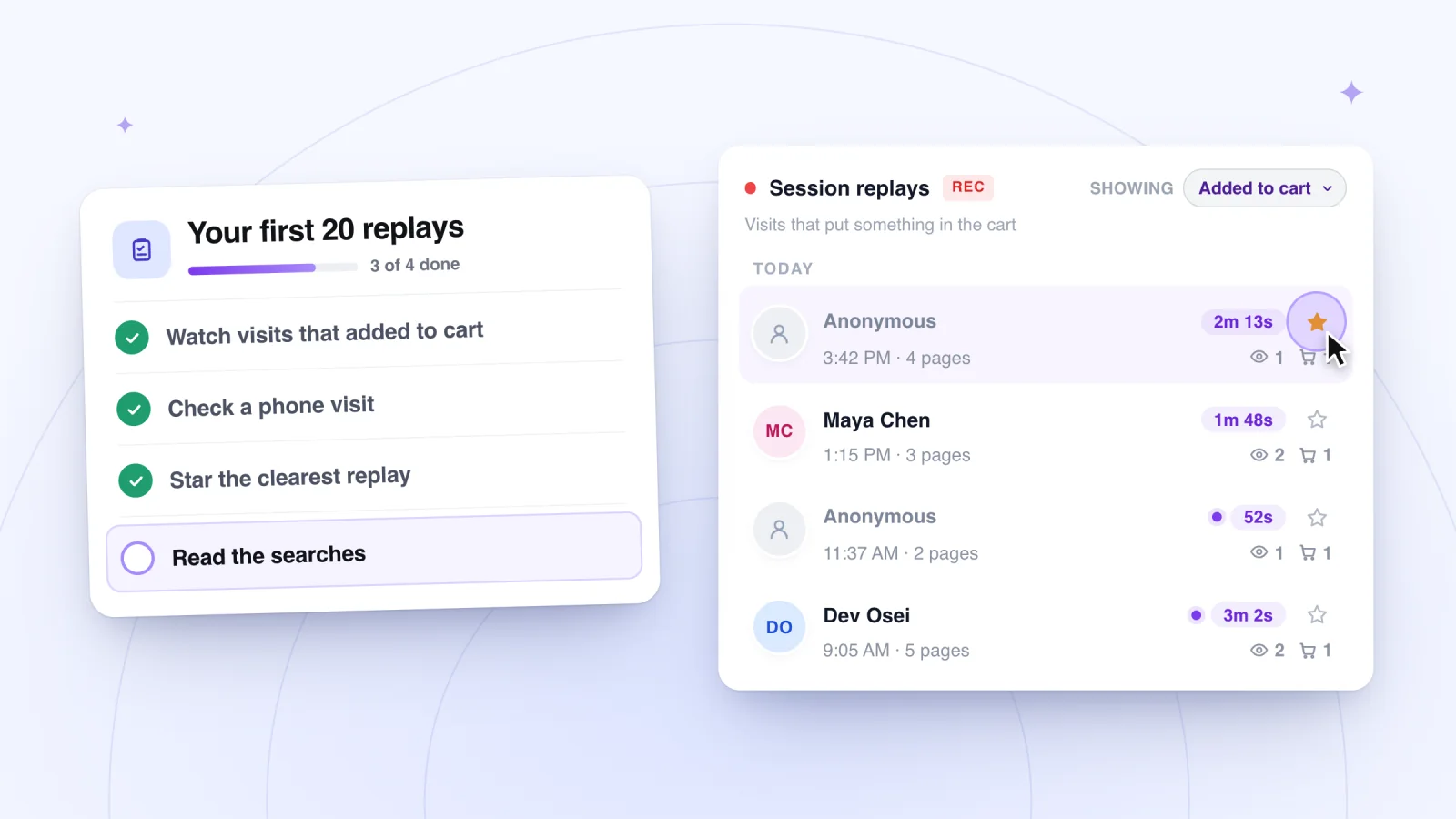
The list of visits has filters for All visits, Viewed a product, Added to cart, Signed up, Known visitor and Starred. Starring keeps a replay for good. Other replays are kept for 30 days on Free, 90 days on Plus and 12 months on Pro.
Session recordings, private by default
Typing is masked in the visitor's browser and recording follows your cookie banner. Free plan included.
Add to Wix, it's free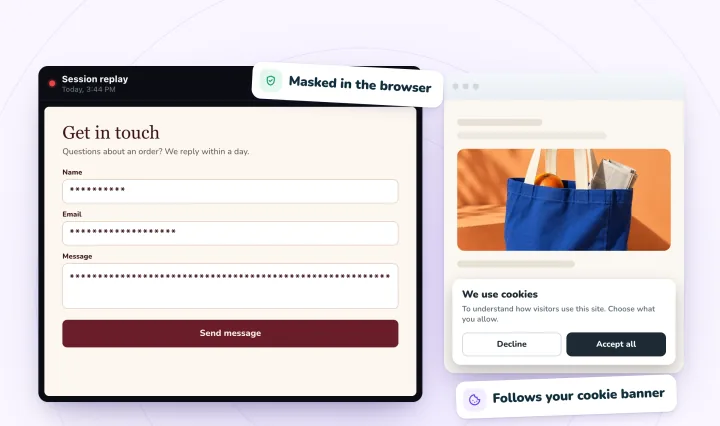
Heatmaps sum up one page
A heatmap combines many visits to a single page into one picture. A click map paints the most clicked spots in warm colors, and a scroll map shows how far down the page people get. Heatmaps answer a different question: where on this page do people focus? They show no order, so they cannot show what a visitor did before or after a click. A page also needs steady traffic before the colors mean much.
Wix Analytics reports which elements get clicked most. For click and scroll maps of a page, look for a heatmap app in the Wix App Market. Session Recordings does not make heatmaps.
Side by side
| Compare | Wix Analytics | Session recordings | Heatmaps |
|---|---|---|---|
| What it shows | Totals: sessions, sources, devices, pages and clicks | One visit: every page, click, tap and scroll, in order | One page, many visits combined into colors |
| Question it answers | How many, from where, and which pages do they leave? | What happened in this visit? | Where on this page do people click and scroll? |
| Privacy notes | With a cookie banner, visitors who don't accept cookies are left out of reports | In Session Recordings, typing is masked in the browser and recording follows your cookie banner | Varies by app: check what it collects and whether it follows your cookie banner |
Which one to use
Start from your question.
- How many people came, and from where? Open the Traffic Overview in Wix Analytics.
- Who is on my site right now? The Real-time page counts live visitors. To watch one of those visits, use a recording tool's live view.
- Why do people leave this page? Find the page in your analytics, then watch recordings of visits to it.
- Which parts of this page get attention? A heatmap shows this at a glance. You can also tally clicks across ten recorded visits, as this comparison of recordings, heatmaps and analytics explains.
- A customer says something is broken. Find their visit in your recordings.
Getting started with each
Wix Analytics
- In your site's dashboard, open Analytics.
- Open the Traffic Overview for sessions, sources and devices over the last 30 days.
- Open the Behavior Overview for top pages, top clicks and the first steps visitors take.
- In the Button Clicks report, click Enable Click Tracking so clicks get counted.
- Check the Real-time page to see who is on your site now.
Session recordings
- Add Session Recordings from the Wix App Market. There is no code to add.
- Read the Start recording dialog, which explains what is recorded, what is masked and how long replays are kept, then click Start recording.
- Mention session recording in your privacy policy. This free privacy notice template can help.
- Recording starts with your next visitor.
- Pick one question, filter the list to match it, and watch about ten visits. The checklist for your first replays shows what to look for.
Heatmaps
- Pick one page with steady traffic, such as your home page or a best seller.
- Search the Wix App Market for a heatmap app. Check what it records, whether it follows your cookie banner and what it costs.
- Let it collect visits for a while before you judge the colors.
- Start a fresh map after you redesign the page, so old and new layouts don't blend.
Frequently asked questions
Does Wix have heatmaps?
Wix Analytics has a Traffic by Time of Day report that shows a heat map of your busiest hours, but that is not a page heatmap. Its click reports list the elements visitors click most. For maps of where people click and scroll on a page, add a heatmap app from the Wix App Market. Session Recordings does not make heatmaps, but each replay shows every click in context.
Can I see who is on my Wix site right now?
Yes. The Real-time page in Wix Analytics counts live visitors, meaning anyone who took an action in the past 5 minutes, and shows their locations, traffic sources, devices and top pages. Wix notes that live data can differ for visitors who use some ad blockers or have not accepted cookies. To watch a visit as it happens, Session Recordings lets you follow it live, a few seconds behind.
Do visitors who decline cookies show up?
If your site has a cookie banner, Wix's traffic reports leave out visitors who have not accepted cookies, though the Real-time page still shows their live visits, page views and purchases. Session Recordings follows your cookie banner, so visitors who have not allowed analytics are not recorded. That is fine for finding problems, since a broken button is broken for everyone.
Try it on your site
Session Recordings is a free app that records real visits to Wix sites so you can replay them, with key moments marked and typing masked. The Free plan includes 2,000 recordings a month. See what a replay includes on the session replay page, or try a free interactive replay demo first.
Sources
- Wix Analytics: Understanding the Traffic Overview
- Wix Analytics: Understanding the Behavior Overview
- Wix Analytics: About Your Behavior Reports
- Wix Analytics: About Your Traffic Reports
- Wix Analytics: About Real-time Analytics
- Wix Analytics: Adding and Setting Up Session Recordings

We build marketing apps for online stores: myuser.ai writes and sends emails and texts from a store's own products, and we make Session Recordings and Spin Wheel for Wix sites. Product details in our guides are checked against the apps themselves.