On this page
No. Wix won't show you the name of a visitor who didn't give it: it shows where visitors came from, their device and what they did, and names only members and contacts. Unless a visitor tells you who they are, by signing up, buying or filling in a form, Wix knows them only as a visit.
That split decides where to look. Names live in your contacts and members. Behavior lives in Wix's Real-time page, its reports and, if you add one, a session recording tool.
Key takeaways
- Open Analytics > Real-time to see live visitors and every visit from the last 24 hours, with device, location, start time and a breakdown of actions.
- For a notification when someone visits, add Wix Chat or Wix Smart Chat; by default Smart Chat alerts you in your dashboard and the Wix app for each new visitor.
- Expect names only for people who told you: members with a full name on their profile, and contacts who sent a form, signed up or bought.
- With a cookie banner on, Wix's reports leave out visitors who didn't accept, and Wix puts acceptance at about half of visitors.
- Wix's visitor views list no IP addresses; you'll find them instead in a traffic filter for your own visits and in the cookie consent log.
- When the real question is what a visitor did, watch the visit as a session replay instead of hunting for a name.
What Wix shows about your visitors
The Real-time page
Open Analytics in your site's dashboard and choose Real-time. Wix counts someone as a live visitor if they took an action, such as opening a page or buying something, in the past 5 minutes. The overview shows where your live visitors are, the traffic sources that brought them, their devices and your most visited pages.
The page also has a live activity feed that goes back up to 24 hours, listing actions such as viewing a store product, adding an item to a cart, entering checkout, completing an order, viewing a blog post, booking a service and becoming a new contact.
Recent visitors, up to 24 hours back
The Recent visitors list covers every visitor from up to the last 24 hours, with each one's device, location and the time their session started. Hover over a visitor and click Session info to see a breakdown of each action they took in that session. If they're still on your site and you have Wix Chat installed, you can start a chat from there.
This is the closest Wix comes to a visitor log, and it's good for a quick question like "did anyone reach the booking page this morning?" It stops at 24 hours, so check it the same day.
Names: members only, and only if they gave one
Real-time shows a member's name only when their member profile includes a first and last name. Everyone else, including members who left their name blank, appears as "Visitor #" followed by a number. The number tells you two rows are different visitors. It doesn't tell you who either one is.
Wix Chat's live visitor list
If you install Wix Chat, click the Notifications icon at the top right of your dashboard, then View in Inbox. For each visitor on your site you see the page they're on, their device, how long they've been there, how many times they've visited and their location. A visitor who gave you their details before, for example through a contact form, appears by name. Everyone else appears as "A visitor". Wix Smart Chat shows the same details when you click one of its notifications, such as "A visitor is on your site now", and lists visitors who haven't given their details as "Visitor #".
Contacts: where known visitors live
Wix adds someone to your contact list when they fill in a form, sign up, make a purchase or join your members area. Open Contacts in your dashboard and select a contact to see a panel of their activity, from purchases and sign-ups to the pages they viewed. With the new Wix Forms, anything entered in a contact field, such as a name or email address, goes to your contact list automatically.
So the honest answer to "who visited my site?" is: the visitors who identified themselves, and nobody else.
How do I get notified when someone visits my Wix site?
Add Wix Chat or Wix Smart Chat. Wix's help ties its new-visitor notifications to these chat apps, and by default Smart Chat notifies you in your dashboard and the Wix app each time a new visitor arrives. Visitors Wix already knows, from a form or a member profile, can appear by name; the rest show as "Visitor #" and a number.
To set them up:
- Add a chat app. Install Wix Chat or Wix Smart Chat, then publish your site. Wix's troubleshooting for the Wix app says that without one, you won't see your live visitors there.
- In your dashboard. Go to Notification Preferences, open Dashboard, scroll to Wix Smart Chat and turn on New visitor notification.
- On your phone. In the Wix app, go to your site, tap Inbox, then the More Actions icon, Inbox Settings and Notifications Settings, and turn on the new visitor toggle.
- Fewer alerts. In Automations, open the App automations tab and the New visitor on site automation, click Edit, click its trigger, turn on Limit trigger frequency and set an interval, then click Apply and Publish Changes. Each visitor then sets off one notification per interval.
Wix's own help differs on which apps send these. A feature request Wix is still collecting votes for says the Wix app can't notify you of live visitors without Wix Chat. The Wix app's troubleshooting steps accept Wix Chat or Wix Smart Chat, and the Wix Analytics FAQ says Wix Analytics and Wix Chat both push visitor notifications to the app. All three name Wix Chat.
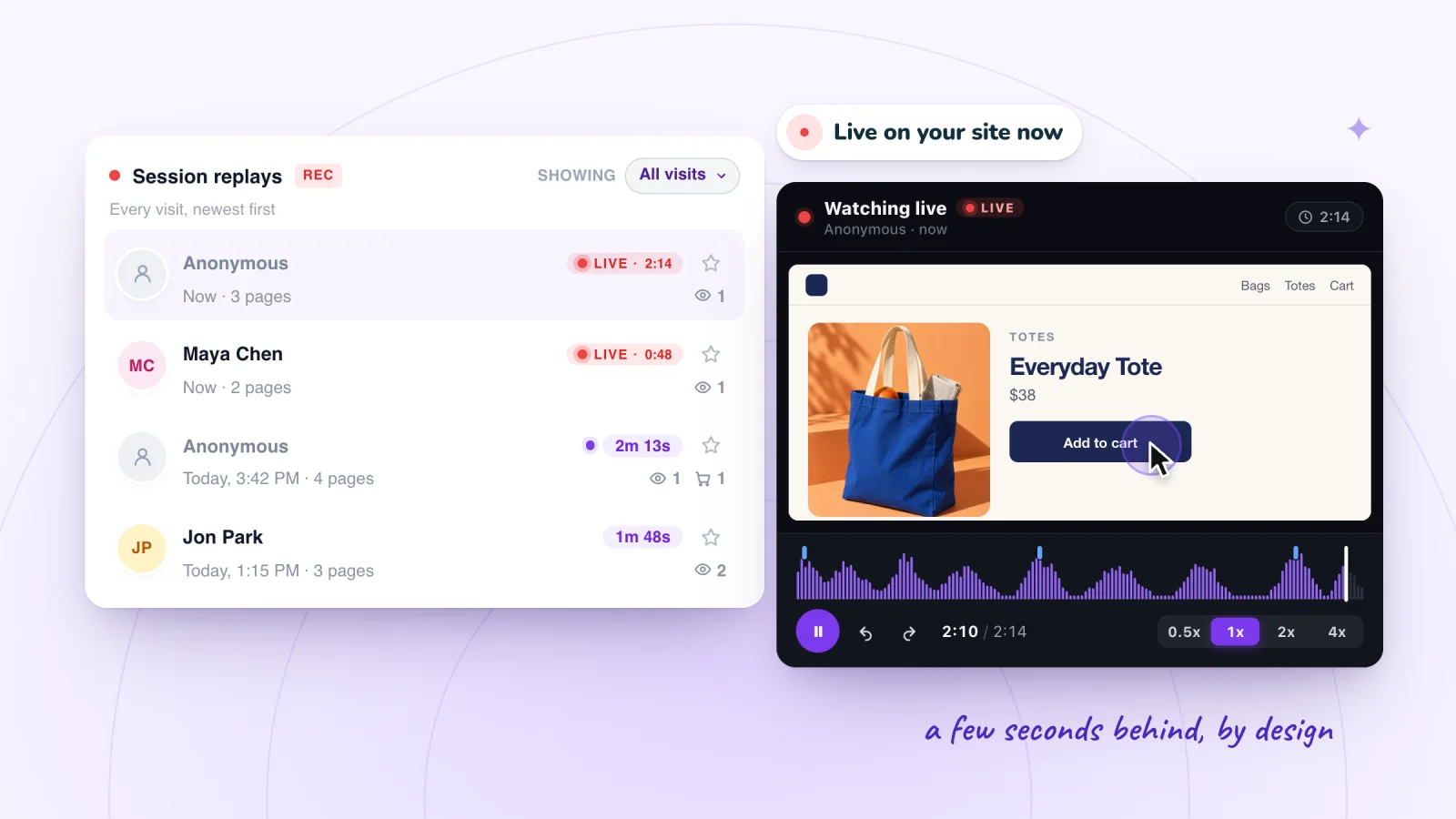
Session Recordings doesn't alert you to each visit. Visits in progress show as LIVE in its replay list instead, and you can open one to follow the visitor a few seconds behind.
Why did my Wix visitor notifications stop?
A setting along the way may have changed. Wix's troubleshooting names each place to look: the chat app, its chat mode, the automation, the notification toggles and your phone's or browser's permission.
- The chat app is gone. Without Wix Chat or Wix Smart Chat, Wix says you won't see live visitors in the Wix app. Add one back and publish your site.
- Smart Chat is set to AI Chat 24/7. Wix says new-visitor notifications don't work in that chat availability mode; pick one that includes Manual Chat.
- The automation is off. The New visitor on site automation, on the App automations tab in Automations, has to be active.
- One toggle is off. The dashboard and phone toggles work independently, so switching one doesn't change the other. The Wix app can also pause all push notifications for anything from 8 hours to permanently.
- Your phone or browser blocks them. Push notifications have to be allowed for the Wix app in your phone's settings, and desktop notifications don't arrive while your browser is set to Block them.
- You're a collaborator. You need access to both Wix Smart Chat and Wix Inbox.
- A frequency limit. With Limit trigger frequency on, a visitor who comes back within the interval you set doesn't trigger another notification.
Why do notifications show more visitors than Wix Analytics?
Because they count different things. The Wix app sends a notification every time someone accesses your site, while Wix Analytics counts unique visitors and sessions. Wix's Analytics FAQ gives three more reasons:
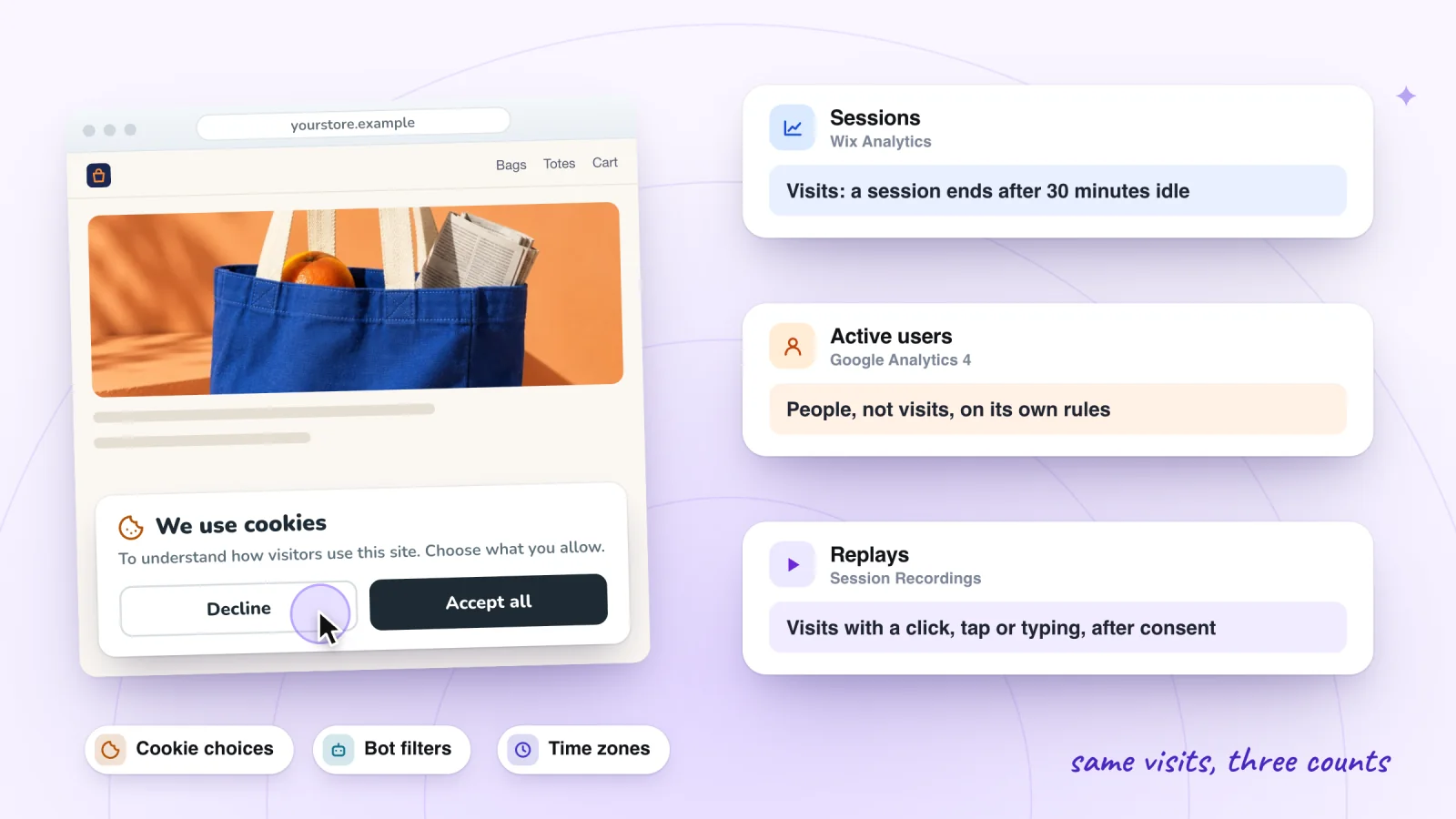
- Your cookie banner. With a banner on, Wix Analytics collects traffic data only from visitors who accept cookies; what your cookie banner hides has Wix's estimate of how many do.
- Bots. Wix Analytics and Wix Chat filter bots with different methods. The Bot Traffic over Time report shows which bots reached your site.
- You. Your own visits from the device and browser you're logged in to Wix on don't count in traffic reports.
If Wix Analytics shows no visitors at all, what to check when Wix Analytics shows no data goes through the causes.
Session recordings, private by default
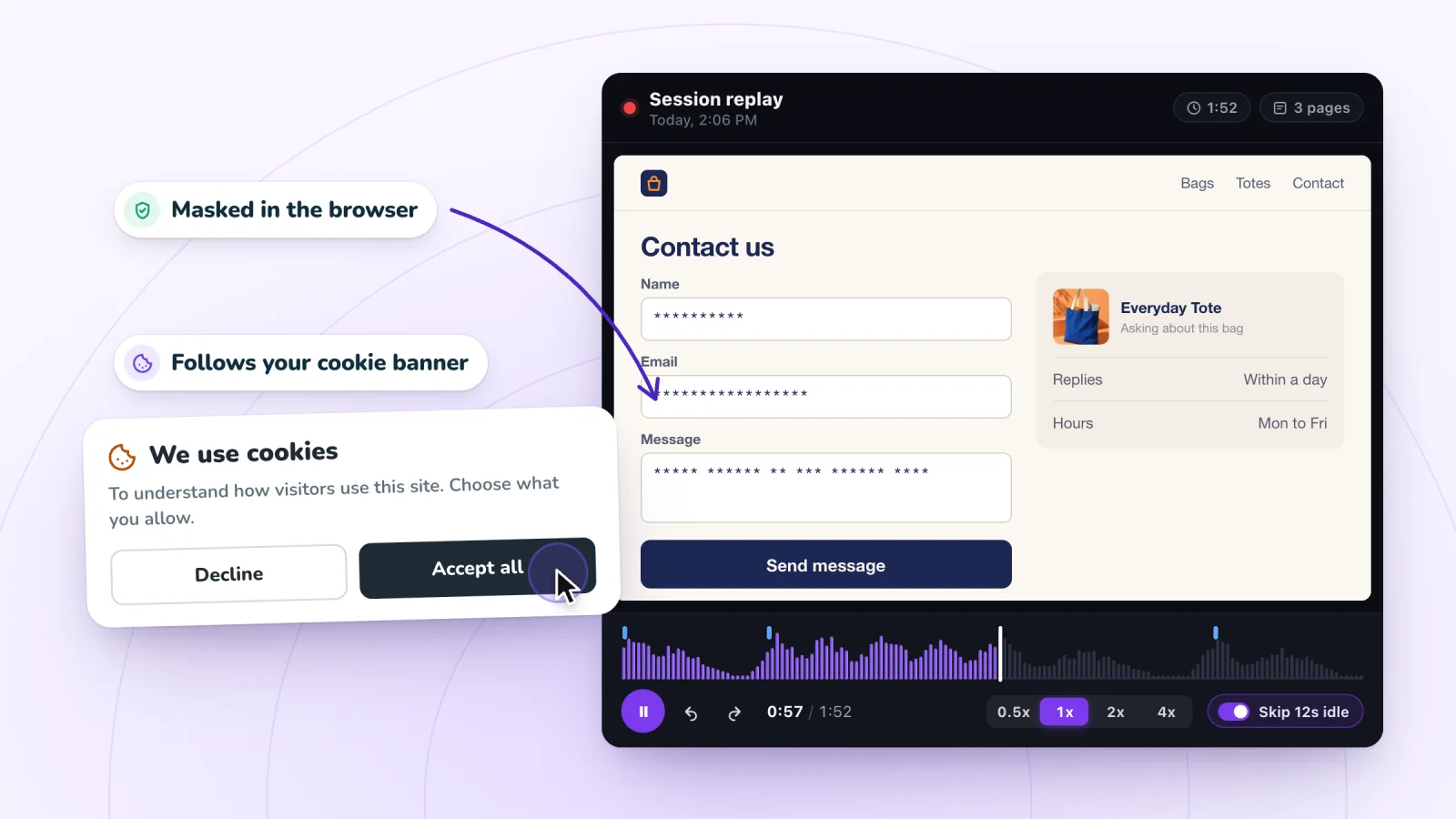
Typing is masked in the visitor's browser and recording follows your cookie banner. Free forever.
Add to site, it's free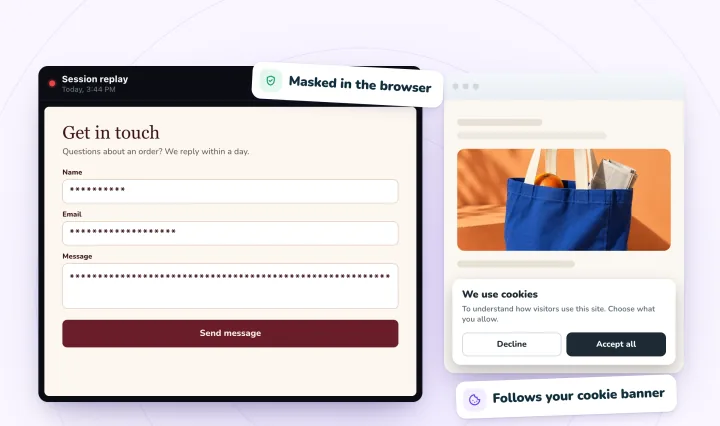
What your cookie banner hides
If your site shows a cookie banner, Wix Analytics collects data only from visitors who click Accept. For visitors who haven't accepted, the Real-time page still shows three things: the live visitor count, page views and purchases. Their device, location and action breakdown stay hidden. Wix also says visitors must not be using ad blocking tools for their activity to be tracked.
Wix's own analysis puts the share of visitors who accept cookies at about 50%, and it suggests assuming your real traffic is roughly double what the reports show when a banner is on. If your traffic reports show 400 sessions this month, the real number could be close to 800 (400 × 2). Treat that as a rough multiplier, not a count, because your visitors may accept more or less often than Wix's average. Cookies are only one reason Wix's counts differ from other tools; why your Wix Analytics numbers don't match goes through the rest.
What you can't see
Names and emails of anonymous visitors. No Wix report turns an anonymous visit into a person. A visit carries a device, a browser and a rough location, not an identity.
IP addresses beside a visit. Wix's Real-time help lists device, location, start time and actions for each recent visitor, and IP addresses aren't among them. Wix shows IP addresses in two narrower places:
- Traffic reports have an IP address filter: open a report such as Traffic over Time, click Filter, choose IP address, untick the addresses to leave out and click Apply. Wix suggests it for removing your own visits from the numbers.
- The cookie banner's consent log, under Privacy & Cookies > Visitor Data > Consent Log, records each visitor's IP address, device and the date and time of their consent choice, and you can export it as a CSV. It's a record of who agreed to what. It only covers visitors who answered the banner, and it doesn't show what they did.
Company names, unless you add a tool for it. Some business-to-business tools, Leadfeeder among them, match a visitor's IP address against a database of company networks and report the company behind a visit. Leadfeeder says it shows company visits, not individuals, by default, and filters out internet service providers. A shopper on home broadband usually shows up as nothing. These tools can earn their place on a site that sells to other businesses; on a store that sells to consumers they mostly come back empty.
They also bring privacy duties. The UK's data protection regulator lists IP addresses among the online identifiers that can make a person identifiable, so if you add one, cover it in your cookie banner and privacy policy. This is general information, not legal advice.
Who visited, or what they did?
Most "who visited?" questions are really one of these. Match yours to the place that answers it.
| You want to know | Where to look | What you get |
|---|---|---|
| How many people are on the site now | Analytics > Real-time | Live count, locations, traffic sources, devices and top pages |
| What one recent visitor did | Real-time > Recent visitors > Session info | Each action in that session, up to 24 hours back |
| The name behind a visit | Contacts, or Real-time for members with a full name | Only people who signed up, bought, joined or sent a form |
| When someone arrives | A chat app's new-visitor notification (Wix Chat or Wix Smart Chat) | An alert in your dashboard or the Wix app, by name for visitors Wix knows |
| Who is online now, so you can chat | Notifications icon > View in Inbox (Wix Chat), or a visitor notification (Wix Smart Chat) | Page, device, time on site, visit count and location; names for known visitors |
| What the visit looked like on screen | A session recording tool | The pages, clicks, taps and scrolling, played back in order |
Seeing what a visitor did: session replay
A list of actions can tell you a visitor opened your contact page and left four minutes later. It can't tell you they filled in three fields, stopped at the phone number and gave up. A session replay can, because it rebuilds the visit on your own pages and plays it back: every page, click, tap and scroll, in order. What a Wix session replay captures has the details.
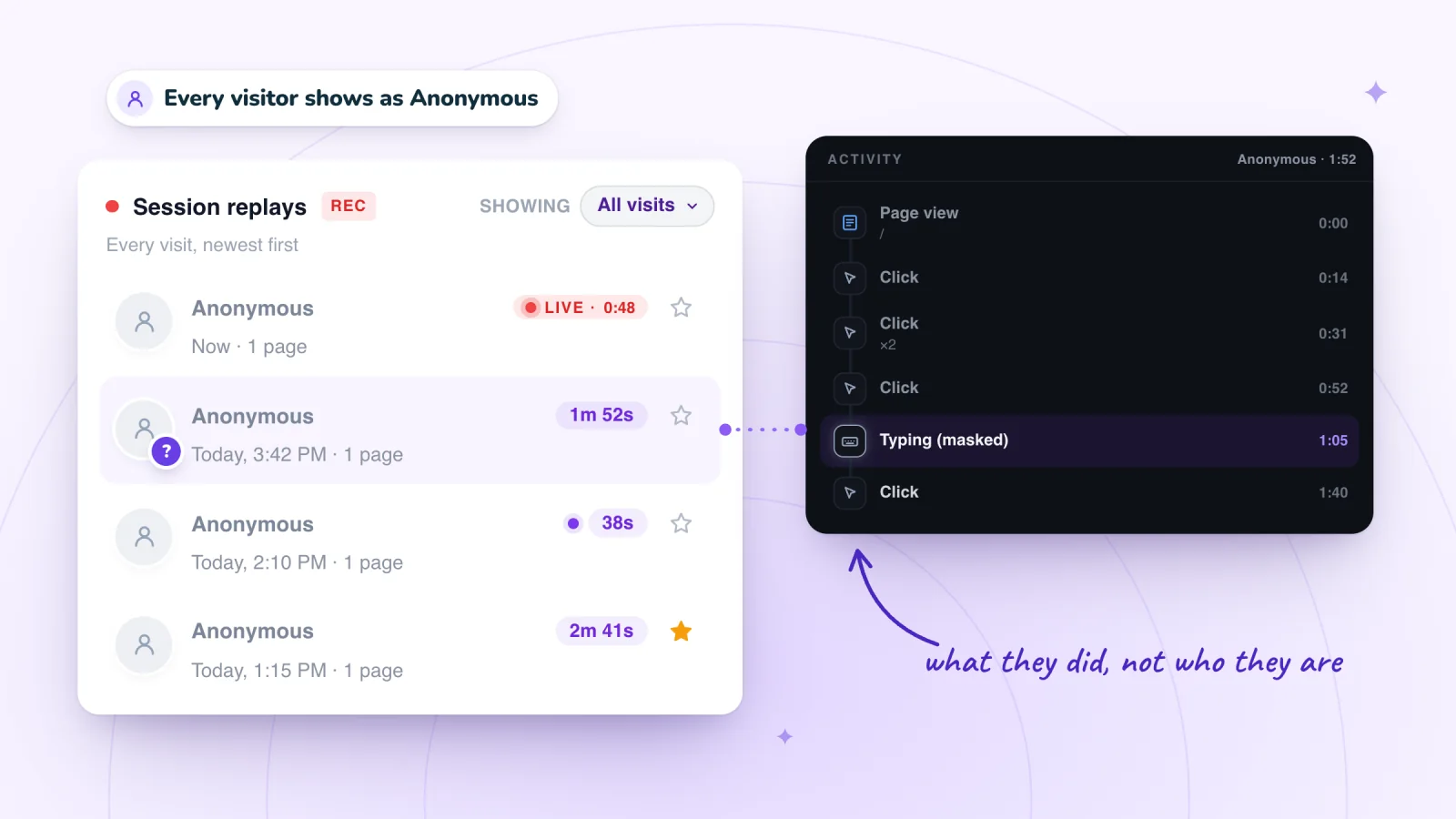
Session Recordings, our app for Wix sites, doesn't try to work out who a guest is: visitors show as Anonymous in its list, except members signed in to your site, whom Wix names. Anything a visitor types is masked in their browser before it's sent, so the Activity list shows a "Typing (masked)" row and the page shows asterisks, never the words. Recording follows your cookie banner, so visitors who haven't allowed analytics aren't recorded. If your site has no cookie banner, recording doesn't wait for consent.
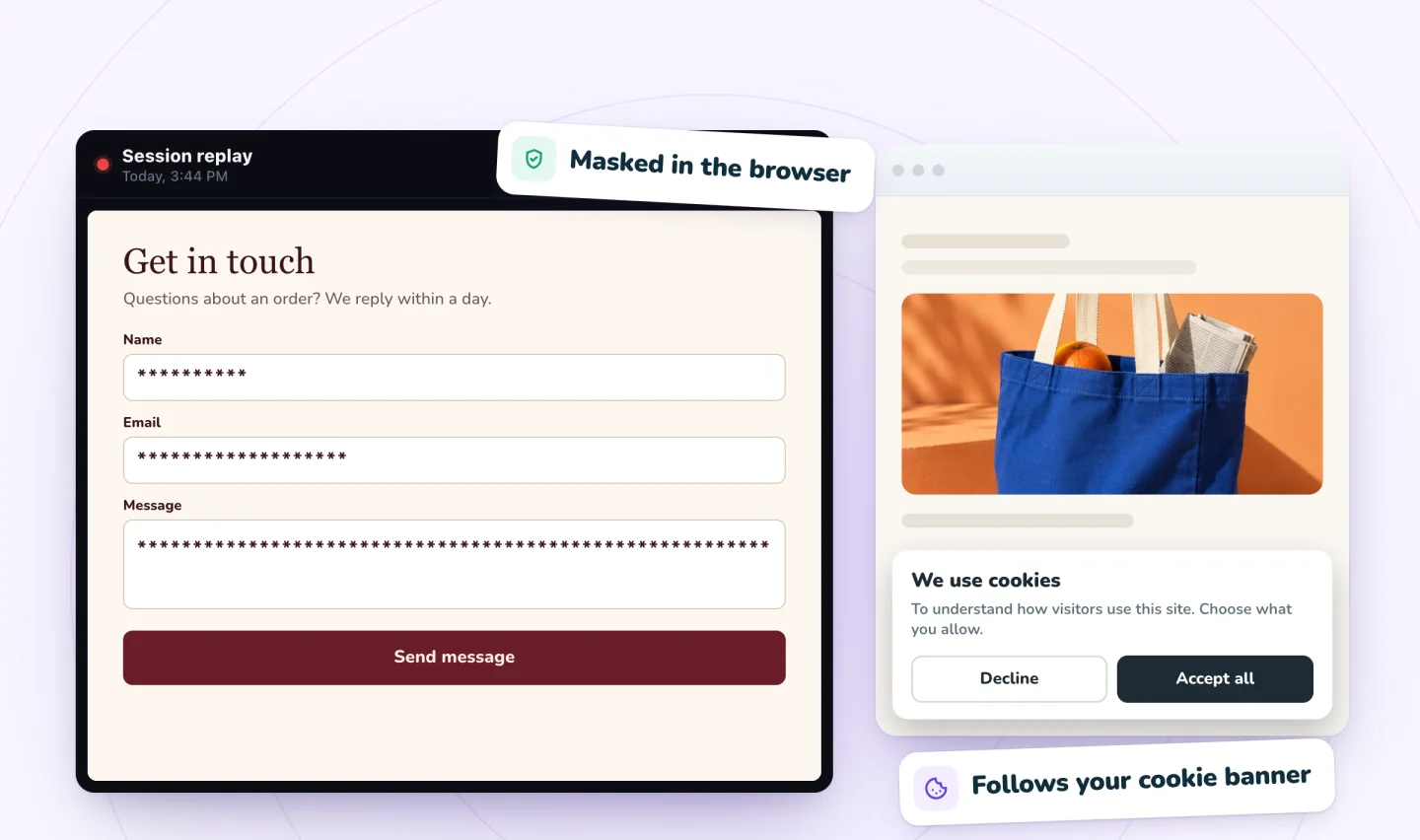
A replay answers "what happened?" and never "who was it?", and for fixing a site that's usually the more useful question. If one visitor gave up at a required phone field, the next one probably will too, whatever their name is. Why visitors abandon forms walks through what to look for in those visits.
Two ways to use replays day to day:
- While it happens. Visits in progress show as LIVE in the list, and you can follow a live visitor a few seconds behind. It's the visual version of Wix's Real-time page.
- Afterward. Use Wix's reports to find the page or day worth a closer look, then open replays from that stretch of time. Seeing what visitors do on a Wix site shows how the reports and replays fit together.
Frequently asked questions
Can I see who viewed my Wix site without them knowing?
You can see what visitors did, but not who they are unless they told you. Wix Analytics and session recording run in the background, and nothing on the page changes while a visit is recorded or watched live. That doesn't make them secret: in many places your privacy policy has to say what you collect, and analytics cookies have to wait for consent, which is the job of a cookie banner. Our guide to session recording privacy covers what to tell visitors, and the free privacy notice template for session recording gives you wording to adapt.
Does Wix notify me when someone visits my site?
Yes, once you add Wix Chat or Wix Smart Chat. By default, Smart Chat notifies you in your dashboard and the Wix app each time a new visitor arrives. The steps above show where to turn notifications on, and where Wix's own pages differ on which chat app you need. Without a chat app, open Analytics > Real-time to see how many people are on your site now and what they're doing.
Can I see visitors' IP addresses on Wix?
Not beside their visits. Wix's visitor views show device, location, start time and actions. IP addresses appear in a traffic report filter, which Wix suggests for leaving your own visits out of the numbers, and in the cookie banner's consent log, which records an IP address with each visitor's consent choice. Neither one turns an IP address into a name.
Try it on your site
When the question is what a visitor did rather than who they were, add Session Recordings and watch your next few visits. How the app records visits without identifying anyone explains what it records and what it masks.

Sources
- Wix Analytics: About Real-time Analytics
- Wix Chat: Viewing and Chatting with Live Site Visitors
- Wix Smart Chat: Engaging With Live Visitors on Your Site
- Wix App: Viewing and Chatting with Live Site Visitors
- Managing Your Site's Notification Preferences
- Wix App Request: Receiving Live Site Visitor Notifications Without Having Wix Chat
- Wix Contacts: An Overview
- Wix Forms: Saving Your Form Data to Your Contacts
- Wix Analytics: FAQs
- Wix Analytics: Discrepancies Between Wix Analytics & Data in Other Tracking Tools
- Wix Analytics: About Your Traffic Reports
- Managing Your Site's Consent Log
- Leadfeeder: Website visitor identification
- ICO: What are identifiers and related factors?

We build marketing apps for online stores: myuser.ai writes and sends emails and texts from a store's own products, and we make Session Recordings and Spin Wheel for Wix sites. Product details in our guides are checked against the apps themselves.