 Session Recordings
Session replay examples: 6 visit patterns and what they mean
Six patterns you'll meet when you watch real visits, each drawn in the replay player with its Activity list, what it usually means and what to check.
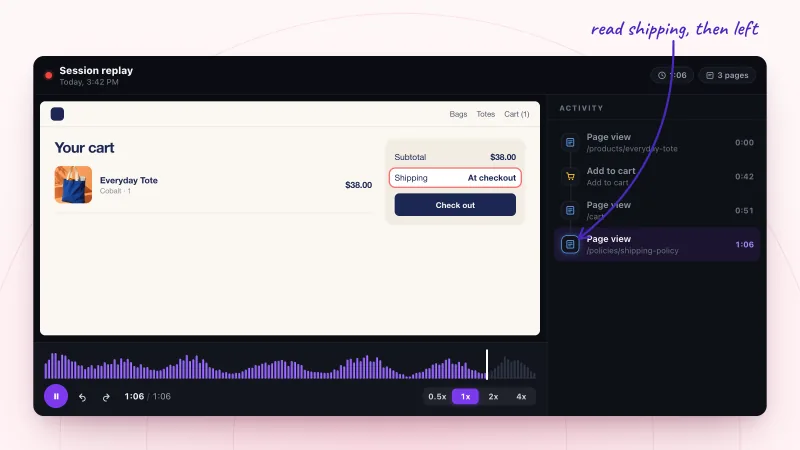
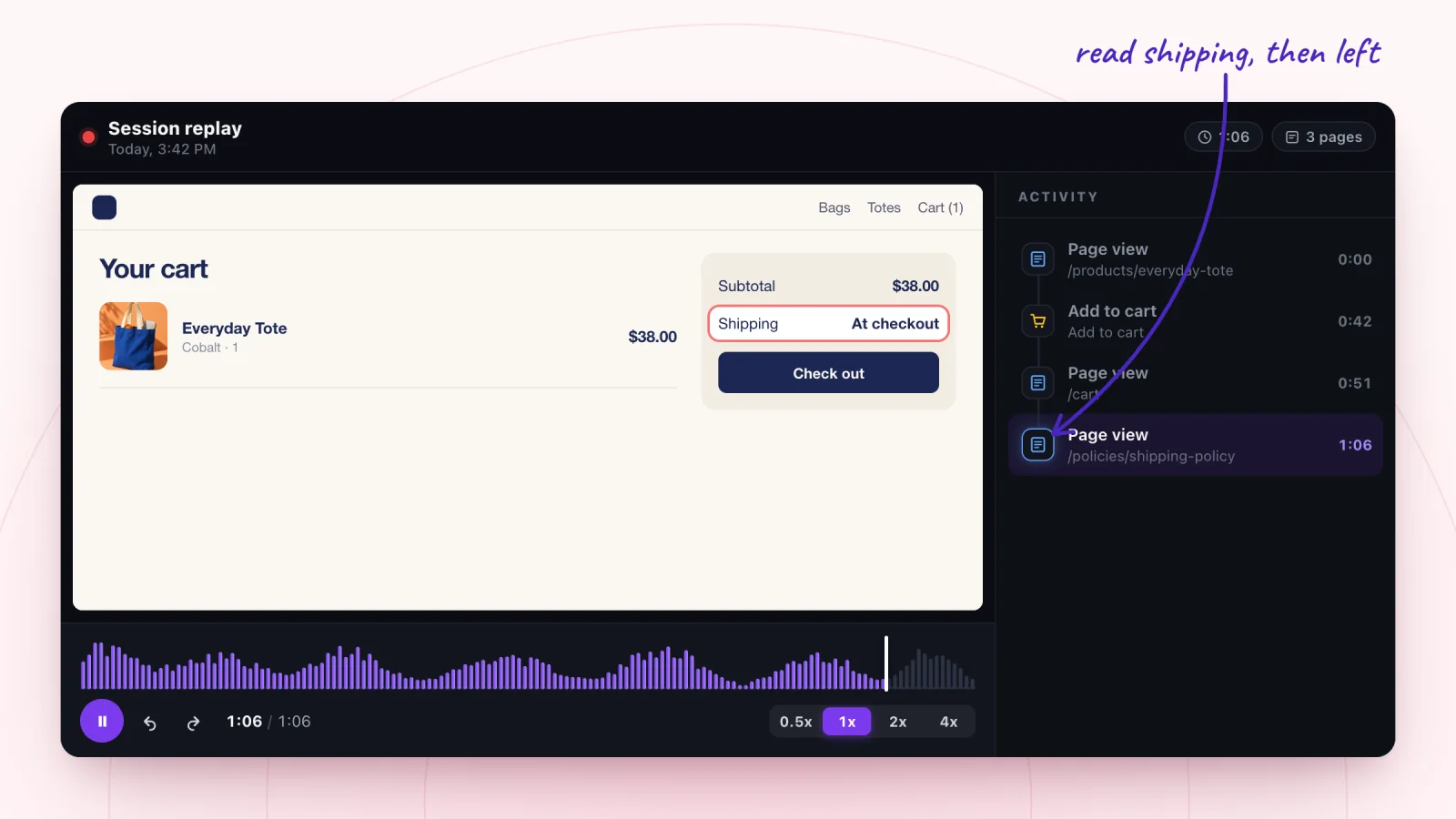
1. The shipping check
They wanted the delivery cost before committing, and either didn't like it or couldn't find it.
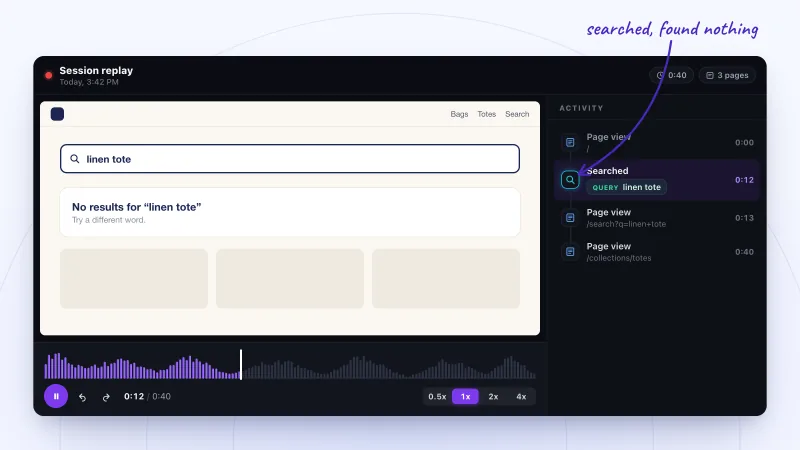
2. The search that found nothing
They used a word your catalog doesn't use, so search came back empty even though you may sell what they wanted.
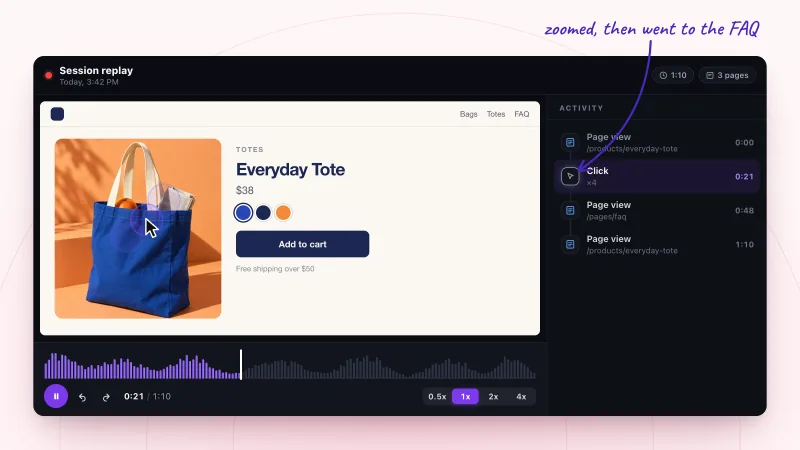
3. The missing detail
They were looking for a fact the page didn't give, like the bag's size, and went hunting for it.
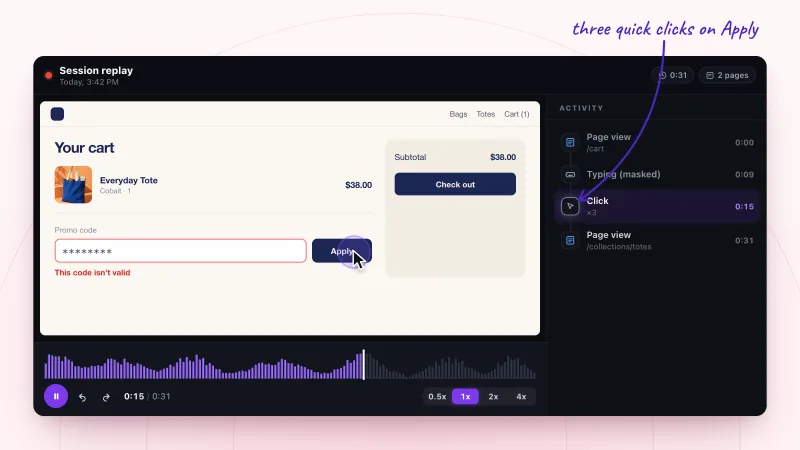
4. The code that didn't work
The code was expired, mistyped or didn't meet its conditions, and the error didn't explain why.
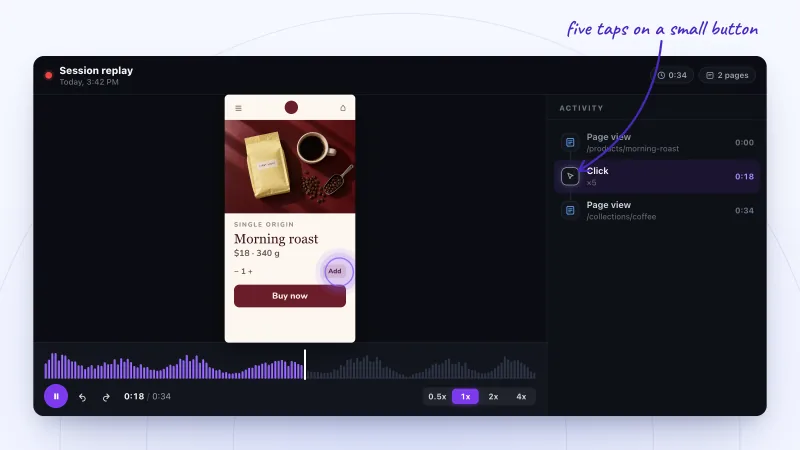
5. The phone struggle
The button is too small, or too close to something else, to hit reliably with a thumb.
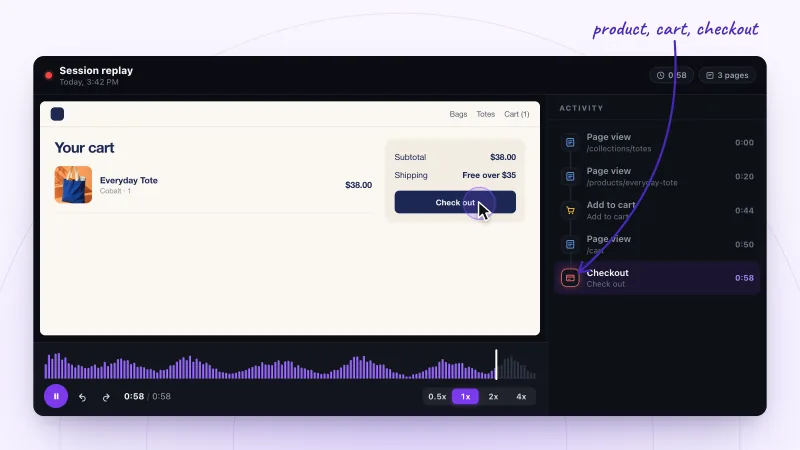
6. The smooth visit
This is what working looks like. Watching a few smooth visits makes the stuck ones stand out.
The shipping check
What you see: A shopper adds the tote to the cart, opens the cart, then goes to the shipping policy. The visit ends there.
What it often means: They wanted the delivery cost before committing, and either didn't like it or couldn't find it.
What to check: Show the shipping cost, or your free shipping threshold, on the product and cart pages.
Why Customers Abandon Carts: What Replays Show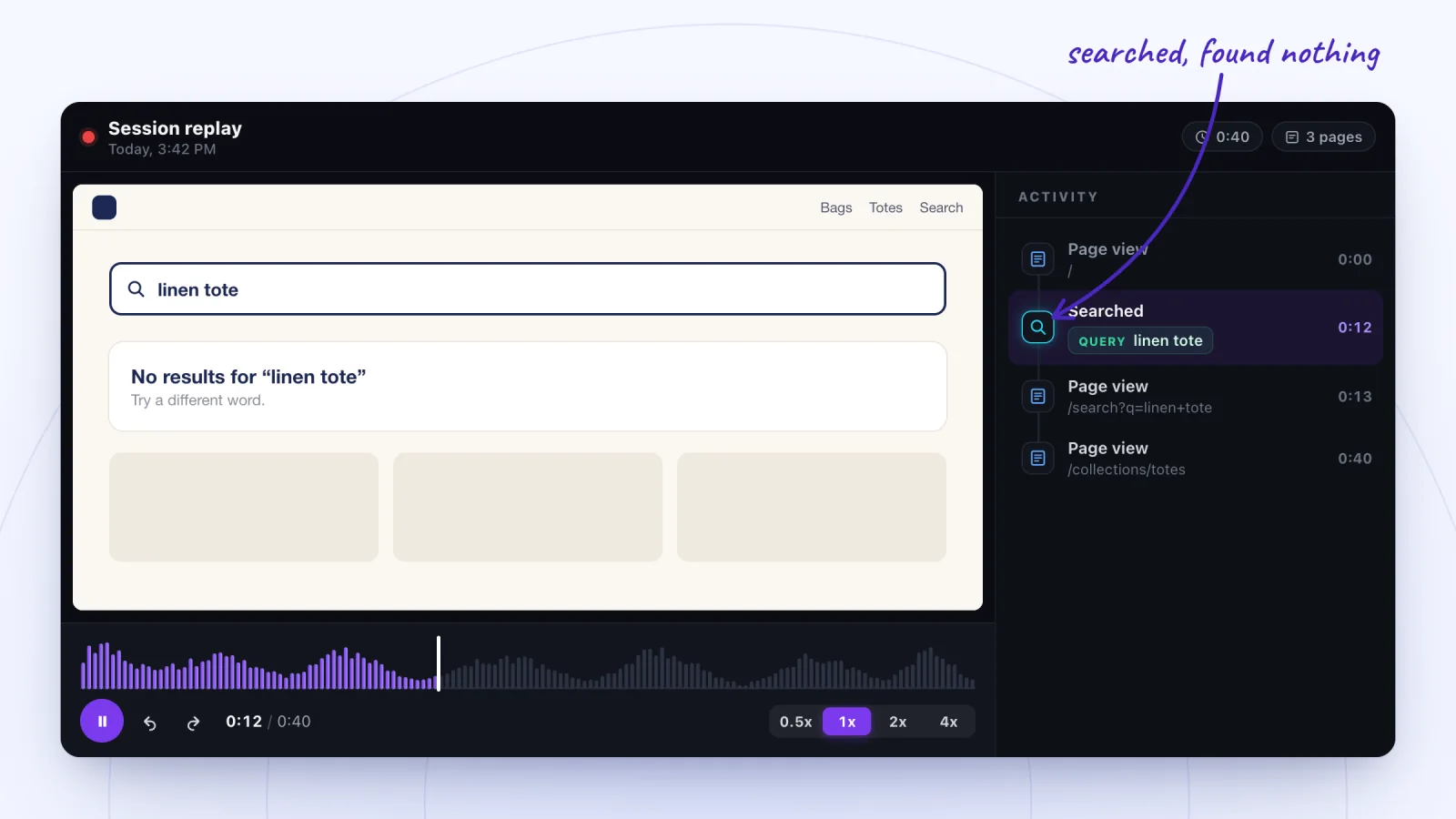
The search that found nothing
What you see: A visitor searches for "linen tote", lands on an empty results page, then browses a collection and leaves.
What it often means: They used a word your catalog doesn't use, so search came back empty even though you may sell what they wanted.
What to check: Add common words to product names, tags or descriptions, and give the no-results page links to popular collections.
Site Search Analytics: What Your Visitors Are Looking For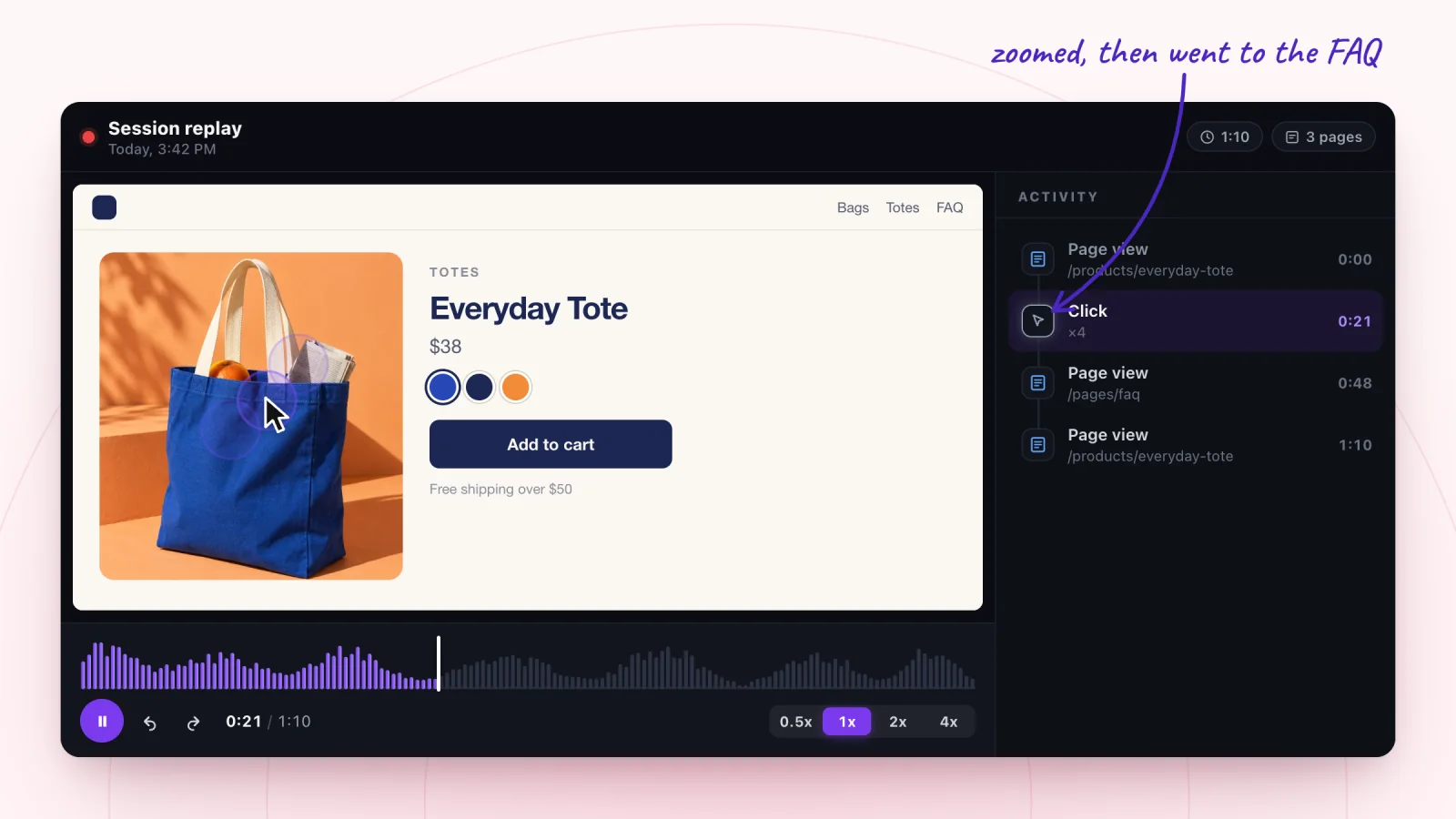
The missing detail
What you see: A shopper clicks the product photo several times in a row, opens the FAQ, then comes back to the product page.
What it often means: They were looking for a fact the page didn't give, like the bag's size, and went hunting for it.
What to check: Put key details, such as dimensions or materials, next to the price where shoppers look first.
How to Improve Your Product Page With Session Recordings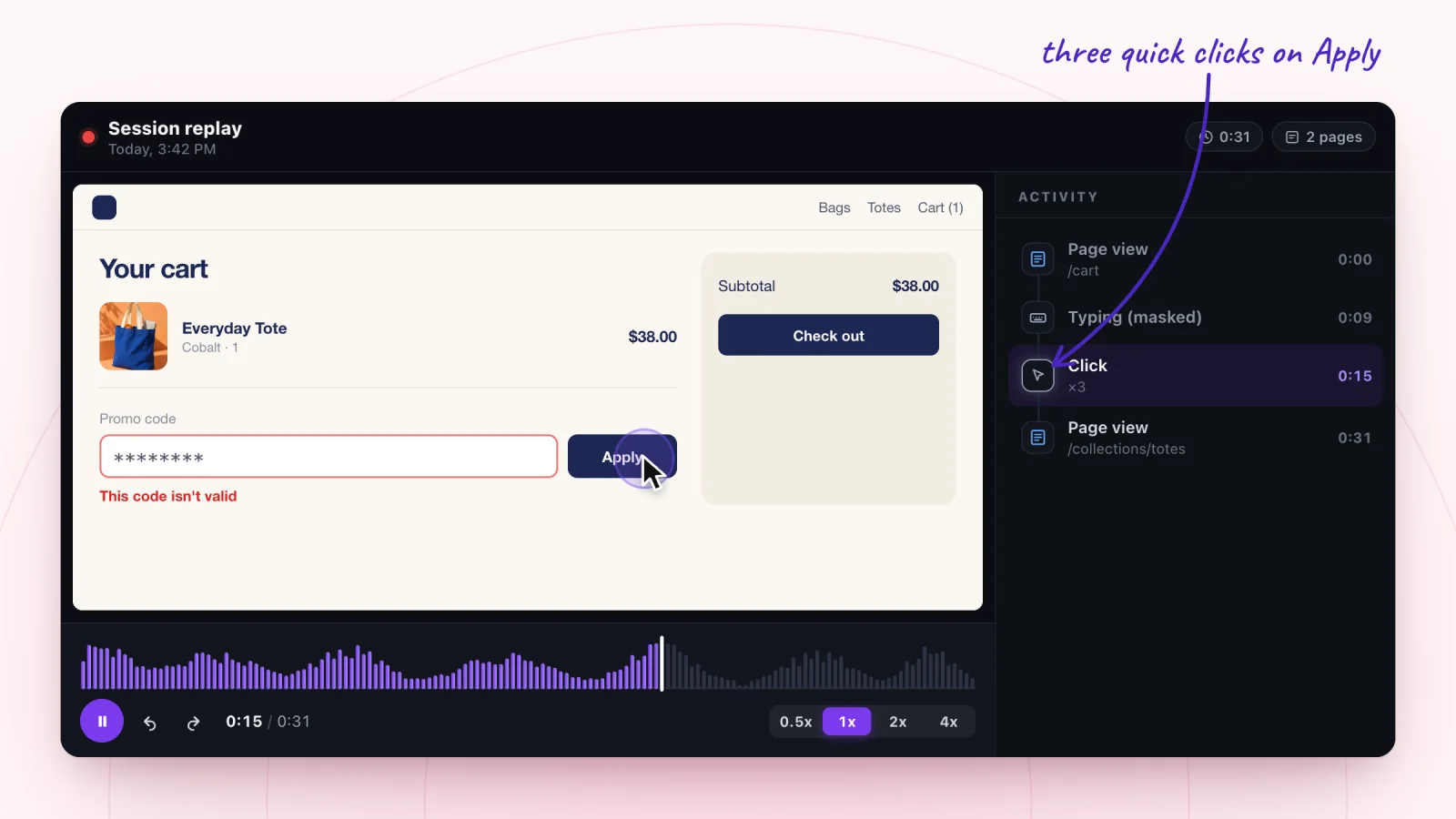
The code that didn't work
What you see: A shopper types a promo code (shown masked), presses Apply three times in quick succession, then leaves the cart.
What it often means: The code was expired, mistyped or didn't meet its conditions, and the error didn't explain why.
What to check: Test every code before you promote it, and make the error say what's wrong, such as a minimum order.
A Checkout Friction Checklist From Real Visits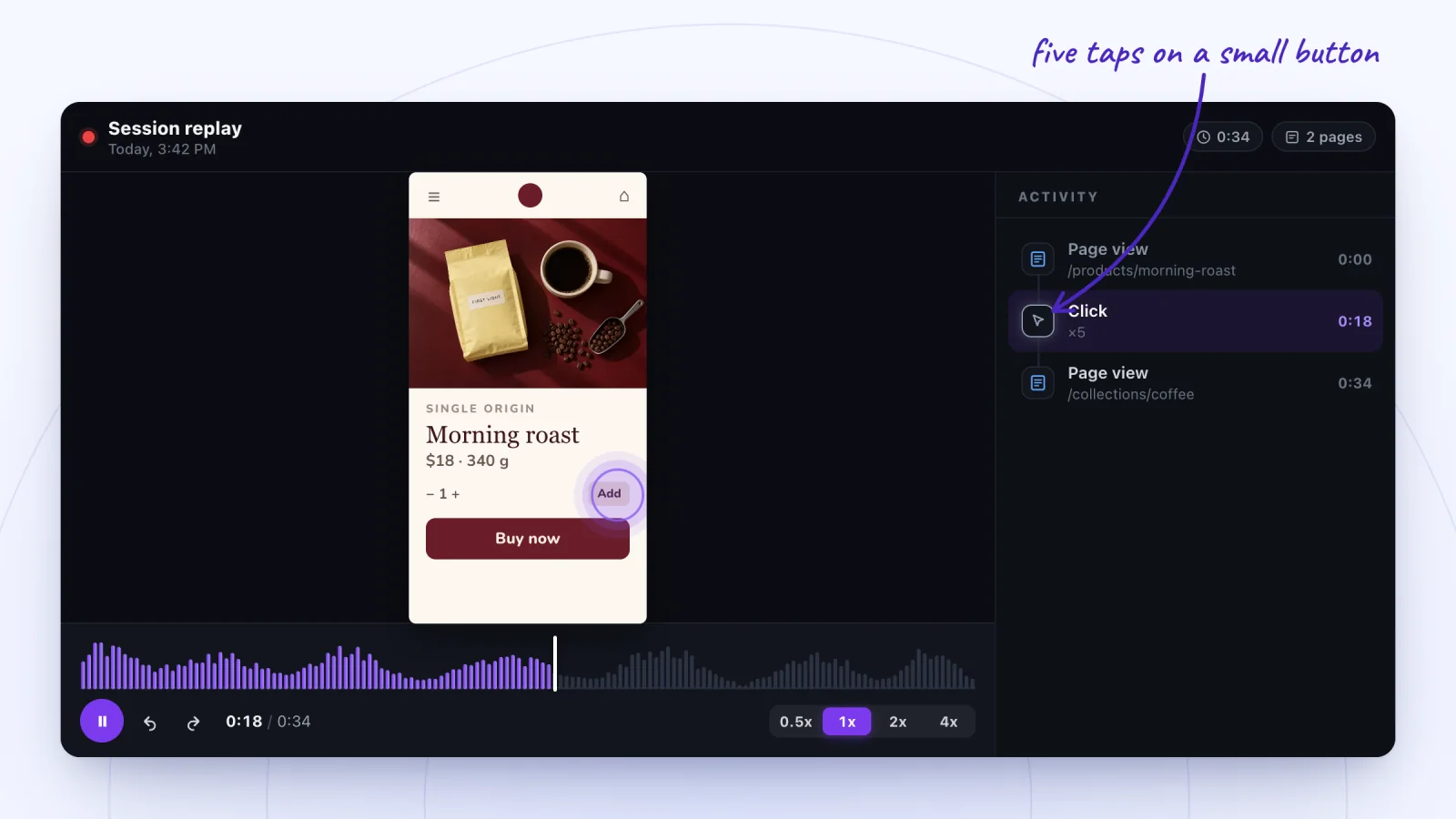
The phone struggle
What you see: On a phone, a visitor taps the same small spot five times, then lands on a different page than they meant to.
What it often means: The button is too small, or too close to something else, to hit reliably with a thumb.
What to check: Make tap targets bigger with more space around them, then watch a few phone visits to confirm.
Mobile Ecommerce UX Problems You Only See in Replays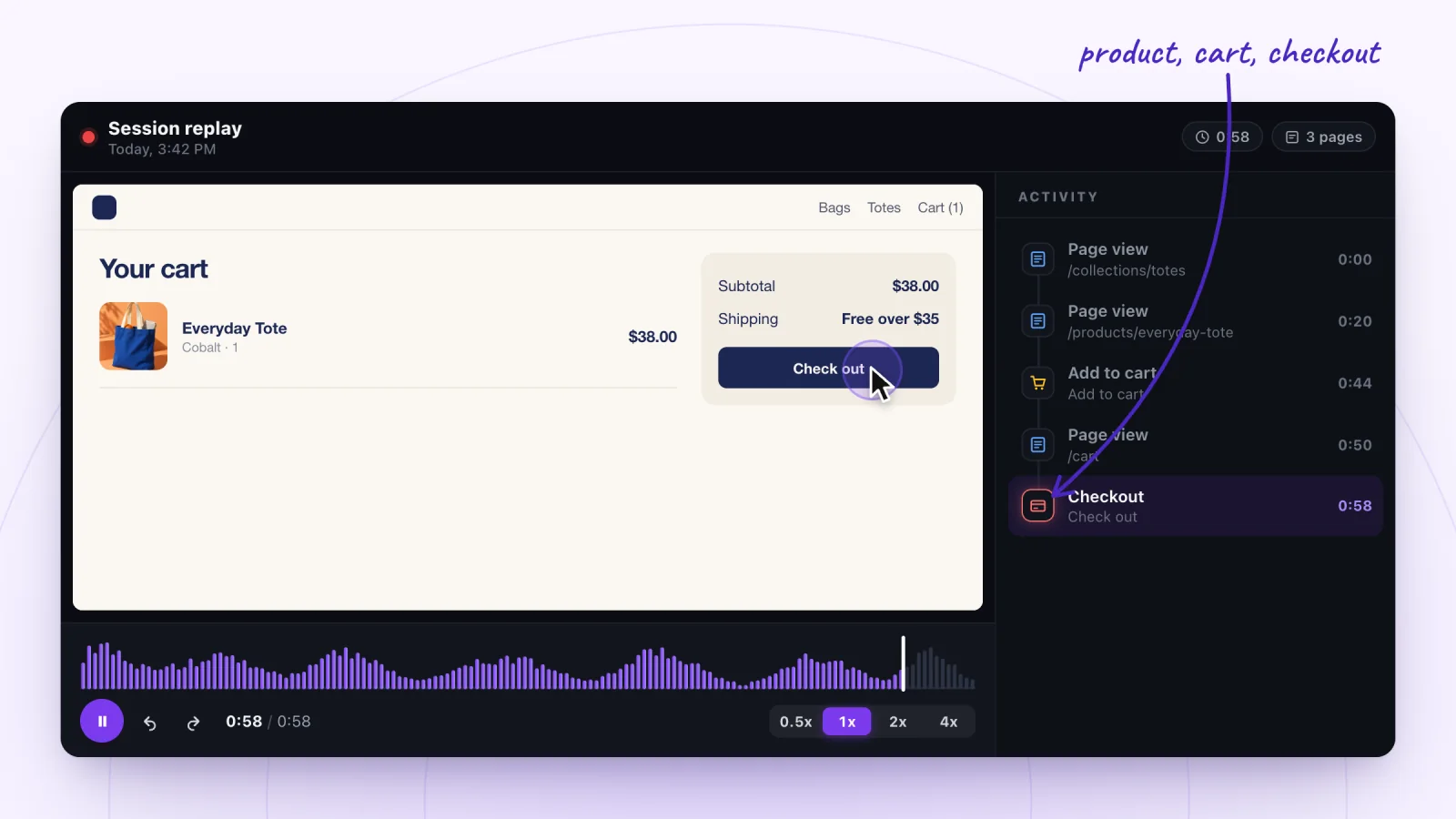
The smooth visit
What you see: A shopper browses a collection, opens a product, adds it to the cart and starts checkout in under a minute.
What it often means: This is what working looks like. Watching a few smooth visits makes the stuck ones stand out.
What to check: Star a smooth visit as a baseline, then compare it with visits that stopped at the same step.
A Session Recording Checklist for Your First 20 ReplaysHow to find these patterns in your own replays
- Start with one question, such as why carts don't become orders, and filter the list to match it, for example Added to cart.
- Scan each visit's Activity list before you press play. A page view of your shipping policy, a search followed by a quick exit or a click row marked ×N is worth a look.
- Jump to that moment, start a step earlier and watch at 1x. Let the quiet stretches skip.
- Star the clearest visit for each pattern, so you can show it to whoever makes the fix.
More on this routine in how to watch session recordings without losing hours, and what a burst of clicks does and doesn't tell you in rage clicks, explained.
See these patterns on your own site
Watch real visits with searches, cart adds and checkouts marked, and typing masked in the browser. 2,000 recordings a month free.
Add to Wix, it's free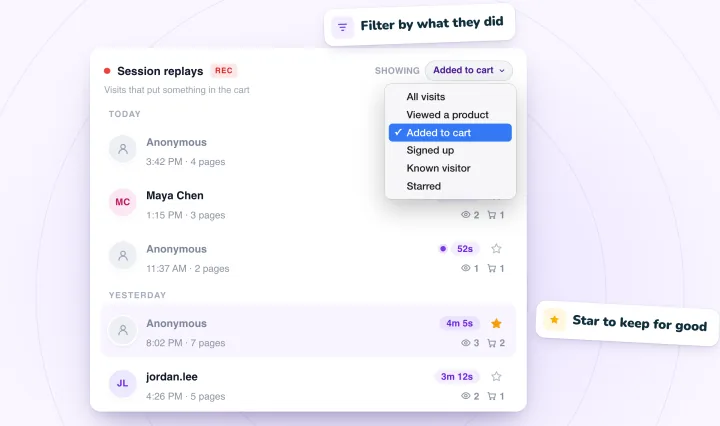
Session replays, answered
What does a session replay show?
A replay rebuilds one visit from the page itself and what the visitor did: the pages they opened, where they clicked or tapped, how far they scrolled and moments such as searches and cart adds. Typing is masked, so you see where someone typed but not what.
What can you learn from session recordings?
Mostly why a step isn't working: a cost that appears too late, a search that finds nothing, a button that's hard to tap, a code that fails. Analytics tells you where visitors leave; a replay shows what happened just before.
How many replays should I watch?
Start with a handful of visits that share a question, such as carts that never became orders. When the same pattern shows up a few times, you have something to fix. Our checklist for your first 20 replays walks through a first session.
Are these real visits?
No. They're illustrations of common patterns, drawn in the Session Recordings player with made-up stores. Real replays look the same, with typing masked and only visitors who allowed analytics recorded.
See your next visit through your visitor's eyes
Add Session Recordings and turn it on. Recording starts with your next visitor.