Session Recordings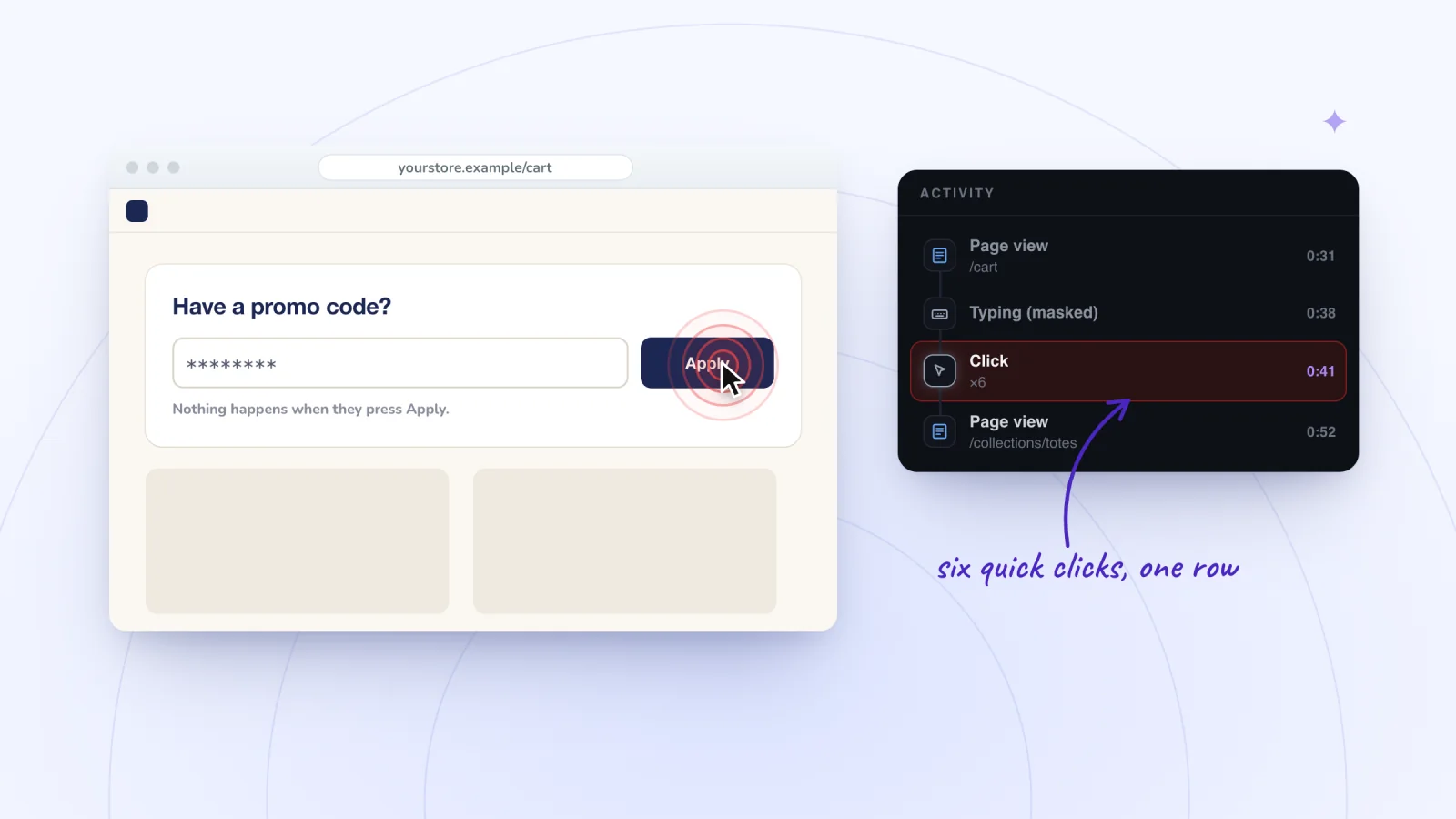
On this page
A visitor clicks a button and nothing happens. They click again, then three more times, faster each time. That burst is a rage click, and it is one of the clearest signs that a page let someone down. Here is what rage clicks and dead clicks mean, what usually causes them, how to spot them in replays and how to fix the common causes.
Key takeaways
- A rage click is a burst of quick clicks or taps on one spot, and a dead click is a click that gets no visible response.
- Session Recordings does not detect rage clicks, but it merges quick clicks into one Activity list row with a ×N count, so bursts stand out.
- Jump in a few seconds before each burst and watch at 1x to see what the visitor expected to happen.
- Most fixes are small: respond to every click right away, make clickable-looking things work and explain buttons that are turned off.
What rage clicks and dead clicks mean
A rage click is a burst of quick clicks or taps on the same spot. The visitor expected something to happen, it did not, and they tried again, harder.
A dead click is a click or tap that gets no visible response. Often it is a single click on a photo, heading or icon that looks clickable but is not. Sometimes it lands on a real button that has stopped working.
The two are related. When the element matters to the visitor, a dead click often turns into a rage click on the next few tries.
Not every burst means trouble. Stepping up a quantity, flicking through product photos or double-clicking a word to copy it all produce quick clicks. What separates them is how the page responds. If it reacts to each click and the visitor carries on, nothing is wrong.
What usually causes them
Both come from a short list of causes, and most have simple fixes.
- Slow responses. The button works, but nothing on the page shows it. A visitor clicks Add to cart, sees no change and clicks again. Now the cart holds two.
- Things that look clickable but are not. Product photos that do not open, underlined words that are not links, star ratings that do not lead to reviews and headings styled like buttons.
- Broken buttons and links. A button that stopped working after a site change, or a link to a page that no longer exists.
- Buttons turned off without a reason. Add to cart stays gray until a size is chosen, but nothing on the page says so.
- Something on top. A chat button, a cookie banner or the invisible edge of a pop-up covers the spot the visitor is aiming at.
- Small targets on phones. Taps land just outside a tiny link or icon, so the visitor taps again and again.
- Errors nobody can see. The visitor clicks Submit, an error appears out of view, and the page seems to ignore them.
How to spot them in replays
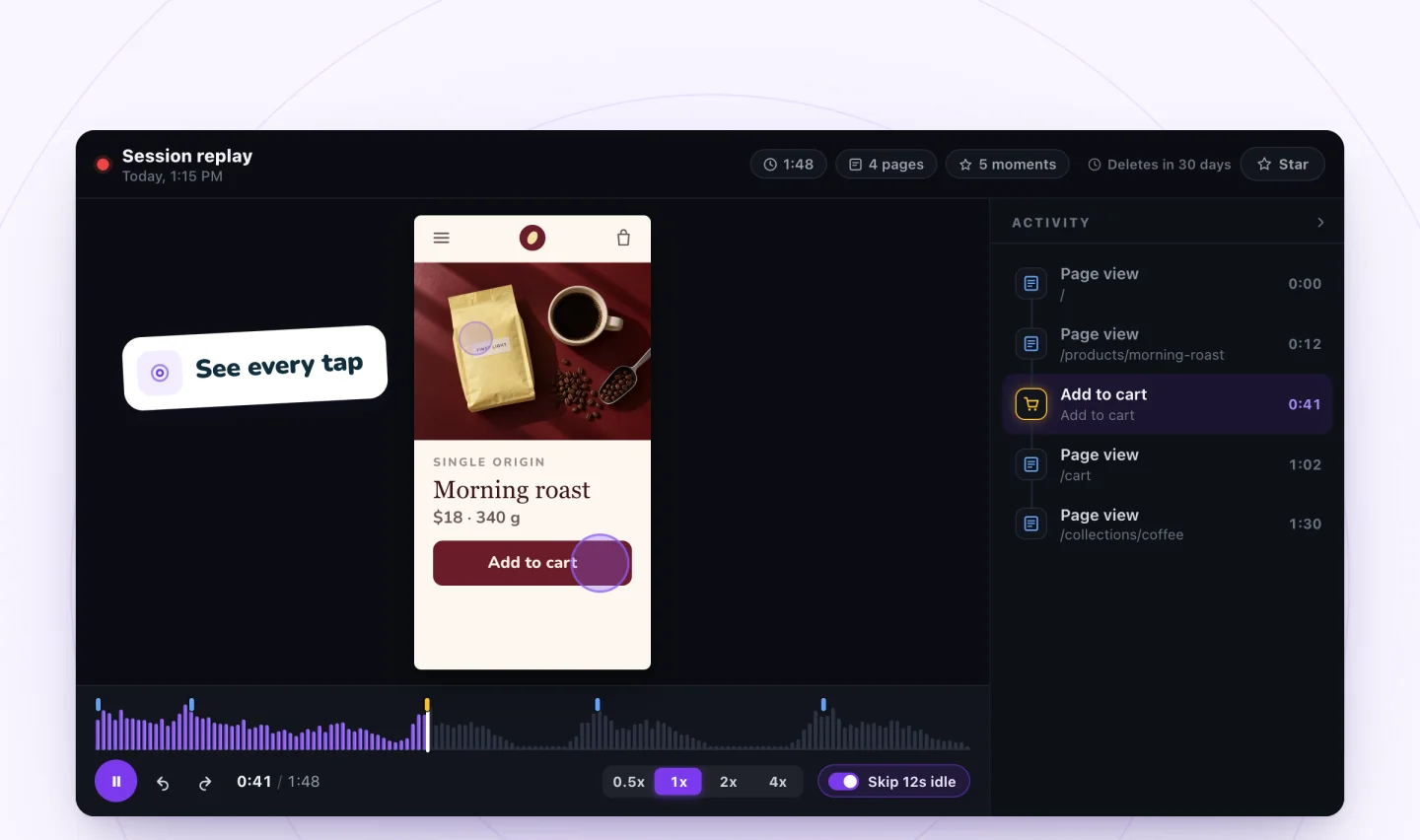
What it does give you is a shortcut. The Activity list beside each replay shows every moment of the visit in order, and a run of quick clicks merges into one row with a ×N count, so a burst like ×6 stands out as you scan.
Work through each visit like this.
- Choose visits with a question in mind. Start with a page where visitors leave, or a filter that fits, such as Added to cart for cart buttons or Viewed a product for product pages.
- Scan the Activity list. Look for rows with a ×N count. Look for the same moment twice in a row, too. Two Add to cart rows seconds apart can mean the first click seemed to do nothing.
- Jump in early. Click the moment just before the burst, so you see what the visitor was trying to do.
- Watch at 1x. Slow to 0.5x for very fast bursts. Note where the clicks land and what the page does after each one.
- Name it. Decide whether it was a rage click, a dead click or normal use.
- Log it. Write one line with the page, the element and the time, and star the clearest replay so it is kept. A burst on the same button in four visits is a pattern. A single burst is one person's story.
Keep two limits in mind. A ×N count tells you clicks came fast, not where they landed or why, so a shopper flicking through photos can produce the same row as a frustrated one. And clicks right before or after a marked moment, such as a page view or an add to cart, do not get a row of their own, since that moment already says what happened. When a page is slow to load, watch the seconds just before it appears.
If your own visits have not come in yet, practice scanning the Activity list on a sample replay you can click through.
Find the visits worth watching
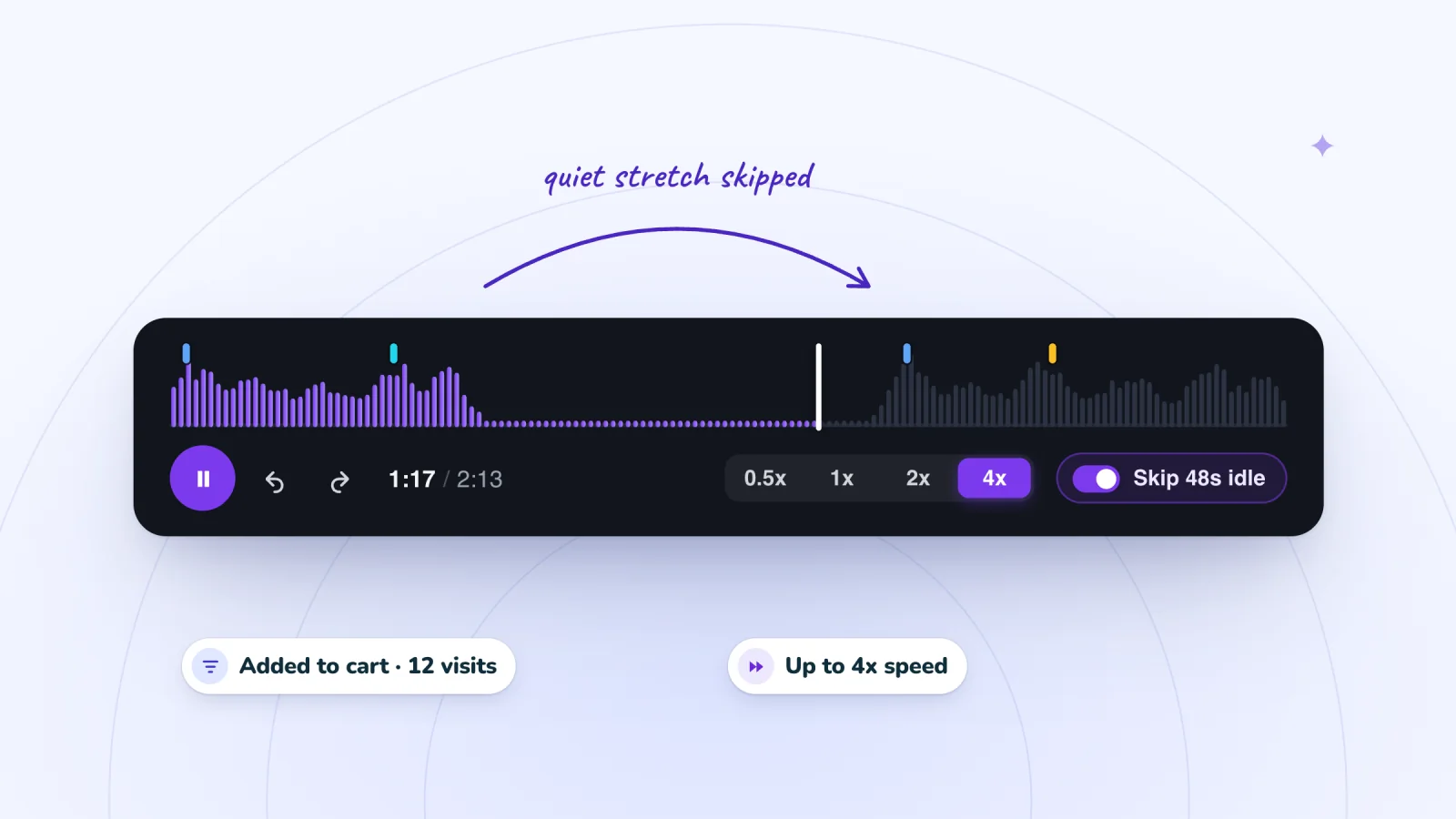
Filter to visits that added to cart or signed up, jump to marked moments and skip the quiet parts.
Add to Wix, it's free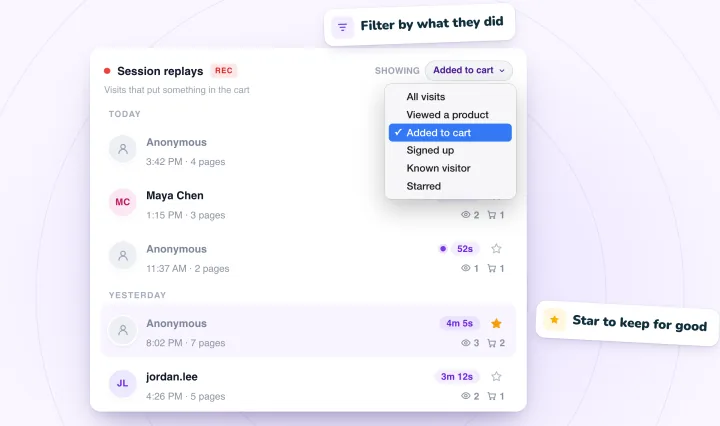
Rage taps on phones
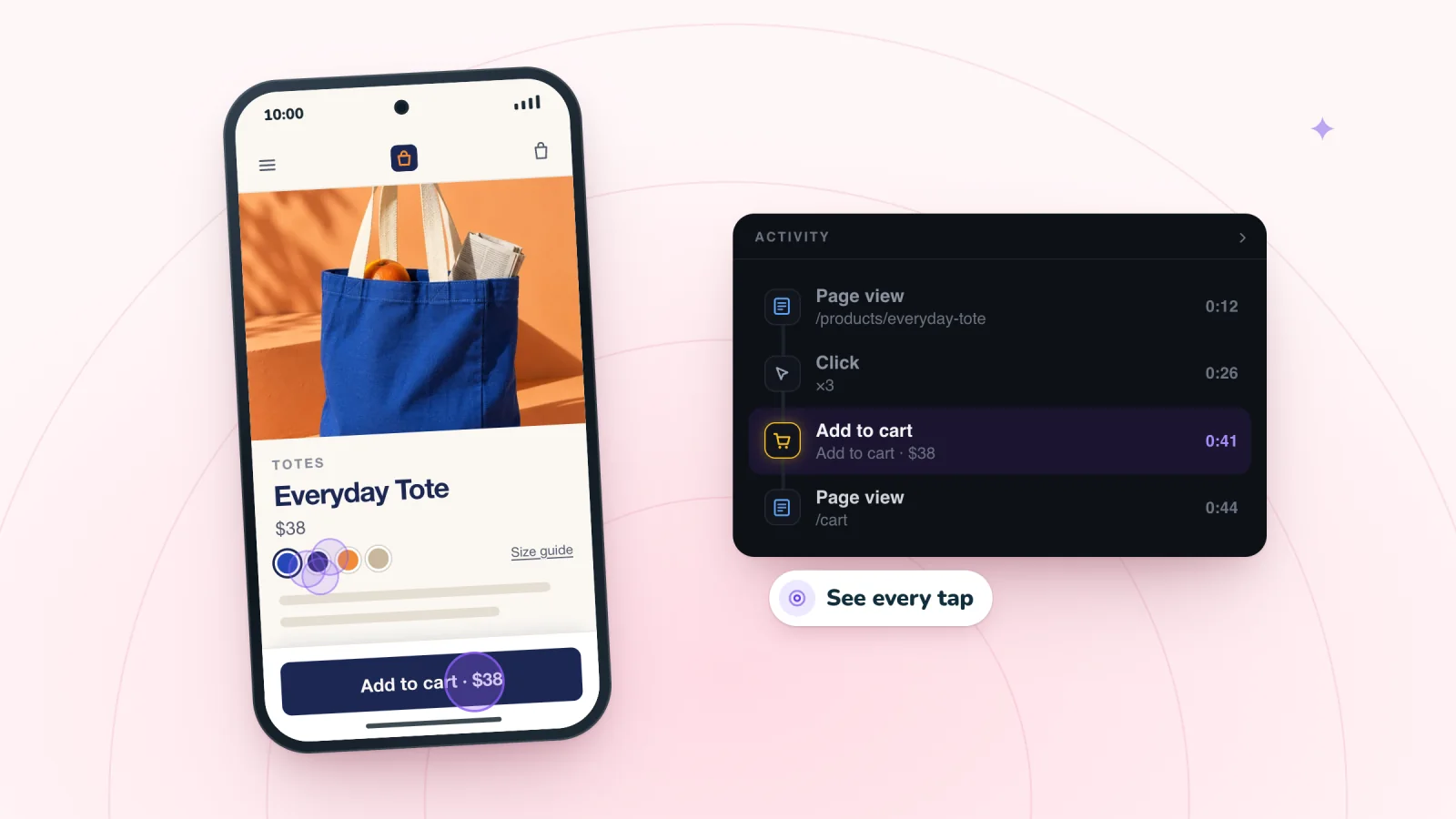
Phone visits play back in the phone's own shape, with each tap shown. Watch for several taps landing on one spot, and for taps that land just outside a small button or link. A tap on a product photo that does nothing, followed by a scroll past it, is a dead tap worth noting.
For other small-screen snags, like sticky bars and pop-ups that cover buttons, see the phone problems that replays reveal.
Dead clicks are quieter
One click that does nothing does not make a burst, so dead clicks rarely stand out in the list. Find them by watching. Pay attention to clicks on photos, headings, icons and prices, and to what the page does next. If the answer is nothing and the visitor pauses or tries something else, note it, and count how many other visits show the same spot.
How to fix the common causes
Match what you saw to a likely cause, then try the simplest fix first.
| What you see | Likely cause | First fix to try |
|---|---|---|
| Clicks on a button that works in the end | Slow response | Show a change right away, like a cart count that goes up |
| Clicks on a photo, heading or icon | Looks clickable but is not | Make it work, or make it look plain |
| Clicks on a button that never responds | Broken button | Report it with the replay link and time |
| Clicks on a gray button | Turned off without a reason | Say what is missing, such as "Choose a size first" |
| Clicks next to a chat button or banner | Something covers the target | Move it away from the buttons visitors use |
| Taps just outside a small link | Tap target too small | Make it bigger, with space around it |
| Clicks on Submit with no change | An error out of view | Show errors next to fields and scroll to the first one |
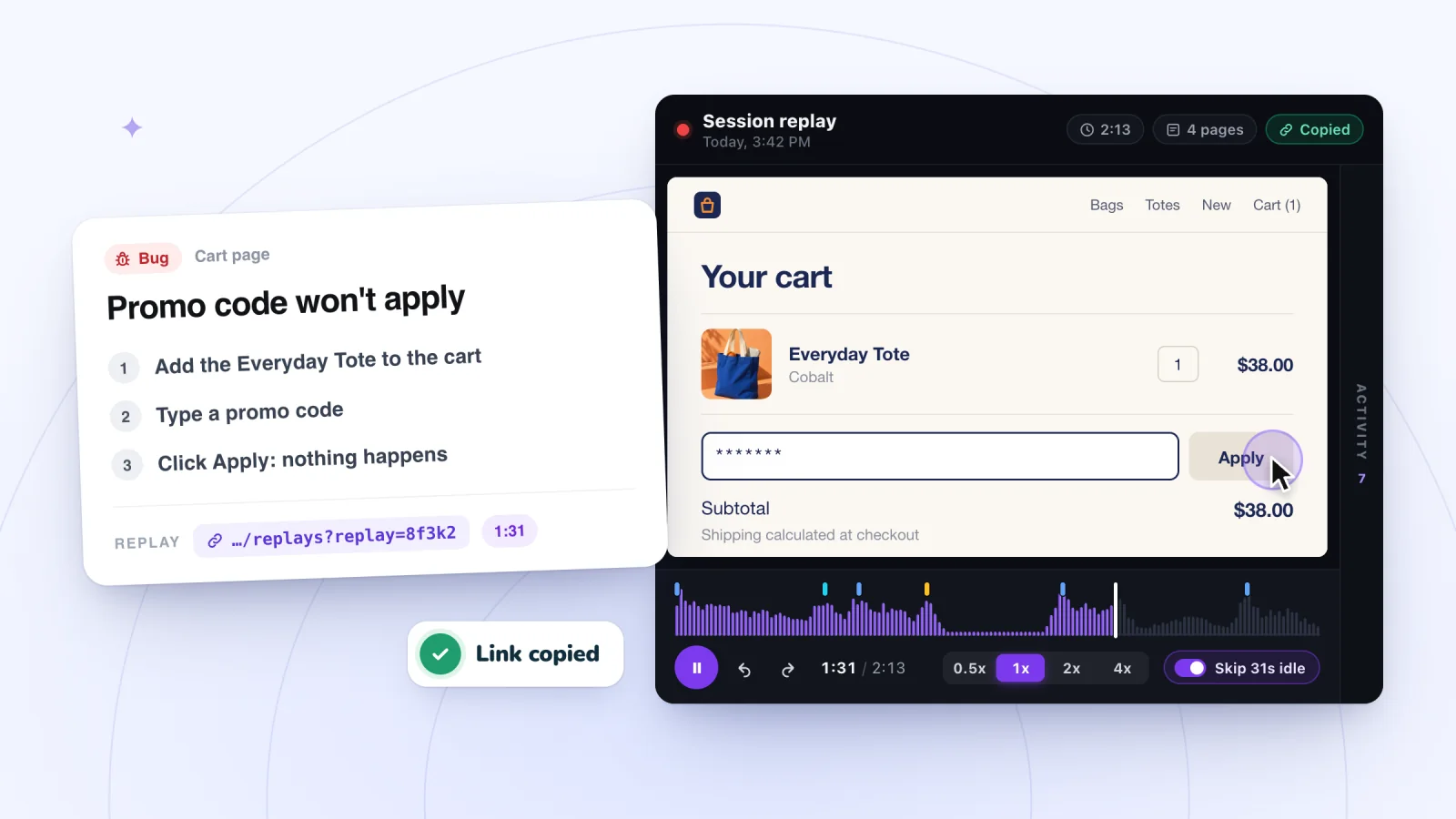
For anything truly broken, write a bug report from the replay with the steps, the device and the time of the burst. For photos and option pickers, these product page fixes go further.
Check that the fix worked
After a fix, try the element yourself on a phone and a computer, the way a first-time visitor would. A week or so later, open fresh visits to the same page, scan their Activity lists for ×N rows and watch the bursts you find. If the bursts are gone, the fix worked. If they moved to another element, you have found the next thing to fix.
Rage clicks are one of several reasons visitors give up. Why visitors leave your website covers the rest, and how to find which ones affect you.
Frequently asked questions
What does rage click mean?
A rage click is a burst of quick clicks or taps on the same spot, usually because the visitor expected something to happen and it did not. It often points to a slow button, a broken link or something that only looks clickable. One burst can be chance. The same burst on the same element across several visits is a problem worth fixing.
What is the difference between a rage click and a dead click?
A dead click is a click or tap that gets no visible response, often on a photo, heading or icon that looks clickable. A rage click is a burst of quick clicks on one spot. They often go together. When the element matters to the visitor, one dead click turns into several as they try again and again.
Does Session Recordings detect rage clicks automatically?
No. Session Recordings does not detect, flag or count rage clicks or dead clicks. Its Activity list merges a run of quick clicks into one row with a ×N count, so bursts stand out when you scan the list. Click the row to jump there, then watch at 1x to see where the clicks landed and whether the page responded.
Do rage clicks happen on phones?
Yes. On phones they show up as several quick taps on one spot, often on a small link, a photo or a button that responds slowly. Taps that land just outside a small target are a close cousin. Phone replays show each tap, so you can see where every tap landed and what the page did after it.
Try it on your site
Session Recordings merges quick clicks into one Activity list row with a ×N count and shows every tap in phone replays, so bursts are quick to find and easy to watch. See what each replay includes on the session replay page.

We build marketing apps for online stores: myuser.ai writes and sends emails and texts from a store's own products, and we make Session Recordings and Spin Wheel for Wix sites. Product details in our guides are checked against the apps themselves.