 Session Recordings
See how shoppers move from product to checkout
Every replay marks the store moments that matter: searches, cart adds and checkouts. Filter to the visits that added to cart and watch what happened next.
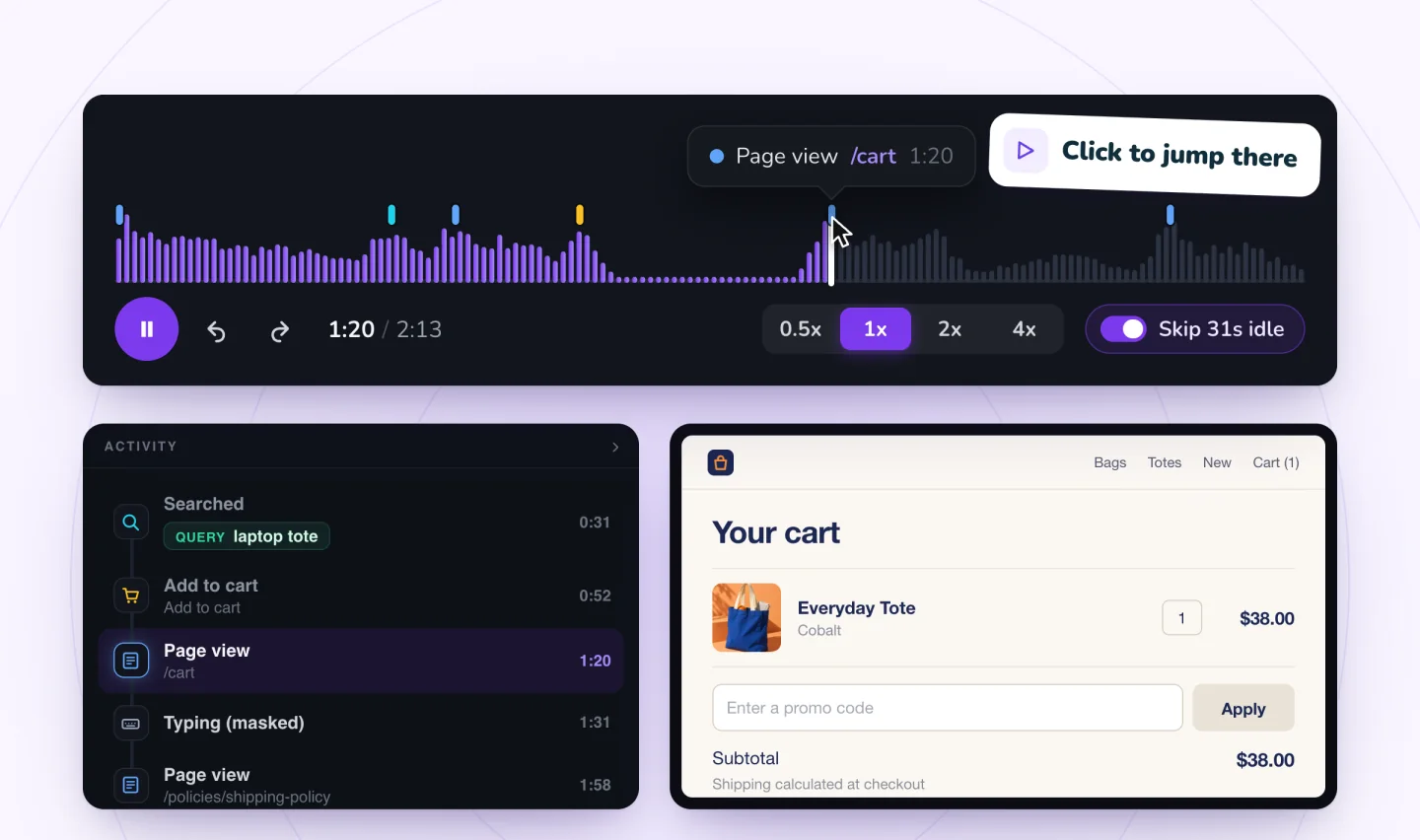
Store moments, marked
When your site has a store, the replay timeline marks when a shopper searched (with the words they used), added something to the cart and started checkout. The Activity list shows them in order, so you can jump from the product page to the cart to the moment they left.
Filter to the visits that matter
Show only visits that viewed a product, added to cart or signed up. A list of cart visits that didn't end in an order is often the fastest way to find a problem. Read why shoppers leave their carts for what to look for, and the checkout friction checklist.
From watching to winning them back
Replays tell you why shoppers leave. To bring them back, myuser.ai's cart recovery sends a reminder by email or text, written from the items they left behind.
Guides to go further
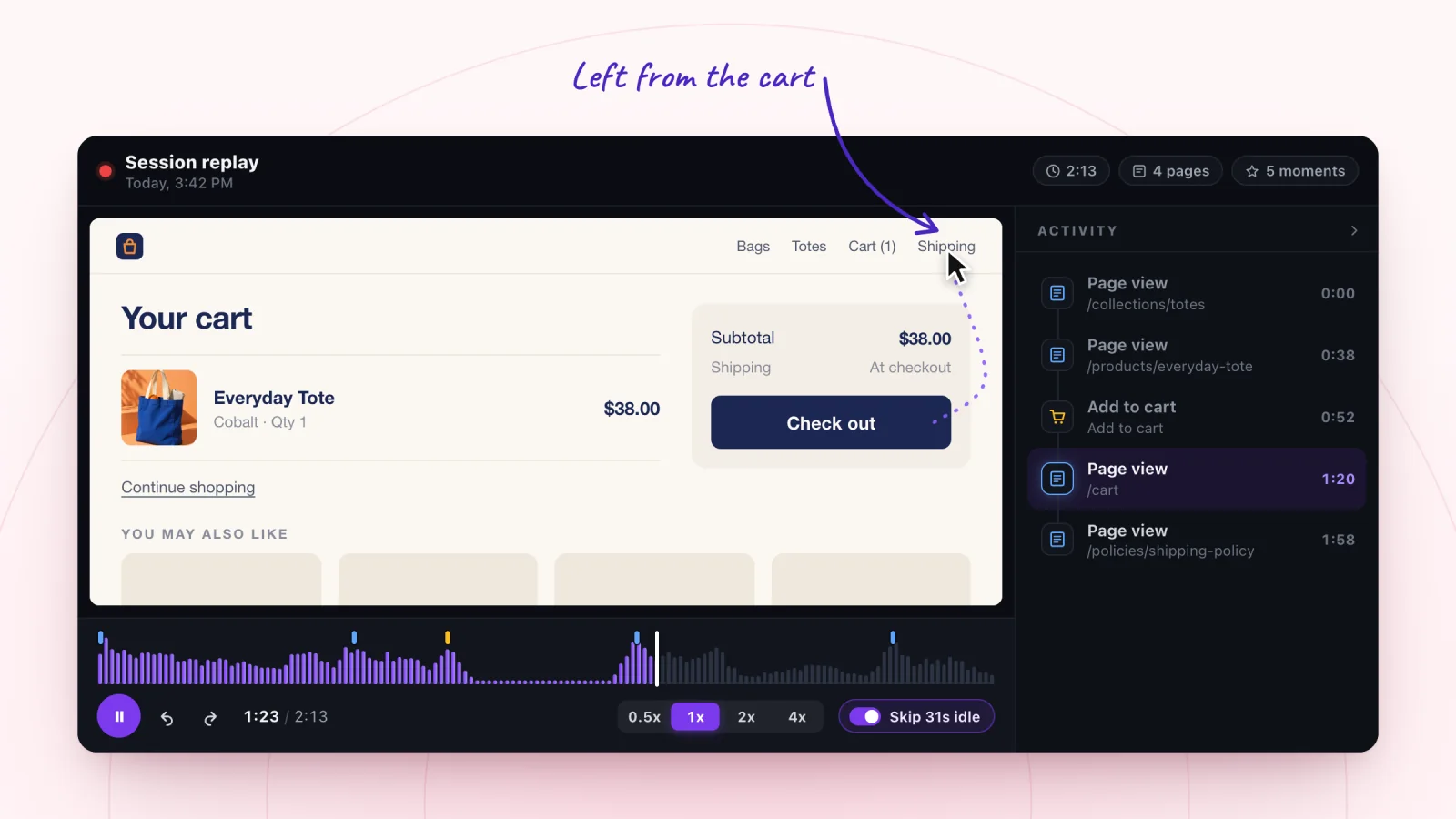
Why Customers Abandon Carts: What Replays Show
Replays show what happens between add to cart and checkout. See the patterns behind abandoned carts, from surprise costs to failed codes, and how to fix each.
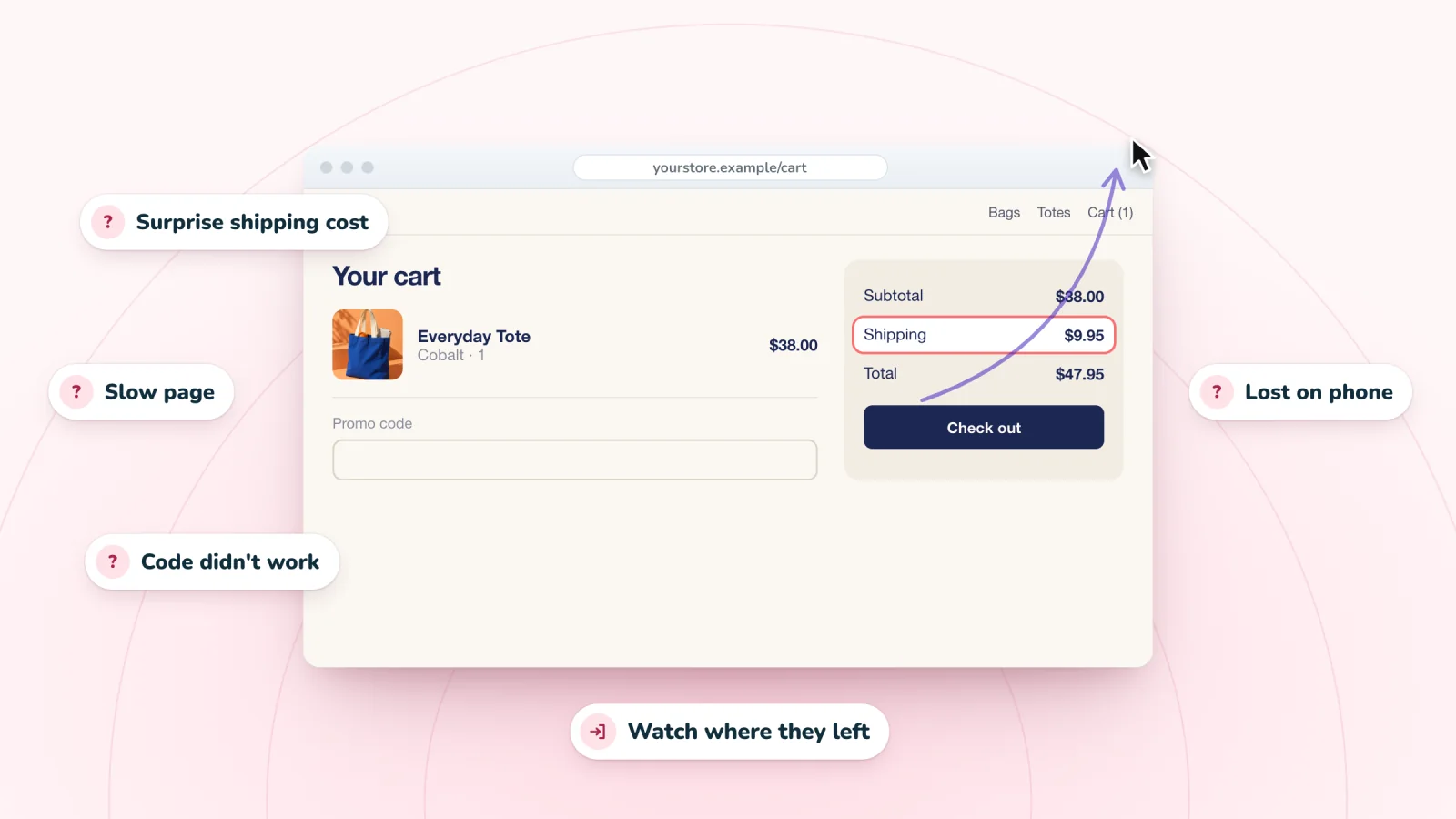
Why Visitors Leave Your Website (and How to Find Out)
Slow pages, surprise costs and hard forms send visitors away. Learn the common reasons people leave a website and how to find which ones apply to yours.
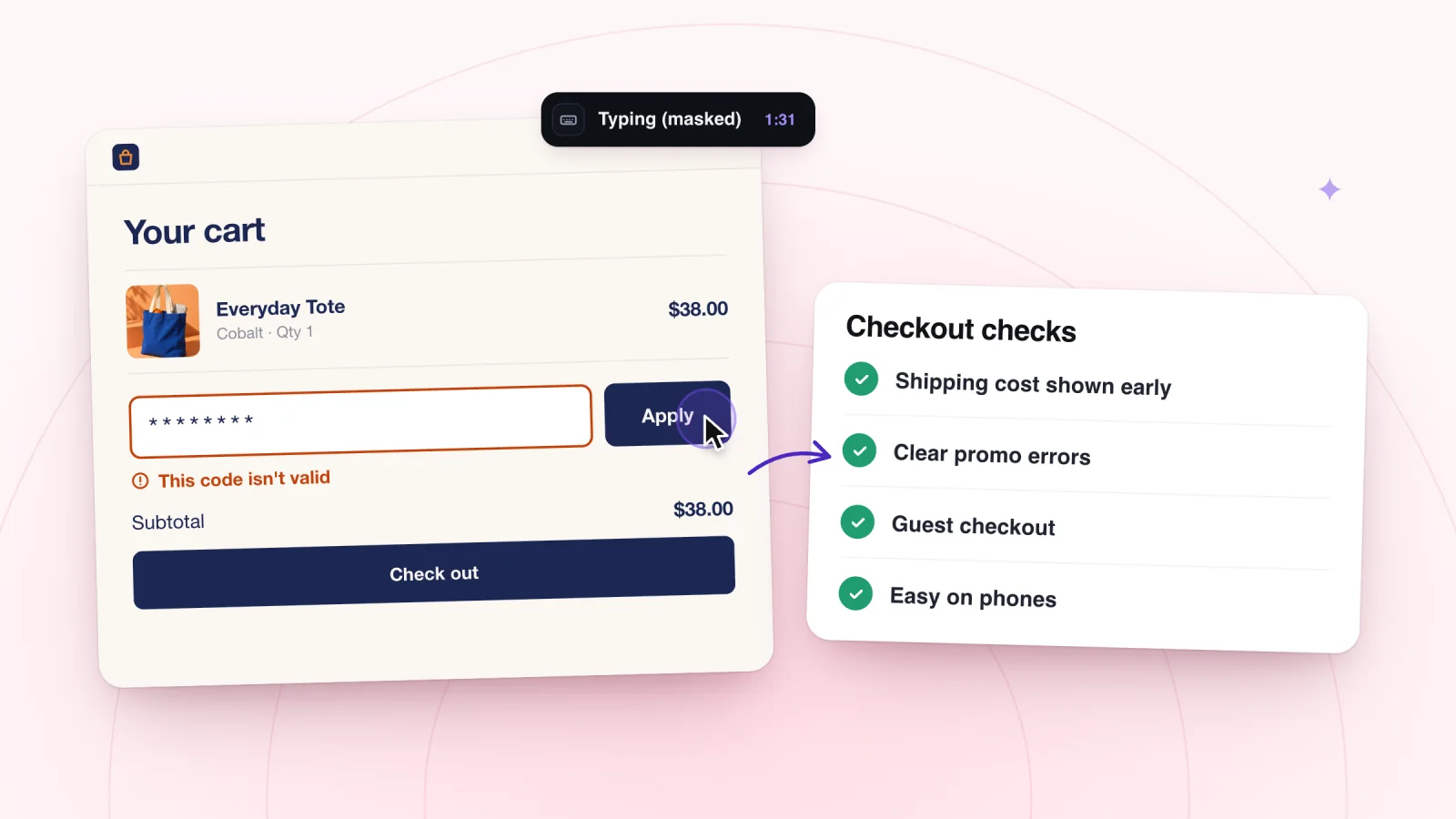
A Checkout Friction Checklist From Real Visits
Small snags at checkout can stop a sale that was nearly done. Work through this checklist, from cart to payment, and fix what real visits show you.
Frequently asked
Do I need a store for Session Recordings?
No. It works on any Wix site. Store moments like add to cart and checkout appear when your site has a store.
Can I see what a shopper searched for?
Yes. The words submitted in your store's search box are shown in the replay.
See your next visit through your visitor's eyes
Add Session Recordings and turn it on. Recording starts with your next visitor.