On this page
- Wix Analytics' Session Recordings not recording?
- Start with the status line on Replays
- Run a test visit you control
- Why some visits never appear
- Fewer replays than Wix Analytics sessions
- A replay is there but looks wrong
- If another tool on your Wix site looks broken
- Frequently asked questions
- Try it on your site
- Sources
The Session Recordings app stops recording for five reasons, and it checks them in this order: recording is switched off, your site isn't published, the app's script is switched off in Wix, the script is missing from your site, or this month's recordings have run out. Once its status says Recording is on, the usual reasons visits go missing are visitors who decline analytics cookies, visits with no click, tap or typing, and ad blockers.
Wix Analytics has a session recordings feature of its own, with different limits, so if that's the one you added, start with the next section.
Key takeaways
- Read the status line at the top of Replays first; it names the one thing stopping recording and gives you the button to fix it.
- Wix Analytics' own Session Recordings needs an upgraded site and stops at its monthly limit, which is 3 new recordings on its free tier.
- Test on your published site in a private window: accept analytics cookies, click a link, and the visit should appear within moments.
- A visit is saved only after the visitor clicks, taps or types, so people who land, scroll and leave never show up.
- With a cookie banner, only visitors who allow analytics are recorded, and Wix estimates about half of visitors accept.
- Fewer replays than Wix Analytics sessions is normal: the two count different visits, so compare them only as a rough check.
Wix Analytics' Session Recordings not recording?
Wix Analytics' own Session Recordings records only on an upgraded site, stops when it reaches its monthly limit (3 new recordings a month on the free tier), skips visits its General Settings filter out, and misses visitors who refuse cookies or browse privately. Check each cause against Wix's setup article:
- Site not upgraded: Wix says you must upgrade your site to add Session Recordings.
- No plan picked: Wix says Session Recordings is a separate app, so even if the Twipla app is already on your site, you still need to select a plan for it.
- Monthly limit reached: the free tier gives 3 new recordings a month and the paid tiers 500, 2,000 or 10,000, and it stops recording once you reach the limit.
- Settings that filter visits: its General Settings can record only specific pages, only sessions with activity, or only sessions longer than a minimum duration.
- Turned on recently: it only has recordings from the moment you added it, whatever date range you pick.
- Visitors who opt out: Wix lists private browsers and visitors who refuse cookies among the reasons sessions aren't recorded.
Using the Session Recordings app? Start with the status line below.
Start with the status line on Replays
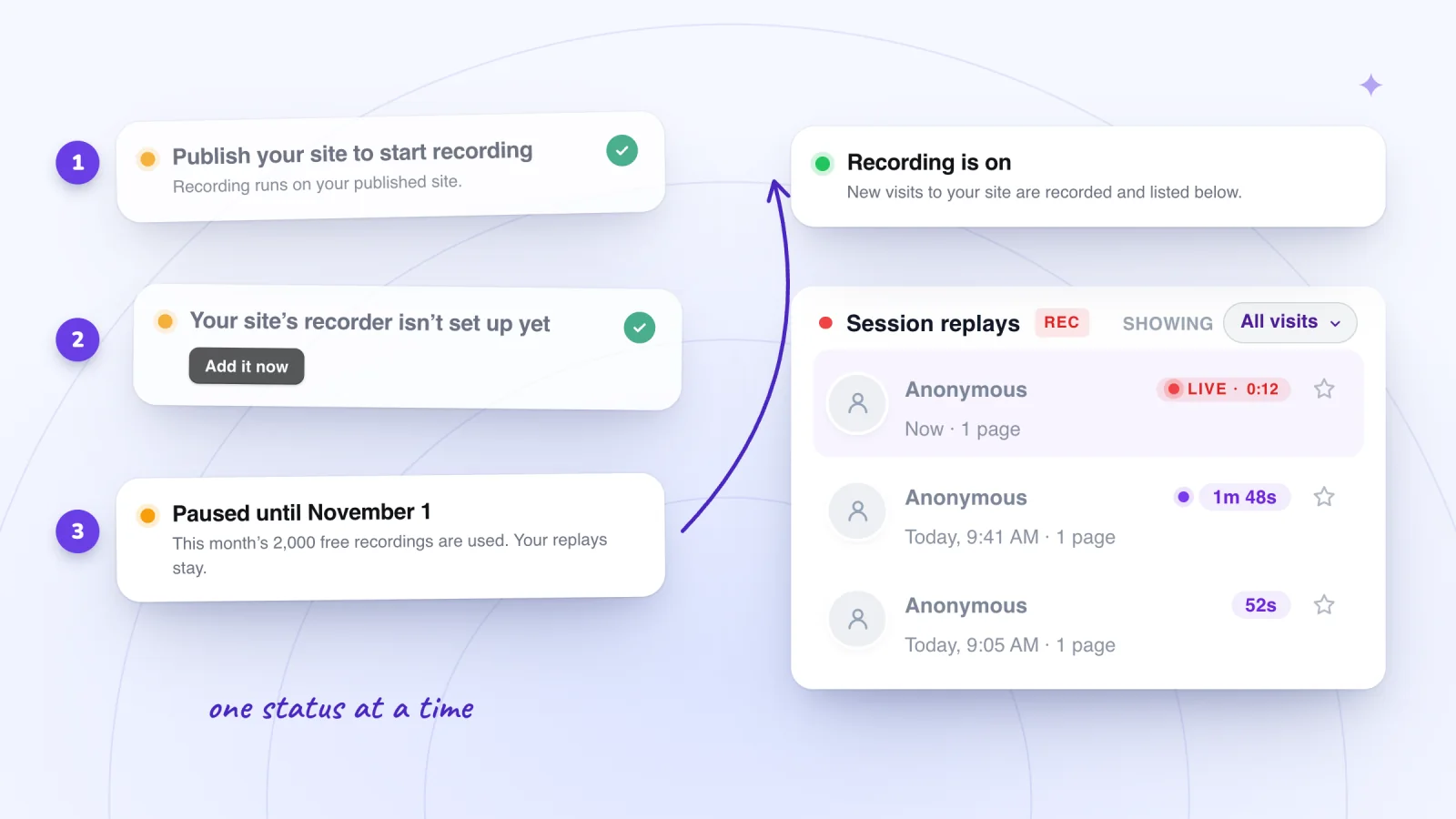
Open Session Recordings > Replays from your dashboard's sidebar. The line at the top shows exactly one state at a time, and the app picks the first one that applies, so fixing it can reveal the next. Each one tells you the next step.
| Status on Replays | What it means | What to do |
|---|---|---|
| Recording is off | The Record visits switch in the app's Settings is off | Click Turn on recording. Replays you already have stay |
| Publish your site to start recording | Your site hasn't been published, and recording only runs on the published site | Publish from the Wix editor |
| Recording is switched off in Wix | The app's script is on your site but turned off in Wix | Click Turn back on. Nothing else changes |
| Your site's recorder isn't set up yet | The app's script isn't on your site yet | Click Add it now, then publish your site again from the editor |
| Paused until November 1 (or whichever 1st is next) | This month's 2,000 free recordings are used | Wait for the 1st: recording starts again by itself, and the replays you have stay |
| Recording is on | Nothing is blocking recording | If the list is still empty, run the test below |
The "Add it now" case has a second step that's easy to miss: the button adds the script, but the change only reaches visitors after you publish the site again. Until then, the published version is the one without it.
Run a test visit you control
When the status says "Recording is on" and the list is empty, prove it with a visit you control. The app itself suggests this when nothing has arrived yet this month.
- Copy your published site's address. Use the live site, not the editor's Preview, because recording runs on the published site.
- Open it in a private or incognito window, so no old cookie choice carries over.
- If a cookie banner appears, accept all cookies, or allow analytics in the banner's settings before saving your choice.
- Click a link or a button and go to a second page. Scrolling alone isn't enough, as the next section explains.
- Go back to Replays. Your visit shows up a few moments after your first click, marked LIVE while it's still going.
- To check consent too, open a fresh private window, decline cookies, click around, and confirm no new visit appears.
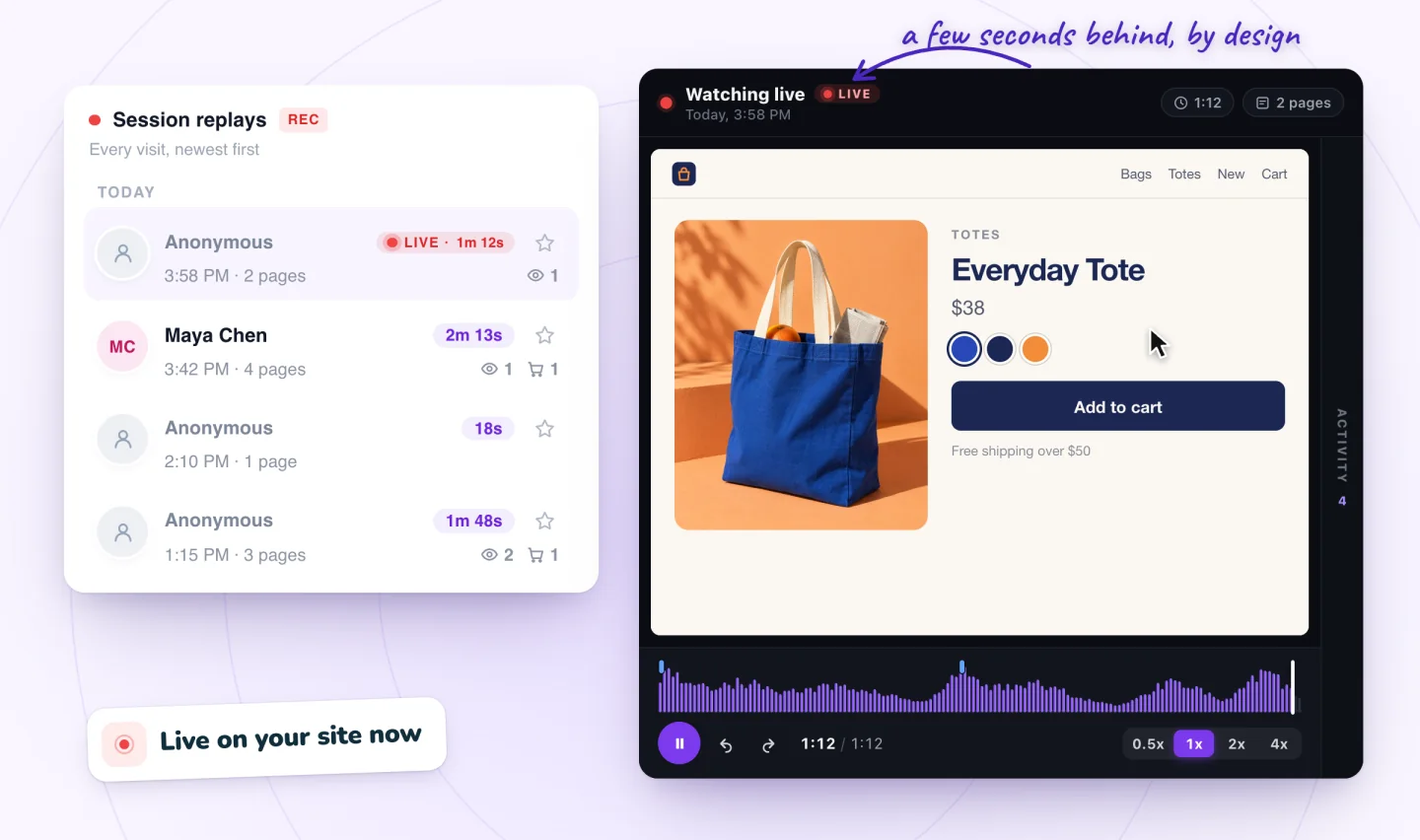
Your own visits are recorded like anyone else's; Session Recordings doesn't skip the site owner. That makes testing easy, and it means a day spent checking your own pages adds replays of you, which count toward the month like any other. Wix Analytics works the other way: while you're logged in to Wix, your visits from the same device and browser aren't counted in its traffic reports.
Why some visits never appear
The test worked, but real visitors seem to be missing. These are the usual reasons.
They declined analytics cookies
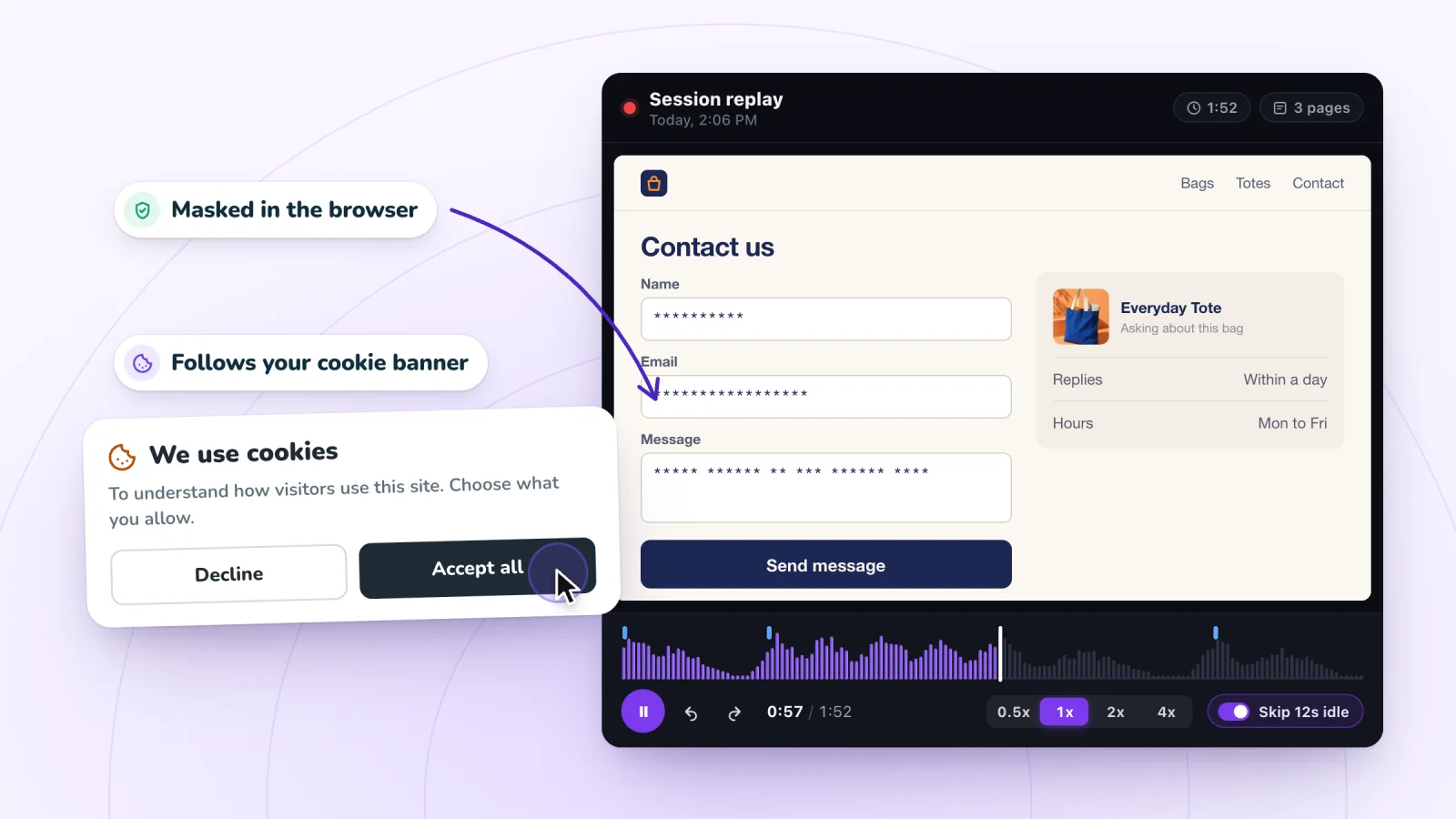
Session Recordings follows your site's cookie banner. A visitor is recorded only after accepting analytics cookies. If they decline, nothing is recorded. If they accept partway through a visit, recording starts once the recorder can load after their choice (on Wix that may be the next page they open), so the replay begins mid-visit. If they withdraw consent later, recording stops and what the recorder kept in their browser is cleared.
How big is that gap? Wix's own analysis puts the share of visitors who accept cookies at about 50%. If that holds for your site and 300 people visit, expect replays from about 150 of them (300 × 0.5) before any of the other reasons below. Your rate could be higher or lower; the banner's design and your audience both move it.
If your site has no cookie banner, nobody is held back for consent: Wix says that without an active banner, all cookies and scripts load when a visitor first arrives, so every visitor who clicks, taps or types is recorded. Whether you need a banner depends on where your visitors are; our guide to session recording privacy covers consent and what to tell visitors.
They never clicked, tapped or typed
A visit is saved once the visitor clicks, taps or types something. Someone who lands, reads, scrolls and leaves without doing any of those isn't saved at all. Those look-and-leave visits wouldn't show you much, and because nothing is sent, they don't use up your monthly recordings.
So a page with a high bounce rate in Wix Analytics can have few replays: a visitor who reads one page and leaves without clicking counts as a bounce there and leaves nothing here.
An ad blocker or privacy tool stopped the script
Some ad blockers and privacy browsers block analytics scripts, and a blocked script records nothing. Wix's own Real-time help says activity is tracked only for visitors who aren't using ad blocking tools, and TWIPLA's Wix FAQ names ad blockers with the EasyPrivacy list turned on as one reason visits go untracked. You can't change a visitor's browser, and you don't need to: a broken button is broken for everyone, so the visitors you can watch will show it.
The month's recordings ran out
Session Recordings records 2,000 visits a month, free forever. At 2,000, recording pauses until the 1st rather than charging you per extra visit.
To see when you'd hit it, multiply your daily recorded visits. Say your site gets 90 recorded visits a day. After 22 days that's 1,980 (90 × 22), so recording pauses on day 23 and the last week of a 30-day month goes unrecorded. myuser.ai, from the same team, records visits too, under its own plan, so with it on your site and its replays on, those visits can still be recorded there; see how the two work together.
Find the moments worth watching
Jump to any moment from the Activity list, skip the quiet parts, watch at up to 8x and star the replays worth keeping.
Add to site, it's free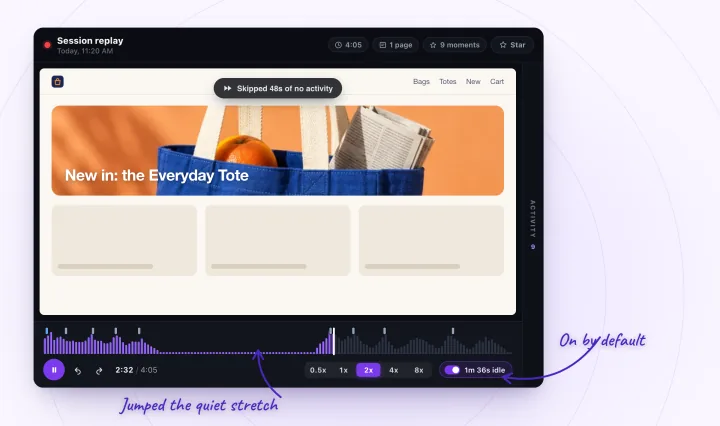
Fewer replays than Wix Analytics sessions
Don't expect the two numbers to match. They count different things:
| Wix Analytics | Session Recordings | |
|---|---|---|
| With a cookie banner | Counts visitors who clicked Accept | Records visitors who allowed analytics |
| Visits with no click, tap or typing | Counted as sessions | Not saved |
| Your own visits | Not counted while you're logged in to Wix | Recorded like any other |
| Monthly limit | None for reports | Pauses at 2,000 a month until the 1st |
So a gap is normal. A sudden drop is not: if replays fall to zero while Wix Analytics still shows sessions, go back to the status line and run the test visit again.
A replay is there but looks wrong
Parts of the page are blank. Content inside a frame loaded from another site, such as an embedded video player or a map, isn't recorded. The rrweb recording library that Session Recordings is built on skips cross-origin frames unless it's injected into each one, so the replay shows an empty box where the visitor saw the content.
The typing is all asterisks. That's intended. Typing is masked in the visitor's browser before anything is sent, so a replay shows that someone typed and never what they typed.
A phone visit looks narrow. Phone visits play back in the phone's shape, not stretched to your screen. A replay shows what was on the page, not how the phone's browser drew it: see what a phone replay can't show. A computer visit can look narrow too, when the visitor's browser window was small or zoomed in; how replays follow each visitor's window size explains why.
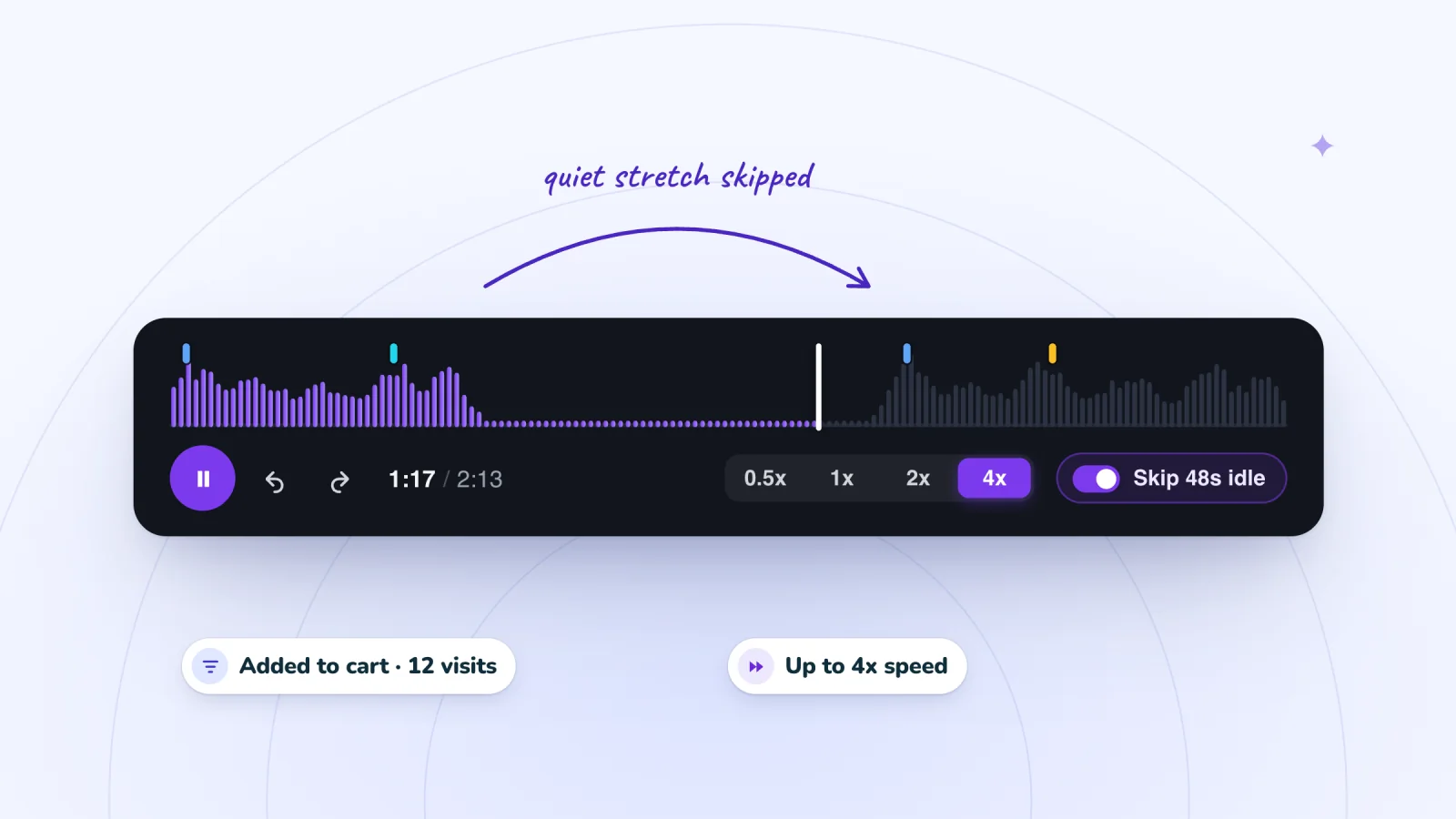
It jumps ahead on its own. Skip idle is on by default and jumps over quiet stretches. Turn it off in the player, or press S, to watch every second. Space plays and pauses, J and L jump 10 seconds, and the arrow keys jump 5; watching recordings faster has more on getting through replays quickly.
If another tool on your Wix site looks broken
Wix Analytics and Microsoft Clarity can look broken for reasons of their own. For Wix Analytics' own Session Recordings, see why it may not be recording, and for how it compares with this app, Wix Analytics' recordings, TWIPLA and Session Recordings side by side.
Wix Analytics not working or showing no traffic. The causes, from a missing Analytics tab to your own logged-in visits, are in what to check when Wix Analytics shows no data.
Microsoft Clarity. Microsoft's Wix guide says Clarity "can only be used with registered account domains on Wix", so a site still on a free wixsite.com address may record nothing. For visits from the EEA, the UK and Switzerland, Clarity needs a consent signal; Wix's cookie banner provides it automatically once it's on. Without consent, Microsoft says sessions are fragmented and full replays aren't available. If you're choosing between the two, see Clarity and Session Recordings, side by side.
A tracking code you pasted in. A tool added through Custom Code can stop counting because of how it was added: twice, in the wrong place, held back by the cookie banner, or in Custom Code when Wix wants that tool in Marketing Integrations. See why Wix custom code stops working.
Frequently asked questions
Why does my replay list show fewer visits than Wix Analytics?
Because the two count different visits. Session Recordings records only visitors who allowed analytics (if you have a cookie banner) and saves a visit only once the visitor clicks, taps or types. Wix Analytics counts look-and-leave sessions and leaves out your own visits while you're logged in. Ad blockers and the 2,000-a-month allowance can widen the gap further.
Can I get back visits that weren't recorded?
No. A replay is built from what the visitor's browser sent while it happened, so a visit that wasn't recorded, because the visitor declined cookies, never clicked, or arrived while recording was paused or off, can't be added afterward. Fix the cause and new visits are recorded from then on.
How long until a visit shows up?
A few moments after it starts, counting from the visitor's first click, tap or typing. While the visitor is still on your site, the visit shows as LIVE, and you can open it and follow along a few seconds behind.
Why is part of a replay blank?
Content inside a frame loaded from another site, such as an embedded video or map, isn't captured, so it shows as an empty area in the replay. The visitor saw it normally, and the rest of the page plays back as usual.
Try it on your site
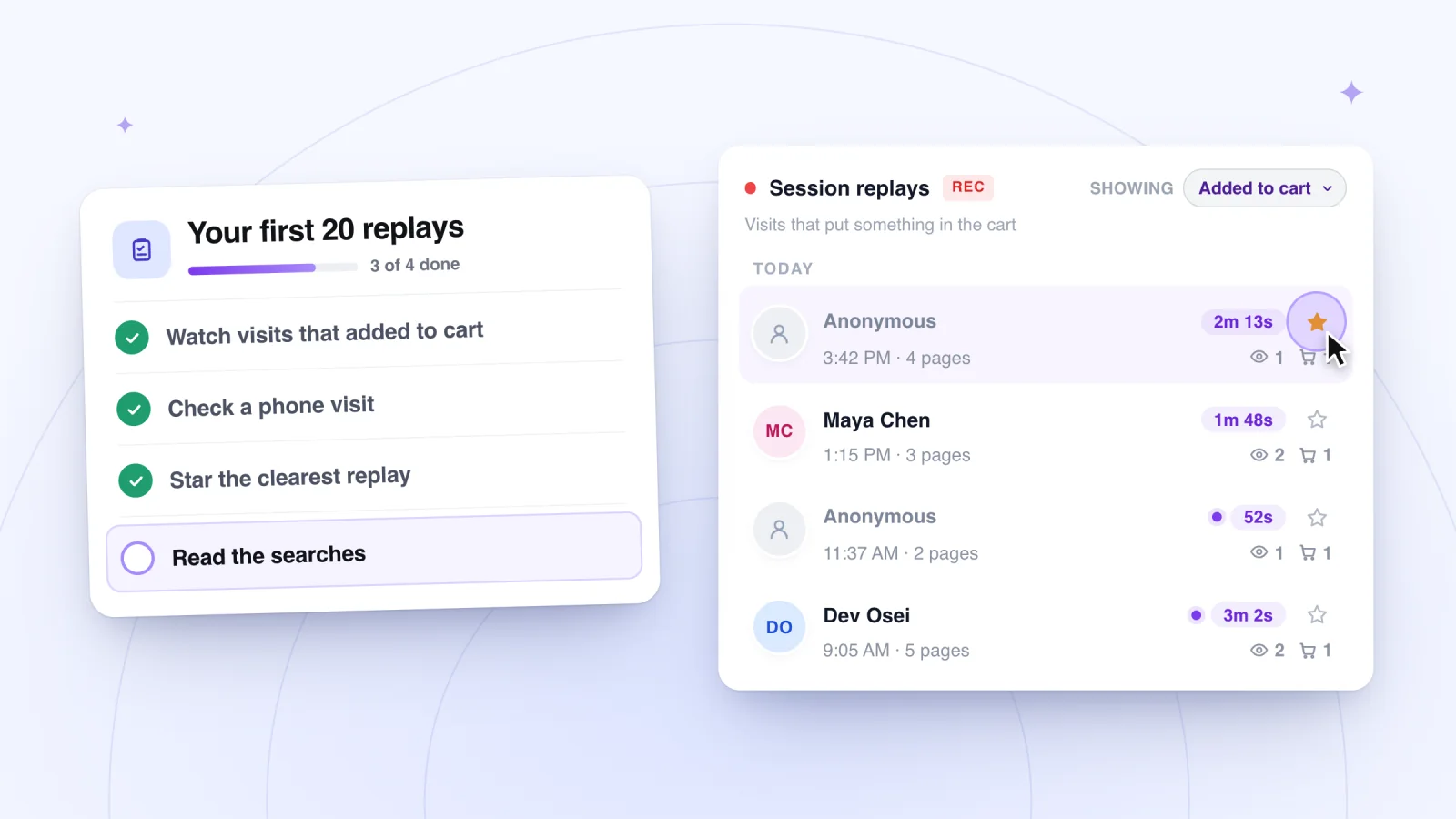
Once replays arrive, the checklist for your first 20 replays tells you what to look for. Haven't added the app yet? Recording is on from install, so once it's on your published site, replays of real Wix visits start with your next visitor.

Sources
- Wix Analytics: About Real-time Analytics
- Wix Analytics: Discrepancies Between Wix Analytics & Data in Other Tracking Tools
- Wix Analytics: FAQs
- Wix Analytics: About Your Traffic Reports
- Displaying a Usercentrics for Wix Cookie Banner
- Wix Analytics: Adding and Setting Up Session Recordings
- TWIPLA: Frequently asked questions about using TWIPLA on Wix
- Microsoft Clarity: How to install Clarity on Wix
- Microsoft Clarity: Cookie consent for third-party platforms
- Microsoft Clarity: Frequently asked questions
- rrweb: recording options (recordCrossOriginIframes)

We build marketing apps for online stores: myuser.ai writes and sends emails and texts from a store's own products, and we make Session Recordings and Spin Wheel for Wix sites. Product details in our guides are checked against the apps themselves.