On this page
Wix's own answer is large image files, excessive animations and heavy elements, and its performance guides add videos, third-party apps and embeds it can't optimize, custom code, too many fonts and overloaded pages. If only the editor is slow, look at your computer, browser and connection first: Wix says an editor that won't load usually has a local cause.
So check which one is slow before changing anything, and trust speed numbers from real visitors over a lab score. The sections below cover each check, the causes Wix lists, the fixes, and whether apps and tracking tools, ours included, slow a site down.
Key takeaways
- If only the editor is slow, the cause may be on your side: Wix says an editor that won't load usually has a local cause, so test the published site in a private window and on another network before changing its design.
- Read Site Speed's Real visitor experience first: it shows Core Web Vitals from your actual visitors once the site has had 10 or more sessions in 7 days, while its PageSpeed simulation scores a low-end device on a slow 4G network.
- Wix's help names what slows pages: large images, videos and animations at the top, third-party apps and iFrames it can't optimize, unoptimized code, too many fonts, lightboxes and pages that hold too much.
- Apps and tracking tools can add load time: Microsoft and Contentsquare say their tags load asynchronously but can't guarantee no effect, so test a page with and without each tool, ours included.
Is it the Wix Editor or your live site?
Open the published site in a private window first. Wix says an editor that won't load usually has a local cause, specific to your computer, browser or connection, and that a big Wix Studio site's content and structure can slow its editor too. A live site that's slow for everyone points to what's on its pages.
- Everything on Wix is slow at once. Check Wix's status page, which tracks site loading, the Wix Editor and Wix Studio. Wix notes that issues affecting a small number of users may not show there.
- The live site is fast in a private window. Wix's Technical Assistant says that's likely a local issue: clear your browser's cache, then turn off add-ons and extensions, including ones installed by security programs.
- It's slow in other browsers and on another network too. Then the site itself is slow, so check its speed. For this test, Wix suggests another supported browser and another Wi-Fi network, or your phone's hotspot.
- Only the editor is slow. Run the same checks, update your browser and try pausing antivirus software, which Wix says can interfere. Wix doesn't recommend a phone hotspot for testing editor problems.
- The Studio Editor lags on a big site. Wix points to large amounts of content and complex structure: delete unused global sections and empty containers, and use one section across breakpoints instead of a copy for each.
How do I check my Wix site's speed?
Open Site Speed in your Wix dashboard first: its Real visitor experience section shows Core Web Vitals from your actual visitors once the site has had 10 or more sessions in the last 7 days. Then test your slowest pages in Google's PageSpeed Insights for a lab score and a list of what to fix.
Wix's Site Speed dashboard
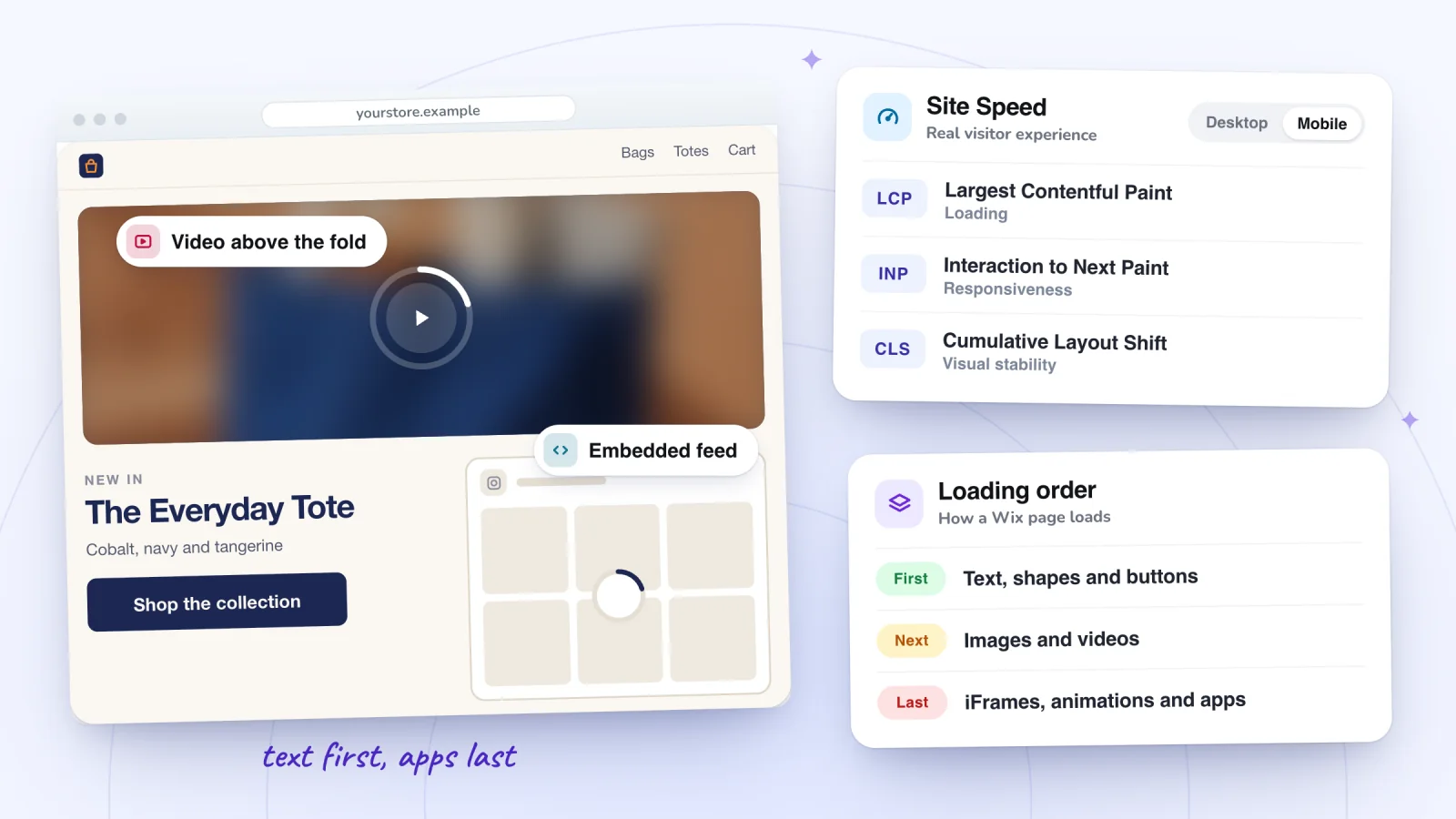
Go to Site Speed in your site's dashboard and choose Desktop or Mobile at the top. It has two main sections:
- Real visitor experience. First Contentful Paint and the three Core Web Vitals, measured as your visitors' pages load. The data comes from Wix, so visits in every browser count. Each Core Web Vital gets a Good, Fair or Poor label on ranges Google defines; click its tab for the last 30 days, each page's results and the spread across visitors.
- Google PageSpeed simulation. A Lighthouse performance score from 1 to 100 for a simulated low-end device on a slow 4G network, which Wix warns may differ from what visitors experience. Click Test again to run it again, or View test history for earlier runs.
The figure at the top of the dashboard comes from First Contentful Paint and compares your site with others in its category. Until the site has had 10 sessions in 7 days, the dashboard has no real-visitor data to show.
Google PageSpeed Insights
Enter a page's address in PageSpeed Insights. Each page gets a Mobile and a Desktop report, each in two parts:
- Discover what your real users are experiencing. The Core Web Vitals Assessment, from real Chrome users over the previous 28 days. A page without enough visits shows No Data or falls back to the whole site under Origin, and Google doesn't publish the minimum number of visits, Wix notes.
- Diagnose performance issues. A lab test in which Lighthouse loads the page on a simulated mid-tier phone on a mobile network (or an emulated desktop) and scores it: Google calls 90 and above good, 50 to 89 in need of improvement and below 50 poor. Suggestions follow the score.
Go by the real-visitor section whenever a page has one. Wix says real-visitor data always gives a more accurate picture, and that a low lab score on its own doesn't mean the site is slow for real visitors. Google adds that lab scores vary from run to run, and that good lab data doesn't guarantee good experiences for real users. Other speed tests see a Wix site only from the outside: Wix says it can't guarantee their accuracy, and that some fixes they suggest may be beyond your control.
What do the numbers mean?
Each metric measures one part of loading or using a page, and both tools use Google's ranges:
| Metric | What it measures | Google's ranges |
|---|---|---|
| Largest Contentful Paint (LCP) | How long the largest image or block of text in view takes to appear | Good up to 2.5 s; poor over 4 s |
| Interaction to Next Paint (INP) | How quickly the page responds to clicks, taps and key presses; Wix counts the longest response in a visit | Good up to 200 ms; poor over 500 ms |
| Cumulative Layout Shift (CLS) | How much visible elements move unexpectedly while the page is open | Good up to 0.1; poor over 0.25 |
| First Contentful Paint (FCP) | How long the first content, such as text or an image, takes to appear | Good up to 1.8 s; poor over 3 s |
LCP, INP and CLS are the Core Web Vitals. PageSpeed Insights shows each real-visitor metric at the 75th percentile, so at least three quarters of real visits to the page did as well as the number shown or better. A page passes the Core Web Vitals Assessment when all three are Good (or LCP and CLS, when there's too little INP data). Site Speed's Fair is the middle band, which Google calls Needs Improvement. Wix adds that Core Web Vitals are one of many measurements behind search rankings, and that content remains the most important factor.
Why is my Wix site so slow?
Heavy pages, in Wix's telling: large images, videos and animations near the top, third-party apps and iFrames it can't optimize, unoptimized custom code, too many fonts, lightboxes and pages that hold too much. Phones load the same pages with slower processors and connections, so a page that's fine on your laptop can be slow on a phone. Check for these:
- Heavy content above the fold. What visitors see first loads first, so Wix suggests text, shapes and buttons there, with large images, videos, animations, galleries and store widgets further down the page.
- Videos. They take longer to load than static elements. Wix says video backgrounds slow the first load, and embedded YouTube or Vimeo players arrive in iFrames it can't optimize.
- Third-party apps, iFrames and embeds. Their content comes from servers outside Wix, so Wix can't optimize it, and they load after everything else. Each app or component on a page also adds JavaScript files to it.
- Custom code. Scripts that aren't optimized can hold the page up while they run, which a lab test reports as Total Blocking Time.
- Fonts. Custom fonts have to be downloaded and system fonts don't. Wix suggests three fonts or fewer on a page, and three font weights or fewer.
- Animations, slideshows and GIFs. They load more slowly than static elements, and an animated GIF has to download in full before it plays. A fade-in on the page's largest element starts only once the site has fully loaded.
- Lightboxes. Wix loads them later than other elements by design, so don't make one the page's main content.
- Too much on one page. Several galleries, long galleries or repeaters, a whole product catalog or a long CMS list at once. Wix suggests keeping pages under about eight screens long.
- Pages Wix can't cache. Pages for logged-in members, site search results and password-protected pages are built fresh for each visitor, as are pages whose caching you've turned off.
- Images. Wix already resizes, compresses and converts uploads to AVIF and loads images lazily, so concentrate on where large ones sit and how many share a page. Compress files over 25 MB before uploading.
- Your visitors' phones and connections. Phones are generally less powerful than computers and on slower connections, Wix says, so the same page can take longer on mobile.
If pages load but then respond slowly to taps and clicks, a poor Interaction to Next Paint, Wix points to the same suspects: third-party code, and too many apps and widgets on one page.
Find the moments worth watching
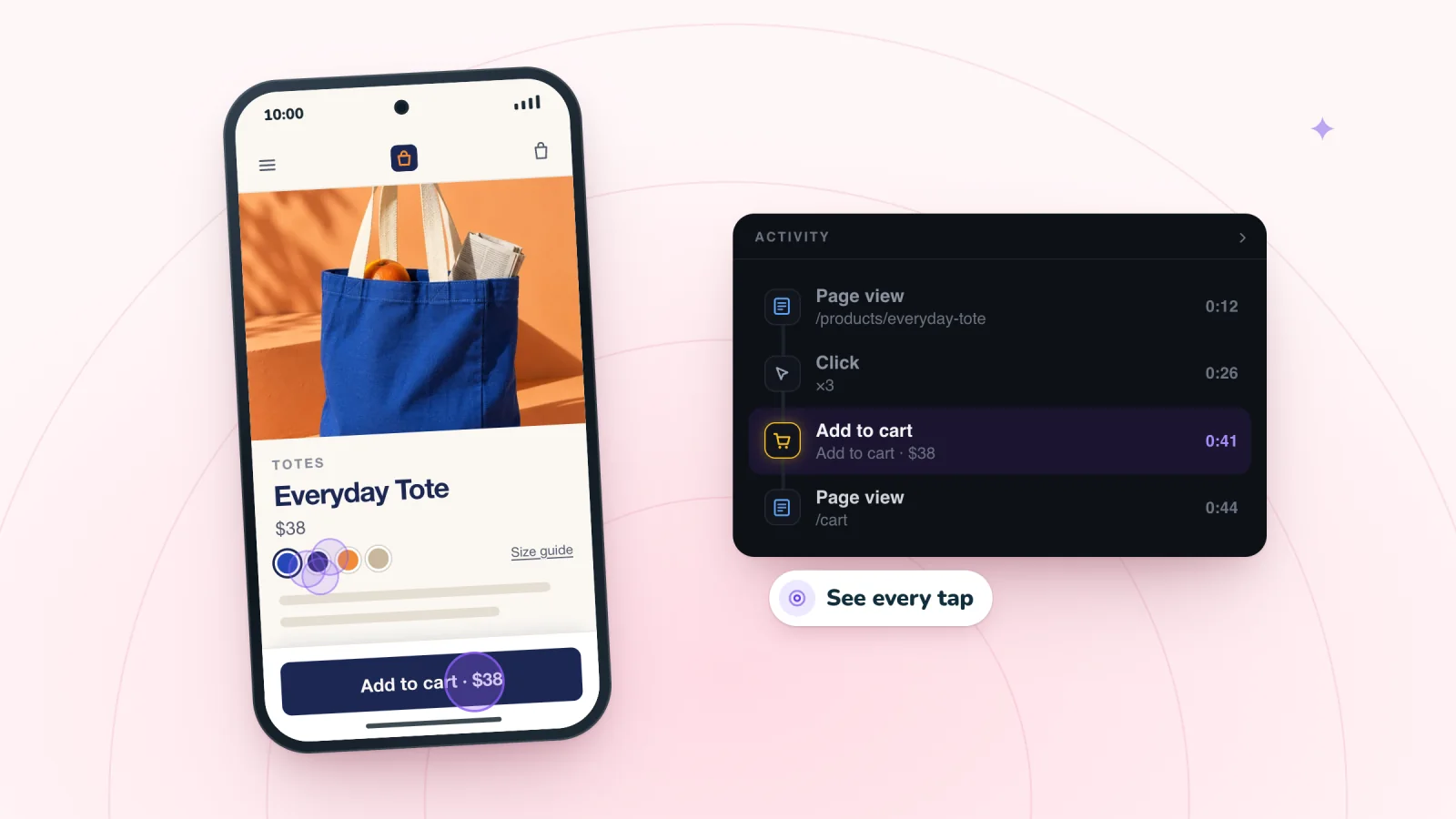
Jump to any moment from the Activity list, skip the quiet parts, watch at up to 8x and star the replays worth keeping.
Add to site, it's free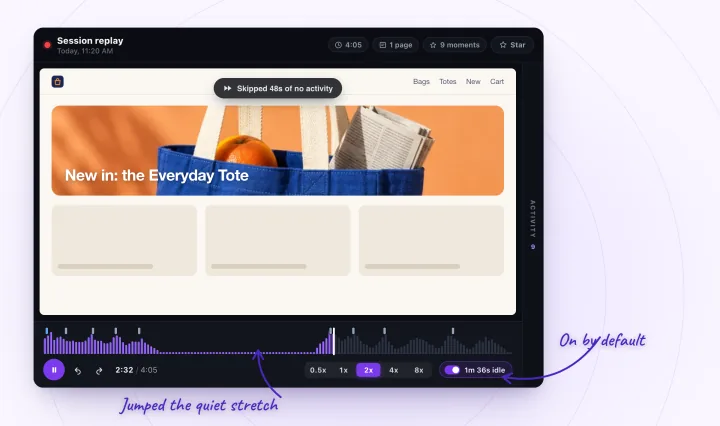
How do I make my Wix site faster?
Work on one page at a time, starting with the slowest, and lighten its first screen before anything else. These steps follow Wix's performance guides. After each round, publish and test the page again, then give the real-visitor numbers about three weeks to catch up.
- Find the slowest page. In Site Speed, open the metric that isn't Good and check its results page by page, on Mobile as well as Desktop. Test that page in PageSpeed Insights and read its suggestions.
- Lighten the first screen. Keep text, buttons and small images at the top. Move videos, animations, slideshows, galleries and store widgets below the fold, and don't animate the largest element.
- Remove apps, embeds and code you don't use. Move the ones you keep off the home page where you can, and spread apps across pages instead of stacking them on one.
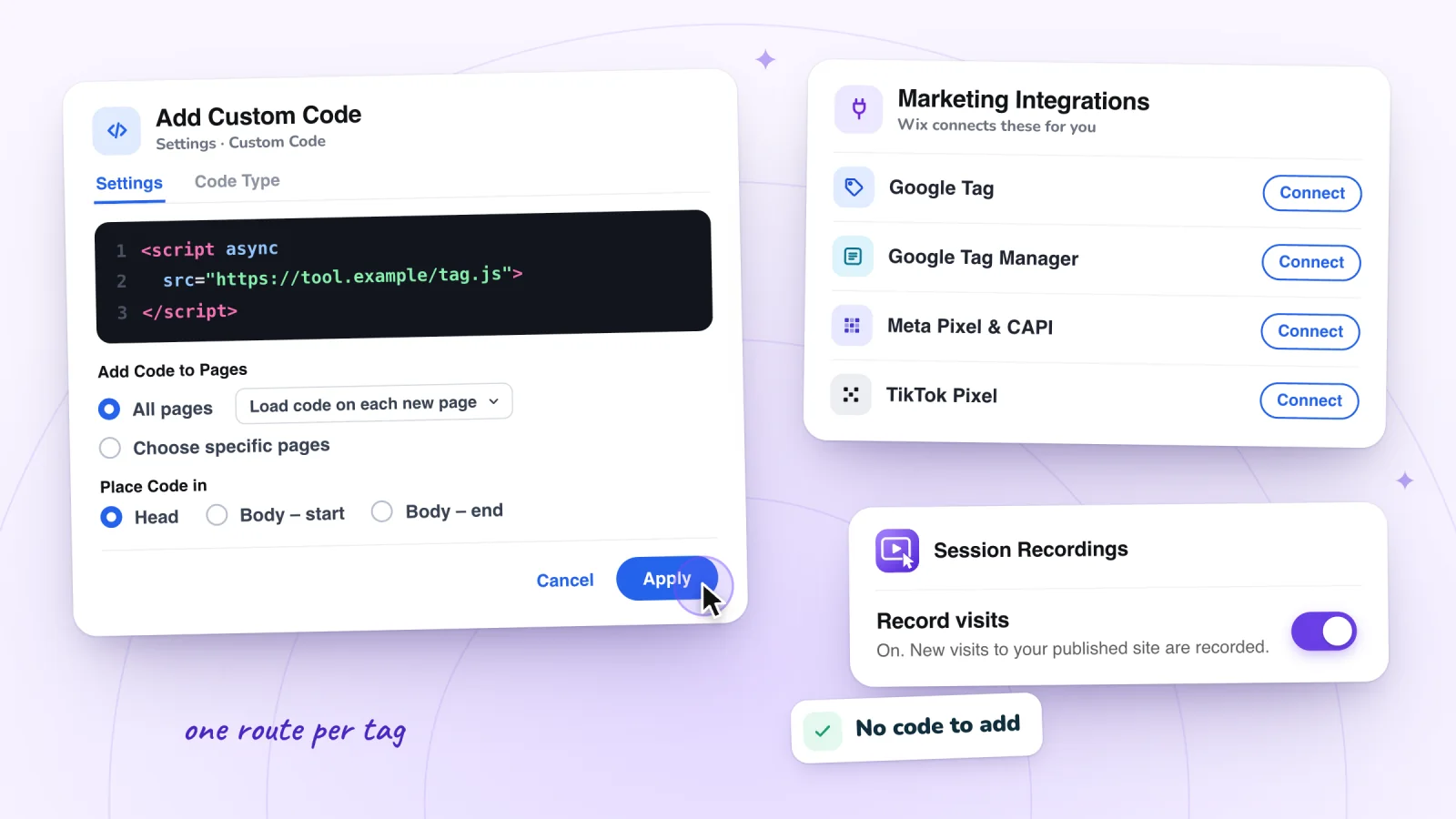
- Connect tracking tools as integrations. Wix says tools such as Google Analytics have less impact when connected through Marketing Integrations than as pasted code (adding a tracking code to Wix shows both routes). For a snippet that has to stay in Custom Code, add the
deferattribute or place it at the end of the body. - Trim fonts. Use three fonts or fewer per page and prefer system fonts. On a Wix Studio site with heavy custom fonts, turn on fallback fonts so text shows while they download.
- Split long pages. Give a store, blog or video collection its own page with a button from the home page, use one gallery with a Load More button, paginate product lists, and lower Items per load on CMS datasets.
- Keep caching on. Wix caches almost every page automatically and clears the cache each time you publish. Turn off a page's caching in its Advanced Settings only if it shows outside data or information that changes often, and leave SWR on in Website Performance Settings.
- Test again, then wait. A new lab test shows the page as it is now, but Site Speed's real-visitor data covers 30 days and PageSpeed Insights' covers 28, so Wix suggests waiting at least three weeks before judging a change.
Do apps and tracking tools slow a Wix site?
They can. Wix says third-party apps and code can add to loading time, and that it can't optimize content served from outside its servers. Recording and analytics vendors say their scripts load asynchronously, so pages don't wait for them, yet Microsoft and Contentsquare both say any JavaScript could affect a site. Test your pages with and without each tool.
- Wix. Add third-party code only where it's needed, and prefer Marketing Integrations, which Wix says have less impact on performance. When pages respond slowly, Wix suggests reviewing the scripts behind Custom Code, Marketing Integrations and third-party apps.
- Microsoft Clarity. Microsoft's FAQ says Clarity doesn't reduce a site's performance, because its script is asynchronous. A 2021 post on Clarity's blog is more careful: any JavaScript could have an impact, so Microsoft can't guarantee none. In that post's tests on five sites, Clarity caused no blocking time, and its script and requests came to about 25 KB on the first download of the day and about 300 bytes after that, since browsers keep the script for a day.
- Contentsquare and Hotjar. Both help centers say their tags load asynchronously from a CDN and make use of the browser's cache, and both say they can't guarantee no effect. Both capture pointer and scroll positions every 100 milliseconds and send events over a WebSocket. To reduce any impact, they suggest loading the tag later, once the visitor interacts or after the page's DOM Interactive event. In an example in Hotjar's help, updated December 2025, its code made one test page usable about 0.01 seconds later and finished loading it about 0.3 seconds later.
How Session Recordings loads
Session Recordings is our app, so here is what it adds to a page, and when:
- One tag, loaded asynchronously. The app adds a single script tag, and the browser keeps building the page while it downloads.
- A consent check before anything else. The tag loads Wix's own consent module from a public code CDN (jsDelivr) to read the visitor's cookie choice. With a Wix cookie banner on, it waits: until the visitor allows analytics cookies, it doesn't load the recorder, contact our servers again or store anything on their device. Without a banner, it doesn't wait (how recording follows your banner).
- The recorder only while recording is on. The tag then asks once per page whether recording is on and this month's recordings haven't run out. Only then does it load the recorder and the open-source rrweb library it records with, both asynchronously. Turning Record visits off in the app's Settings stops them loading.
- Nothing sent before a click. The recorder notes changes to the page, pointer movements, scrolling and masked typing, but sends nothing until the visitor clicks, taps or types. After that it uploads in batches every few seconds, compressed where the browser supports it.
We don't publish a speed figure for it. Like any other tool, test it on your own pages.
Measure a tool's effect on your own pages
- Pick a page the tool runs on, such as your home page, and test it in PageSpeed Insights a few times on Mobile. Lab results vary from run to run, so note Total Blocking Time and LCP for each run.
- Switch the tool off. Turn off a Custom Code snippet with its toggle under Settings > Custom Code, as Wix's troubleshooting does; switch an app off in its own settings if it has one, or remove it.
- Test the same page the same way again and compare the runs. The report's 3rd parties insight lists the outside code it found on the page, grouped by provider.
- Switch the tool back on if what it tells you is worth the difference.
What slowness looks like in a replay
Speed tools measure how long pages take; a replay shows what one visitor did while waiting. In Session Recordings, it helps with two things and can't show two others:
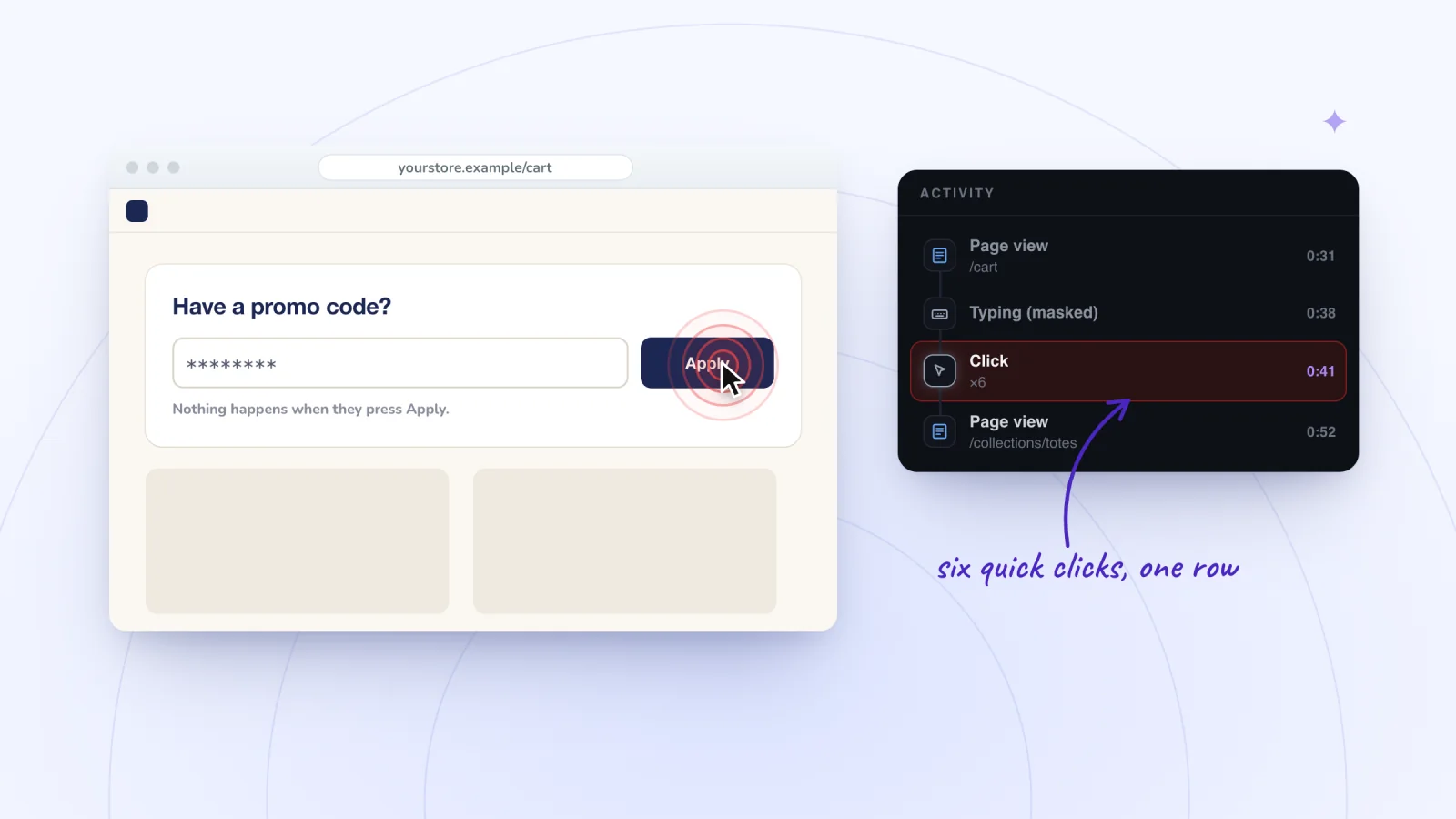
- Taps and clicks that get no answer. Quick clicks in a row fold into one Click row with a count, such as ×3, which can mean a button that responds slowly. Rage clicks on Wix covers the other causes, and Site Speed's Interaction to Next Paint measures the delay across all visitors.
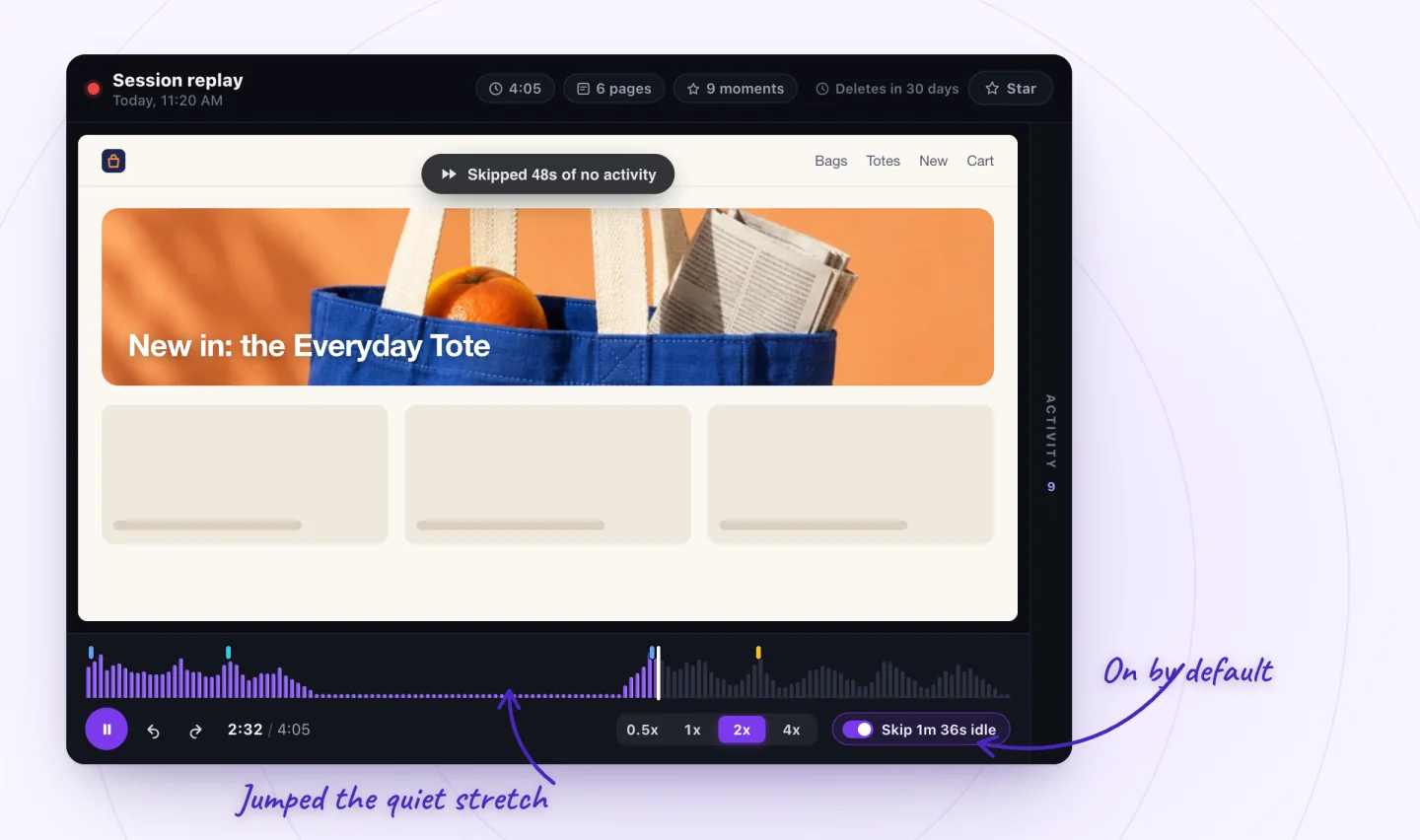
- Waits the player skips. Skip idle, on by default, jumps any stretch of more than 10 seconds with no mouse movement, clicks, taps, scrolling or typing. Press S to turn it off and see a wait at its real length, as pages that load slowly on a phone signal describes.
- Not first loads. A visit is saved only after a click, tap or typing, so someone who gives up while the first screen loads is never recorded. Site Speed's real-visitor data covers them.
- Not downloads. A replay is rebuilt from changes to the page, not filmed, and records no network timings, so it can't say which file was slow. PageSpeed Insights' diagnostics can.
Frequently asked questions
How do I clear the cache on Wix?
There are two caches. Your own browser's cache is cleared in the browser's settings, and Wix suggests that first for problems only you see. To clear your site's saved pages on Wix's servers, open Settings in your dashboard, search for Website Performance Settings and click Clear Site Cache; Wix notes the next visitor may load the site slightly more slowly. Publishing clears that cache as well.
Can I turn off lazy loading on Wix?
No. Wix says lazy loading is built in and can't be turned off: it shows a low-resolution version of each image first and swaps in the full one once it has loaded in the background, so visitors see content instead of blank space. It's on by default for images and videos.
Why does PageSpeed Insights tell me to remove unused JavaScript on Wix?
Partly because of Wix's own files. Wix says code served from static.parastorage.com is packaged by Wix and vital to the site, so you can't change or delete it, and that apps and components add JavaScript files to a page automatically. Files flagged from third-party code are yours to review: remove what you no longer need.
Does Google Analytics slow down a Wix site?
It's third-party code, so it can affect loading time, Wix says, though less when connected through Marketing Integrations than pasted as code, since Wix then handles the script's placement. With a cookie banner on, Google Analytics works only after a visitor accepts analytics cookies.
Why is my Wix site fast for me but slow for visitors?
Because they don't load it the way you do. Wix may keep separate cached copies of a page for different locations and device types, and says speed can fluctuate with server response time, visitor location and cached content. Your visitors' devices and connections count too: phones are generally slower than computers. Site Speed's Real visitor experience shows what they actually get.
Try it on your site
Speed numbers tell you which page is slow; a replay shows what visitors did on it. Session Recordings replays visits to your published Wix site, with each click and typing moment listed beside the replay and typing masked, free for 2,000 recordings a month. See session replay for Wix sites.

Sources
All checked October 6, 2026.
- Wix: Site Performance: Best Practices
- Wix: Understanding Your Site Speed Dashboard
- Wix: Site Performance: Understanding PageSpeed Insights
- Wix: Site Performance: About Core Web Vitals
- Wix: Site Performance: Designing a Performance-Focused Website
- Wix: Site Performance: Optimizing Site Media
- Wix: Site Performance: Optimizing Your Text
- Wix: Site Performance: CMS
- Wix: Site Performance: Using Third Party Code on Your Site
- Wix: Site Performance: Removing Unused JavaScript
- Wix: Site Performance: Caching Pages to Optimize Loading Speed
- Wix: Site Performance: How Wix Improves a Site's Loading Time
- Wix Technical Assistant
- Unable to Open the Wix Editor
- Studio Editor: Troubleshooting Performance Issues in the Editor
- Wix Status
- Displaying a Usercentrics for Wix Cookie Banner
- Google for Developers: About PageSpeed Insights
- Chrome for Developers: What's new in Lighthouse 13
- Chrome for Developers: 3rd parties insight
- Microsoft Clarity: Frequently asked questions
- Microsoft Clarity Blog: Does Clarity affect website performance? (November 2021)
- Contentsquare Help: Will Contentsquare slow down my site?
- Hotjar Documentation: Will Hotjar Slow Down My Site?

We build marketing apps for online stores: myuser.ai writes and sends emails and texts from a store's own products, and we make Session Recordings and Spin Wheel for Wix sites. Product details in our guides are checked against the apps themselves.