Session Recordings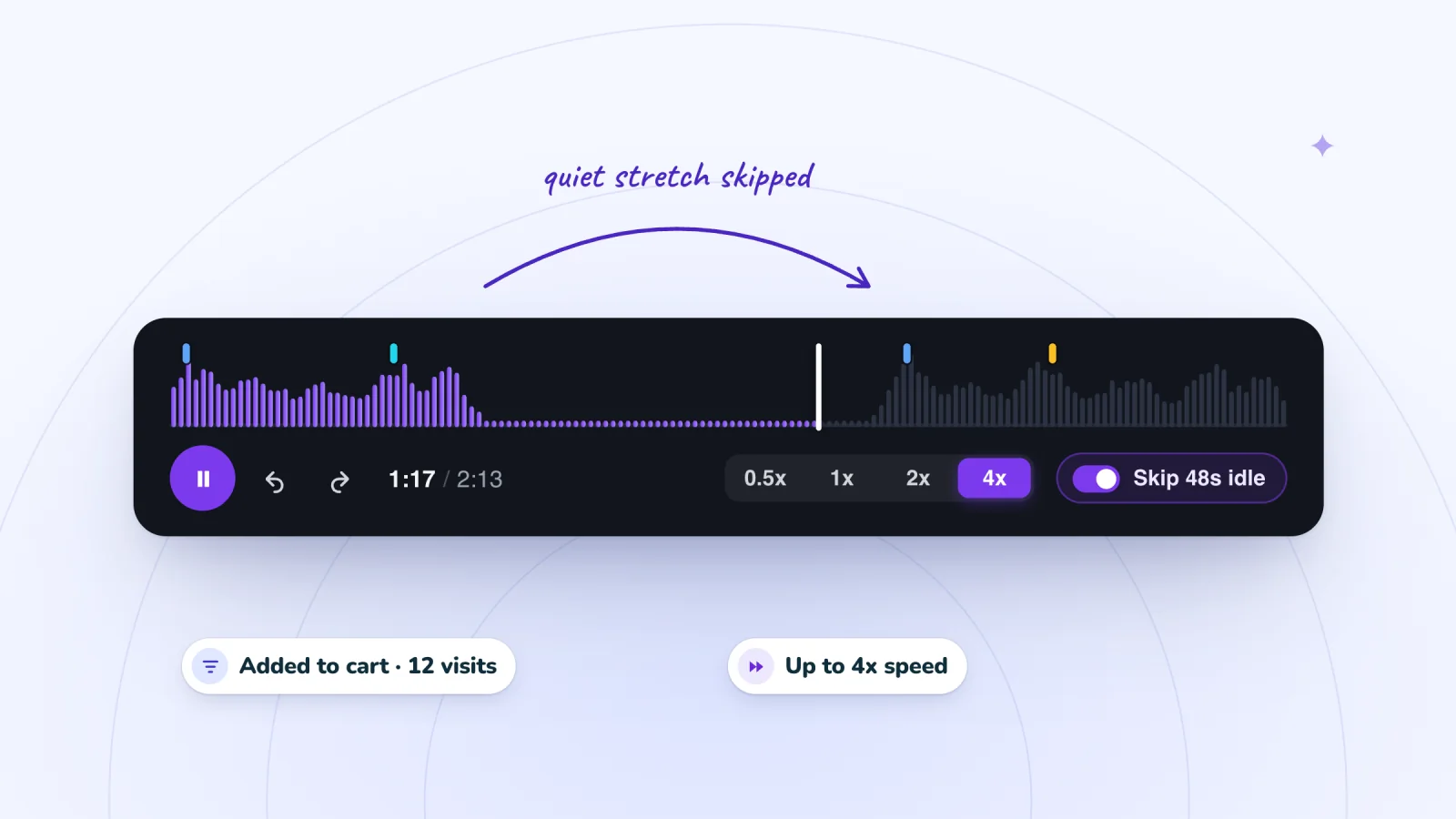
On this page
- Start with one question
- Filter to the visits that can answer it
- Read the Activity list before you press play
- Let the quiet stretches go
- Change speed as you go
- Take notes in one line per replay
- Stop after a set number
- When a whole visit is worth it
- Make it a weekly habit
- A sample 25-minute session
- Frequently asked questions
- Try it on your site
Session recordings are easy to collect and slow to watch. Open one with no plan, and it leads to another, and then the afternoon is gone. This routine keeps each sitting short and makes sure you finish with something to act on.
Key takeaways
- Write one narrow question before opening a replay, and filter to the visits that can answer it.
- Scan the Activity list first, and close any visit that never reaches the moment your question is about.
- Leave idle skipping on, and slow to 1x or 0.5x only around the moment that matters.
- Stop after ten replays or thirty minutes, then make one change and come back with the same question.
Start with one question
Before you open a single replay, write down what you want to know. Keep it narrow enough that one visit could answer it.
- "Why do people add the travel mug to the cart and then leave?"
- "Does anyone find the size guide on the jacket page?"
- "Can phone visitors use the new menu?"
A question tells you which visits to open, which moments matter and when you are done. Without one, every replay looks interesting and none of them adds up to a decision.
Skip broad questions like "What are visitors doing?" They have no finish line. Write your question at the top of your notes, where you will see it each time you look down.
Filter to the visits that can answer it
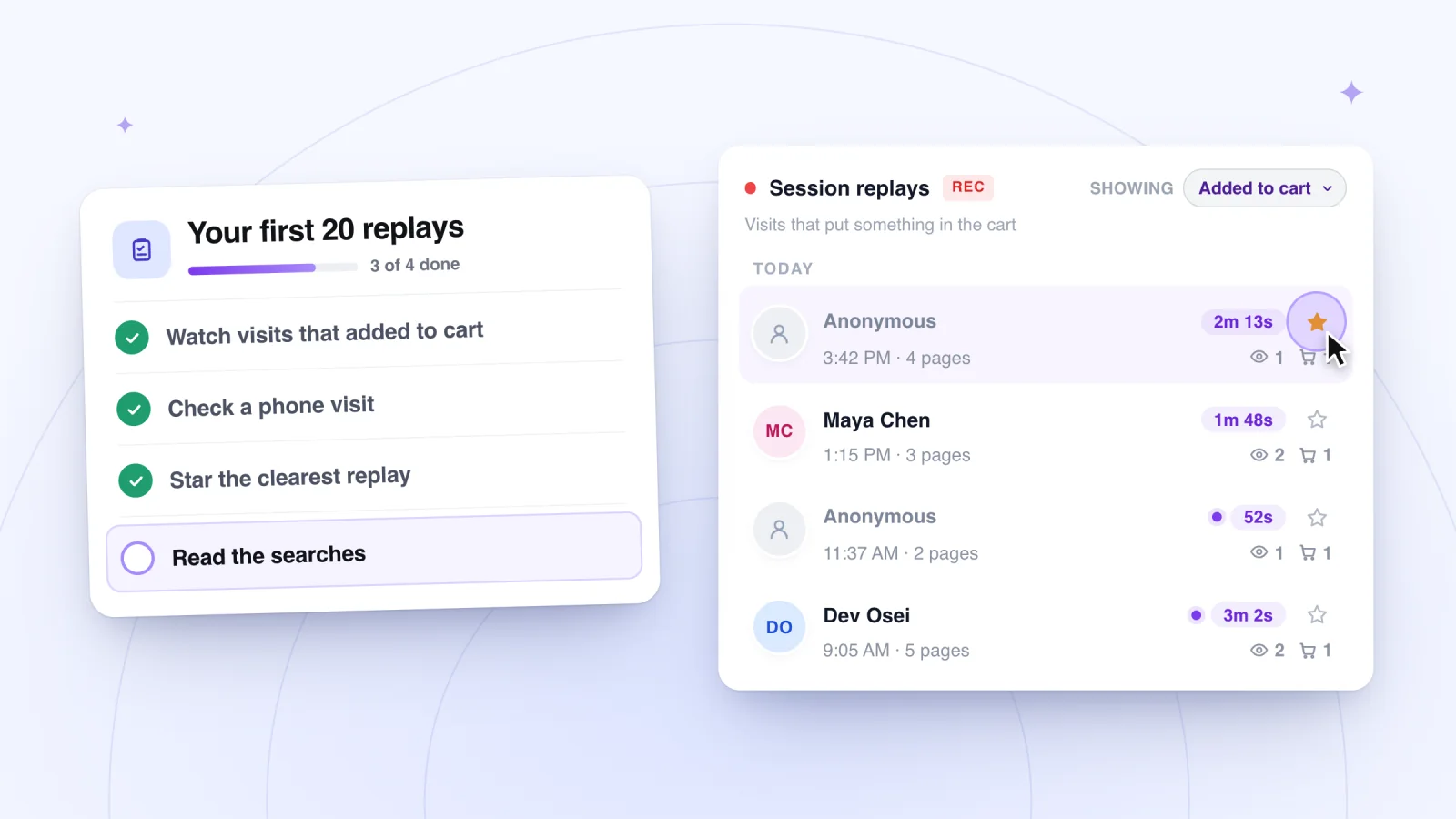
Your list of visits can get long. Filters cut it down to the ones that matter. In Session Recordings you can filter by All visits, Viewed a product, Added to cart, Signed up, Known visitor and Starred. Match the filter to your question.
| If your question is about | Use this filter | Then jump to |
|---|---|---|
| Carts that never become orders | Added to cart | The add to cart moment |
| Whether product pages answer questions | Viewed a product | The product page view |
| What leads up to a sign-up | Signed up | The page views just before it |
| What people look for | All visits | Each search |
| Replays you saved earlier | Starred | The time in your notes |
Read the Activity list before you press play
The replay timeline marks key moments such as page views, searches, add to cart and checkout. Beside the replay, the Activity list shows every moment in order. Click any moment to jump straight to it.
Treat the Activity list like a table of contents, and scan it first. If the visit never reaches the part your question is about, close it and open the next one. That check takes seconds and saves you from watching visits that cannot help. If several visits in a row never reach the moment you care about, that is a finding too. Write it down.
When a visit does reach the moment, start a step early. Click the moment just before it in the Activity list, then play forward. The lead-up is where you find the cause.
Let the quiet stretches go
Visitors leave tabs open. They read, answer messages and wander off to make coffee. Quiet stretches with no clicks, scrolling or typing are skipped automatically, and skipping is on by default. A visitor who left your page open for ten minutes does not cost you ten minutes.
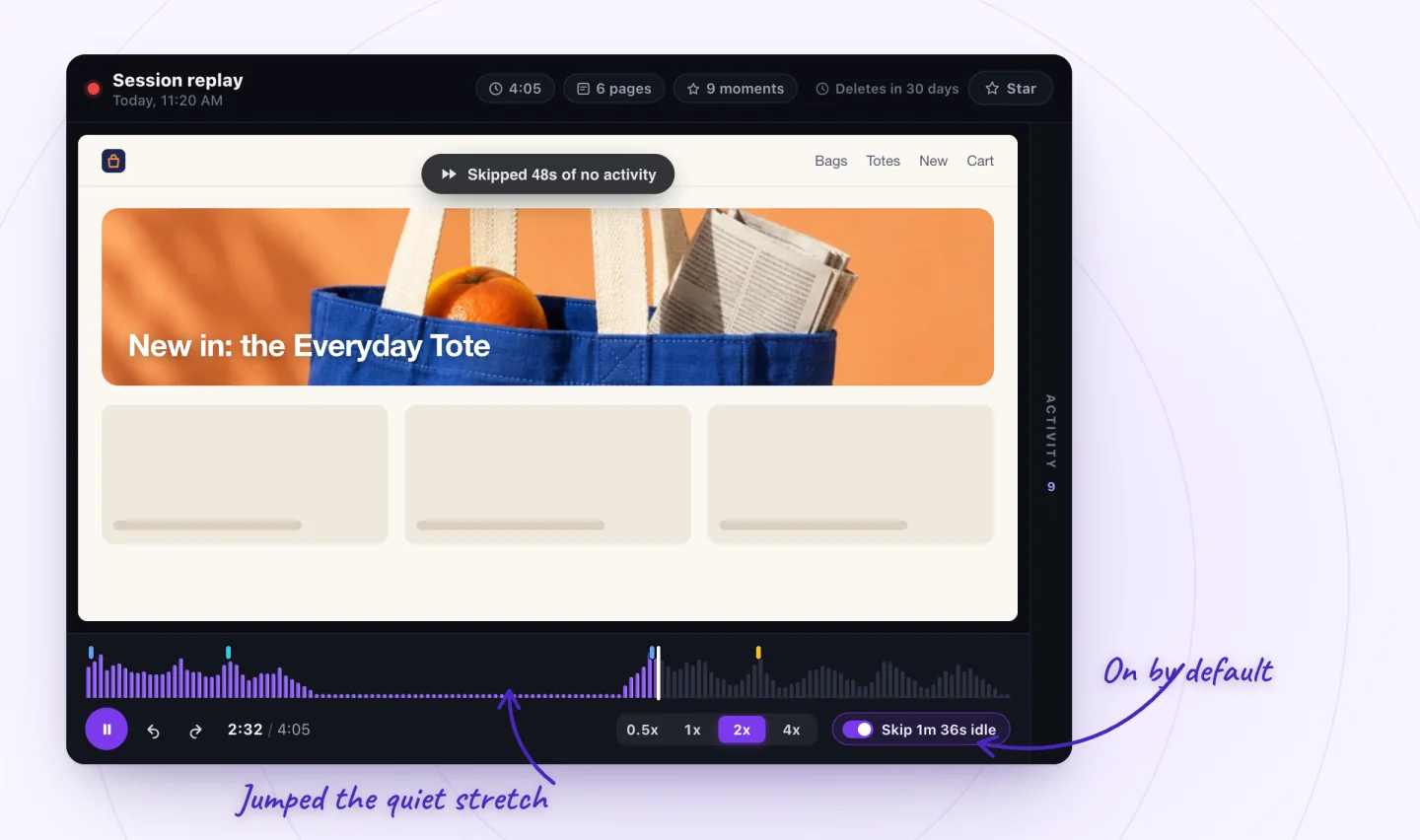
Leave skipping on as a rule. Turn it off when your question is about waiting. If you suspect a page is slow, the long pause is the finding, and you want to see it at its real length.
Change speed as you go
You can watch at 0.5x, 1x, 2x or 4x. Give each speed a job.
- 4x for browsing that has nothing to do with your question
- 2x for following a visitor from page to page
- 1x around the moment that matters, so you catch each click and scroll
- 0.5x for fast bursts, like a flurry of taps on a phone or a menu that opens and closes
Slow down the moment something surprises you. Speed is for the parts you already understand.
Find the visits worth watching
Filter to visits that added to cart or signed up, jump to marked moments and skip the quiet parts.
Add to Wix, it's free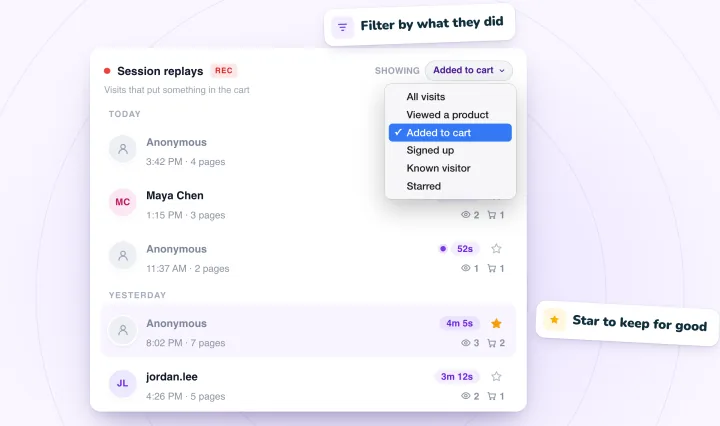
Take notes in one line per replay
Keep a document or spreadsheet open while you watch. Write one line per replay in the same format each time, like this.
Wanted a gift under $30. Tried the menu, then search. Stopped on an empty results page at 1:15.
The pattern is wanted, tried, stopped. It makes you describe what the visitor was trying to do, which is easy to lose track of once you start following clicks.
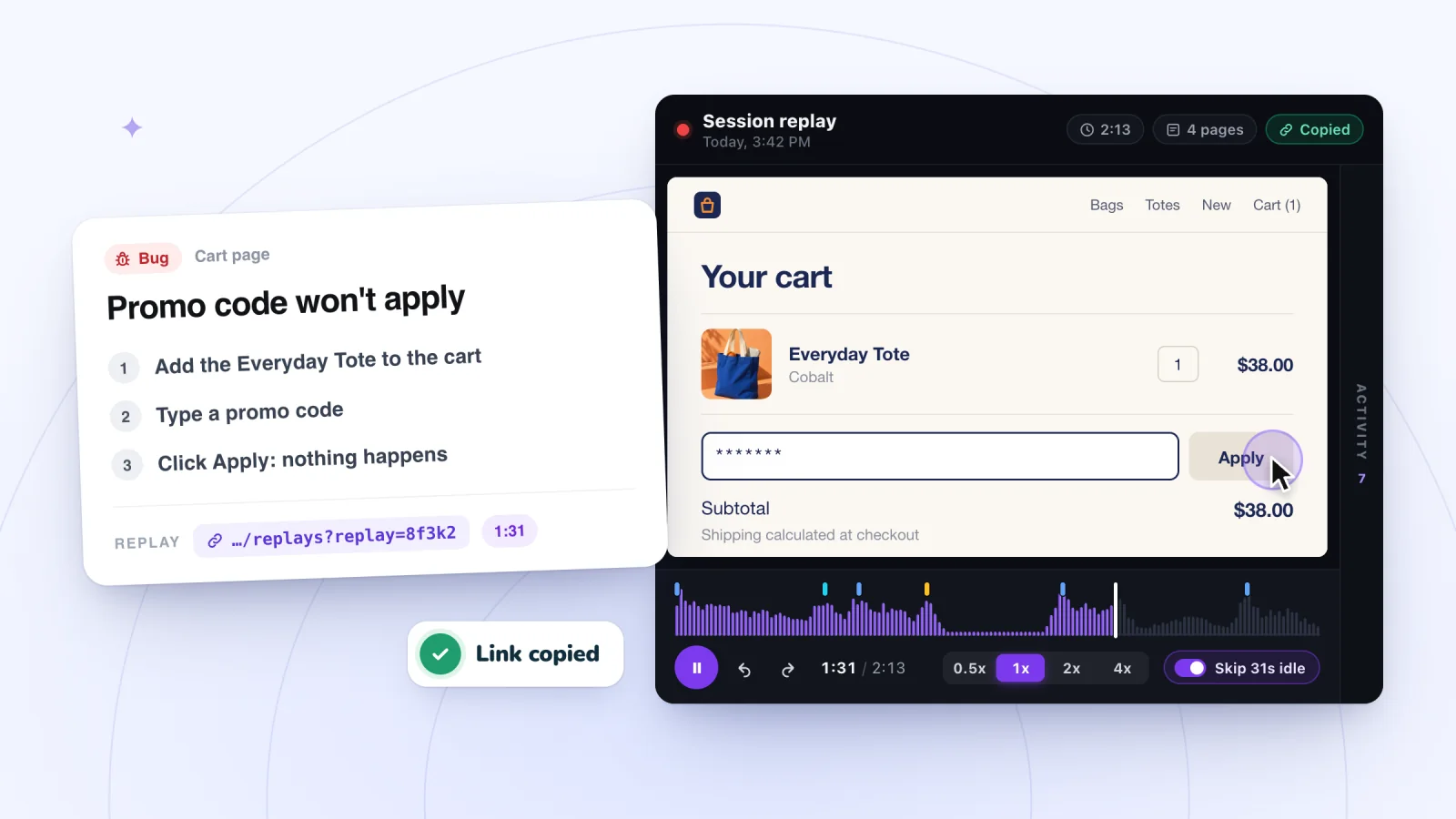
Add the replay link to each line. Every replay has a link you can copy and share with teammates who have access to the dashboard, so anyone can check your note against the visit itself.
When a replay shows the problem clearly, star it. A star keeps a replay past your plan's retention period, and the Starred filter brings it back when you need it.
Stop after a set number
Decide when you will stop before you start. Ten replays or thirty minutes, whichever comes first, is a sensible place to begin. Adjust it to your own pace.
Stop early if any of these happen.
- You have seen the same problem several times. You have your answer.
- The visits are not answering the question. Rewrite the question and start again.
- You are tired. Tired eyes make everything look like a problem.
Then act. Pick one change, make it, and come back later with the same question.
When a whole visit is worth it
Shortcuts are for routine sessions. Two situations call for watching a visit from start to finish at 1x.
- When you are new to replays. Watch two or three ordinary visits in full. You will learn what a normal visit to your site looks like, and that sense of normal makes odd moments jump out later, even at 4x.
- When one visit is all you have. If a customer reports a problem and you find their visit, watch all of it. The cause can sit minutes before the moment they noticed it. Then write it up as a clear bug report.
Make it a weekly habit
Short, regular sessions teach you more than one long binge. Put a recurring 25-minute slot on your calendar and protect it.
Keep a running list of open questions, and take the top one into each session. When a question is answered, move it to a done list along with the change you made. Over a few months, that list becomes a plain record of what you learned about your visitors and what you did about it.
A sample 25-minute session
- Write the question. (1 minute)
- Pick a filter and scan Activity lists to choose up to ten visits. (4 minutes)
- Watch each one, jumping to the key moment and changing speed as needed. (16 minutes)
- Read your notes and write one sentence that answers the question. (3 minutes)
- Star the clearest replay and write down one change to make. (1 minute)
To try this routine before your own visits come in, use a sample replay you can practice on. Once you are ready to watch with a list in hand, see what to check in your first 20 replays.
Frequently asked questions
Do you need to watch every session recording?
No. Watching everything is slow, and many visits have nothing to do with your question. Pick one question, filter to the visits that can answer it, and stop once the same problem shows up several times. Star the clearest examples so they are kept, and let the rest go when your retention period ends.
What does idle time mean in a session replay?
Idle time is a stretch when the visitor did nothing on the page: no clicks, taps, scrolling or typing. It can mean careful reading, a switch to another tab, a slow page or a break away from the screen. A single pause rarely tells you which. Look at what happens right before and after it, and compare with other visits to the same page.
How do you avoid reading too much into one replay?
Treat each replay as one story, not a trend. Write down what you saw, then look for the same behavior in other visits before you change anything. Keep a count next to each finding, and check your analytics to see how often it happens across all visits. Watching with a question in mind also helps, since it keeps memorable but unrelated visits from steering you.
Try it on your site
Session Recordings includes the filters, Activity list, quiet-stretch skipping and playback speeds described above. Read how they work on the session replay page.

We build marketing apps for online stores: myuser.ai writes and sends emails and texts from a store's own products, and we make Session Recordings and Spin Wheel for Wix sites. Product details in our guides are checked against the apps themselves.