On this page
Shoppers leave a cart for reasons you can usually see: a delivery cost they find too late, a discount code with nowhere to go, an Add to cart that didn't seem to work, an option they couldn't pick, or a cart they only meant as a shortlist. Shopify's Conversion rate breakdown report shows how many sessions add to cart and how many reach checkout, and replays of the visits in between show which of those reasons is costing you.
Key takeaways
- Open Conversion rate breakdown and compare Sessions with cart additions with Sessions that reached checkout: the gap between them is the cart step.
- Watch about ten replays of visits that added to cart and never pressed Check out, starting a few seconds before the add.
- Check five causes: delivery costs shown only at checkout, a discount code field shoppers can't find, an Add to cart that seems to do nothing, options they can't pick and carts used as shortlists.
- Replays end at the press of Check out, so for the checkout itself use Shopify's report and its abandoned checkouts list.
Read the cart step in Shopify's conversion report
In your Shopify admin, open Analytics › Reports, then Conversion rate breakdown. It follows All sessions through Sessions with cart additions, Sessions that reached checkout and Sessions that completed checkout, and each step's rate is that step's sessions divided by all sessions. Which reports you can open depends on your Shopify plan.
The cart step is the gap between the second and third numbers. Say last month Inkwell & Oak, a made-up store, had 4,000 sessions, 260 of them with cart additions and 104 that reached checkout. That's 104 of 260, or 40% (104 ÷ 260), so 156 cart sessions, 60%, stopped at the cart step. That 60% is the number to bring down, and the visits behind it are the ones to watch.
Two things to know about the count:
- Reaching checkout means doing something there. Shopify counts a session as reaching checkout once the shopper types or clicks during checkout, so a shopper who opens checkout and leaves without touching it still sits in the cart step.
- Abandoned checkouts are a separate list. Under Orders › Abandoned checkouts, Shopify lists checkouts left incomplete for more than ten minutes after the customer gave an email address. Those shoppers got further than the cart; this guide is about the ones who stopped before.
Watch the visits that stopped at the cart
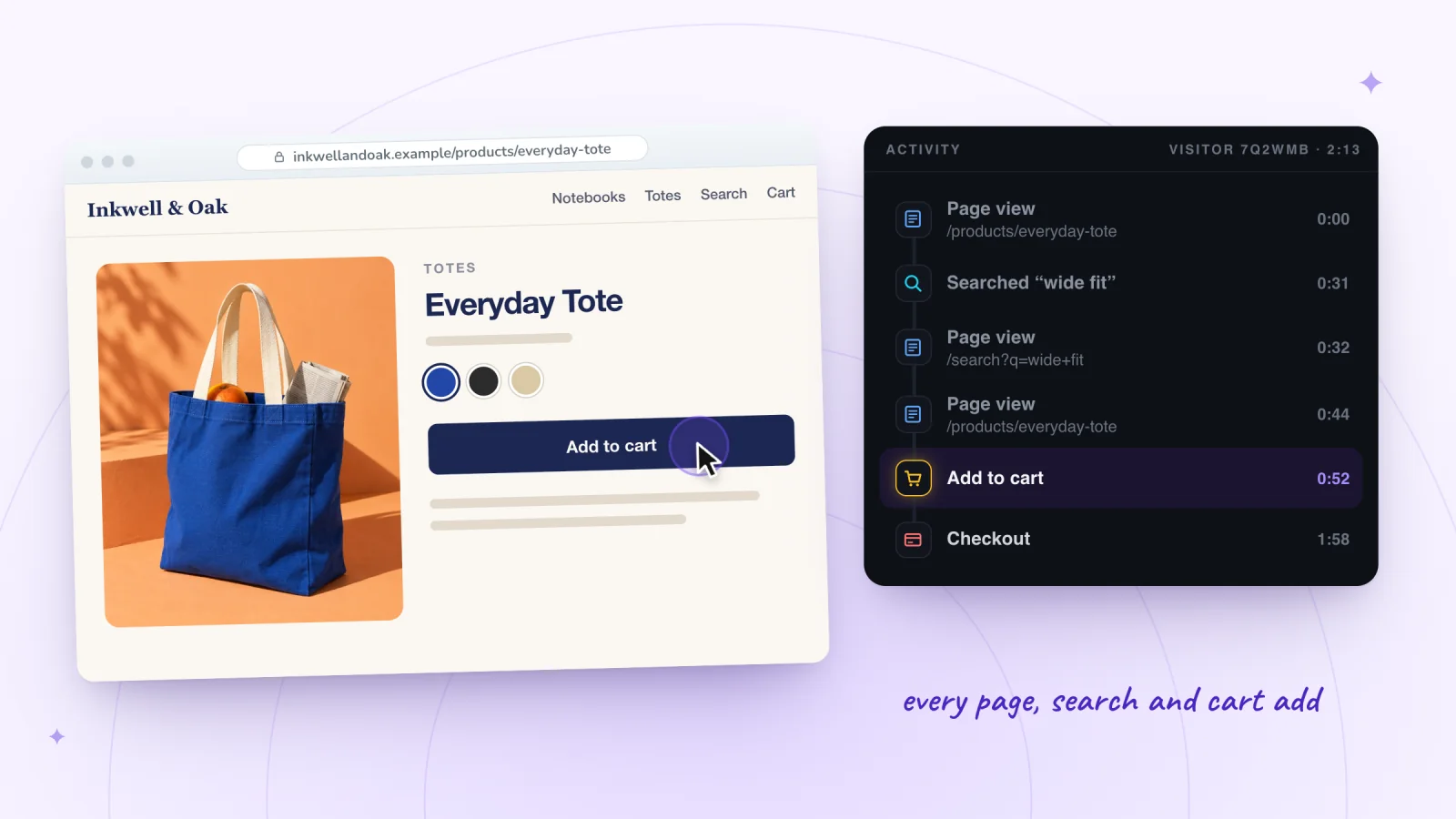
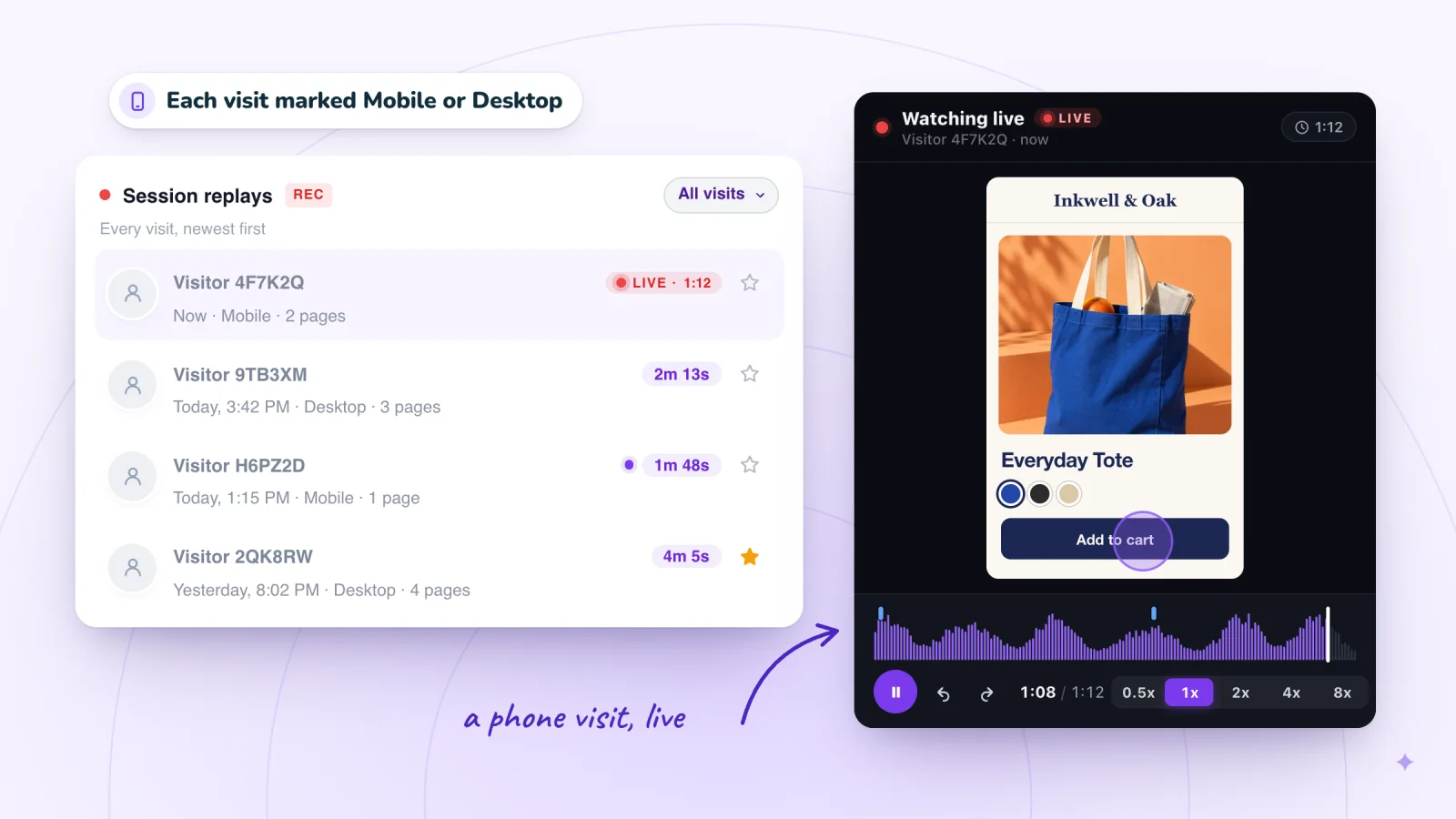
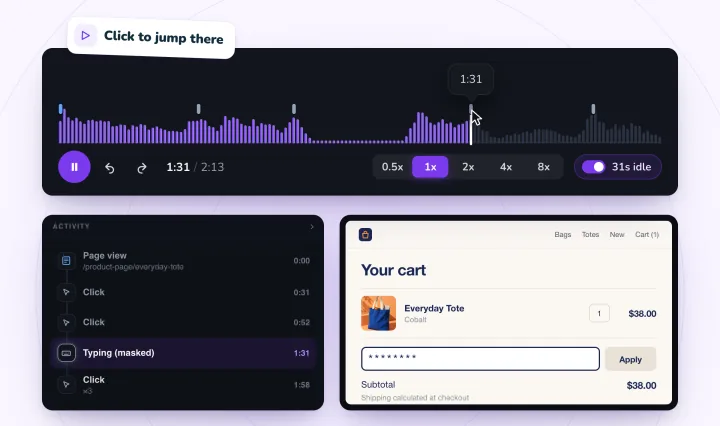
In Session Recordings, open visits from the same days and keep the ones with an Add to cart row and no Checkout row in their Activity list. Click the Add to cart row and play from a few seconds before it. Some themes' buttons, and express checkout buttons, show up as plain clicks instead, so if a visit has no Add to cart row, check the clicks on the product page's buy button.
Watch about ten. For each, note the page, the moment and what the shopper did, then count how often each cause below comes up. When the same thing shows up in three or more of ten, it's worth a fix.
Watch shoppers from product page to cart
Jump to each Add to cart and Check out press (some themes' buttons show as plain clicks), with form typing masked. Free forever: 2,000 recordings a month.
Five causes to check
1. Delivery costs that show up late
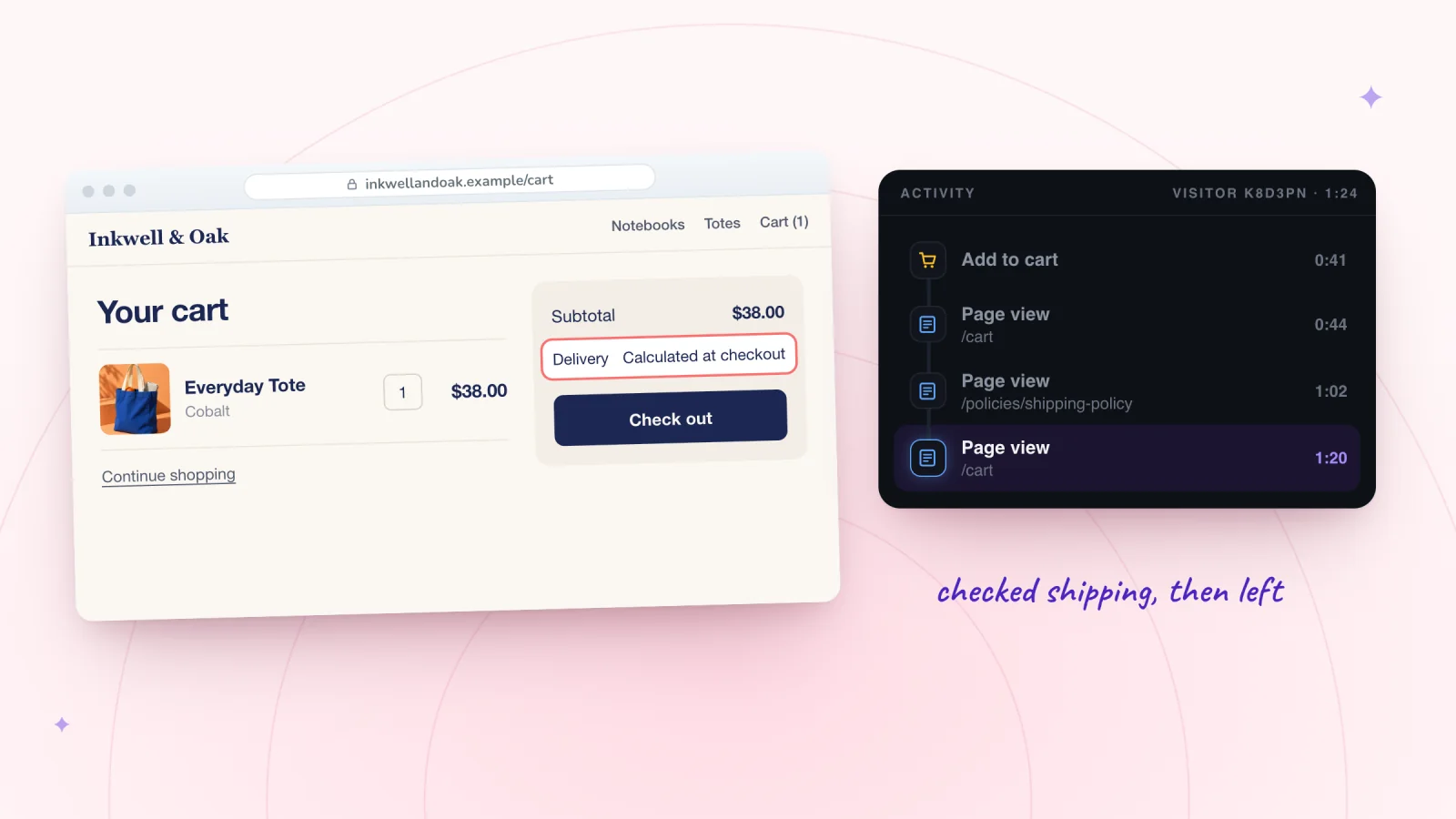
If you use carrier-calculated shipping rates, Shopify's own shipping guide says you can't surface those costs before checkout, and that this might lead to more abandoned checkouts. Flat rates are predictable, and Shopify suggests adding a table of your flat rates to your shipping and delivery page so shoppers can check costs before checkout. It also describes free shipping above an order value, such as $50.
In a replay: a trip from the cart or product page to your shipping policy, then nothing.
Fix: put the delivery cost, or the order value that makes it free, on the product page and near the cart's total, and link your rates.
2. A discount code with nowhere to go
Shoppers with a code look for somewhere to type it. On a phone, Shopify's checkout keeps the discount code field inside the collapsed order summary by default; Always show discount code field, in the Order summary section of the checkout and accounts editor, keeps it in view. A shareable discount link, from Promote › Get a shareable link on the discount, applies the code automatically to the shopper's next checkout, so there's nothing to type.
In a replay: taps around the cart's total, or scrolling up and down the cart, before the shopper leaves. A replay ends at the press of Check out, so it can't show the hunt inside checkout.
Fix: say where codes go, on the cart page or near your offer, and send codes as shareable links.
3. An Add to cart that seems to do nothing
If only a small cart count changes after the tap, shoppers tap again or leave. Shopify's help describes a Cart type setting in the theme editor, under Theme settings › Cart, with three choices: Drawer and Popup notification keep the shopper on the product page, and Page takes them to the cart page.
In a replay: a Click ×3 on the buy button, or a tap followed by scrolling and an exit.
Fix: pick the cart type whose response is easiest to see, then test it on a phone.
4. Options shoppers can't pick
A size or colour that's hard to choose stops the add, and one picked wrong stops the checkout. Shopify's theme settings include Variant pills, which show a product's variants on the product page so shoppers can pick one without changing pages, and you can change how they look.
In a replay: taps across the options before the add, or a trip back from the cart to the product page to change one.
Fix: make every option visible and readable on a phone, and say which ones are sold out.
5. A cart used as a shortlist
Some shoppers add products to compare them or to come back later, and aren't ready to buy today. That isn't a broken store. Shopify's Shop app lets customers save favourite products in collections, though you can't see what they save, and a wishlist app that supports app pages can add a wishlist page to customer accounts.
In a replay: several adds, a look at the cart's total, and an exit without pressing Check out.
Fix: give shoppers a place to save products, so the cart isn't the only one.
What replays can't show
Checkout, its thank-you page and customer account pages are never recorded: Shopify doesn't let app embeds load on checkout pages, so a replay ends at the press of Check out. Purchases aren't marked either, and a replay isn't linked to an order. For what happens after the press, use Sessions that reached checkout and Sessions that completed checkout in your report, and the abandoned checkouts list.
Frequently asked questions
Why do shoppers abandon carts on Shopify?
Usually for something they find in the cart or just before it. The five causes above are the ones to check first: a delivery cost shown late, a code with nowhere to go, an Add to cart that didn't seem to work, an option they couldn't pick, or a cart meant as a shortlist. Watch ten visits that stopped at the cart to see which applies to your store.
What's the difference between an abandoned cart and an abandoned checkout?
A cart is abandoned when a shopper adds products and leaves without ordering, wherever they stop. Shopify's abandoned checkouts list covers only those who got further: checkouts left incomplete for more than ten minutes after the customer gave an email address, under Orders › Abandoned checkouts.
Can I watch shoppers in Shopify's checkout?
Not in a replay. Shopify doesn't let app embeds load on checkout pages, so Session Recordings never records checkout or its thank-you page, and a replay ends at the press of Check out. The conversion report's last two steps show how many got through.
How many cart visits should I watch?
About ten from the same days, picked from visits that added to cart and never pressed Check out. If three or more of the ten show the same problem, fix it and check the report two weeks later; if every visit looks different, watch ten more.
Try it on your store
Session Recordings shows the visits behind your cart numbers, with each Add to cart and each press of Check out marked, free forever: 2,000 recordings a month, each kept 30 days. Switch on its Session recorder in your theme editor and click Save. See session recording for online stores, or how to see what customers do on your Shopify store for the whole routine.

Sources
Shopify's help and developer pages, checked October 29, 2026:
- Shopify Help: Behavior reports (Conversion rate breakdown)
- Shopify Help: Analytics
- Shopify Help: Recovering abandoned checkouts
- Shopify Help: Creating a shipping strategy
- Shopify Help: Customizing the style of your checkout
- Shopify Help: Managing and editing your discounts
- Shopify Help: Customizing theme settings
- Shopify Help: Shop app customer experience
- Shopify Help: Customizing customer accounts pages
- Shopify Dev: Configure theme app extensions

We build marketing apps for online stores: myuser.ai writes and sends emails and texts from a store's own products, and we make Session Recordings and Spin Wheel, free apps for online stores. Product details in our guides are checked against the apps themselves.