On this page
Partly. Shopify shows how many people visited your store, where they came from, where they are and which devices they used, and its customer list names the people who placed an order. A session replay shows what each visit did, page by page, but a replay app that doesn't read your customers names nobody.
So "who visited" splits into four questions, each with its own place to look.
| Question | Where to look |
|---|---|
| How many visited, and from where? | Your reports, under Analytics › Reports |
| Who's on the store right now? | Live View, or a replay app's live visits |
| Who bought? | Your customer list |
| What did a visitor do? | A session replay |
Key takeaways
- Shopify's reports show how many people visited, where they came from and on which device, and Live View counts who's on your store right now.
- Your customer list fills in from orders: Shopify adds a customer's name and details when they place one.
- Shopify counts visitors with a cookie on each device, so sessions usually outnumber visitors.
- Session Recordings shows what each visit did but names nobody: each shopper is Visitor plus a short code, and account pages are never recorded.
- With a cookie banner, Shopify's session counts can drop and replays come only from visitors who allow analytics.
What Shopify shows about your visitors
Over time: your reports
Under Analytics › Reports in your Shopify admin, these describe your visitors. Which reports you can open depends on your Shopify plan.
- Sessions over time shows the number of visitors and sessions for the dates you pick, and Visitors over time the number of unique visitors.
- Sessions by referrer shows whether visitors came to your store directly, from a search engine or from another site.
- Sessions by location shows the countries, regions and cities they came from.
- Sessions by device shows the kinds of devices they used, and Sessions by landing page the page each session started on.
Shopify counts with cookies: one identifies the device, which is the visitor, and another tracks the session, which ends after 30 minutes of inactivity. A returning visitor can have several sessions, so sessions usually outnumber visitors. Your own visits count too, except one you open with the View store button on a computer.
Right now: Live View
Live View, under Analytics › Live View, counts the visitors active on your online store in the past 5 minutes and marks recent sessions and orders as dots on a map. It also counts the sessions of the last 10 minutes with items in the cart, the ones checking out and the ones that purchased. How to watch live visitors covers following a visit while it's still going.
By name: the customers who order
Each time a new customer places an order with your store, Shopify adds their name and other details to your customer list, and Live View's Customers figure counts customers who have placed an order from your online store. So you can see who bought. For everyone else, the reports and Live View give you counts.
Can you get notified when someone visits?
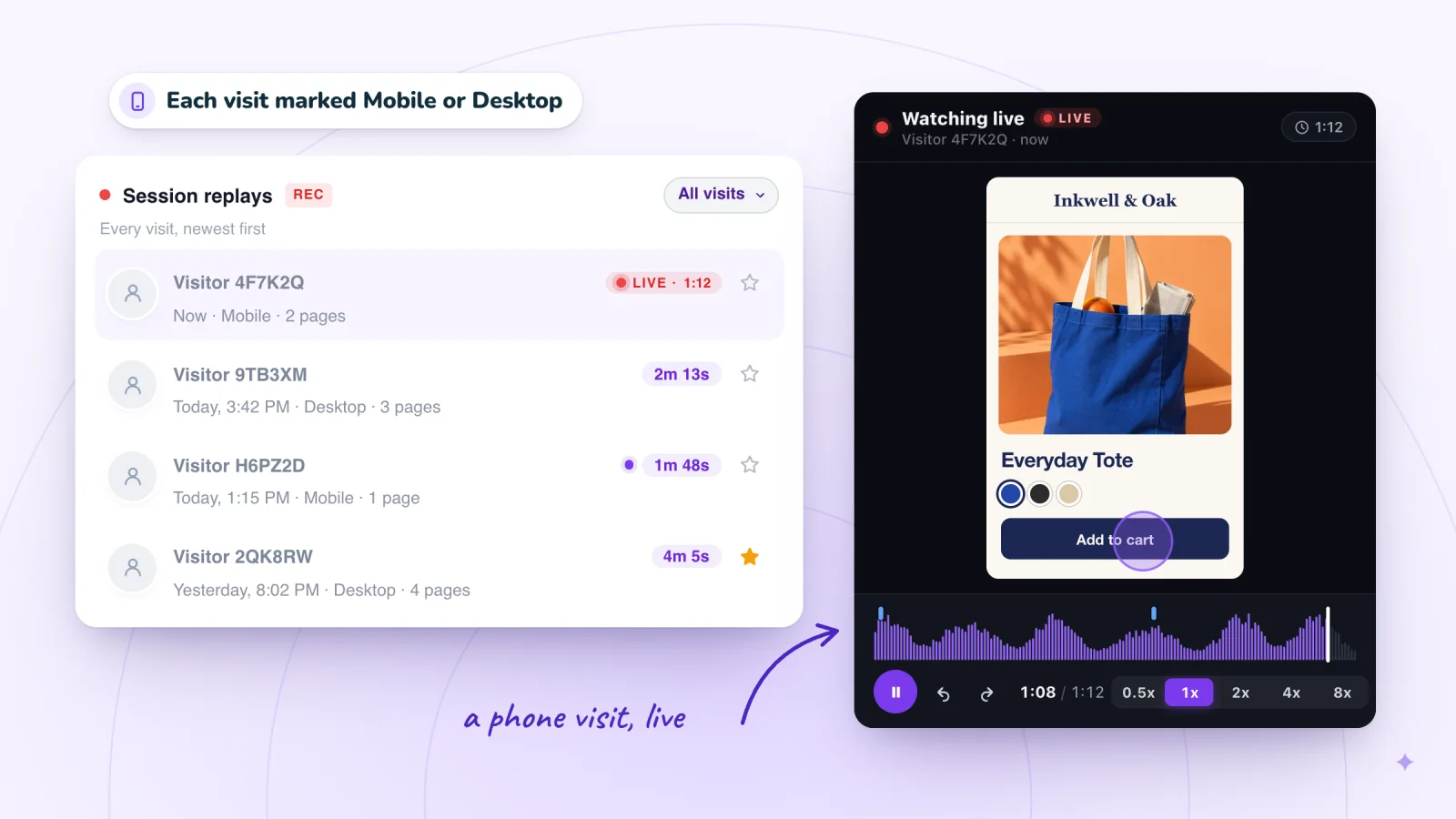
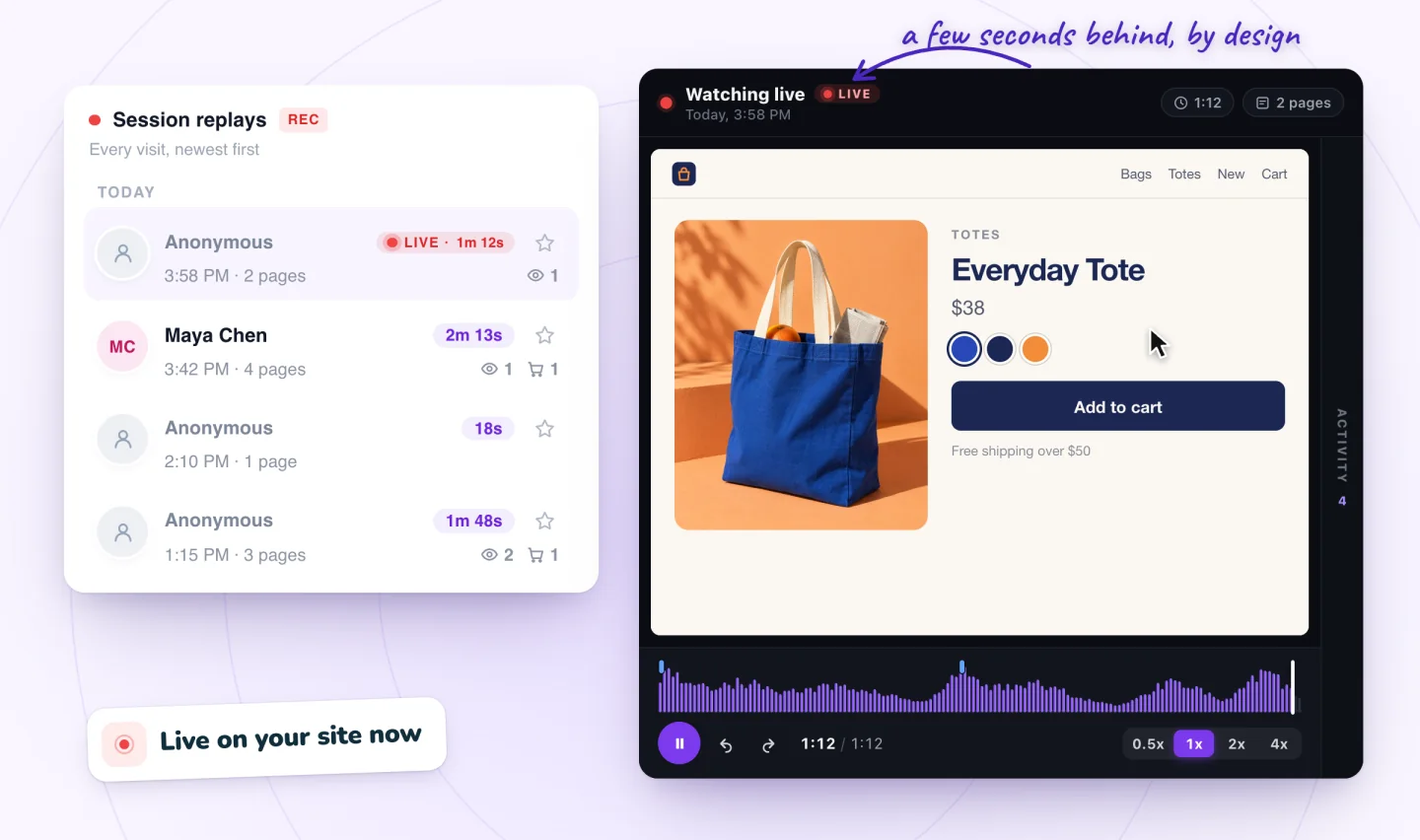
Not from the Shopify help pages we read on October 29, 2026: Live View and the reports describe counts and charts you open, not alerts. Session Recordings has no visit alerts either. Open Replays to see visits as they arrive, with the ones still going marked LIVE.
Session recordings, private by default
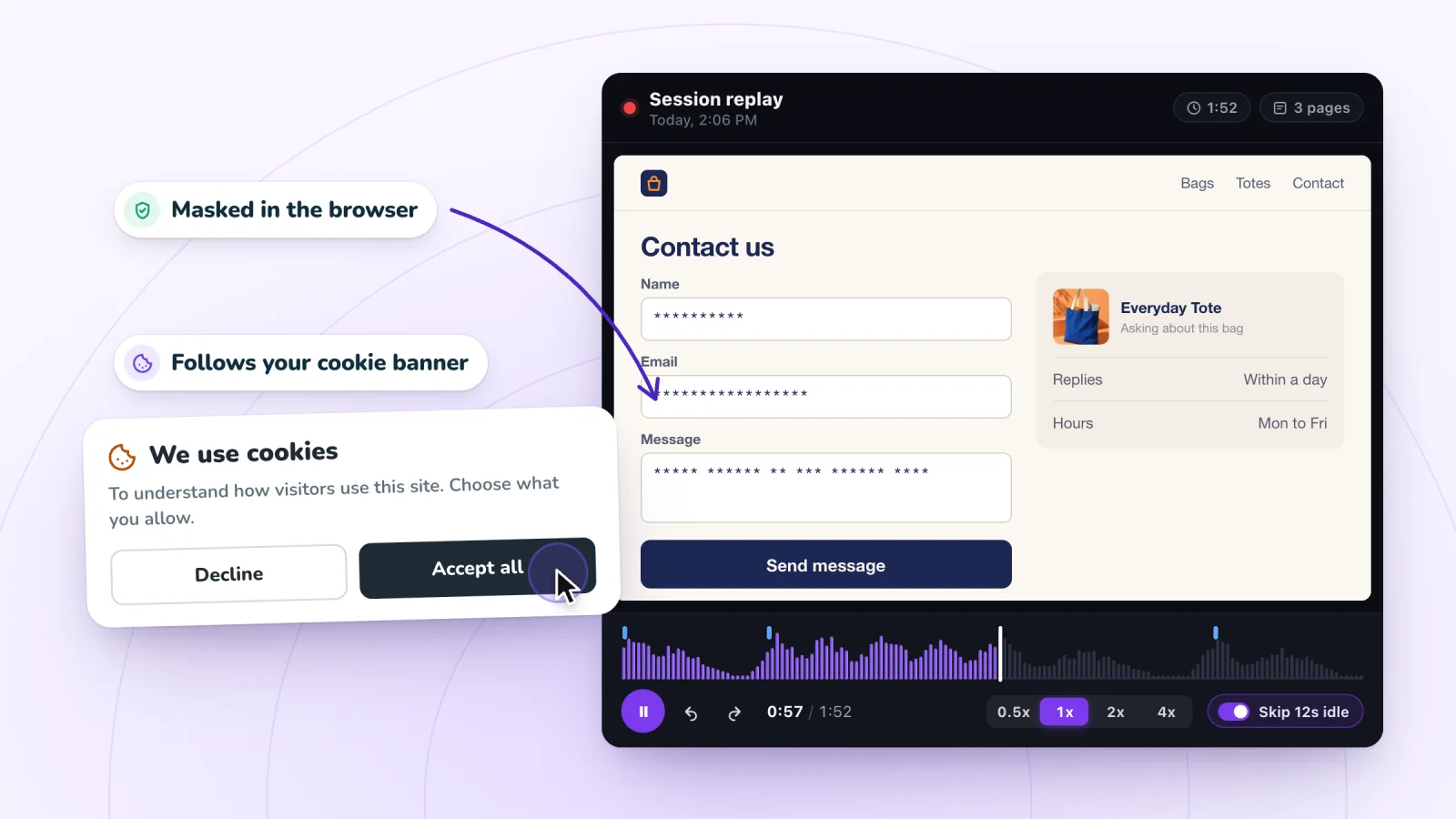
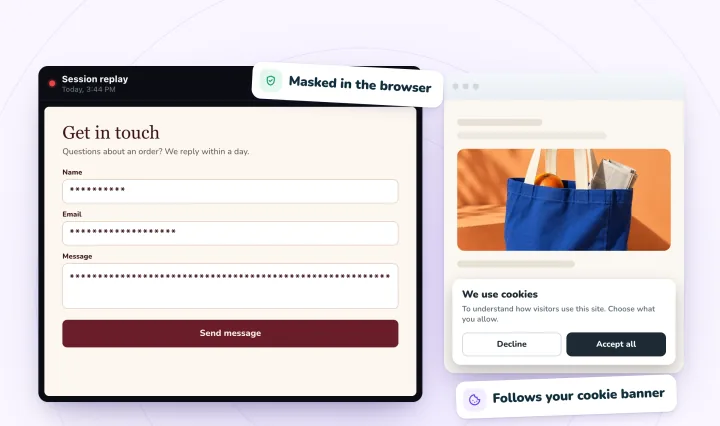
Form typing is masked in the visitor's browser, and recording follows your store's cookie consent. Free forever.
What a consent banner hides
Shopify's help says that where its cookie banner shows, data that isn't essential is collected only after a visitor consents, which can show up as fewer sessions and lower session-based numbers, conversion rates included. Live View's own help adds that its counts can differ from Google Analytics and other services, because each one tracks and counts visitors in its own way.
Session Recordings follows the same choice. It reads each visitor's consent through Shopify's Customer Privacy, which Shopify's cookie banner and consent apps connected to it report to, so where your store asks, a shopper is recorded only after allowing analytics. If your store doesn't ask for cookie consent, recording doesn't wait for it: every visitor who clicks, taps or types is recorded. Either way, every count you see is a sample, good for spotting problems and not for counting people.
Who visited vs what they did
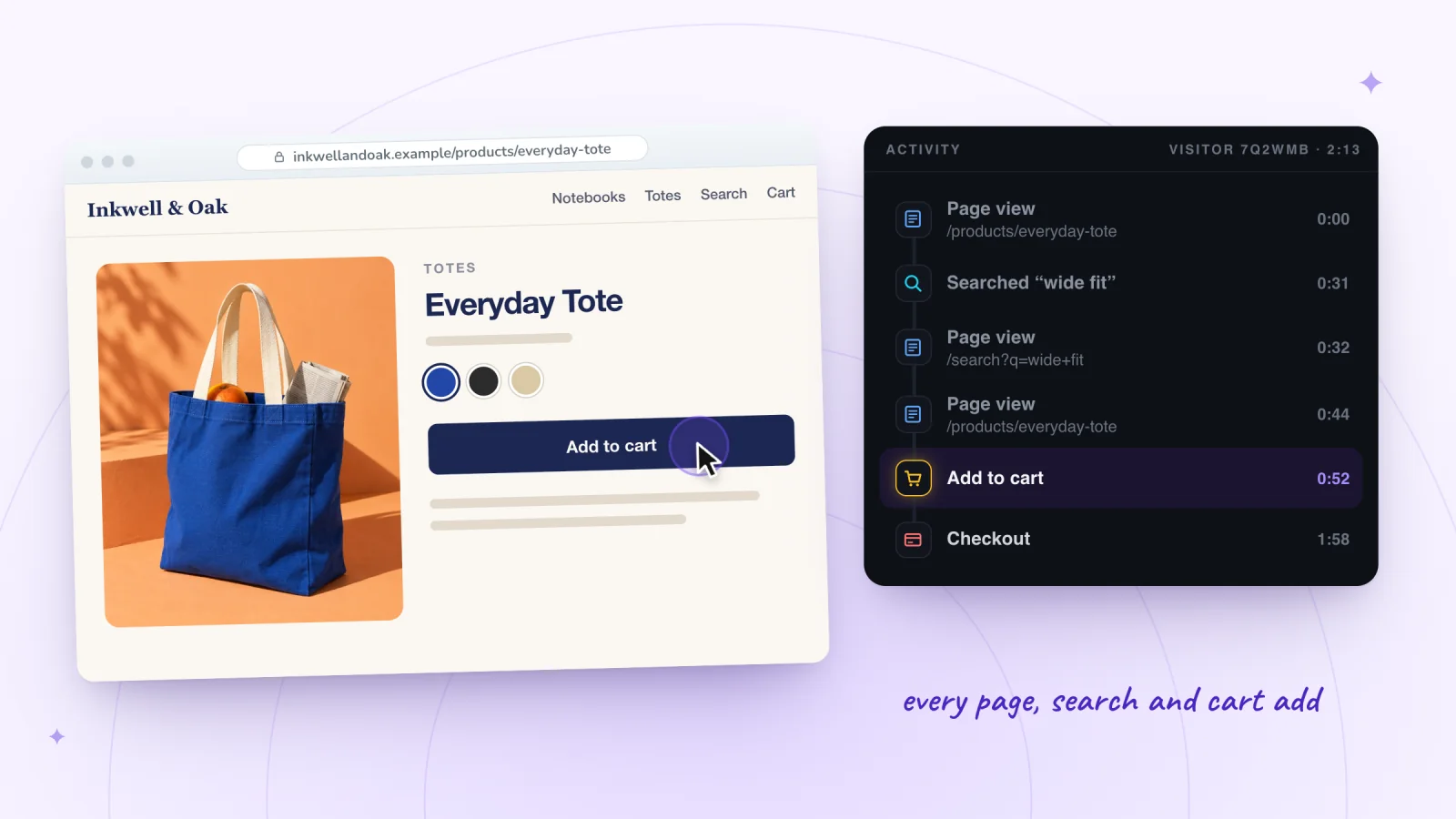
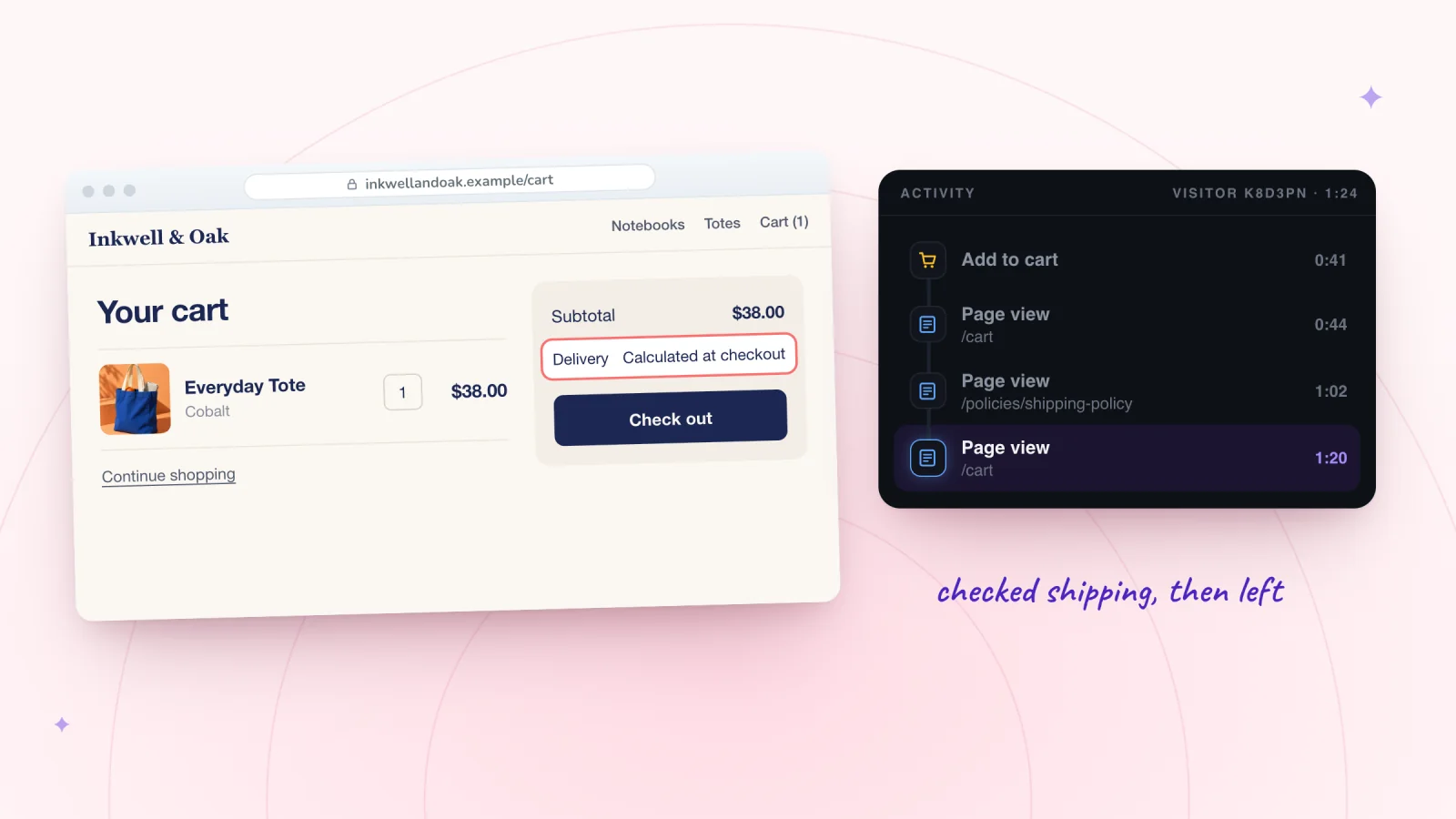
A count tells you how many. A replay tells you what one visit did. Say Sessions by landing page shows that 40 sessions started on Inkwell & Oak's Everyday Tote page yesterday (a made-up store and made-up numbers). A replay of one of them shows the shopper tapping the same product photo three times, scrolling to the reviews and leaving. Neither tells you the shopper's name, and for fixing the page you don't need it: what they tried, and where they stopped, is what you can act on.
What a session replay shows on Shopify
Session Recordings records a visit to your online store once the shopper clicks, taps or types, and replays it rebuilt from the page itself.
- Nobody is named. The list shows each shopper as Visitor plus a short code, with the start time, the number of pages and a Mobile or Desktop mark, because the app doesn't read your customers.
- Account pages and checkout are never recorded. Customer account pages, checkout and its thank-you page stay out of every replay, so a replay ends at the press of Check out.
- Typing is masked in form fields. What a shopper types into a form field is masked in their browser before anything is sent. The words they submit in your store's search show in the replay.
- Page text shows as it was. Text the page itself displays, such as a name in a greeting, appears as the shopper saw it, so check those pages before you share a replay.
Session replay privacy and GDPR covers what to tell shoppers and how long to keep replays.
Frequently asked questions
Can I see the names of visitors on my Shopify store?
Only of the people who order: Shopify adds a customer's name and details to your customer list when they place an order. Session Recordings names nobody on Shopify; each shopper is Visitor plus a short code.
Can I see where my visitors came from?
Yes. Sessions by referrer shows whether they came directly, from a search engine or from another site, and Sessions by location shows their countries, regions and cities.
Can I see how many people are on my store right now?
Yes. Live View counts the visitors who were active in the past 5 minutes, and the sessions of the last 10 minutes with items in the cart, checking out or purchased. In Session Recordings, visits still in progress are marked LIVE.
Why does Shopify show more sessions than visitors?
Because a session ends after 30 minutes of inactivity, and a visitor who comes back later starts a new one. Shopify knows a returning visitor by a cookie on their device, so one person can add several sessions to a single visitor.
Is it legal to see who visits my store?
Counting visits and recording them can be, when shoppers are told and, where the law requires it, asked first. Name recordings in your privacy policy, and turn on Shopify's cookie banner for visitors from places that require consent. Session replay privacy and GDPR covers it; it's general information, not legal advice.
Try it on your store
Session Recordings shows what each visit to your Shopify store did, free forever: 2,000 recordings a month, each kept 30 days, with nothing charged to your Shopify bill. Switch on its Session recorder in your theme editor, click Save, and recording starts with the next visit. How to see what customers do on your Shopify store puts replays and reports together.

Sources
Shopify's help pages, checked October 29, 2026:
- Shopify Help: Acquisition reports
- Shopify Help: Behavior reports
- Shopify Help: Analytics
- Shopify Help: Live View
- Shopify Help: Customers
- Shopify Help: Configuring customer privacy settings

We build marketing apps for online stores: myuser.ai writes and sends emails and texts from a store's own products, and we make Session Recordings and Spin Wheel, free apps for online stores. Product details in our guides are checked against the apps themselves.